
Adobe Bridge vs. Brault
Adobe Bridge vs. Brault
| Product | Rating | Most Used By | Product Summary | Starting Price |
|---|---|---|---|---|
 Adobe Bridge | N/A | Adobe Bridge is a creative digital asset manager that lets you preview, organize, edit, and publish multiple creative assets (including Adobe Photoshop, InDesign, Illustrator, After Effects, and Dimension files) with thumbnails and rich previews. Edit metadata. Add keywords, labels, and ratings to assets. Organize assets using collections, and find assets using powerful filters and advanced metadata search features. Collaborate with Libraries and publish to Adobe Stock from Bridge. | N/A | |
 Brault | Small Businesses (1-50 employees) | Brault is a creative asset management (DAM) platform built for teams that need more than generic cloud storage. It combines file storage, AI-powered search, project tracking, feedback, file transfer, and brand management in a single workspace, reducing the need for multiple tools across the creative stack. The platform analyzes the content of images, videos, audio files, and documents across 50+ formats, enabling natural language search. Workspaces organize assets by… | $5 per month per user |
| Adobe Bridge | Brault | |||||||||||||||
|---|---|---|---|---|---|---|---|---|---|---|---|---|---|---|---|---|
| Editions & Modules | No answers on this topic |
| ||||||||||||||
| Offerings |
| |||||||||||||||
| Entry-level Setup Fee | No setup fee | $1,500 one-time fee per installation (Enterprise tier only) | ||||||||||||||
| Additional Details | — | Month to month: Lite $5, Pro $15, Growth $85. Lite is a single-user plan; Pro includes 1 user and takes up to 3 ($8 per extra user/month); Growth includes 4 users ($4 per extra user/month). Extra storage $9 per TB/month. A discount is available for annual billing. | ||||||||||||||
| More Pricing Information | ||||||||||||||||
| Adobe Bridge | Brault |
|---|
| Adobe Bridge | Brault | |||||||||||||||||||||||||||||||||||||||||||||||||||
|---|---|---|---|---|---|---|---|---|---|---|---|---|---|---|---|---|---|---|---|---|---|---|---|---|---|---|---|---|---|---|---|---|---|---|---|---|---|---|---|---|---|---|---|---|---|---|---|---|---|---|---|---|
| Reporting & Analytics |
| |||||||||||||||||||||||||||||||||||||||||||||||||||
| DAM Features |
|
| Adobe Bridge | Brault | |
|---|---|---|
| Small Businesses |  CoSchedule Marketing Suite Score 10.0 out of 10 | CoSchedule Marketing Suite Score 10.0 out of 10 |
| Medium-sized Companies | CoSchedule Marketing Suite Score 10.0 out of 10 | CoSchedule Marketing Suite Score 10.0 out of 10 |
| Enterprises |  Storyblok Score 9.9 out of 10 | Storyblok Score 9.9 out of 10 |
| All Alternatives | View all alternatives | View all alternatives |
| Adobe Bridge | Brault | |
|---|---|---|
| Likelihood to Recommend | 9.3 (7 ratings) | 9.0 (2 ratings) |
| Usability | 9.0 (3 ratings) | 10.0 (2 ratings) |
| Adobe Bridge | Brault | |
|---|---|---|
| Likelihood to Recommend | Adobe
| Brault App Corporation
|
| Pros | Adobe
| Brault App Corporation No answers on this topic |
| Cons | Adobe
| Brault App Corporation No answers on this topic |
| Usability | Adobe
| Brault App Corporation
|
| Alternatives Considered | Adobe
| Brault App Corporation
|
| Return on Investment | Adobe
 Mark Laurie Owner / photographer / artist / speaker / writer | Brault App Corporation No answers on this topic |
| ScreenShots | Brault Screenshots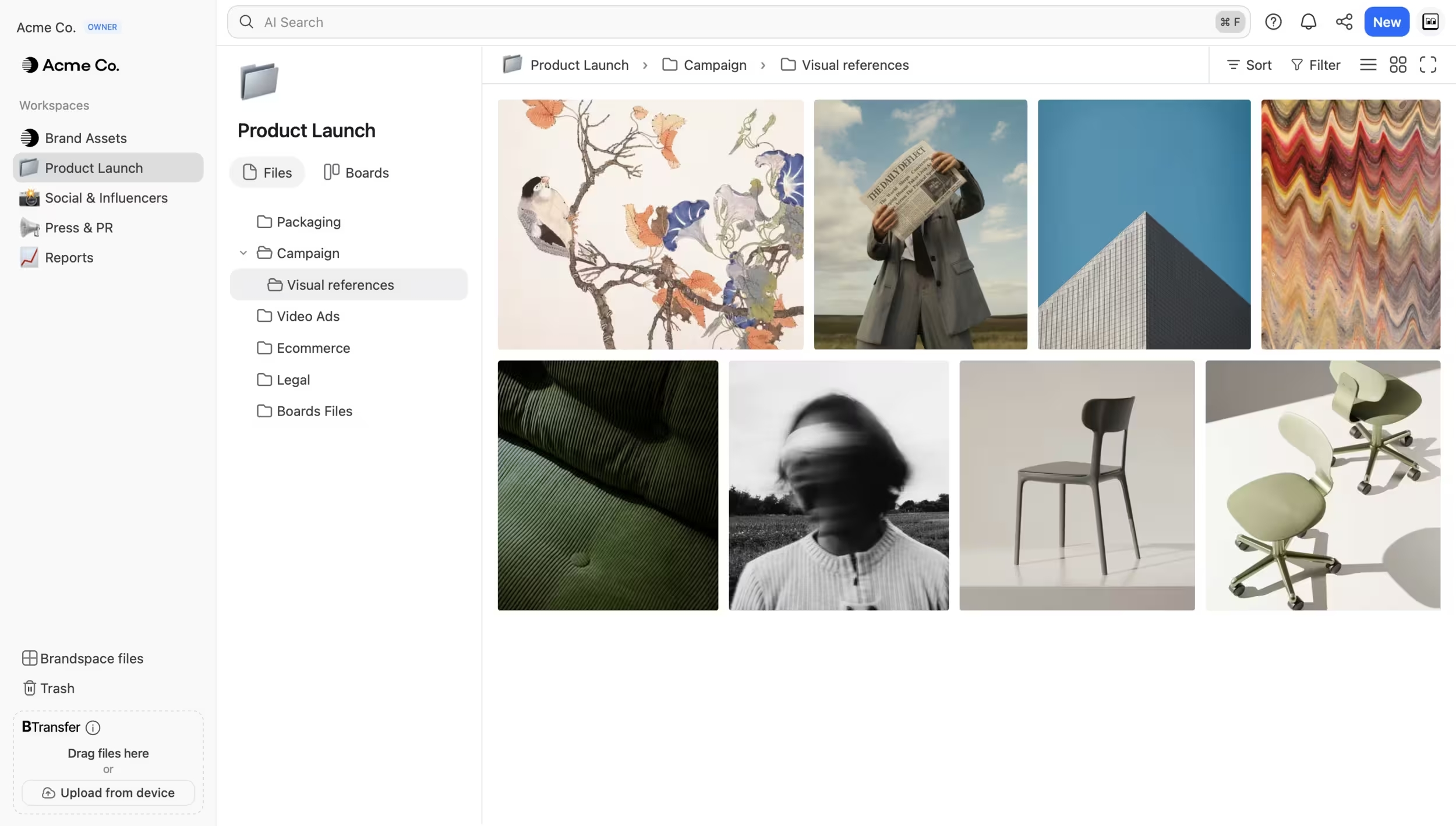 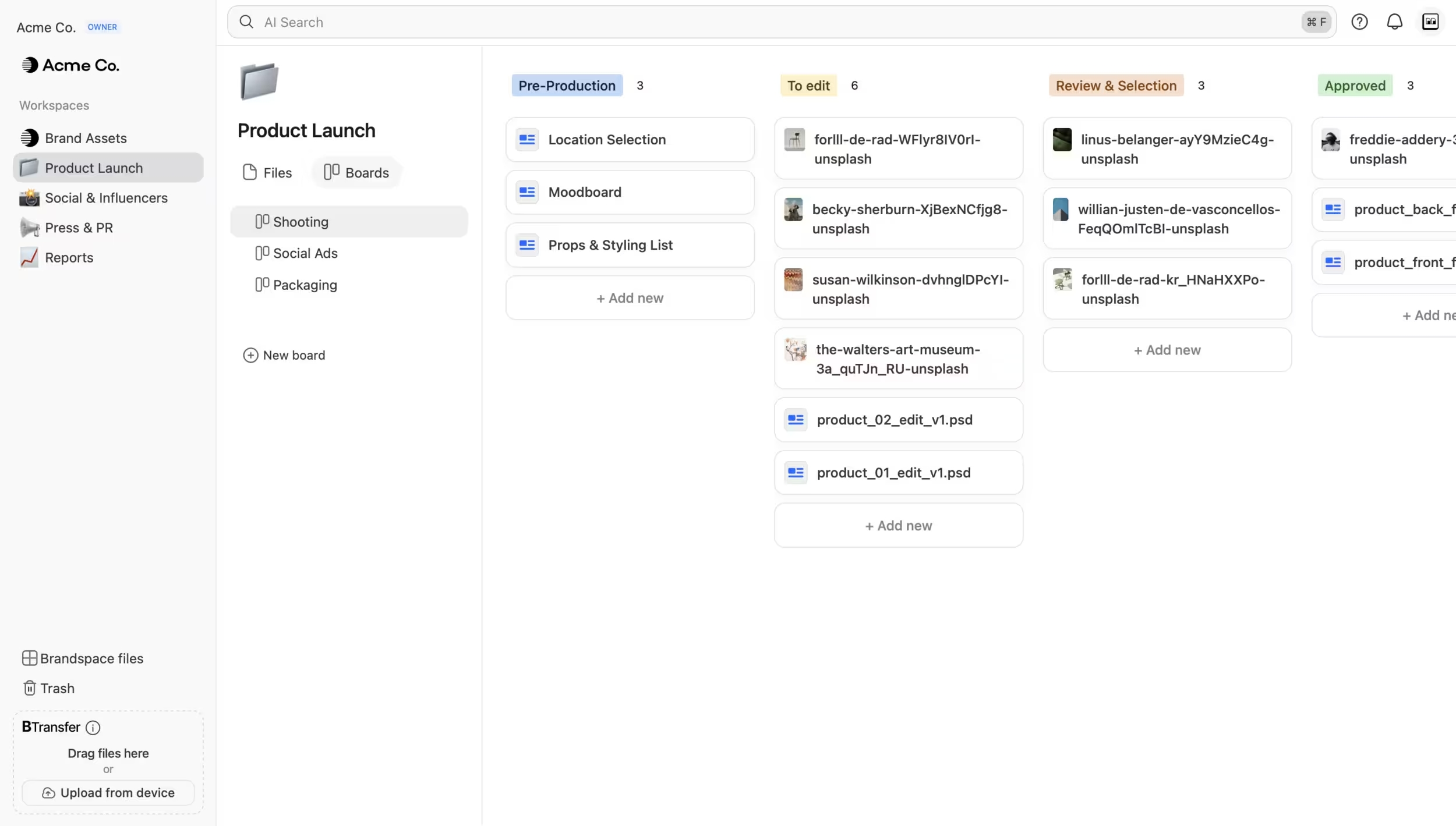 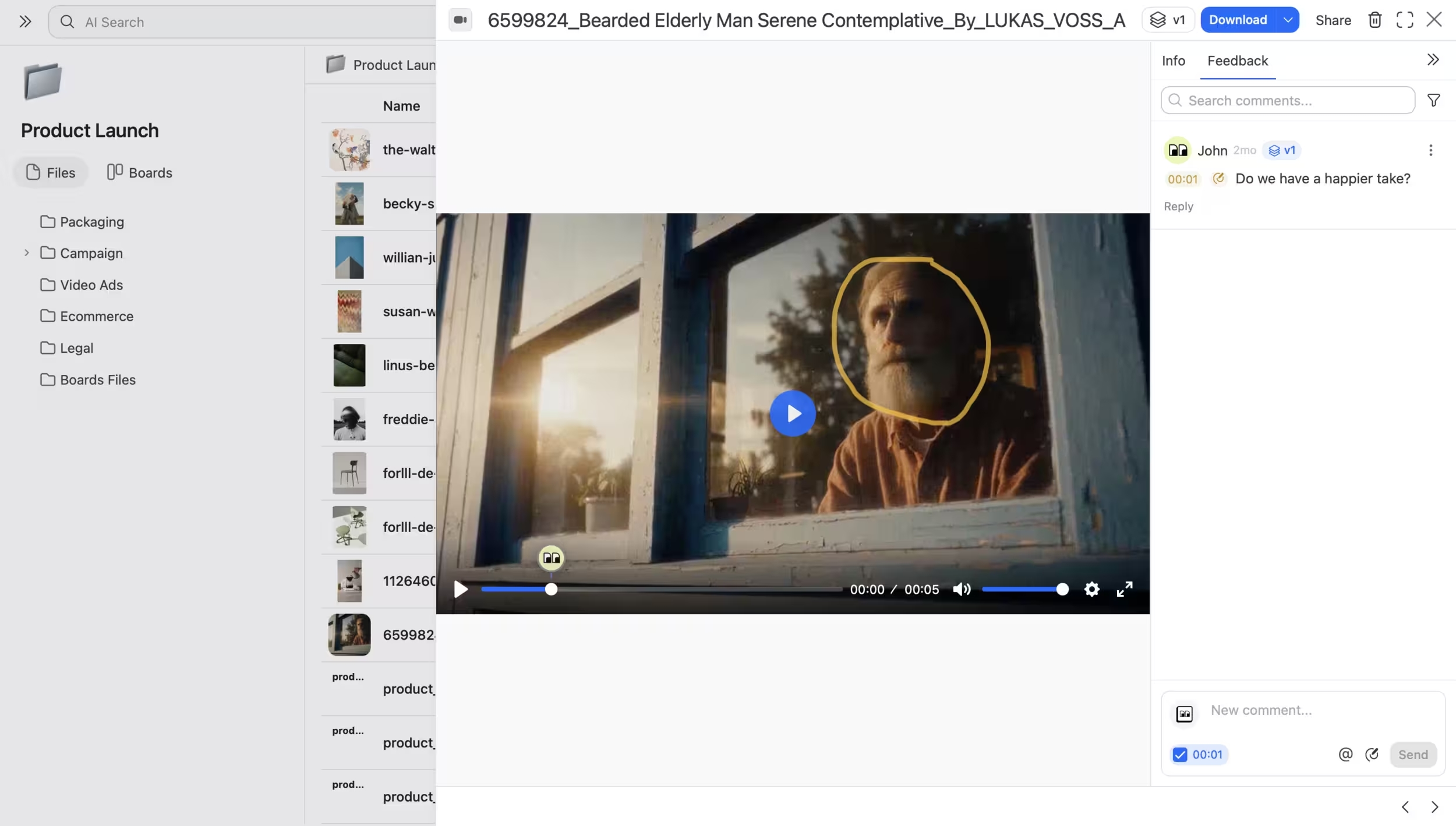 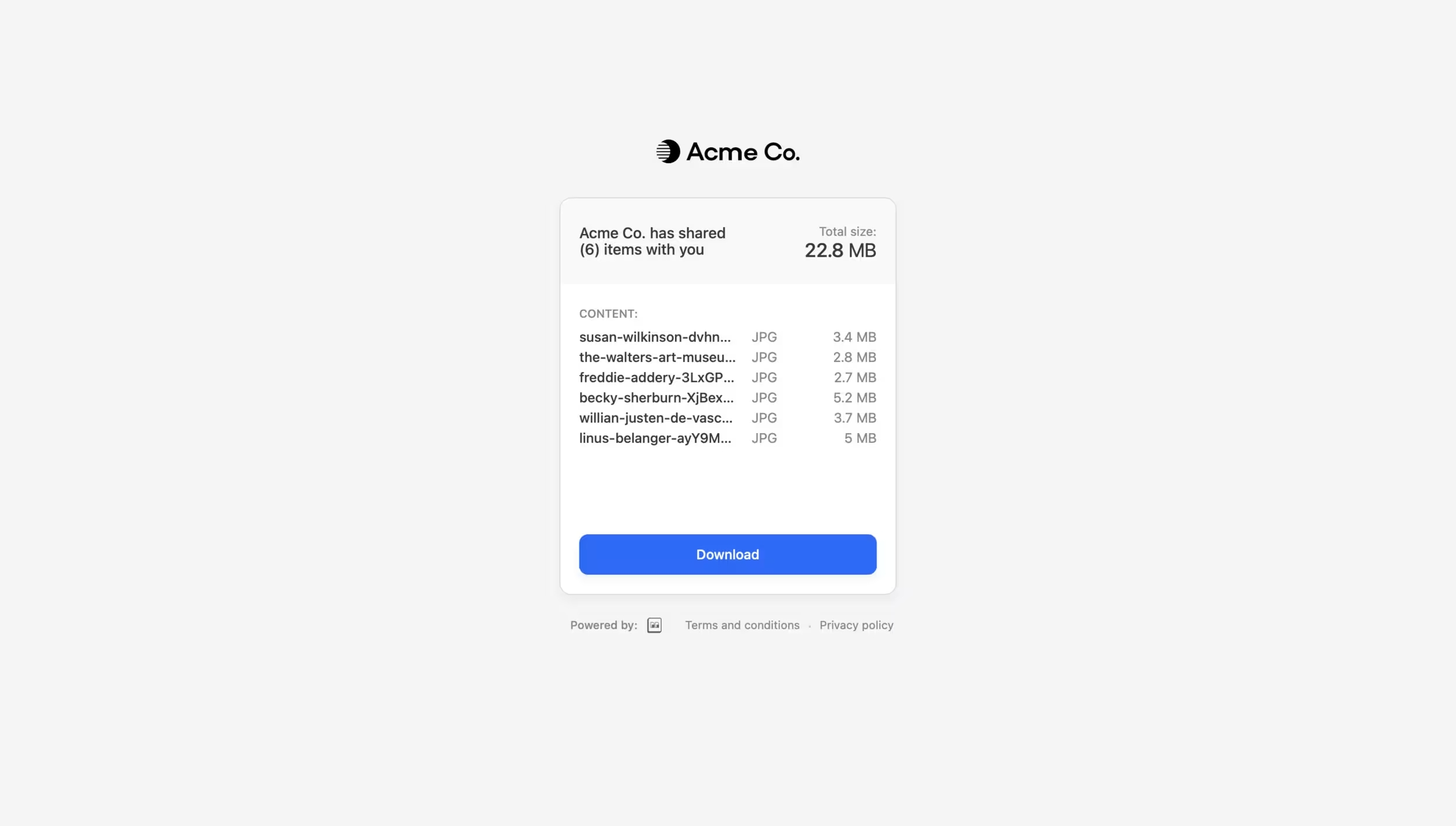 |