TrustRadius: an HG Insights company

Brault

Score9 out of 10

2 Reviews and Ratings

What is Brault?

Brault is a creative asset management (DAM) platform built for teams that need more than generic cloud storage. It combines file storage, AI-powered search, project tracking, feedback, file transfer, and brand management in a single workspace, reducing the need for multiple tools across the creative stack.

The platform analyzes the content of images, videos, audio files, and documents across 50+ formats, enabling natural language search. Workspaces organize assets by client, project, or campaign beyond traditional folders, while Kanban-style boards track workflows directly on top of files. Teams can leave in-context comments, annotations, and timestamped feedback without switching tools.

Brault also includes a built-in file transfer engine (Brault Transfer) for sending large files with branded download pages, password protection, and expiration controls. White-label branding extends across shared links and transfer pages, ensuring a consistent external experience.

By consolidating cloud storage, file transfer, review tools, and lightweight project management into one platform, Brault helps creative teams reduce tool fragmentation, improve asset discoverability, and streamline production workflows. Plans start at $0/month, with pricing that scales from freelancers to growing teams without enterprise-level cost or complexity.

Media

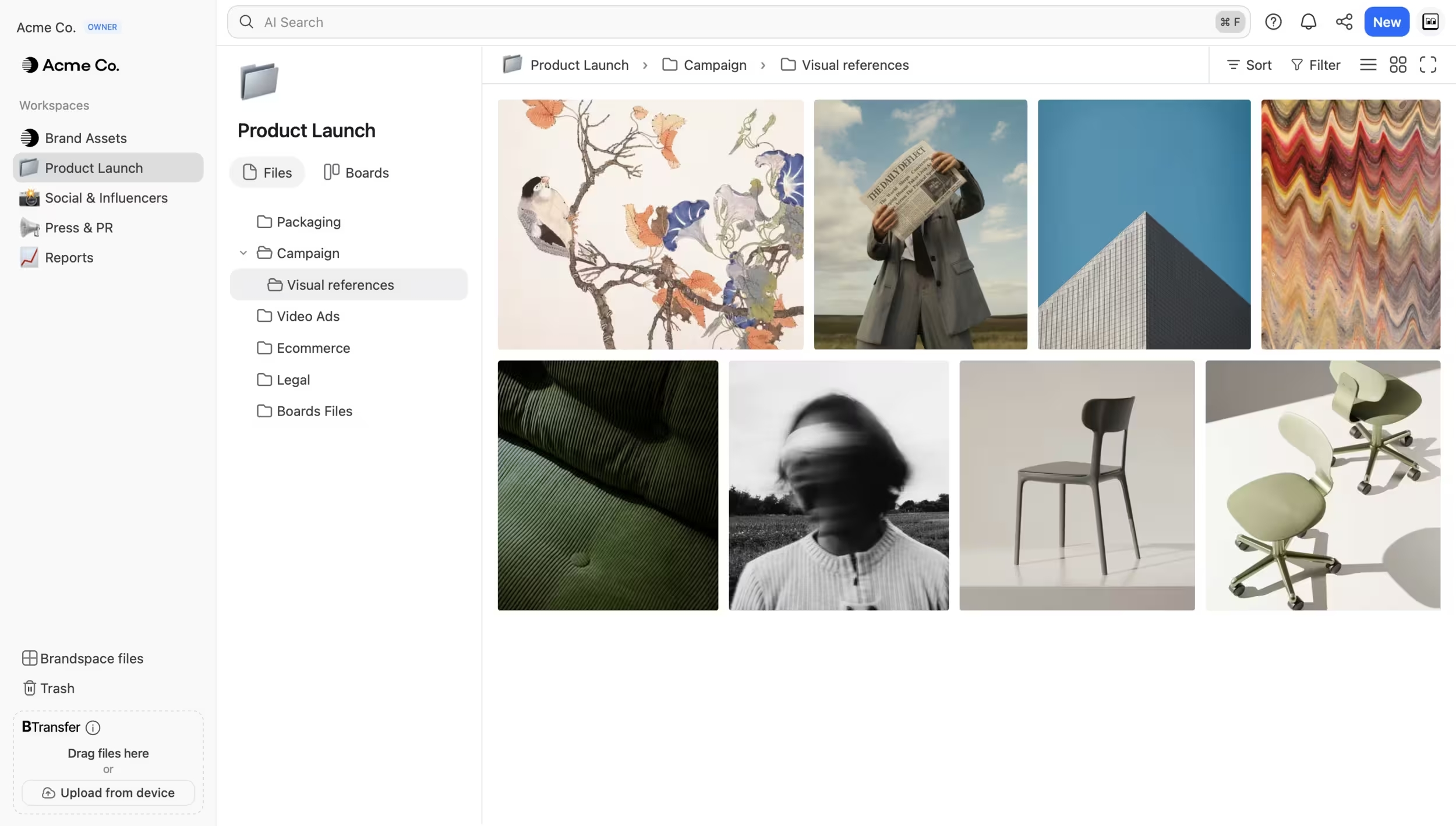
Screenshot of files organized by workspace, project, and campaign. Browse visually with rich previews for images, videos, and design files. AI Search finds any file by describing its content across 50+ formats
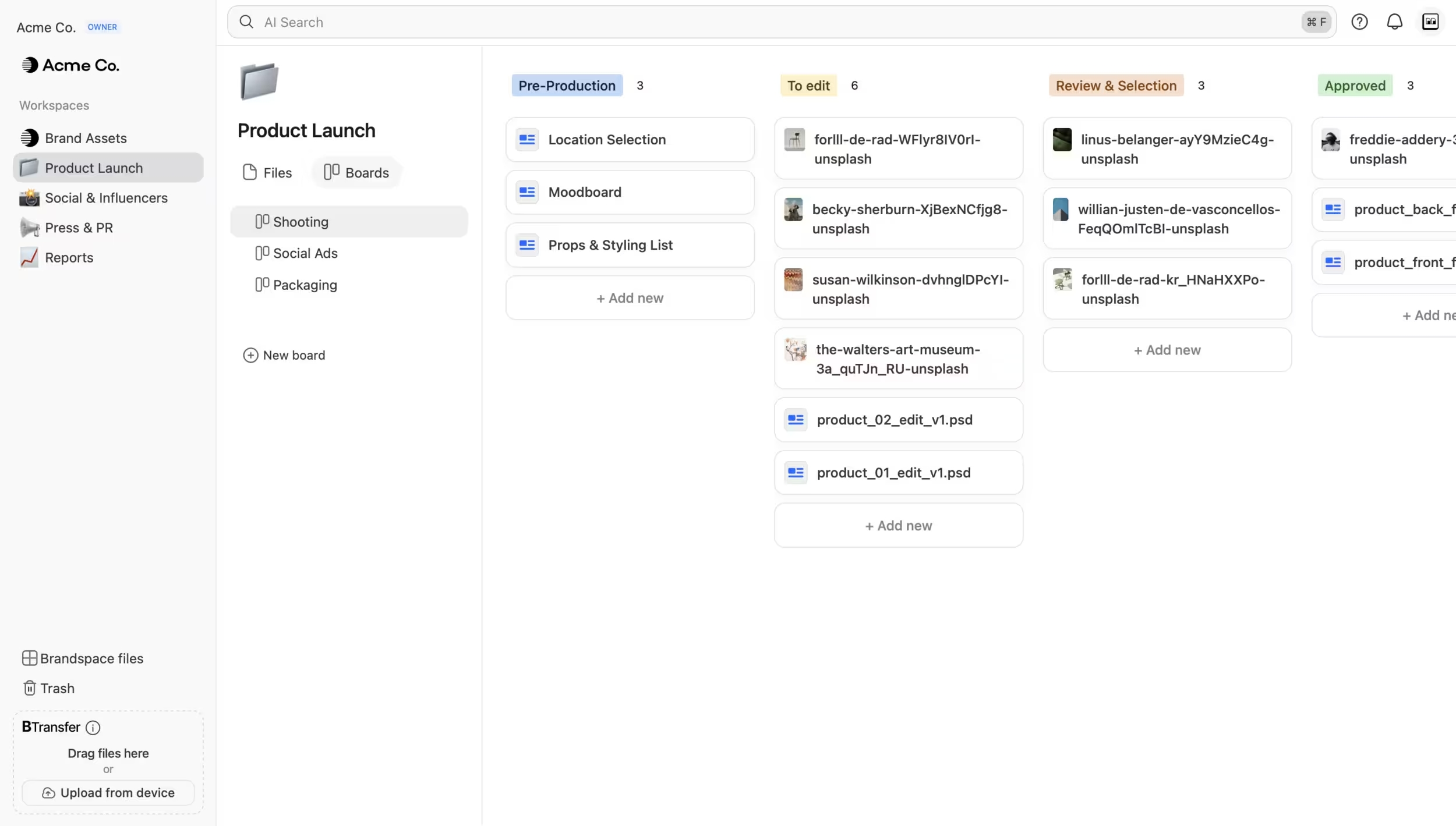
Screenshot of the interface to track creative workflows directly on files. Drag assets between custom status columns. Each card is a real file, not a link to one.
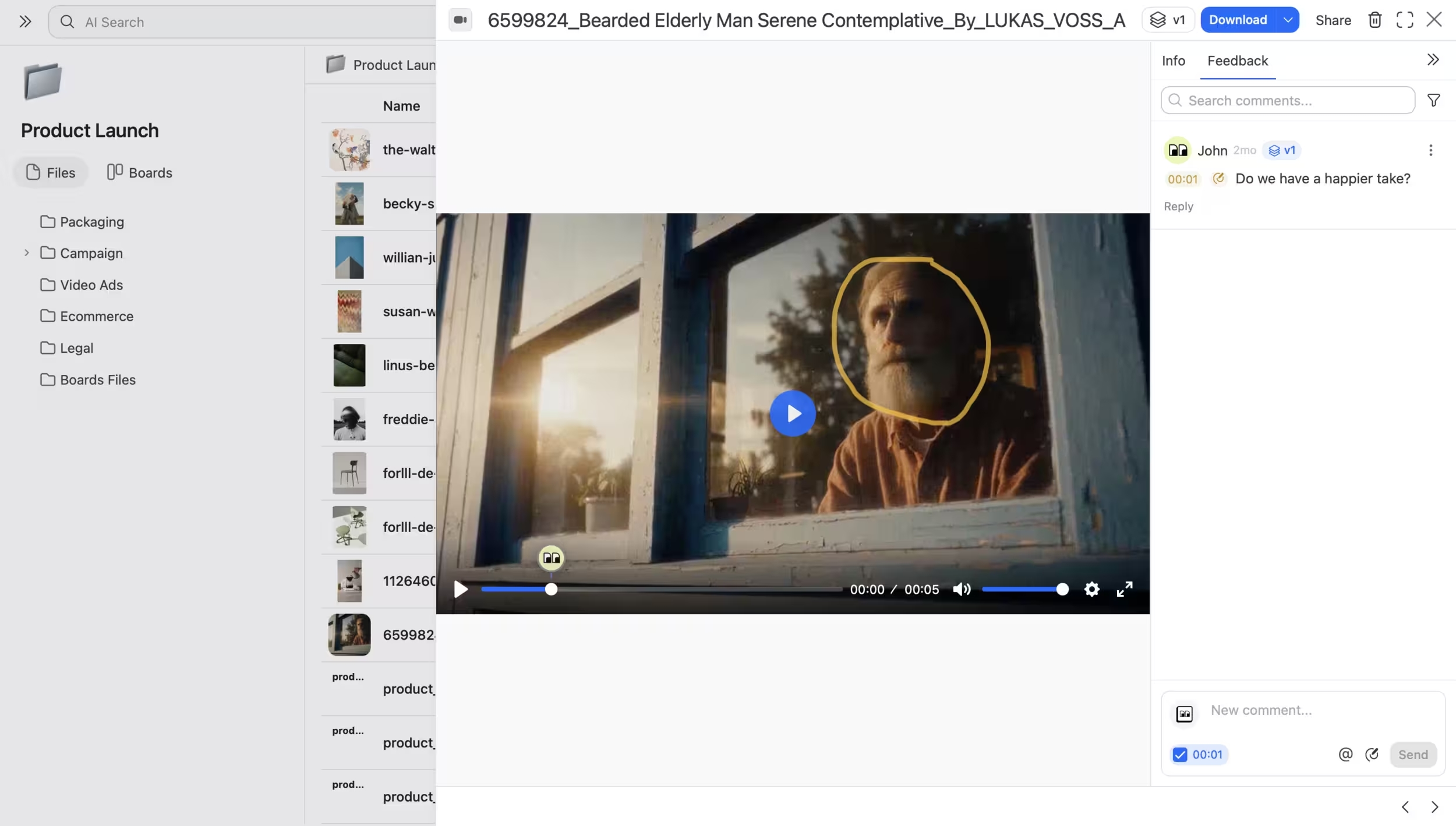
Screenshot of where to collect feedback directly on files. Leave timestamped comments, annotations, and mentions on videos and other assets.
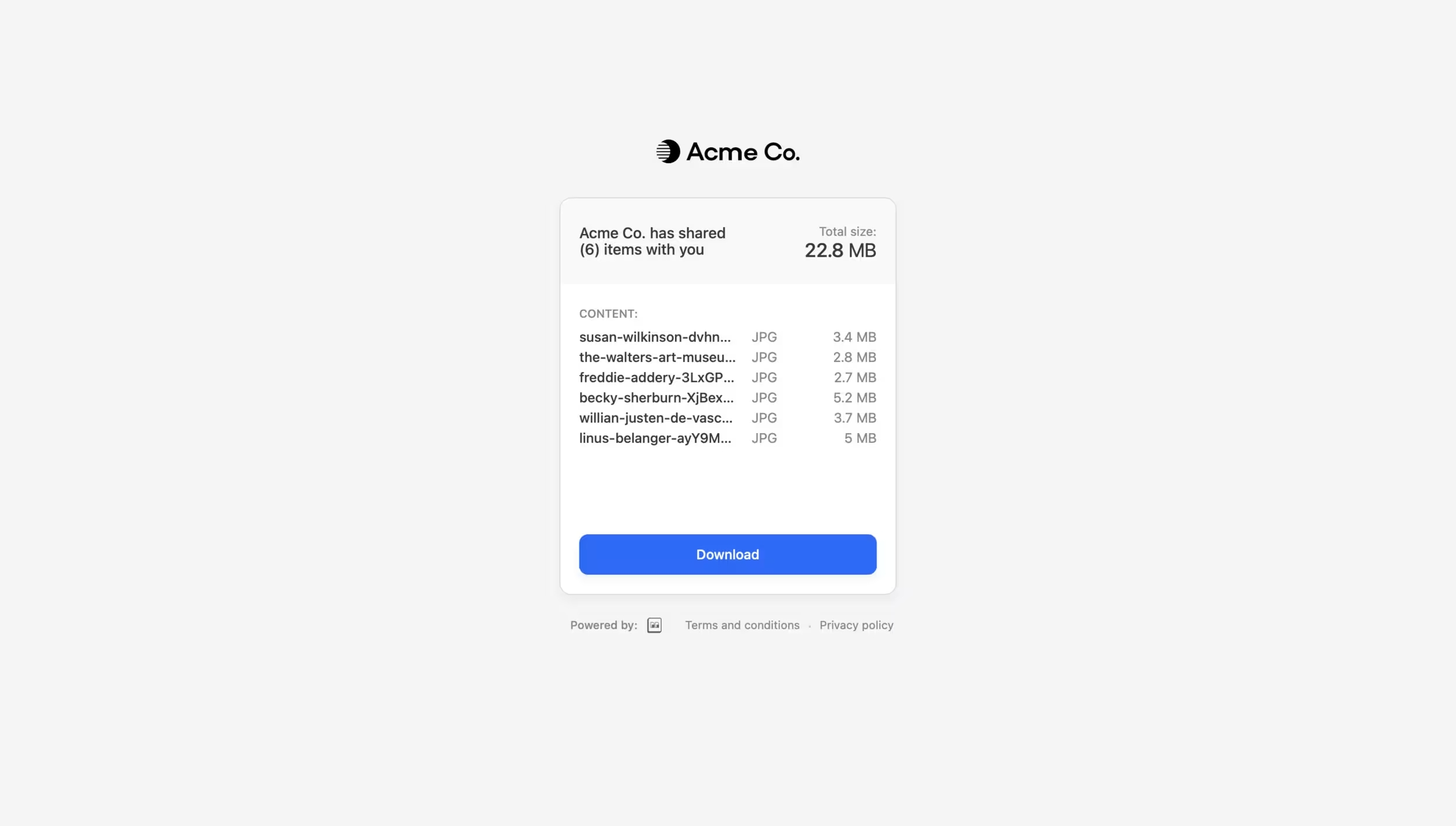
Screenshot of how to send large files without leaving the workspace. Deliver assets through branded download pages with password protection and expiration controls. Upload directly for one-off transfers or send files already stored in Brault.

1 / 4

Screenshot of files organized by workspace, project, and campaign. Browse visually with rich previews for images, videos, and design files. AI Search finds any file by describing its content across 50+ formats

Top Performing Features

  • Asset storage

    Centralized storage capacity and accessibility for centralized storage of marketing and brand assets. These can be anything from documents, audio files, videos, images, creative files (Adobe, etc.), etc. Outdated assets can be archived.

    Category average: 8.7

  • Asset sharing

    The ability to share and distribute assets with internal or external partners using sharing links attached to emails and messages, as well as portals. Data and assets can also be syndicated to third parties. Some DAMs enable asset publishing directly to end-user sites for more efficient distribution.

    Category average: 8.5

  • Asset search

    Provides users with access to content and branded assets through filters and predictive keyword searches. Search filters may include file formats, date ranges, and metadata values. Advanced metadata and custom field options allow for assets to include unlimited details that allow for rich search parameters.

    Category average: 7.6

Areas for Improvement

  • DAM API

    APIs act as an interface between apps and enable the creation of customized integrations that connect DAM platforms to other software. Digital assets can also be accessed and managed through other tools in a user's tech stack.

    Category average: 7.5

  • Embed codes

    Blocks of HTML code that facilitate the inclusion of videos from third-party sources on websites.

    Category average: 6.9

  • Workflow automations

    Collaborative workflow with role-based permissions as well as tracking and monitoring of asset usage, requests, and assignments.

    Category average: 5.8

All-in-one file management - best DAM in market

Use Cases and Deployment Scope

We use it to manage all our digital files, interact with 3Ps, give feedback, share large files, and collaborate with teams. Its AI capabilities are a true lifesaver for file management!’

Pros

  • AI search
  • File management
  • File creation
  • File sharing
  • Feedback

Cons

  • API integration

Return on Investment

  • Efficient, quick tool that increased our speed to market
  • Much more affordable than other DAMs

Usability

Alternatives Considered

Bynder, Frontify, Canto, Playbook Creative and Notion

Other Software Used

Notion, Slack

Most efficient DAM with the best UX

Use Cases and Deployment Scope

We use it as a DAM (digital asset manager) to store and use our creative assets. It replaces we transfer, one drive, frame.io, and many other apps, and is definitely much more affordable than other DAMs out there. It’s also way better than Dropbox, Google Drive, and similar solutions.

Pros

  • Asset management
  • File transfer
  • AI search
  • Canvas
  • Feedback and version history

Cons

  • Gen AI

Return on Investment

  • Much more affordable than prior solutions (50-70% cheaper)

Usability

Alternatives Considered

Bynder, Brandfolder, Air, Canto and Frontify