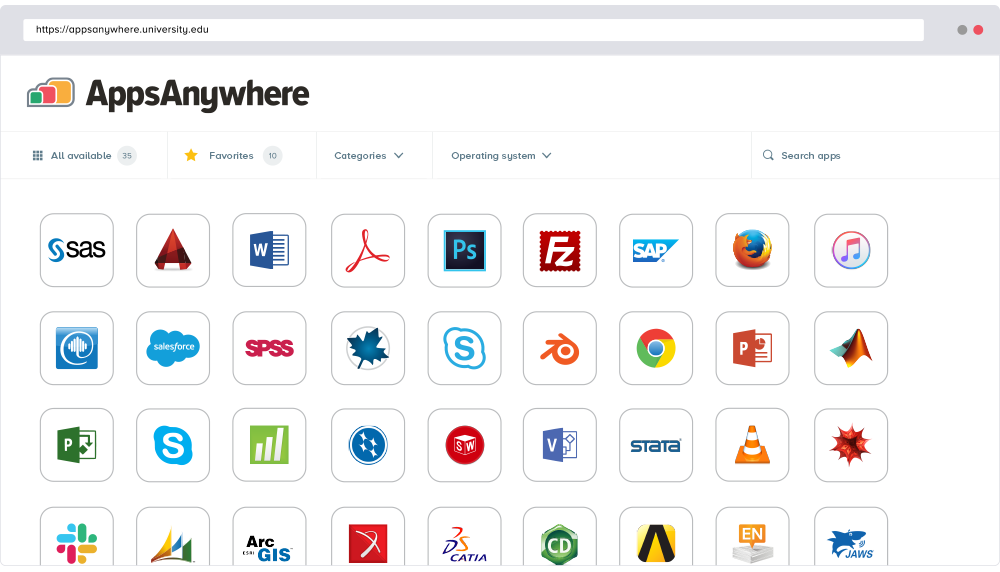
AppsAnywhere
is a software delivery platform that gives students and staff access to
the software they need to get their work done wherever they are, both on and
off campus.
Boasting more than 2 million students at over 200 universities
and colleges worldwide, the vendor states AppsAnywhere improves student outcomes by making
software available on any device, including BYOD, thanks to their unique approach
to virtualization. Used by higher ed
institutions, including University…
N/A
Slate for Advancement
Score 8.3 out of 10
N/A
Slate for Advancement is a CRM built exclusively for higher ed advancement and alumni offices. A license to Slate for Advancement is unlimited -- no additional add-ons or costs. Slate enables users to create a personalized constituent experience at scale with custom giving forms, donor portals, video messages, phone calling, and directories. Users can automate processes at scale while having control and access at every level of the system. And the platform includes inbuilt reporting.
I recently had the opportunity to compare AppsAnywhere with Oracle VM, Amazon Workspaces, and Kasm Workspaces. I found that AppsAnywhere was the most intuitive and easiest to use out of the four, and it also had the best customer support. Its powerful cloud-based technology …
The AppsAnywhere team is very quick in setting up things and also having everything in a single place. The bundle of the apps can be easily configured as the documentation is also very straightforward while setting up things and also having the team to work accordingly …
the only other way of providing students access to specialised software wherever they are that I've used myself is probably VMware Horizon, where students log in to a machine in the cloud that is pre-configured to run the software they need, and they run it there. This is much …
Both AppsAnywhere and Amazon WorkSpaces are software that allows users to have access to their files and applications from basically and device, such as Mac and Windows, tablets, etc. Both AppsAnywhere and Amazon WorkSpaces make remote work accessible for users in easy to …
AppsAnywhere is more reliable and easy to used, it's value for money. I find a good review about this software online, good match for my organization and businesses. AppsAnywhere is the first choice for my organization and we are happy with the AppsAnywhere support team and …
Slate for Advancement was more customizable, there is more community support, less expensive both overall and they don't overcharge you for phone calls and texts (if I remember correctly, they charge the customer what they are charged for each phone call or text). Overall, …
AppsAnywhere is basically suitable for its purpose, despite some usability problems. In our place, applications can in principle be delivered to other machines (not owned by us but by the end-user), who are not even on-site - provided the user can connect to our domain, almost any kind of device is ok. However, I have not tried that myself. The UI could let people work faster, but only by a little, and most people get there in the end. It is basically quite simple to use and appealing to look at
Slate has allowed information sharing and data integration, reducing our CRM needs from over 6 different systems into one. For example, the student call center is not managed solely out of Slate and all data is captured, collected, and then reported out of the system so that students can receive call lists, review the records they're calling, perform the call out of the system, collect gifts or other information through a form submission, communicate follow up with donors through email, text or video. All of this is done out of Slate allowing for all users to see interactions of donors / records, and easy triggers for follow up to be automated and occur
The community support that Slate for Advancement offers is a huge reason, but also the number of things that we never dreamed of doing that we can now with Slate for Advancement. They also are constantly improving and bringing new tools and ideas to the table for their customers to use.
Almost everyone you tell to use it to access a specialist application can find the software they need and install it. However, surprisingly many have difficulties finding AppsAnywhere under the start menu or on the task bar - it is not a icon or name they recognise, and they really want to lunch the target specialist software (Zbrush or whatever). Once you find it, many people ignore the search function which is probably the fastest method, and browse the long list alphabetically, because the standard filters do not help much. Favouriting is rarely used as it is too burdensome and not an issue for users when they are looking for the applicationt hey need.
Slate's business model does not assign a person to service your instance of the application. To receive effective support, you MUST engage in the online forums involving the greater Slate community. Once you embrace that model, the support team meets or exceeds any service standards I've experienced over the last 20 years.
I recently had the opportunity to compare AppsAnywhere with Oracle VM, Amazon Workspaces, and Kasm Workspaces. I found that AppsAnywhere was the most intuitive and easiest to use out of the four, and it also had the best customer support. Its powerful cloud-based technology made it easy to access applications from any device without having to worry about compatibility issues. The user experience was also great and I found that I could easily customize my workspace according to my needs.
Slate for Advancement was more customizable, there is more community support, less expensive both overall and they don't overcharge you for phone calls and texts (if I remember correctly, they charge the customer what they are charged for each phone call or text). Overall, Slate for Advancement was the more innovative option. We switched from Banner to Slate for Advancement, with Banner we constantly had to create workarounds for what we wanted to do with the software, we no longer have to do that. If we dream it, Slate for Advancement can most likely do it.