AWS Trusted Advisor vs. Hyperglance

Overview
ProductRatingMost Used ByProduct SummaryStarting Price
AWS Trusted Advisor
Score 6.2 out of 10
N/A
AWS Trusted Advisor is an online tool that provides users real time guidance to help provision resources following AWS best practices. Trusted Advisor checks help optimize AWS infrastructure, increase security and performance, reduce overall costs, and monitor service limits. Whether establishing new workflows, developing applications, or as part of ongoing improvement, the recommendations provided by Trusted Advisor are designed to help keep solutions provisioned optimally.N/A
Hyperglance
Score 7.7 out of 10
Enterprise companies (1,001+ employees)
Hyperglance is an enterprise cloud architecture software solution designed to enable users to take control of the enterprise's cloud documentation, cost, security & compliance. Automatic diagrams, cost analysis, security, and compliance across AWS, Azure, and K8s.
$899
per month up to 500 resources
Pricing
AWS Trusted AdvisorHyperglance
Editions & Modules
No answers on this topic
Up to 500 resources
$899
per month
Up to 1,000 resources
$1,459
per month
Up to 3,000 resources
$3,144
per month
Up to 5,000 resources
$4,492
per month
More than 5,000 resources
POA
per year
Offerings
Pricing Offerings
AWS Trusted AdvisorHyperglance
Free Trial
NoYes
Free/Freemium Version
NoNo
Premium Consulting/Integration Services
NoYes
Entry-level Setup FeeNo setup feeNo setup fee
Additional DetailsHyperglance pricing is based on the number of cloud resources ingested and inventoried, not a percentage of the overall cloud bill, so that costs stay predictable, even as spend changes. The license includes unlimited users and works across single or multi-cloud environments.
More Pricing Information
Community Pulse
AWS Trusted AdvisorHyperglance
Best Alternatives
AWS Trusted AdvisorHyperglance
Small Businesses

No answers on this topic

No answers on this topic

Medium-sized Companies
IBM Turbonomic
IBM Turbonomic
Score 8.6 out of 10
IBM Turbonomic
IBM Turbonomic
Score 8.6 out of 10
Enterprises
vRealize Operations (discontinued)
Score 8.8 out of 10
vRealize Operations (discontinued)
Score 8.8 out of 10
All AlternativesView all alternativesView all alternatives
User Ratings
AWS Trusted AdvisorHyperglance
Likelihood to Recommend
9.0
(1 ratings)
7.3
(1 ratings)
Usability
-
(0 ratings)
8.2
(1 ratings)
User Testimonials
AWS Trusted AdvisorHyperglance
Likelihood to Recommend
Amazon AWS
It is well suited for an organization that uses AWS tools and technologies. as AWS is very popular in the market. you can use almost any service with it. the only thing is your organization must be using AWS services. It is not also cheap so the price can be the issue.
Read full review
Hyperglance
If you have lot of cloud resources and if you want to understand what is running and how everything is connected Hyperglance is really helpful. It is very useful for checking cloud costs, any resource related issues and for better security and also configuration issues, The Ui makes very easy to get overall picture of your cloud usage without checking each service individully, I think it is not much useful if your environment has only few resources,
Read full review
Pros
Amazon AWS
  • Cost Optimization
  • Effective use of services
  • Performance Report
Read full review
Hyperglance
No answers on this topic
Cons
Amazon AWS
  • Although It Provides very good recommendations some times they do not seem logical.
  • Cost estimation can be improved further for particular services
  • Need to have a business or Enterprise plan to access you can give some trial period to try
Read full review
Hyperglance
No answers on this topic
Usability
Amazon AWS
No answers on this topic
Hyperglance
Because it is very easy to understand, Good UI i mean good visual layout, We can quickly access information , it will be very helpful for new team members also.
Read full review
Alternatives Considered
Amazon AWS
It does a good job not only it provides cost estimation but also it provides security measures that we have to take to make sure that we are not vulnerable to attacks. It also gives a performance report which helps to analyze the resource allocation and free resources more effectively.
Read full review
Hyperglance
We also used Datadog in the start for monitoring and getting information about health of our systems, it is also very good for alerts and metrics, while we got to see our cloudsetup and relationship between different resources, these are like add ons to what Datadog is giving , and also cost is less compared to Datadog.
Read full review
Return on Investment
Amazon AWS
  • Optimized resources
  • less security attacks
  • Saved from overbudget
Read full review
Hyperglance
  • I would say time , we can save lot of time, if we dont have Hyperglance we have check all the services and resources, which we now have in a single place.
  • we can Save money, Because it helps us very easy to find unused resources.
  • One downside i think is , it will take sometime to understand all the features when u start using it.Once you understand everything i would say there is no going back.
Read full review
ScreenShots

Hyperglance Screenshots

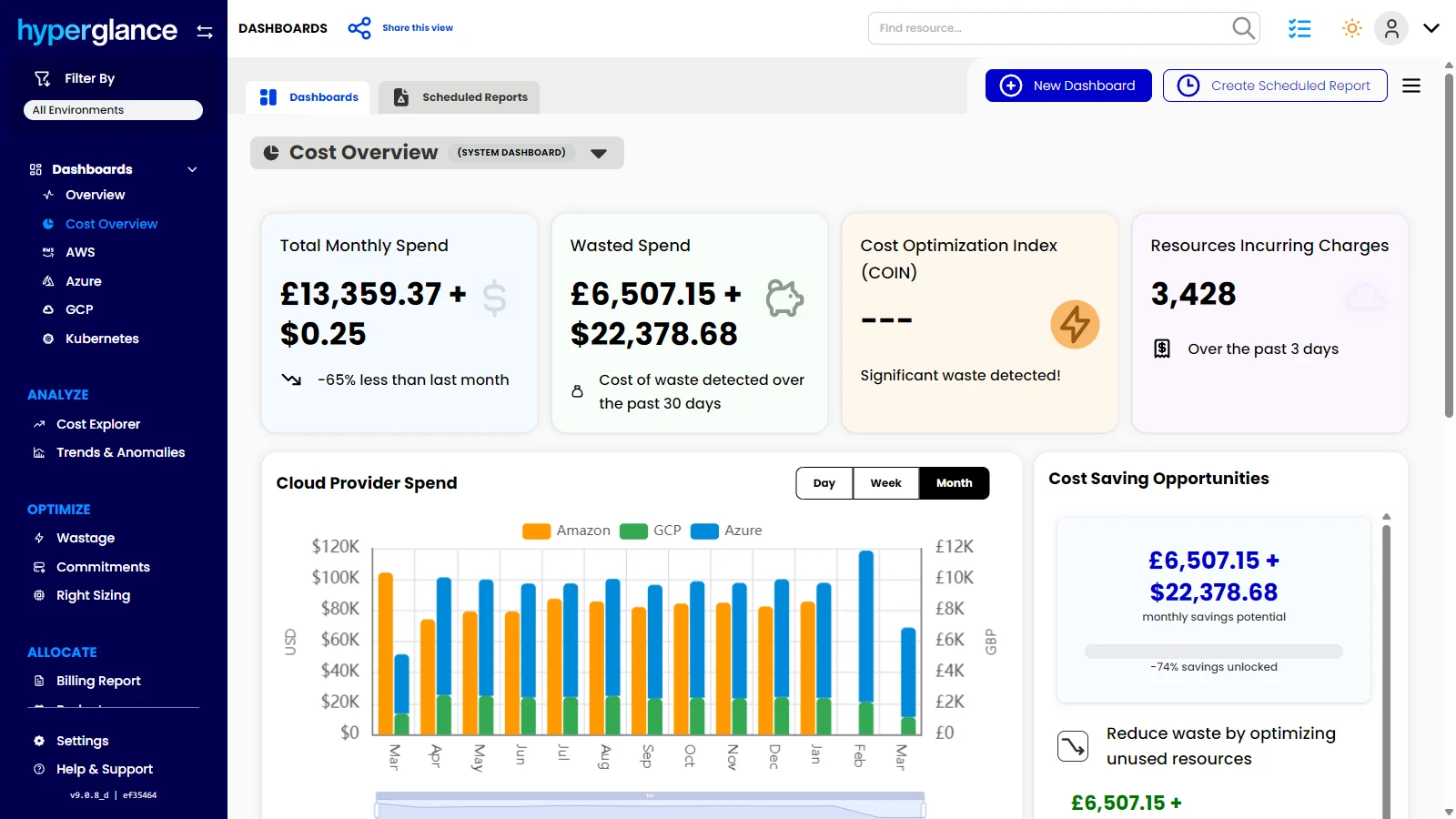
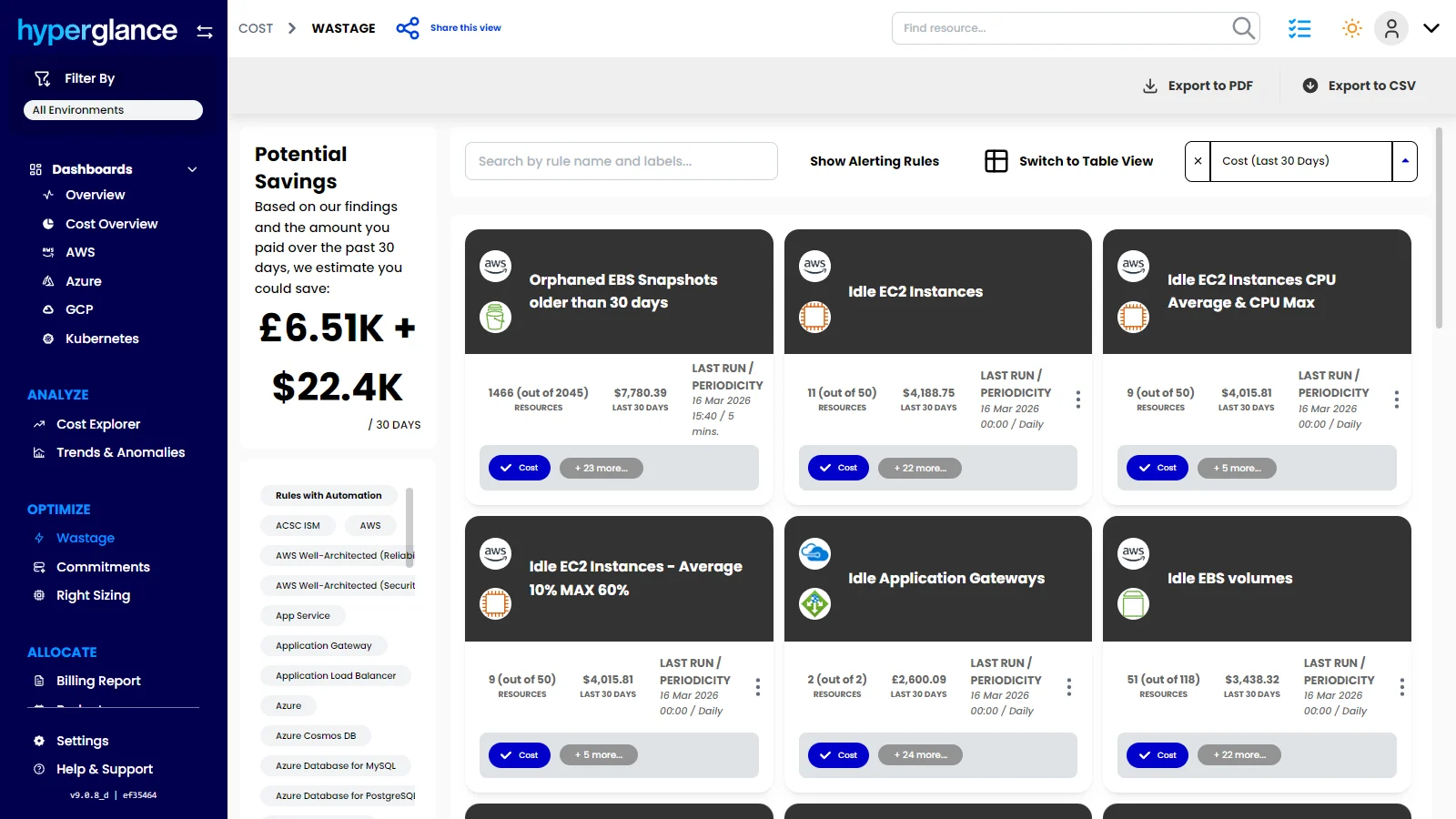
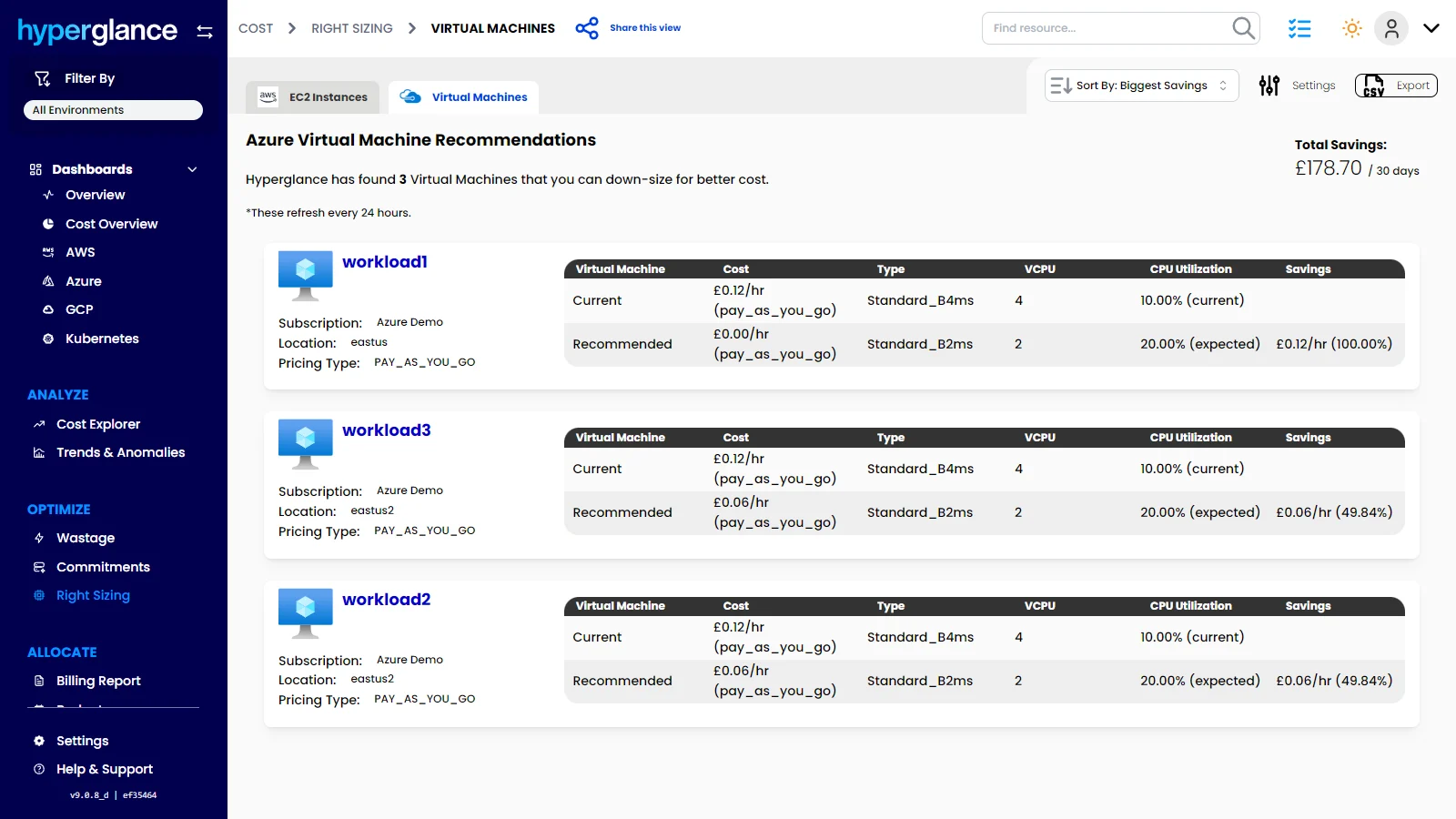
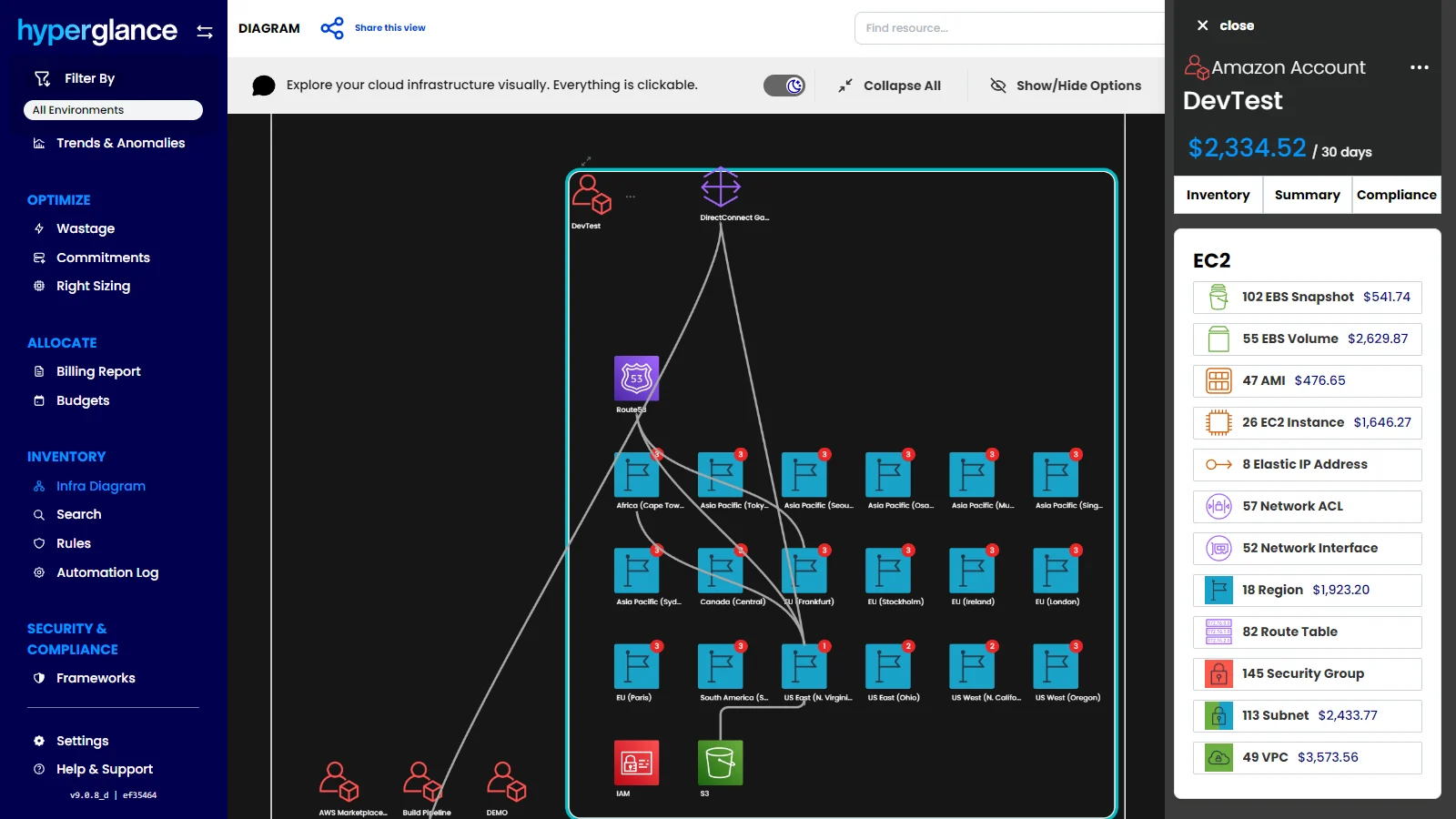
Screenshot of the dashboard that offers a clear view of total cloud spend, wasted spend, savings opportunities, and provider trends. Hyperglance helps teams spot cost issues faster, prioritize optimization work, and turn cloud visibility into measurable savings.Screenshot of where to surface idle, orphaned, and underused resources across AWS, Azure, GCP, and Kubernetes. Hyperglance helps teams uncover waste quickly, quantify savings potential, and focus optimization efforts where they will have the biggest impact.Screenshot of the dashboard to monitor cloud spend over time, break costs down by service or dimension, and catch unusual changes before they turn into bigger budget problems. Hyperglance helps teams understand spend patterns, improve forecasting, and stay ahead of unexpected cloud costs.Screenshot of where to identify oversized cloud resources, as well as compare current and recommended configurations. Hyperglance helps teams make smarter sizing decisions, cut unnecessary spend, and improve cloud efficiency across AWS, Azure & GCP.Screenshot of the dashboard to drill into cloud costs by platform, account, region, service, and resource, then compare actual spend against budget in one place. Hyperglance helps teams understand where money is going, investigate changes faster, and stay in control of cloud budgets before overspend becomes a bigger issue.Screenshot of where to see how any cloud environment is connected, explore resources visually, and understand spend in context. Hyperglance combines interactive infrastructure diagrams with cost and inventory data, helping teams spot issues that are easy to miss in static lists.