
Azure Data Factory vs. CloverDX
Azure Data Factory vs. CloverDX
| Product | Rating | Most Used By | Product Summary | Starting Price |
|---|---|---|---|---|
 Azure Data Factory | N/A | Microsoft's Azure Data Factory is a service built for all data integration needs and skill levels. It is designed to allow the user to easily construct ETL and ELT processes code-free within the intuitive visual environment, or write one's own code. Visually integrate data sources using more than 80 natively built and maintenance-free connectors at no added cost. Focus on data—the serverless integration service does the rest. | N/A | |
 CloverDX | N/A | CloverDX is a rapid, end-to-end data integration solution. The vendor states that businesses choose CloverDX for its usability and intuitive controls, along with its lightweight footprint, flexibility, and processing speed. Achieving true, rapid data integration means much more than just raw data processing power. Rapid refers to an end-to-end process that begins the moment a data-related problem is recognized to the point when the data is in the right place and form to be analyzed and… | N/A |
| Azure Data Factory | CloverDX | |||||||||||||||
|---|---|---|---|---|---|---|---|---|---|---|---|---|---|---|---|---|
| Editions & Modules | No answers on this topic | No answers on this topic | ||||||||||||||
| Offerings |
| |||||||||||||||
| Entry-level Setup Fee | No setup fee | No setup fee | ||||||||||||||
| Additional Details | — | — | ||||||||||||||
| More Pricing Information | ||||||||||||||||
| Azure Data Factory | CloverDX |
|---|
| Azure Data Factory | CloverDX | ||||||||||||||||||
|---|---|---|---|---|---|---|---|---|---|---|---|---|---|---|---|---|---|---|---|
| Data Source Connection |
| ||||||||||||||||||
| Data Transformations |
| ||||||||||||||||||
| Data Modeling |
| ||||||||||||||||||
| Data Governance |
|
| Azure Data Factory | CloverDX | |
|---|---|---|
| Likelihood to Recommend | 7.3 (10 ratings) | 9.0 (1 ratings) |
| Likelihood to Renew | - (0 ratings) | 9.0 (1 ratings) |
| Usability | 7.7 (3 ratings) | - (0 ratings) |
| Support Rating | 7.0 (1 ratings) | 9.0 (1 ratings) |
| Azure Data Factory | CloverDX | |
|---|---|---|
| Likelihood to Recommend |  Microsoft
 Raghuram Subramaniam Solution architect | CloverDX
 Michael Johnson Data Integration Specialist |
| Pros | Microsoft
 Yoganand Shinde Data & Analytics Architect | CloverDX
Michael Johnson Data Integration Specialist |
| Cons | Microsoft
| CloverDX
Michael Johnson Data Integration Specialist |
| Usability | Microsoft
| CloverDX No answers on this topic |
| Support Rating | Microsoft
| CloverDX
Michael Johnson Data Integration Specialist |
| Alternatives Considered | Microsoft
 Rajarshi Maitra Director/Client Engagement Leader- P&C Insurance (Digital Transformation) | CloverDX
Michael Johnson Data Integration Specialist |
| Return on Investment | Microsoft
 Niloofar Keshvari Nia IT Operations and Support Specialist | CloverDX
Michael Johnson Data Integration Specialist |
| ScreenShots | CloverDX Screenshots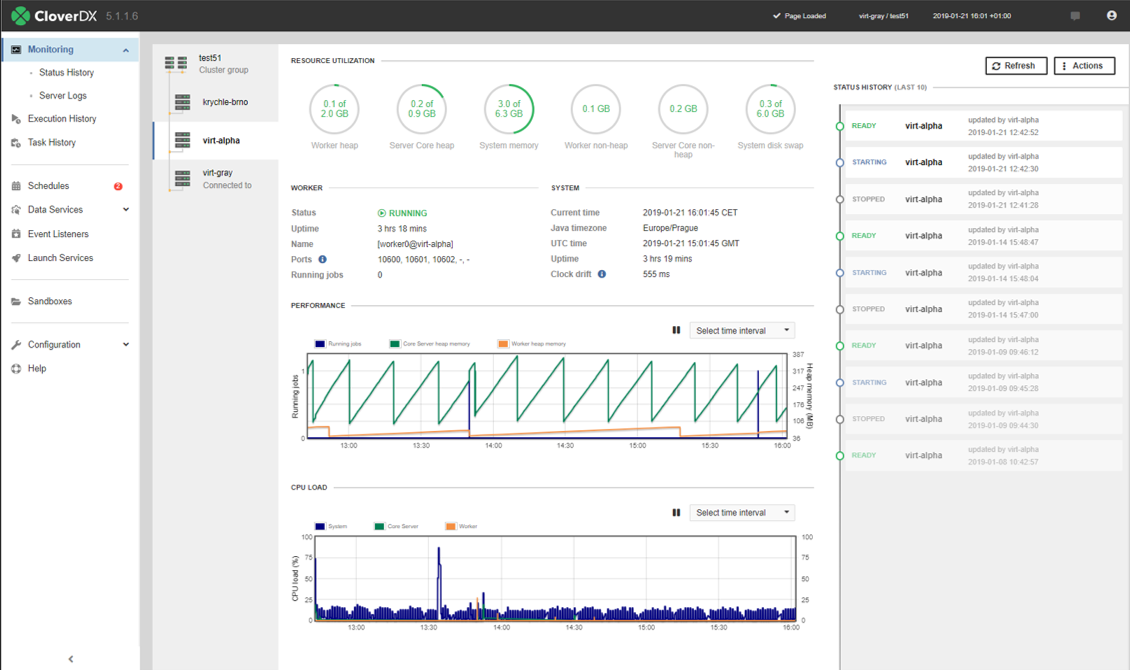 |