Microsoft's Azure Data Factory is a service built for all data integration needs and skill levels. It is designed to allow the user to easily construct ETL and ELT processes code-free within the intuitive visual environment, or write one's own code. Visually integrate data sources using more than 80 natively built and maintenance-free connectors at no added cost. Focus on data—the serverless integration service does the rest.
N/A
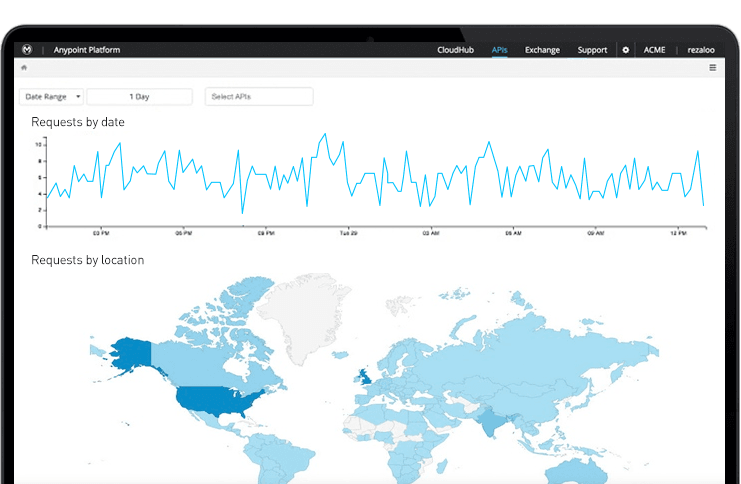
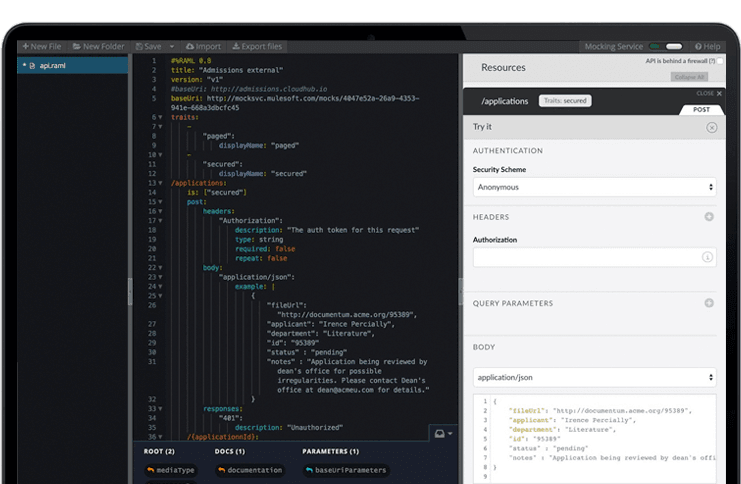
Anypoint Platform
Score 7.9 out of 10
N/A
The Anypoint Platform developed by MuleSoft and acquired by Salesforce in early 2018 is designed to
connect apps, data, and devices anywhere, on-premises or in the cloud. This platform was built to
offer out-of-the-box connectors as well as tools that architects and developers can adopt quickly to
design, build and manage the entire lifecycle of their APIs, applications, and products.
N/A
Pricing
Azure Data Factory
MuleSoft Anypoint Platform
Editions & Modules
No answers on this topic
No answers on this topic
Offerings
Pricing Offerings
Azure Data Factory
Anypoint Platform
Free Trial
No
Yes
Free/Freemium Version
No
Yes
Premium Consulting/Integration Services
No
No
Entry-level Setup Fee
No setup fee
No setup fee
Additional Details
—
—
More Pricing Information
Community Pulse
Azure Data Factory
MuleSoft Anypoint Platform
Features
Azure Data Factory
MuleSoft Anypoint Platform
Data Source Connection
Comparison of Data Source Connection features of Product A and Product B
Azure Data Factory
8.5
10 Ratings
3% above category average
MuleSoft Anypoint Platform
-
Ratings
Connect to traditional data sources
9.010 Ratings
00 Ratings
Connecto to Big Data and NoSQL
8.010 Ratings
00 Ratings
Data Transformations
Comparison of Data Transformations features of Product A and Product B
Azure Data Factory
7.8
10 Ratings
4% below category average
MuleSoft Anypoint Platform
-
Ratings
Simple transformations
8.710 Ratings
00 Ratings
Complex transformations
7.010 Ratings
00 Ratings
Data Modeling
Comparison of Data Modeling features of Product A and Product B
Azure Data Factory
6.3
10 Ratings
22% below category average
MuleSoft Anypoint Platform
-
Ratings
Data model creation
4.57 Ratings
00 Ratings
Metadata management
5.58 Ratings
00 Ratings
Business rules and workflow
6.010 Ratings
00 Ratings
Collaboration
7.09 Ratings
00 Ratings
Testing and debugging
6.310 Ratings
00 Ratings
Data Governance
Comparison of Data Governance features of Product A and Product B
Azure Data Factory
5.7
10 Ratings
34% below category average
MuleSoft Anypoint Platform
-
Ratings
Integration with data quality tools
4.310 Ratings
00 Ratings
Integration with MDM tools
7.09 Ratings
00 Ratings
Cloud Data Integration
Comparison of Cloud Data Integration features of Product A and Product B
Best scenario is for ETL process. The flexibility and connectivity is outstanding. For our environment, SAP data connectivity with Azure Data Factory offers very limited features compared to SAP Data Sphere. Due to the limited modelling capacity of the tool, we use Databricks for data modelling and cleaning. Usage of multiple tools could have been avoided if adf has modelling capabilities.
MuleSoft Anypoint Platform is best tool in the market for developing APIs with complex structures communicating with various different types of applications including web applications as well as legacy applications. Also applications including database connectivity for fetching and updating data in the DB tables. I cant think of any scenario which MuleSoft Anypoint Platform could not be used for developing the integrations.
Granularity of Errors: Sometimes, Azure Data Factory provides error messages that are too generic or vague for us, making it challenging to pinpoint the exact cause of a pipeline failure. Enhanced error messages with more actionable details would greatly assist us as users in debugging their pipelines.
Pipeline Design UI: In my experience, the visual interface for designing pipelines, especially when dealing with complex workflows or numerous activities, can become cluttered. I think a more intuitive and scalable design interface would improve usability. In my opinion, features like zoom, better alignment tools, or grouping capabilities could make managing intricate designs more manageable.
Native Support: While Azure Data Factory does support incremental data loads, in my experience, the setup can be somewhat manual and complex. I think native and more straightforward support for Change Data Capture, especially from popular databases, would simplify the process of capturing and processing only the changed data, making regular data updates more efficient
Has more features than what we really need so we're paying for more than we use. Sort of like paying for an Abrams tank when all we really need is a Toyota Corolla.
Not a value product, tends to be expensive.
Takes a while for developers to learn to use Mulesoft Anypoint.
So far product has performed as expected. We were noticing some performance issues, but they were largely Synapse related. This has led to a shift from Synapse to Databricks. Overall this has delayed our analytic platform. Once databricks becomes fully operational, Azure Data Factory will be critical to our environment and future success.
There’s a lot of learning curve at the beginning when it comes to building the code and everything. In terms of usability, I’d say once you get used to it, it’s fine — but it’s not very easy during the initial stages.
We have not had need to engage with Microsoft much on Azure Data Factory, but they have been responsive and helpful when needed. This being said, we have not had a major emergency or outage requiring their intervention. The score of seven is a representation that they have done well for now, but have not proved out their support for a significant issue
Anypoint Platform support is very responsive. There is also a huge knowledge base and an active online forum where answers to most questions can be found. When needed support engages the engineering group so adequate solutions or workarounds are always provided.
Azure Data Factory helps us automate to schedule jobs as per customer demands to make ETL triggers when the need arises. Anyone can define the workflow with the Azure Data Factory UI designer tool and easily test the systems. It helped us automate the same workflow with programming languages like Python or automation tools like ansible. Numerous options for connectivity be it a database or storage account helps us move data transfer to the cloud or on-premise systems.
Once we have moved all of our system integration APIs to the MuleSoft Anypoint Platform, we will need to communicate with a wide variety of external systems. All of our business and service logic is stored in the aforementioned core systems. Anypoint Platform (and all of our APIs) makes it easy to connect to various other platforms. In order to link to these many other systems, connectors and/or components are utilized, and they are simple to configure and integrate.