Microsoft offers Azure Service Bus as a reliable cloud messaging as a service (MaaS) and simple hybrid integration solution.
N/A
Anypoint Platform
Score8.1 out of 10
N/A
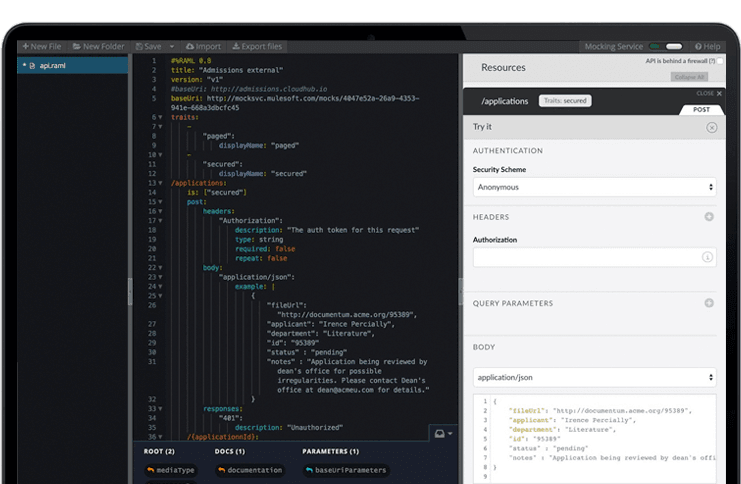
The Anypoint Platform developed by MuleSoft and acquired by Salesforce in early 2018 is designed to
connect apps, data, and devices anywhere, on-premises or in the cloud. This platform was built to
offer out-of-the-box connectors as well as tools that architects and developers can adopt quickly to
design, build and manage the entire lifecycle of their APIs, applications, and products.
If you need a cloud-based service bus or a simple to use queue/topic/routing/pub-sub service, then Azure Service Bus is a very good choice at a reasonable price and performance. Typically on-premise we'd use RabbitMQ because it "just works", but if you're building a "cloud-first" application, then this is the one to go with. It's especially easy to integrate with if you're already embedded in the Microsoft ecosystem.
A de minimis incentive was given to thank the reviewer for their time. The incentive was not used to bias or drive a particular response, nor was the incentive contingent on a positive endorsement. More Info
MuleSoft Anypoint Platform is best tool in the market for developing APIs with complex structures communicating with various different types of applications including web applications as well as legacy applications. Also applications including database connectivity for fetching and updating data in the DB tables. I cant think of any scenario which MuleSoft Anypoint Platform could not be used for developing the integrations.
A de minimis incentive was given to thank the reviewer for their time. The incentive was not used to bias or drive a particular response, nor was the incentive contingent on a positive endorsement. More Info
Acting as a basic queuing service it works very well.
One of the best parts is that Azure Service Bus can work over HTTPS which helps in strict firewall situations. There is a performance hit if you choose to use HTTPS.
The routing capabilities are quite good when using topics and subscriptions. You can apply filters using a pseudo-SQL-like language though the correlation filters are quick and easy options.
Costs are very reasonable at low-ish volumes. If you're processing 10's of millions of messages a month... it may be a different story.
A de minimis incentive was given to thank the reviewer for their time. The incentive was not used to bias or drive a particular response, nor was the incentive contingent on a positive endorsement. More Info
A de minimis incentive was given to thank the reviewer for their time. The incentive was not used to bias or drive a particular response, nor was the incentive contingent on a positive endorsement. More Info
A de minimis incentive was given to thank the reviewer for their time. The incentive was not used to bias or drive a particular response, nor was the incentive contingent on a positive endorsement. More Info
Has more features than what we really need so we're paying for more than we use. Sort of like paying for an Abrams tank when all we really need is a Toyota Corolla.
Not a value product, tends to be expensive.
Takes a while for developers to learn to use Mulesoft Anypoint.
A de minimis incentive was given to thank the reviewer for their time. The incentive was not used to bias or drive a particular response, nor was the incentive contingent on a positive endorsement. More Info
We have migrated our existing over 100+ APIs from legacy to MuleSoft Anypoint Platform and the processing has seen over 40% improvement and saved huge amount in overall annual billing. From development perspective, MuleSoft Vibe has made developers life so easy and reduced development time. Extensive logging, and build-in connectors for other integration tools, logging and repo is providing kind of one place solutions. Any point Platform is providing various options like runtime, API manager, Access management, segregation of Business groups and so many other option which is helping us to monitor, configure and manage all our APIs in one place
Anypoint Platform support is very responsive. There is also a huge knowledge base and an active online forum where answers to most questions can be found. When needed support engages the engineering group so adequate solutions or workarounds are always provided.
A de minimis incentive was given to thank the reviewer for their time. The incentive was not used to bias or drive a particular response, nor was the incentive contingent on a positive endorsement. More Info
I have started with MuleSoft Fundamentals course provided by MuleSoft training at start. This was sufficient to do initial learning and get onboarded. The online documentation with different Runtime versions/deprecated functions and keywords are well documented. The automated solution provided by MuleSoft Anypoint Platform to upgrade 3.0 to 4.0 gave a good head start while learning MuleSoft Anypoint Platform and working altogether with Online training and documentations
RabbitMQ is simple and awesome... but so is Azure Service Bus. Both accomplish the same thing but in different environments. If you're building a cloud-native application - especially one that is serverless by design - Azure Service Bus is the only real choice in Azure. It works well, it's performance, and it's reasonably priced in the Standard tier. From our testing, RMQ is more performant, but it's hard to compare service-based implementations vs RMQ installed on VMs.
A de minimis incentive was given to thank the reviewer for their time. The incentive was not used to bias or drive a particular response, nor was the incentive contingent on a positive endorsement. More Info
Once we have moved all of our system integration APIs to the MuleSoft Anypoint Platform, we will need to communicate with a wide variety of external systems. All of our business and service logic is stored in the aforementioned core systems. Anypoint Platform (and all of our APIs) makes it easy to connect to various other platforms. In order to link to these many other systems, connectors and/or components are utilized, and they are simple to configure and integrate.
A de minimis incentive was given to thank the reviewer for their time. The incentive was not used to bias or drive a particular response, nor was the incentive contingent on a positive endorsement. More Info
A de minimis incentive was given to thank the reviewer for their time. The incentive was not used to bias or drive a particular response, nor was the incentive contingent on a positive endorsement. More Info
A de minimis incentive was given to thank the reviewer for their time. The incentive was not used to bias or drive a particular response, nor was the incentive contingent on a positive endorsement. More Info