TrustRadius: an HG Insights company

Save this comparison

Save this comparison

Add Product

Recommended Comparisons

    Overview
    ProductRatingMost Used ByProduct SummaryStarting Price

    BBEdit

    Score10 out of 10
    N/ABBEdit is a text editor from Bare Bones software headquartered in Massachusetts.N/A

    CSV Editor Pro

    N/A
    Small Businesses (1-50 employees)
    CSV Editor Pro is a professional choice for working with CSV files. Its features and tools save users time and effort. Rows and columns can be created, deleted, rearranged, and searched at will. CSV Editor Pro supports sorting, filtering, multiline editing, search and replace, graphing, deduplicate, unicode, undo, and printing. The interface is simplified, and detailed help file is provided.

    $29

    one-time fee

    Pricing
    BBEditCSV Editor Pro
    Editions & Modules
    No answers on this topic
    No answers on this topic
    Offerings
    Pricing Offerings
    BBEditCSV Editor Pro
    Free Trial
    NoYes
    Free/Freemium Version
    NoNo
    Premium Consulting/Integration Services
    NoYes
    Entry-level Setup FeeNo setup fee$29 for 5 activations
    Additional DetailsA license entitles the user to five activations. Activations are not restricted to one machine or user. Once activated, the software will remain activated indefinitely unless it is moved to a different drive, or if a major upgrade (such as 1.0 to 2.0) is installed. Minor upgrades (such as 1.0 to 1.1) are free.
    More Pricing Information
    Community Pulse
    BBEditCSV Editor Pro
    Considered Both Products
    Bare Bones Software
    No answer on this topic
    Gammadyne Corporation
    No answer on this topic
    Key User Insights
    Would buy again
    100%
    Would buy again
    7 Answers
    No answers on this topic
    Delivers good value for the price
    100%
    Delivers good value for the price
    6 Answers
    No answers on this topic
    Happy with the feature set
    100%
    Happy with the feature set
    7 Answers
    No answers on this topic
    Lived up to sales and marketing promises
    100%
    Lived up to sales and marketing promises
    6 Answers
    No answers on this topic
    Implementation went as expected
    100%
    Implementation went as expected
    7 Answers
    No answers on this topic
    Best Alternatives
    BBEditCSV Editor Pro
    Small Businesses
    Sublime Text
    Score8.8 out of 10
    Stackby
    Score8.8 out of 10
    Medium-sized Companies
    Vim
    Score9.8 out of 10
    Microsoft Excel
    Score9 out of 10
    Enterprises
    Vim
    Score9.8 out of 10
    Microsoft Excel
    Score9 out of 10
    All AlternativesView all alternativesView all alternatives
    User Ratings
    BBEditCSV Editor Pro
    Likelihood to Recommend
    9.5
    (7 ratings)
    -
    (0 ratings)
    Support Rating
    9.7
    (7 ratings)
    -
    (0 ratings)
    User Testimonials
    BBEditCSV Editor Pro
    Likelihood to Recommend
    Bare Bones Software
    I'm primarily a graphic designer who does occasional web development. For me, BBEdit works very well. I use it both for developer projects (editing code, editing system files) and for general text processing (cleaning up, formatting, or extracting text). I like that it offers real-time previews of edits to web project files. It comes with some nice editor themes and supports adding more or customizing them. I expect that for some coders, it will be inadequate. It is not an IDE. On the other end of the spectrum, someone who expects an experience more like Microsoft Word will be very disappointed; or if they wanted something more along the lines of Windows Notepad, they may find it to be overkill. It is an ASCII text editor with many advanced commands and tools built-in.
    Incentivized
    Read full review
    Gammadyne Corporation
    No answers on this topic
    Pros
    Bare Bones Software
    • BBEdit remembers what I had open, so I never have to worry about losing work when I accidentally close the software. It will hold onto information almost indefinitely, so that the next time I open a program, I can access the information that I may have forgotten to save. Thankfully, its save function is also very simple to use, so I recommend still saving your work as needed.
    • Scripts are the most important aspect of BBEdit for the company I work for. Being able to import scripts and create new ones all in the same location are great.
    Incentivized
    Read full review
    Gammadyne Corporation
    No answers on this topic
    Cons
    Bare Bones Software
    • The cost of this product has just become too much for the functionality that most people need. You can find free or $10 tools that do what most people need to do.
    • The BBEdit program has lots of functionality, but could it be too much? Are there too many options?
    • It seems that there are too many upgrades.
    Incentivized
    Read full review
    Gammadyne Corporation
    No answers on this topic
    Support Rating
    Bare Bones Software
    I've been using BBEdit — no joke — for nearly three decades now. Believe it or not, I'm still getting "upgrade pricing" 13 versions later. Bare Bones' support has always been stellar, and pricing continues to be affordable compared to similar tools.
    Incentivized
    Read full review
    Gammadyne Corporation
    No answers on this topic
    Alternatives Considered
    Bare Bones Software
    BBEdit wins over TextEdit every time. They are as different as chalk and cheese. I am so glad we moved to BBEdit.
    Incentivized
    Read full review
    Gammadyne Corporation
    No answers on this topic
    Return on Investment
    Bare Bones Software
    • It saves me time, not only with web projects, but even with design, when I want to strip out formatting in text, I bring it in to BBEdit to clean it up.
    Incentivized
    Read full review
    Gammadyne Corporation
    No answers on this topic
    ScreenShots

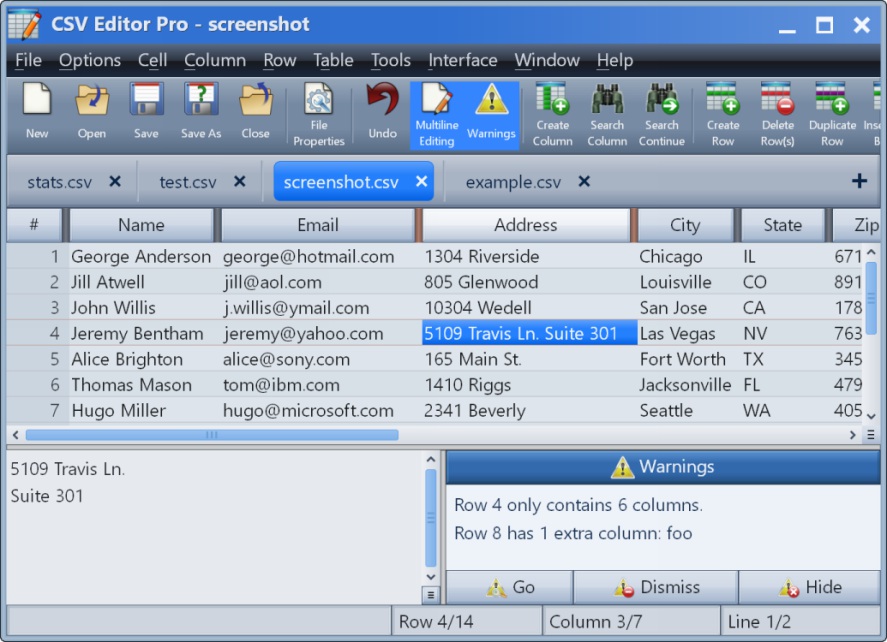
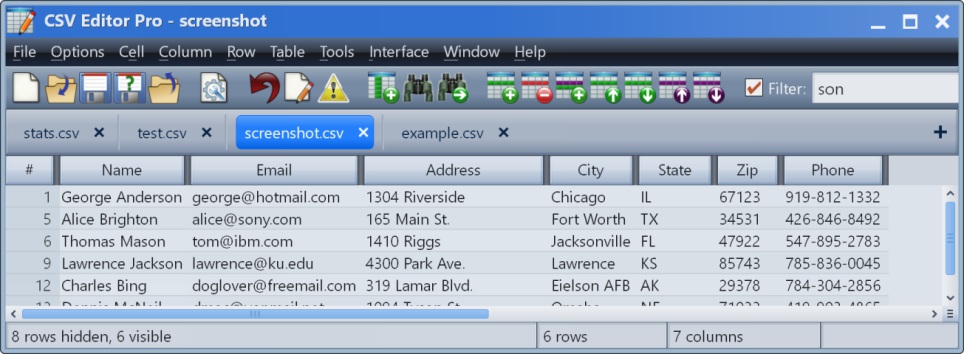
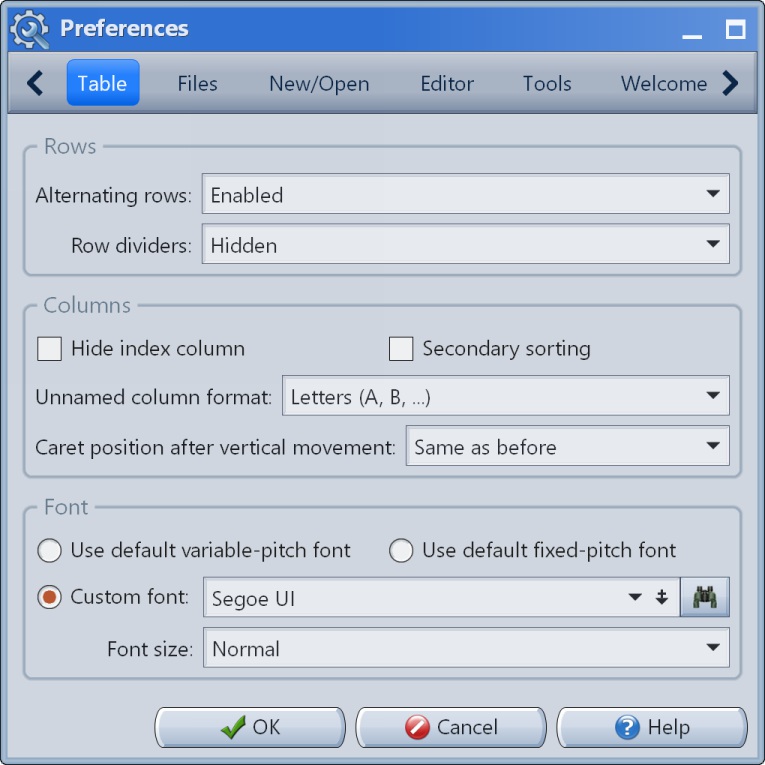
    CSV Editor Pro Screenshots

    Screenshot of the main interface.Screenshot of the multiline editor and warnings panel.Screenshot of the filter in action.Screenshot of Preferences #1Screenshot of Preferences #2Screenshot of Preferences #3