Overview
ProductRatingMost Used ByProduct SummaryStarting Price
Browserling
Score 7.0 out of 10
N/A
Browserling, a small company headquartered in Oakland, offers live interactive cross-browser testing.N/A
LT Browser
Score 9.5 out of 10
N/A
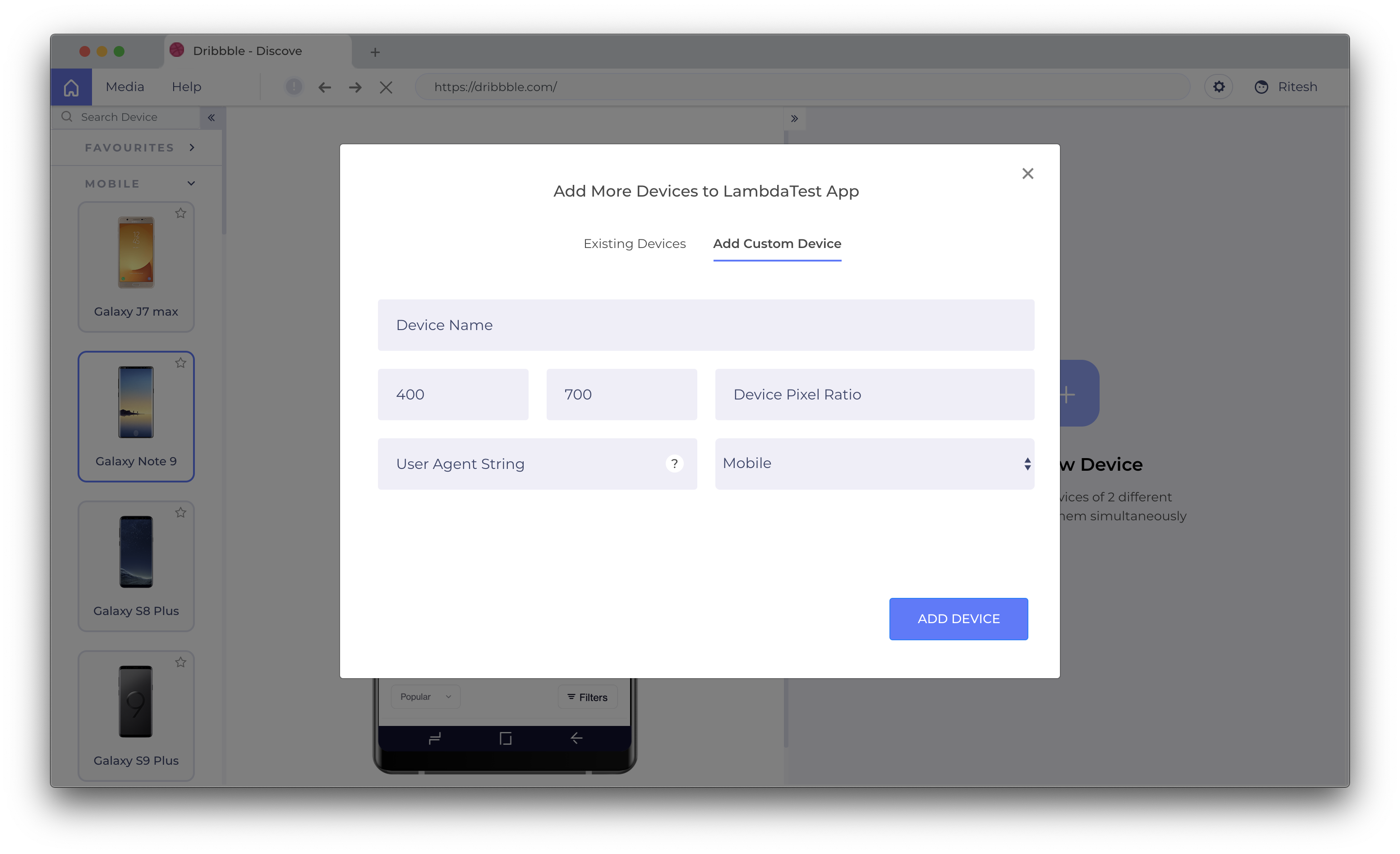
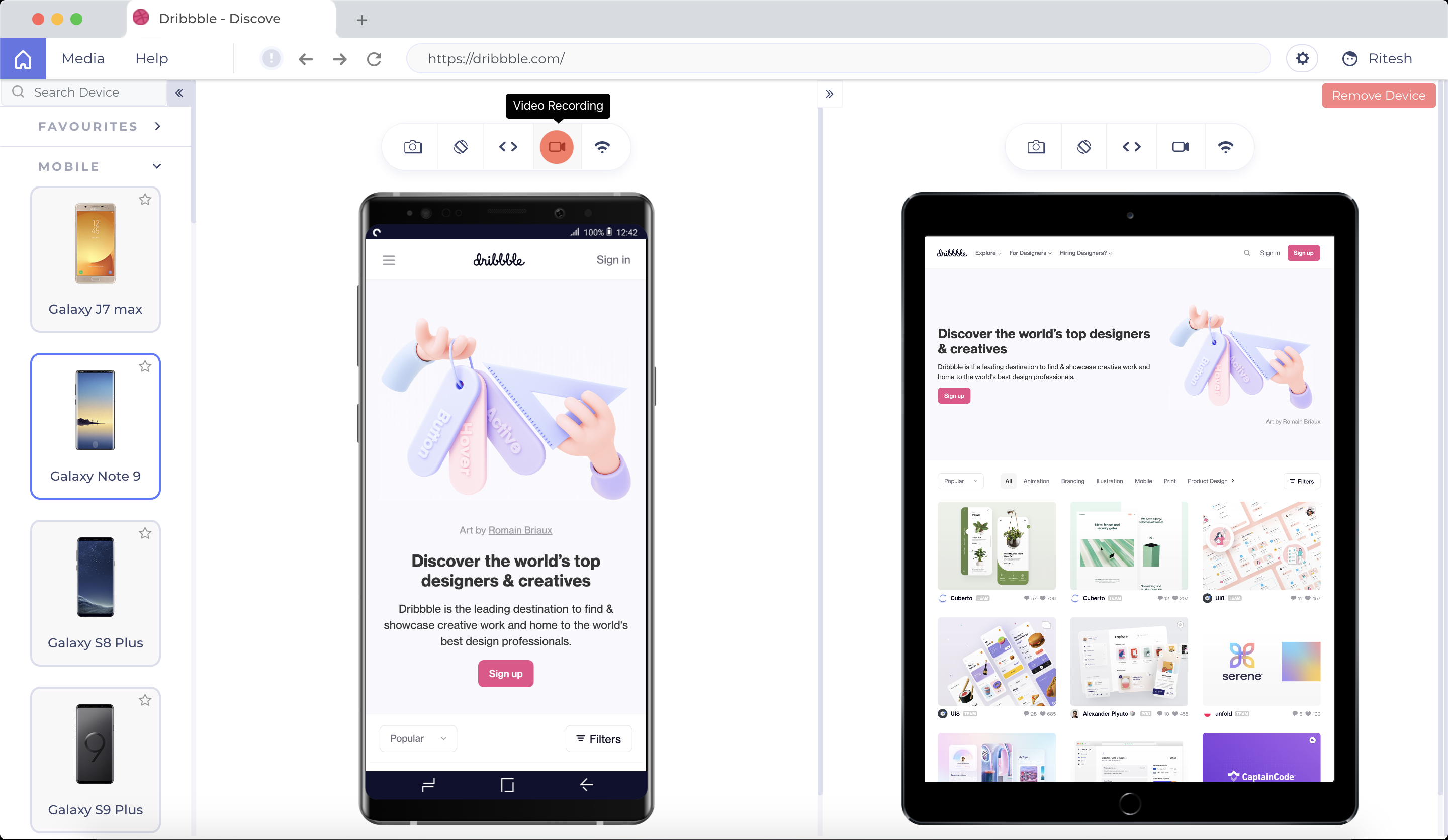
LT Browser allows users to test the mobile view of a website on different screen sizes and resolutions. With over 50+ devices to choose from, LT Browser aims to make mobile website testing easier, and ensure that a website is mobile responsive. Users can create their own custom devices and save it for future uses. Create new mobile, tablet or desktop devices and test a website on various devices, screen resolution and perform screen resolution test for website on different screen…N/A
Playwright
Score 8.8 out of 10
N/A
A cross-browser testing tool, playwright supports all modern rendering engines including Chromium, WebKit, and Firefox. Users can test on Windows, Linux, and macOS, locally or on CI, headless or headed. It is also cross-language, so that the Playwright API can be used in TypeScript, JavaScript, Python, .NET, Java. Test Mobile Web. Native mobile emulation of Google Chrome for Android and Mobile Safari. The same rendering engine works on the Desktop and in the Cloud. Playright…
$0
Pricing
BrowserlingLT BrowserPlaywright
Editions & Modules
No answers on this topic
Offerings
Pricing Offerings
BrowserlingLT BrowserPlaywright
Free Trial
NoYesNo
Free/Freemium Version
NoYesNo
Premium Consulting/Integration Services
NoNoNo
Entry-level Setup FeeNo setup feeNo setup feeNo setup fee
Additional DetailsUnlimited Access To LT Browser For Everyone
More Pricing Information
Community Pulse
BrowserlingLT BrowserPlaywright
Best Alternatives
BrowserlingLT BrowserPlaywright
Small Businesses
BrowserStack
BrowserStack
Score 8.5 out of 10
BrowserStack
BrowserStack
Score 8.5 out of 10
BrowserStack
BrowserStack
Score 8.5 out of 10
Medium-sized Companies
BrowserStack
BrowserStack
Score 8.5 out of 10
BrowserStack
BrowserStack
Score 8.5 out of 10
BrowserStack
BrowserStack
Score 8.5 out of 10
Enterprises
BrowserStack
BrowserStack
Score 8.5 out of 10
BrowserStack
BrowserStack
Score 8.5 out of 10
BrowserStack
BrowserStack
Score 8.5 out of 10
All AlternativesView all alternativesView all alternativesView all alternatives
User Ratings
BrowserlingLT BrowserPlaywright
Likelihood to Recommend
9.0
(1 ratings)
9.5
(10 ratings)
10.0
(2 ratings)
Usability
-
(0 ratings)
-
(0 ratings)
10.0
(2 ratings)
User Testimonials
BrowserlingLT BrowserPlaywright
Likelihood to Recommend
Browserling
Using Browserling, I never had a bad surprise. this tool is responsive and always offers the latest versions for each browser. I particularly recommend live testing which allows you to directly test the site and generate a screenshot if you have detected a bug or an anomaly in your interface. PS: I will give it 10/10 when recording videos of browsing sessions will be ready.
Read full review
LambdaTest, Inc.
I think LT Browser is one of the best programs I know to perform performance, usability, and experience tests on websites because it has a wide range of tools for this purpose; in addition, I consider that its price is affordable for professionals or freelancers with little income as well as for large companies that want the best tools, best of all, is that Lamdatest offers a free plan for students and I think LT Browser is also a very good tool for learning. On the other hand, and being quite honest, I can't find scenarios where LT Browser is not suitable in its area of application or what this software is specialized in.
Read full review
Microsoft
Playwright is very well suited for any kind of frontend QA regression testing. It's perfect for ensuring that important features that are not often updated remain fully functional across updates or releases. It is not well suited for testing a feature that requires more developer updates before it is ready for end users. Playwright tests are not always simple to maintain if frequent updates are required to keep them relevant. Playwright can be used for API or database assertions as well, but it's not necessarily best suited for those scenarios. It does perform well enough to consider that use case for simplicity if Playwright is already relevant for any frontend QA regression tests that are needed.
Read full review
Pros
Browserling
  • Generating screenshots of my website in most used browsers.
  • Live test interact in browsers as if they were installed on my computer.
  • Bookmark my favorite browsers to make testing faster next time.
Read full review
LambdaTest, Inc.
  • LT Browser is to create, test and debug multiple web and mobile sites.
  • Ideal for finding code errors and share bugs through our favorite project management/bug tracking tools, like Jira, Asana, GitHub, etc.
  • LT Browser works fine, saves a lot of time in testing.
Read full review
Microsoft
  • automation
  • integrations
  • support
  • community
  • features
  • easy to use
  • documentation
Read full review
Cons
Browserling
  • Record videos of my browsing sessions (on their site they said this feature will be coming soon).
Read full review
LambdaTest, Inc.
  • Geolocation feature is not present
  • We can test on only two devices side by side. It should be more than two.
  • Only 30 minutes access in free plan
Read full review
Microsoft
  • UI
  • API
  • Performance
Read full review
Usability
Browserling
No answers on this topic
LambdaTest, Inc.
No answers on this topic
Microsoft
I find Playwright very intuitive and generally do not have any trouble using it on a daily basis. However, I do have coworkers with more limited experience in software who have struggled immensely in learning to use Playwright properly. Playwright is very well documented which helps if you plan to use AI to help you write any test automation (which I generally don't recommend, but is an option).
Read full review
Alternatives Considered
Browserling
For quicker and safe testing I always choose Browserling. It's also my best tool for responsive testing, as it allows me to resize the window and see how my interface looks in different screen resolutions. Browserling is better than others in manual testing because it has more features than others.
Read full review
LambdaTest, Inc.
One such product that my team eagerly anticipates testing for responsiveness is the LT Browser. The team has discovered that it is a straightforward process to test on the newest mobile devices utilizing the LT Browser. We may start testing our web pages on local systems by simply adding the URL. LT Browser's native developer tools enable us to make modifications to our code right away. It has a pre-installed selection of well-known devices and can operate in simulated mode.
Read full review
Microsoft
We selected Playwright over the rest for several reasons. The learning curve is faster, making it easier for our team to get up to speed quickly. The setup is pretty straithtforwared, minimal configurartion needed and a great example included in the configuration which includes all the basics to start writing using that spec as a placeholder. Compared to Cypress, Playwright support multiple browsers out of the box, giving us broader testing coverage. Appium is great for mobile testing, but extremely slow.
Read full review
Return on Investment
Browserling
  • Make my UI compatible to as many systems and OS.
  • Reduce bugs on my website UI.
Read full review
LambdaTest, Inc.
  • Too many updates. And whenever you update you have to log in again
  • I remember it used to crash one or twice in a week initially. Though it is much less frequent now.
Read full review
Microsoft
  • Usable
  • customisable
  • extendable
Read full review
ScreenShots

LT Browser Screenshots

Screenshot of LT Browser Application Main ScreenScreenshot of Select Devices to compare and start testingScreenshot of Create custom device with a desired resolution to test onScreenshot of Scroll Sync to compare your websiteScreenshot of Simulate different network profilesScreenshot of Record videos and share across the team