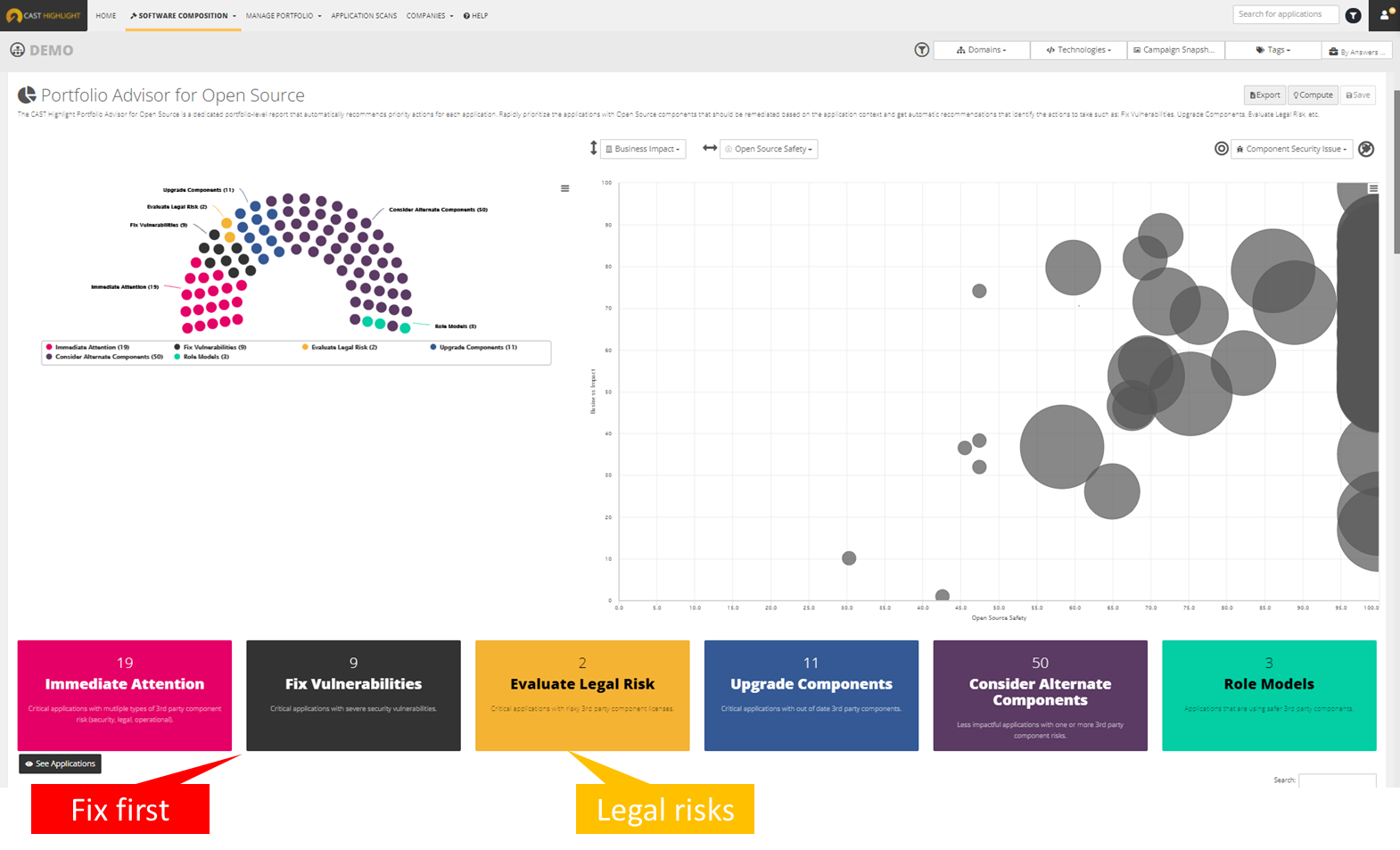
CAST headquartered in New York offers Highlight, an application portfolio management solution providing software component analysis , application security, application benchmarking, and technical due diligence.
$25,000
per year
Microsoft System Center
Score8.4 out of 10
N/A
Microsoft System Center is an enterprise-grade IT Operations Management (ITOM) suite designed for the centralized administration of data center infrastructure, virtualized environments, and hybrid cloud workloads. The platform provides unified management across heterogeneous environments, including support for Windows Server, Linux, and Azure Stack HCI.
System Center is Microsoft's ITOM stack for organizations that maintain a significant on-premise footprint, vs the company's Azure-based…
I think CAST is a great tool to give insight into your applications. The tool can be met with resistance from team members as the tool is going to expose defects that should be addressed. Out of the box, it may need some tailoring to focus on certain areas so that you are not overwhelmed with defects the first time you scan your code. But ultimately, you will want to eliminate all defects in the code and have all violations turned on.
A de minimis incentive was given to thank the reviewer for their time. The incentive was not used to bias or drive a particular response, nor was the incentive contingent on a positive endorsement. More Info
For companies with more than 10 Windows devices and needing to standardize the OS, AV, access, share resources, and install software. SCCM is the way to go. This software is unnecessary if the business is all remote users and not in an office-type setting. There are cloud offerings or none to accomplish what a business needs.
A de minimis incentive was given to thank the reviewer for their time. The incentive was not used to bias or drive a particular response, nor was the incentive contingent on a positive endorsement. More Info
A de minimis incentive was given to thank the reviewer for their time. The incentive was not used to bias or drive a particular response, nor was the incentive contingent on a positive endorsement. More Info
A de minimis incentive was given to thank the reviewer for their time. The incentive was not used to bias or drive a particular response, nor was the incentive contingent on a positive endorsement. More Info
A de minimis incentive was given to thank the reviewer for their time. The incentive was not used to bias or drive a particular response, nor was the incentive contingent on a positive endorsement. More Info
The product could improve in the area of having better mechanisms in place with how the SCEP client is deployed/installed from the server on the management side. We have run into this firsthand with the client not installing on an endpoint, and then having to take the time to investigate why it was not installing.
A second improvement that can be made is to keep trying to improve the products detection rate for finding malware/viruses. The case can be made that there are some products out there that do a better job at this and have a higher detection rate.
A de minimis incentive was given to thank the reviewer for their time. The incentive was not used to bias or drive a particular response, nor was the incentive contingent on a positive endorsement. More Info
A de minimis incentive was given to thank the reviewer for their time. The incentive was not used to bias or drive a particular response, nor was the incentive contingent on a positive endorsement. More Info
It is not user-friendly for the most part. With IT infrastructure, sometimes it cannot handle excess requests. Every few months, you will need an upgrade in terms of server resources to keep up with incoming alerts and requests. This does not happen all of the time, but it does happen when there are too many requests.
A de minimis incentive was given to thank the reviewer for their time. The incentive was not used to bias or drive a particular response, nor was the incentive contingent on a positive endorsement. More Info
A de minimis incentive was given to thank the reviewer for their time. The incentive was not used to bias or drive a particular response, nor was the incentive contingent on a positive endorsement. More Info
There is a fair amount of documentation out there to help you when you have questions or run into issues with this product as well as tutorials on some of the more common tasks. Between the documentation and the overall ease of use we haven't had to deal with direct Microsoft support for this product.
A de minimis incentive was given to thank the reviewer for their time. The incentive was not used to bias or drive a particular response, nor was the incentive contingent on a positive endorsement. More Info
A de minimis incentive was given to thank the reviewer for their time. The incentive was not used to bias or drive a particular response, nor was the incentive contingent on a positive endorsement. More Info
These other tools only do a part of what CAST does. CAST gives a comprehensive view into the code looking at all aspects, code quality, security, maintainability, vulnerability, privacy, reuse, etc. These other tools only focus on one or two dimensions.
A de minimis incentive was given to thank the reviewer for their time. The incentive was not used to bias or drive a particular response, nor was the incentive contingent on a positive endorsement. More Info
We previously used a mix of FOG and Clonezilla to image machines. The biggest issues with these products is that changing one piece of the image required you to rebuild the entire image itself. These pieces of software also did not allow you to manage applications and Windows Updates, causing IT to have to constantly touch machines after they were imaged and update or manage them with a much more hands on approach.
A de minimis incentive was given to thank the reviewer for their time. The incentive was not used to bias or drive a particular response, nor was the incentive contingent on a positive endorsement. More Info
I believe once we had the tool working for our code base, we immediately saw positive ROI.
We spent some time getting to where our code code be scanned efficiently but some of that was trying to do things ourselves instead of fully utilizing Cast Professional Services. I highly recommend to do an engagement with CAST to have them help setup the tool in your environment or to run it in the cloud for you.
A de minimis incentive was given to thank the reviewer for their time. The incentive was not used to bias or drive a particular response, nor was the incentive contingent on a positive endorsement. More Info
A de minimis incentive was given to thank the reviewer for their time. The incentive was not used to bias or drive a particular response, nor was the incentive contingent on a positive endorsement. More Info