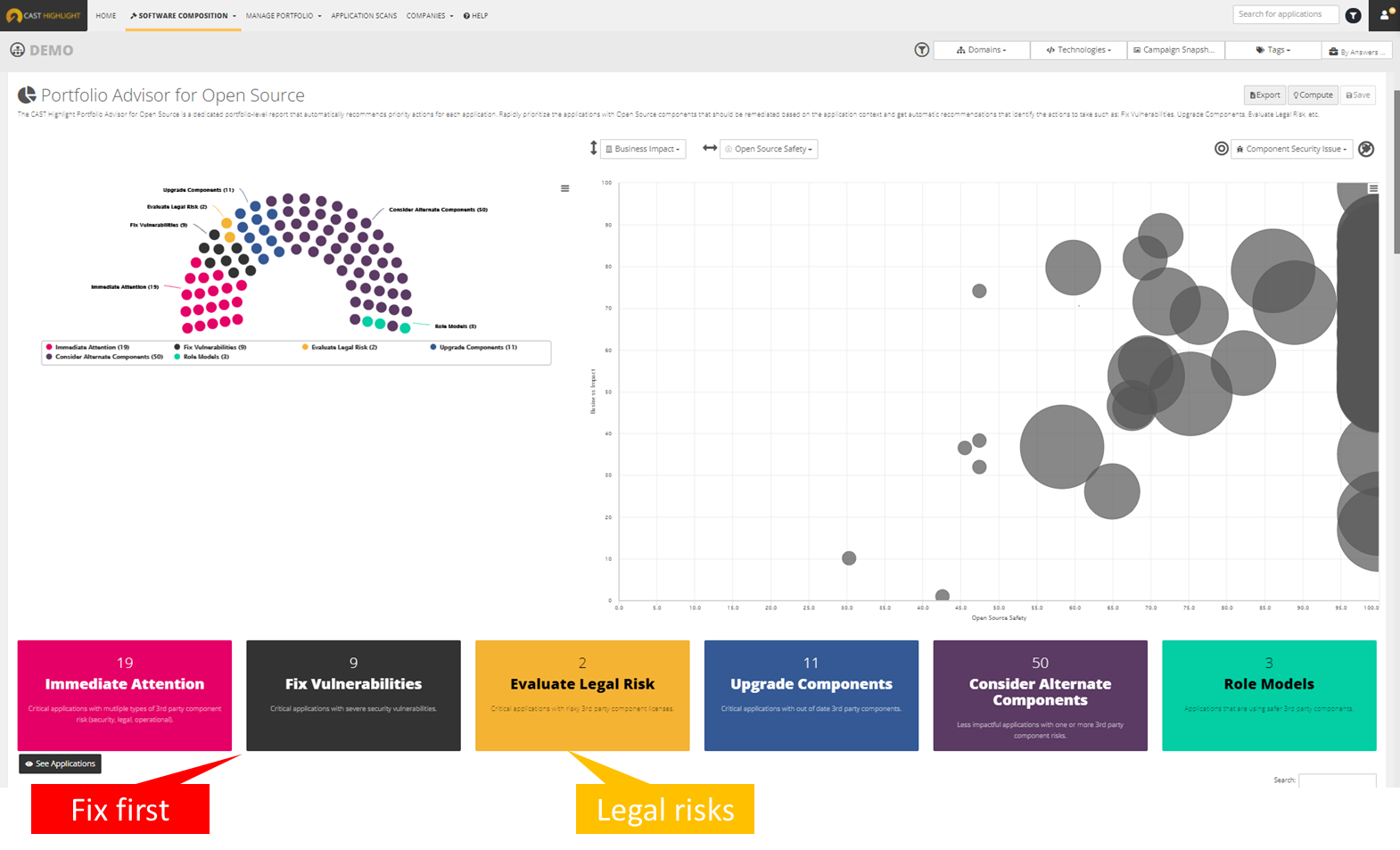
CAST headquartered in New York offers Highlight, an application portfolio management solution providing software component analysis , application security, application benchmarking, and technical due diligence.
$25,000
per year
Progress Telerik Fiddler
Score10 out of 10
N/A
Fiddler is a suite of products from Progress Telerik, designed to help users with web debugging and troubleshooting.
$12
per month, billed annually
Pricing
CAST Highlight
Progress Telerik Fiddler
Editions & Modules
Cloud
25k
Portfolio Size 25
SCA
$26k
Portfolio Size 25
Complete
33k
Portfolio Size 25
Fiddler Everywhere - Pro
$12
per month per user
Fiddler Everywhere - Pro
$18
per month per user
Fiddler Everywhere - Enterprise
$420
per year per user
Offerings
Pricing Offerings
CAST Highlight
Progress Telerik Fiddler
Free Trial
Yes
Yes
Free/Freemium Version
No
No
Premium Consulting/Integration Services
Yes
No
Entry-level Setup Fee
Optional
No setup fee
Additional Details
Annual Pricing by Size of Application Portfolio
•The price of the Pro monthly plan is $18.
•The price of the Pro annual plan is $12 per month, billed annually.
•The price of the Enterprise plan is $35 per month, billed annually.
I think CAST is a great tool to give insight into your applications. The tool can be met with resistance from team members as the tool is going to expose defects that should be addressed. Out of the box, it may need some tailoring to focus on certain areas so that you are not overwhelmed with defects the first time you scan your code. But ultimately, you will want to eliminate all defects in the code and have all violations turned on.
A de minimis incentive was given to thank the reviewer for their time. The incentive was not used to bias or drive a particular response, nor was the incentive contingent on a positive endorsement. More Info
I am a senior software engineer and I have actively made fiddler a requirement for all of our engineers to have on their laptops by default. I have recommended it to all web developers that I have worked with and contractors that I have worked with as it has saved my mental stability on numerous occasions when trying to show people details of various web requests when working on integrations between different systems This is an absolutely fantastic product that I have used in a technical capacity many, many times and I will always suggest it as a tool when someone is debugging specifically but also for initial development to see how the requests are formed and for sharing responses and requests details so that others can recreate the request that you have sent through right down to the smallest detail
A de minimis incentive was given to thank the reviewer for their time. The incentive was not used to bias or drive a particular response, nor was the incentive contingent on a positive endorsement. More Info
A de minimis incentive was given to thank the reviewer for their time. The incentive was not used to bias or drive a particular response, nor was the incentive contingent on a positive endorsement. More Info
The display could potentially become a bit more user-friendly over time, it's pretty easy to follow but for example, I always view the raw request/response information by default and this is not the default selection, being able to choose the default selection would be nice
Clearer information and options to reduce 'noise' when viewing the requests, there are often a lot of background requests being sent on a computer, you can filter to roughly see what you want and filter out things that you don't want but there are different types of requests and I can't see how to filter between those - possibly a feature but could be made easier to use potentially
Nothing else to put, this is a fantastic product so there isn't much else to suggest at this stage of using it and I have been using fiddler for years now in my role as a software engineer
A de minimis incentive was given to thank the reviewer for their time. The incentive was not used to bias or drive a particular response, nor was the incentive contingent on a positive endorsement. More Info
These other tools only do a part of what CAST does. CAST gives a comprehensive view into the code looking at all aspects, code quality, security, maintainability, vulnerability, privacy, reuse, etc. These other tools only focus on one or two dimensions.
A de minimis incentive was given to thank the reviewer for their time. The incentive was not used to bias or drive a particular response, nor was the incentive contingent on a positive endorsement. More Info
I believe once we had the tool working for our code base, we immediately saw positive ROI.
We spent some time getting to where our code code be scanned efficiently but some of that was trying to do things ourselves instead of fully utilizing Cast Professional Services. I highly recommend to do an engagement with CAST to have them help setup the tool in your environment or to run it in the cloud for you.
A de minimis incentive was given to thank the reviewer for their time. The incentive was not used to bias or drive a particular response, nor was the incentive contingent on a positive endorsement. More Info
Overall this tool has sped up the process of integrating with new systems infinitely
The cost of fiddler everywhere which is what we use specifically is nothing in comparison to the cost of dev time saved when debugging processes
Being able to send information around so simply to other support teams to show them what responses we are getting along with the request detail have made communications much quicker and saves a lot of time going back and forth discussing what is being done and what the request is being sent