
Code Compare vs. Redgate SQL Prompt
| Product | Rating | Most Used By | Product Summary | Starting Price |
|---|---|---|---|---|
 Code Compare | Score9 out of 10 | N/A | Code Compare is a compare tool designed to compare and merge differing files and folders. Code Compare integrates with source control systems: TFS, SVN, Git, Mercurial, and Perforce. Code Compare is shipped both as a standalone file diff tool and a Visual Studio extension. | N/A |
 Redgate SQL Prompt | Score10 out of 10 | N/A | Redgate SQL Prompt is a tool used to write, format, analyze and refactor SQL. It features advanced IntelliSense-style code completion, a code snippet library, code analysis, SSMS SQL History, and a command palette to speed workflows. It is available standalone for an annual license, or as part of Redgate's flagship SQL Toolbelt Essentials. | $198 per year 1 license |
| Code Compare | Redgate SQL Prompt | |||||||||||||||
|---|---|---|---|---|---|---|---|---|---|---|---|---|---|---|---|---|
| Editions & Modules | No answers on this topic | No answers on this topic | ||||||||||||||
| Offerings |
| |||||||||||||||
| Entry-level Setup Fee | No setup fee | No setup fee | ||||||||||||||
| Additional Details | — | — | ||||||||||||||
| More Pricing Information | ||||||||||||||||
| Code Compare | Redgate SQL Prompt | |
|---|---|---|
| Small Businesses |  Beyond Compare Score9.3 out of 10 | Beyond Compare Score9.3 out of 10 |
| Medium-sized Companies | Beyond Compare Score9.3 out of 10 | Beyond Compare Score9.3 out of 10 |
| Enterprises | Beyond Compare Score9.3 out of 10 | Beyond Compare Score9.3 out of 10 |
| All Alternatives | View all alternatives | View all alternatives |
| Code Compare | Redgate SQL Prompt | |
|---|---|---|
| Likelihood to Recommend | 9.0 | 10.0 |
| Usability | - | 10.0 |
| Code Compare | Redgate SQL Prompt | |
|---|---|---|
| Likelihood to Recommend |
|
|
| Pros |
|
|
| Cons |
|
|
| Usability | No answers on this topic |
|
| Return on Investment |
|
|
| ScreenShots | Code Compare Screenshots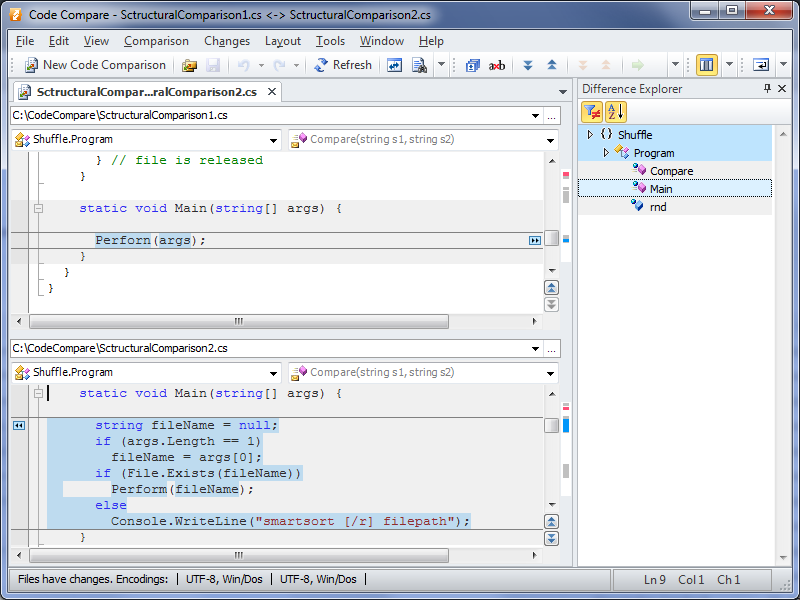 |

