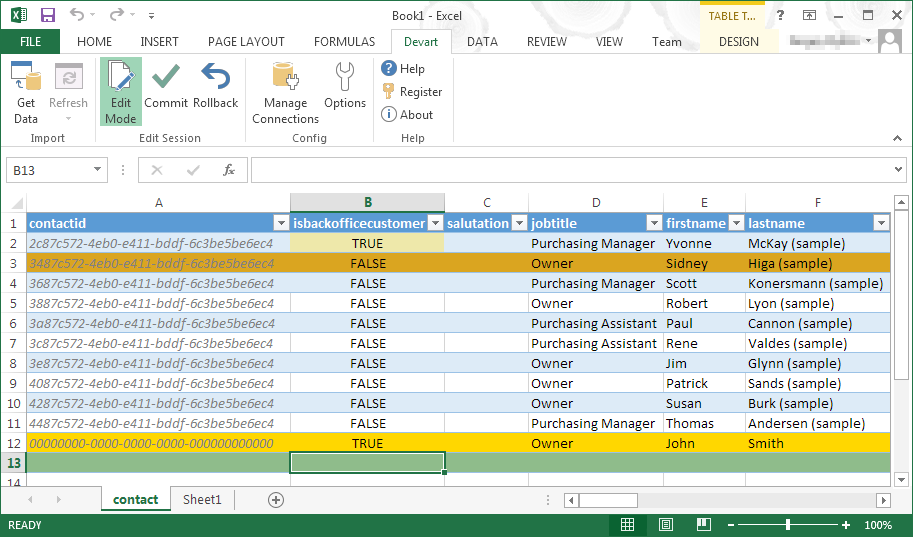
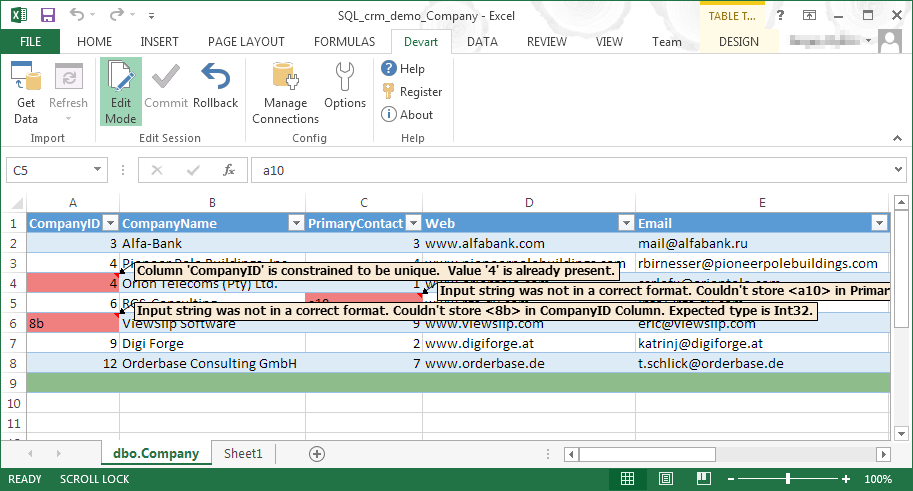
Devart Excel Add-ins allow you to use Excel capabilities to import, process, and analyze data from cloud applications and relational databases. The Excel Add-ins also allow users to make data changes and then save those changes back to the data source they were originally imported from.
$399.95
one-time fee
Pricing
Devart Excel Add-ins
Editions & Modules
Excel Add-in Database Pack
$399.95
one-time fee
Excel Add-in Cloud Pack
$499.95
one-time fee
Excel Add-in Universal Pack
$599.95
one-time fee
Offerings
Pricing Offerings
Devart Excel Add-ins
Free Trial
Yes
Free/Freemium Version
No
Premium Consulting/Integration Services
No
Entry-level Setup Fee
No setup fee
Additional Details
Purchases include a perpetual license and 1 year of subscription which includes the product updates and premium support.
Director HR in Human Resources at MNR Solutions Private limited (Human Resources, 51-200 employees)
Chose Devart Excel Add-ins
First of all, they were messy, not solving our real issue or partially doing things. Also most of the Other tool are not compatible with so many database tools and Clouds. Most of all, we need reports on our format, they have their own limitations and format to present data.
A de minimis incentive was given to thank the reviewer for their time. The incentive was not used to bias or drive a particular response, nor was the incentive contingent on a positive endorsement. More Info
Director, eCommerce Analytics and Digital Marketing in Marketing at Franklin Sports (Sporting Goods, 201-500 employees)
Chose Devart Excel Add-ins
Microsoft Excel is the most used tool in the software universe. As such, asking Microsoft Excel to be the tool used post data acquisition makes a ton of sense. Almost everyone we hire has some idea on how to use this tool, which decreases the time spend training new employees.
A de minimis incentive was given to thank the reviewer for their time. The incentive was not used to bias or drive a particular response, nor was the incentive contingent on a positive endorsement. More Info
Verified User
Chose Devart Excel Add-ins
Devart Excel stacks up very well against its alternatives. It has significant advantages as it keeps getting an update. Features are very much suitable for smaller organizations. For larger organizations the features cannot be used directly because of the size of the company …
A de minimis incentive was given to thank the reviewer for their time. The incentive was not used to bias or drive a particular response, nor was the incentive contingent on a positive endorsement. More Info
Key User Insights
Would buy again
No answers on this topic
Delivers good value for the price
No answers on this topic
Happy with the feature set
No answers on this topic
Lived up to sales and marketing promises
No answers on this topic
Implementation went as expected
No answers on this topic
Features
Devart Excel Add-ins
Data Source Connection
Comparison of Data Source Connection features of Devart Excel Add-ins
Feature
Devart Excel Add-ins
8.5
1 Ratings
1% above category average
Connect to traditional data sources
8.01 Ratings
Connecto to Big Data and NoSQL
9.01 Ratings
Data Transformations
Comparison of Data Transformations features of Devart Excel Add-ins
Feature
Devart Excel Add-ins
7.0
1 Ratings
15% below category average
Simple transformations
8.01 Ratings
Complex transformations
6.01 Ratings
Data Modeling
Comparison of Data Modeling features of Devart Excel Add-ins
Feature
Devart Excel Add-ins
8.6
1 Ratings
8% above category average
Data model creation
10.01 Ratings
Metadata management
9.01 Ratings
Business rules and workflow
8.01 Ratings
Collaboration
9.01 Ratings
Testing and debugging
7.01 Ratings
Data Governance
Comparison of Data Governance features of Devart Excel Add-ins
A de minimis incentive was given to thank the reviewer for their time. The incentive was not used to bias or drive a particular response, nor was the incentive contingent on a positive endorsement. More Info
A de minimis incentive was given to thank the reviewer for their time. The incentive was not used to bias or drive a particular response, nor was the incentive contingent on a positive endorsement. More Info
It has room for improvement in terms of security and making it possible for large organizations like us to use it in a more secure way with integrating with our in-house security systems.
Pricing could be reduced further for it to be adopted world-wide.
it isn't foolproof. Excel has no means of checking for human error during data entry, which means that the wrong information can skew all the results - sometimes severe.
Users unfamiliar with Excel syntax may also find entering calculations and calling up other functions a bit frustrating until they get a solid understanding.
A de minimis incentive was given to thank the reviewer for their time. The incentive was not used to bias or drive a particular response, nor was the incentive contingent on a positive endorsement. More Info
It automated the whole reporting and excel. Our team can generate pivot, dashboards and multiple other reports in various formats and update them with one click. My Sales team need to update more then 1500 leads status on daily basis. By using this tool now they can do this in few minutes.
A de minimis incentive was given to thank the reviewer for their time. The incentive was not used to bias or drive a particular response, nor was the incentive contingent on a positive endorsement. More Info
Microsoft Excel is the most used tool in the software universe. As such, asking Microsoft Excel to be the tool used post data acquisition makes a ton of sense. Almost everyone we hire has some idea on how to use this tool, which decreases the time spend training new employees.
A de minimis incentive was given to thank the reviewer for their time. The incentive was not used to bias or drive a particular response, nor was the incentive contingent on a positive endorsement. More Info
A de minimis incentive was given to thank the reviewer for their time. The incentive was not used to bias or drive a particular response, nor was the incentive contingent on a positive endorsement. More Info