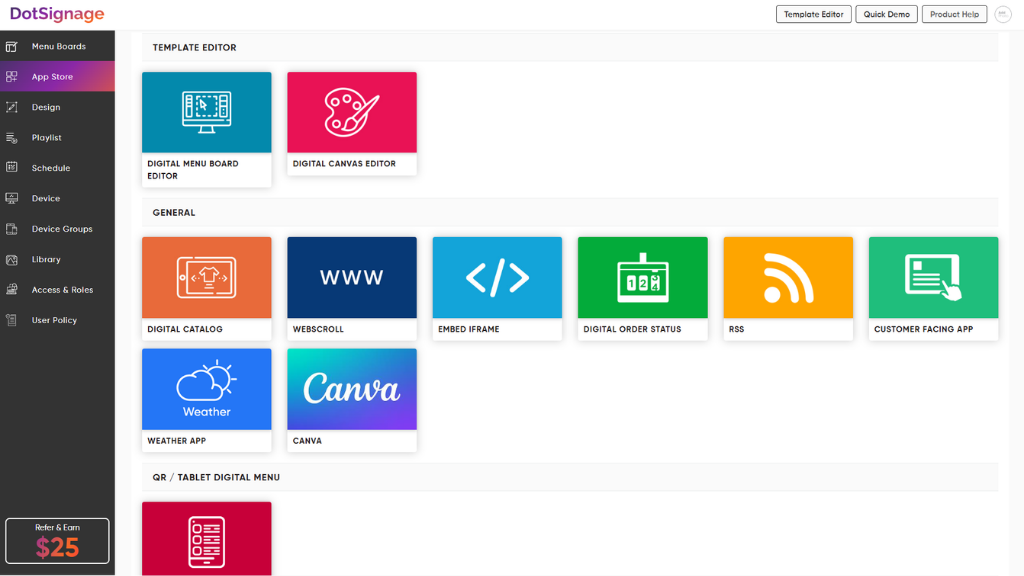
DotSignage is a Software-as-a-Service (SaaS) platform for digital signage management. The solution allows organizations to centralize the creation, scheduling, and remote management of visual content across distributed display networks. Key Capabilities Content Management System (CMS): Features a drag-and-drop editor for publishing visual content without manual coding or technical expertise. Template Library: Includes over 750 animated templates. The vendor…
$12
per month Per screen
PosterBooking
Score 9.0 out of 10
N/A
PosterBooking is a Whitelabel Digital Signage Platform, from the company of the same name in Manchester, that aims to change the way advertising is displayed. It makes free cloud digital signage available, using an Amazon Firestick, and lets users create a slideshow to display images and videos. The vendor can also supply media players and screens that are compatible with the PosterBooking platform.
$2
per month per screen
Pricing
DotSignage
PosterBooking
Editions & Modules
Monthly Subscription
$12
per month Per screen
Pro Account
$2
per month per screen
Offerings
Pricing Offerings
DotSignage
PosterBooking
Free Trial
Yes
Yes
Free/Freemium Version
No
Yes
Premium Consulting/Integration Services
No
No
Entry-level Setup Fee
No setup fee
No setup fee
Additional Details
Discount available for annual subscription.
—
More Pricing Information
Community Pulse
DotSignage
PosterBooking
Considered Both Products
DotSignage
Verified User
Anonymous
Chose DotSignage
Support and prompt response was one of the reasons we went with DotSignage. We had fire sticks and TVs already available so we did not need to buy any other hardware. Template editor was again one of the key features we liked. We wanted something very easy to manage and keeps …
DotSignage is well suited for single or multi location restaurants. Their temple editor is very helpful to design the menus very quickly. We have used their pre designed templates. Recently they have introduced animation which are very eye catchy to highlight deals or promotions. We have 5-6 TVs each store and we display menu boards on 4 TVs and rest two TVs are for promotions playing videos and slideshow.
I feel trade shows and conferences are perfect for this solution. Having this just to decorate your office is obviously a benefit as well. However, I believe the greatest value in this tool is using it for client/prospect meetings/events. I feel we can really garner their attention with subliminal messaging and showing value propositions that would be specific to that group or person.
It is easy to enroll displays into your account. After that, all of your content is centrally managed in a browser. Unlike some other services on the market, you don't need to deploy any servers or services on your local network. If you are using the Amazon Firestick implementation option, it automatically boots into that even after power-loss, meaning there's little to worry about once it has been set up, and could be managed from anywhere.
Support and prompt response was one of the reasons we went with DotSignage. We had fire sticks and TVs already available so we did not need to buy any other hardware. Template editor was again one of the key features we liked. We wanted something very easy to manage and keeps everything consistent.