Estimating Link vs. Sage Estimating

Overview
ProductRatingMost Used ByProduct SummaryStarting Price
Estimating Link
Score 0.0 out of 10
N/A
Heavy/Civil Estimating Software designed for unit price and lump sum bidding, used to calculate job costs using resources like labor and equipment. Users can add markup, OH, profit, bonds, and indirect costs to finalize a bid, and build professional proposals for customers.
$1,995
per year per user
Sage Estimating
Score 10.0 out of 10
N/A
N/AN/A
Pricing
Estimating LinkSage Estimating
Editions & Modules
No answers on this topic
Offerings
Pricing Offerings
Estimating LinkSage Estimating
Free Trial
YesNo
Free/Freemium Version
NoNo
Premium Consulting/Integration Services
NoNo
Entry-level Setup FeeRequiredNo setup fee
Additional Details
More Pricing Information
Community Pulse
Estimating LinkSage Estimating
Best Alternatives
Estimating LinkSage Estimating
Small Businesses
Bluebeam
Bluebeam
Score 9.3 out of 10
Bluebeam
Bluebeam
Score 9.3 out of 10
Medium-sized Companies
InEight
InEight
Score 8.5 out of 10
InEight
InEight
Score 8.5 out of 10
Enterprises
InEight
InEight
Score 8.5 out of 10
InEight
InEight
Score 8.5 out of 10
All AlternativesView all alternativesView all alternatives
User Ratings
Estimating LinkSage Estimating
Likelihood to Recommend
-
(0 ratings)
7.0
(4 ratings)
Likelihood to Renew
-
(0 ratings)
9.0
(1 ratings)
Support Rating
-
(0 ratings)
8.0
(1 ratings)
User Testimonials
Estimating LinkSage Estimating
Likelihood to Recommend
The Construction Link, Inc.
No answers on this topic
Sage
Sage Estimating was initially created for the construction industry and many of its current users use it to estimate buildings, but it has adapted quite well for the oil and gas industry. If the user is willing to invest the time and energy to develop and maintain their database, I can see it working for any industry. It is very easy to adjust and adapt the database as estimating methods and project designs change. As an example, our accounting department sometimes changes the way projects are reporting in our accounting software. Because I can go through our 9000 line item database in a couple of days, I am always ahead of the curve and can report my estimates in the format they require.
Read full review
Pros
The Construction Link, Inc.
No answers on this topic
Sage
  • Same format Spreadsheet
  • Ability to adjust by percentages
  • Ability to separate phases into categories
Read full review
Cons
The Construction Link, Inc.
No answers on this topic
Sage
  • The program has a fairly antiquated user interface such that someone working in it may not feel like they are working with advanced software.
  • Sage Estimating has absolutely no remote access capability outside running it in a Citrix/RDP environment so users have to be using a fat/full client vs. any hopes of access on a mobile device.
Read full review
Likelihood to Renew
The Construction Link, Inc.
No answers on this topic
Sage
It is a good product and meets all of our needs
Read full review
Support Rating
The Construction Link, Inc.
No answers on this topic
Sage
Sage's support of Estimating is adequate though frankly we rarely need it. Outside of more complex operations such as upgrades and installation problems the program itself is so straightforward that we do not usually have any "issues" and questions that are more about usability can easily be answered in online forums. We trust Sage's capability to answer these questions if needed but rarely use it.
Read full review
Alternatives Considered
The Construction Link, Inc.
No answers on this topic
Sage
For our needs and after completing a valued score card SAGE has always exceeded our min. requirements
Read full review
Return on Investment
The Construction Link, Inc.
No answers on this topic
Sage
  • Manupulation of existing data is very user friendly thanks to "Database Manager".
  • A bit pricey
Read full review
ScreenShots

Estimating Link Screenshots

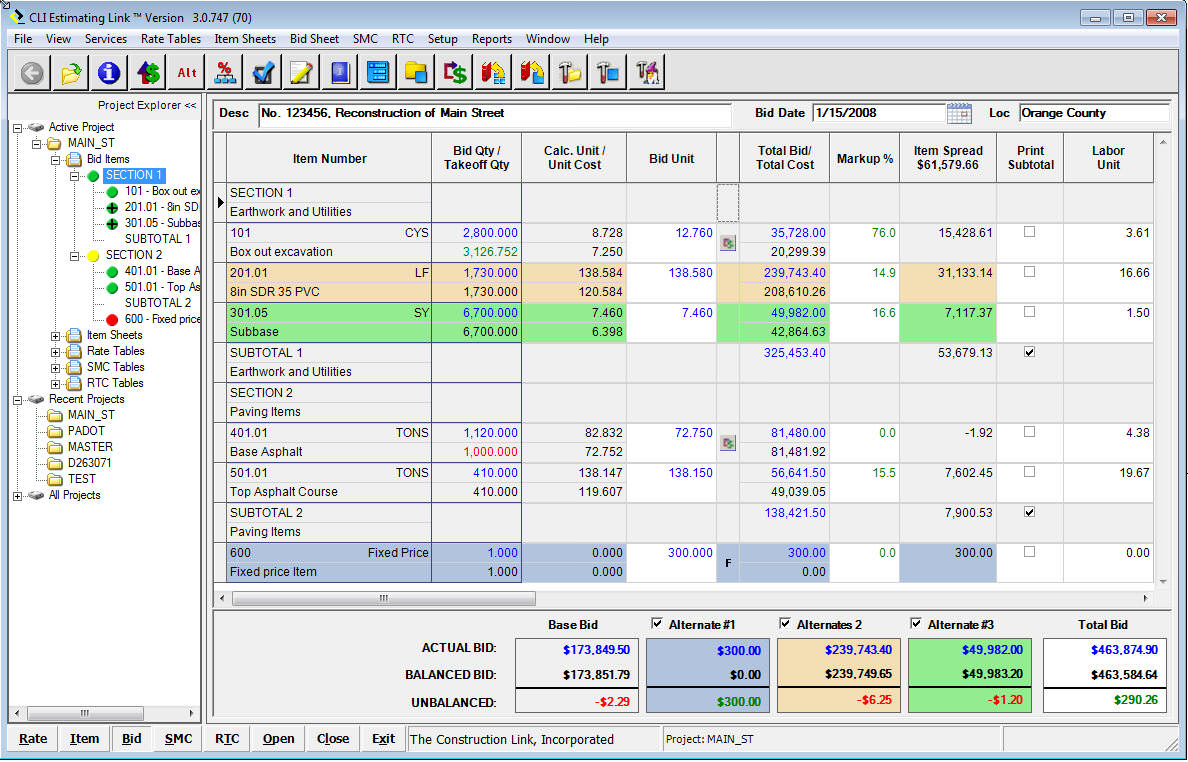
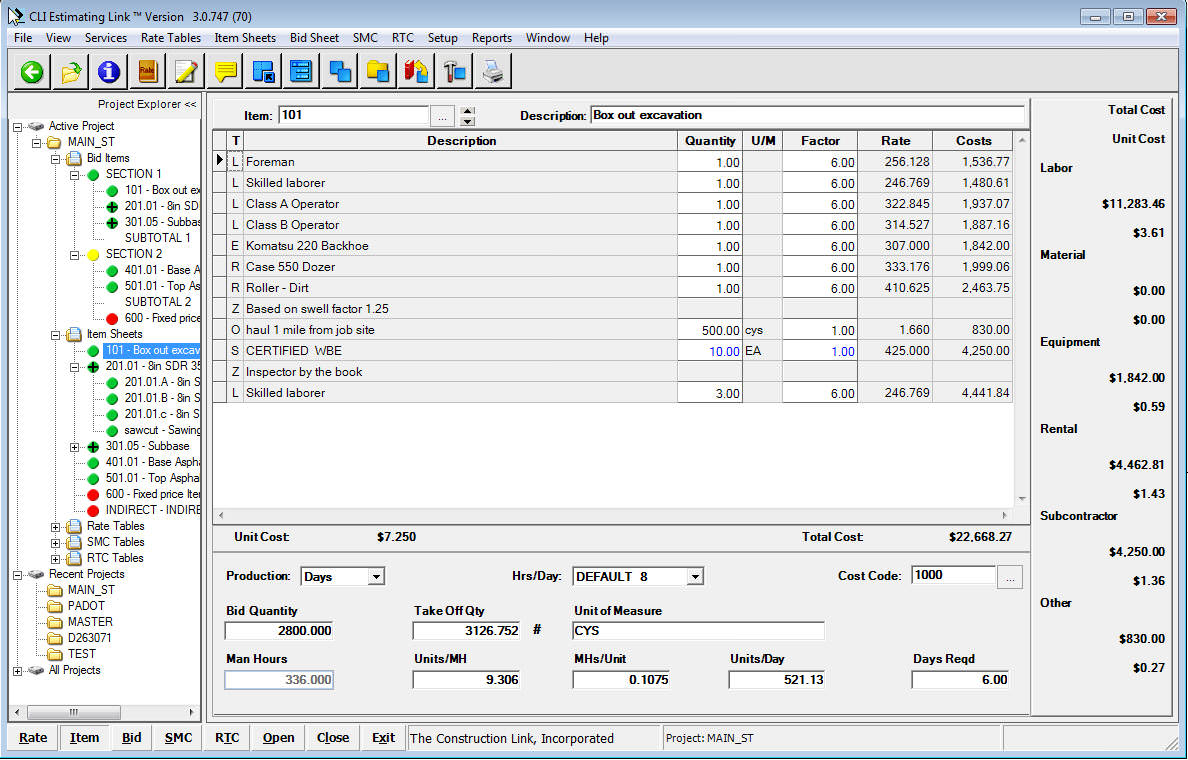
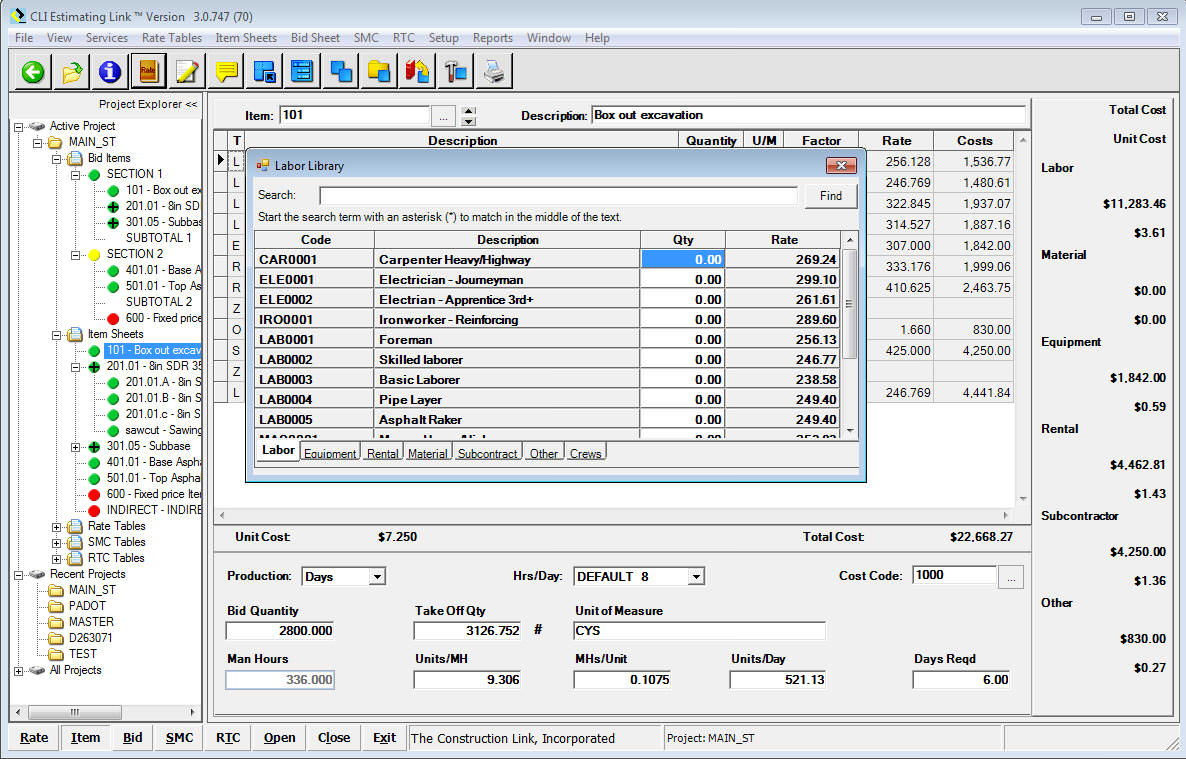
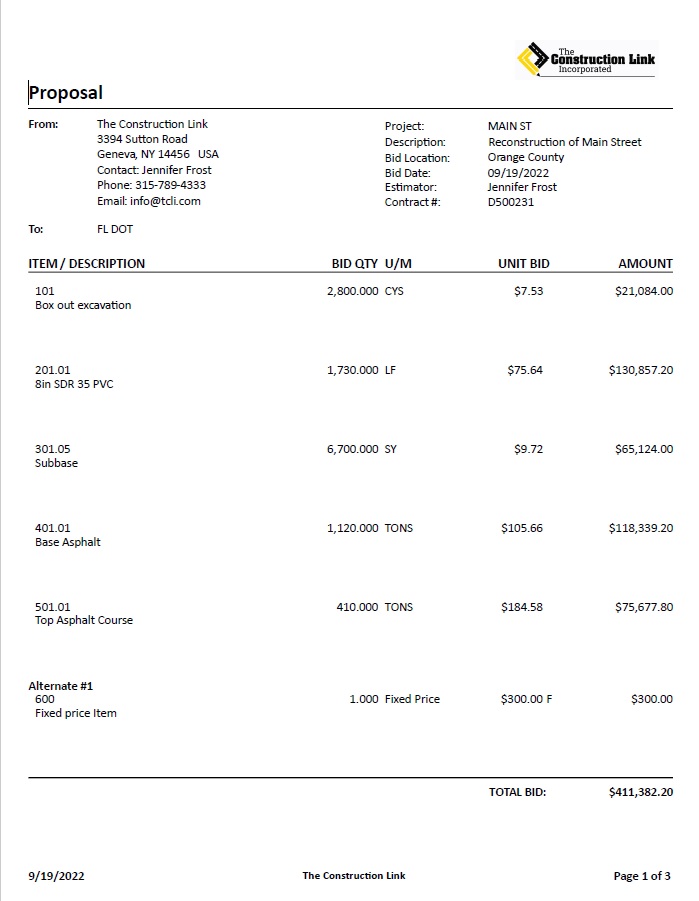
Screenshot of The bid sheet is where you start and end your bid.  Lists your Items with Unit and Total Costs for each Item, Markup, and Item Spread.  See your total Bid Price, along with alternates highlighted in color.Screenshot of The Item sheet is where you build each item with labor, equipment, rental, material, and subcontractor resources.  Add your production in days or hours to determine overall item cost.  Visible resource breakdown by unit and total is listed to the side.Screenshot of The Rate Library is used to add resources to your items.  By simply toggling between your resources within your Rate Library, simply double click a resource to add it to your item.  Rate Libraries are customized to your business.Screenshot of Develop a professional proposal for your customer.  Be as detailed as you want with customizable letterheads.  More then 7 Proposal Templates to choose from - detailed itemization or lump sum.  Include Totals, Project Inclusions/Exclusions, and a Signature Line.