TrustRadius: an HG Insights company

Save this comparison

Save this comparison

Add Product

Recommended Comparisons

    Overview
    ProductRatingMost Used ByProduct SummaryStarting Price

    FitNesse

    Score8.5 out of 10
    N/AFitNesse is an open source fully integrated standalone wiki web server and acceptance testing framework.N/A

    SeleniumBox (SBOX)

    Score7.9 out of 10
    N/AElement34 Solutions offers Selenium Box, an enterprise Selenium Grid on-prem solution providing cross browser compatibility testing and mobile emulation.N/A
    Pricing
    FitNesseSeleniumBox (SBOX)
    Editions & Modules
    No answers on this topic
    No answers on this topic
    Offerings
    Pricing Offerings
    FitNesseSeleniumBox (SBOX)
    Free Trial
    NoNo
    Free/Freemium Version
    NoNo
    Premium Consulting/Integration Services
    NoNo
    Entry-level Setup FeeNo setup feeNo setup fee
    Additional Details——
    More Pricing Information
    Best Alternatives
    FitNesseSeleniumBox (SBOX)
    Small Businesses
    BrowserStack
    Score8.5 out of 10
    BrowserStack
    Score8.5 out of 10
    Medium-sized Companies
    BlazeMeter
    Score8 out of 10
    BlazeMeter
    Score8 out of 10
    Enterprises
    Tricentis Tosca
    Score8.8 out of 10
    Tricentis Tosca
    Score8.8 out of 10
    All AlternativesView all alternativesView all alternatives
    User Ratings
    FitNesseSeleniumBox (SBOX)
    Likelihood to Recommend
    8.5
    (3 ratings)
    8.0
    (1 ratings)
    User Testimonials
    FitNesseSeleniumBox (SBOX)
    Likelihood to Recommend
    Open Source
    Useful and straightforward. Appian and other low-code BCM tools can be easily integrated. Writing a script for a test is similar to writing a script in English. So simple to use because it's a wrapper class for selenium. FitNesse is being implemented with the goal of doing it correctly the first time. As a result, migrations of both the client and the server are made easier.
    Incentivized
    Read full review
    Element34
    In a project, where 1000+ scripts need to be executed only in less time there using selenium box as parallel execution can help a lot. We can use a selenium box to save the time of the execution and it also is very easy to use. It saves a lot of time while doing parallel execution.
    Incentivized
    Read full review
    Pros
    Open Source
    • Easy to install.
    • Command language is easy to create custom scripts.
    • FitNesse tests are deterministic.
    Incentivized
    Read full review
    Element34
    No answers on this topic
    Cons
    Open Source
    • Logging can help any debug or error issues.
    • A Java/Selenium developer is needed to maintain the FitNesse keyword library.
    • Content.txt and properties.txted need to be added to the test suite in older versions to make it visible in a test run.
    Incentivized
    Read full review
    Element34
    No answers on this topic
    Alternatives Considered
    Open Source
    The FitNesse testing automation framework is very simple to operate. It is simple to connect with the Jenkins and Bamboo environments. It is dependable, and it is simple and quick to include new tests. The process of debugging and fixing test failures is straightforward. FitNesse, including its installation, may be utilized with a minimum of fuss and difficulty. Maintaining scripts and monitoring their output is designed to be a relatively straightforward process.
    Incentivized
    Read full review
    Element34
    Did not use any other.
    Incentivized
    Read full review
    Return on Investment
    Open Source
    • It does not necessitate any further setup or configuration.
    • FitNess is an easy-to-use manual QA tool with a comprehensive report that aids stakeholders in better understanding the tested applications.
    • Automated testing suites for a wide range of websites. In addition, it is quite beneficial for the ongoing maintenance of the test library.
    Incentivized
    Read full review
    Element34
    No answers on this topic
    ScreenShots

    SeleniumBox (SBOX) Screenshots

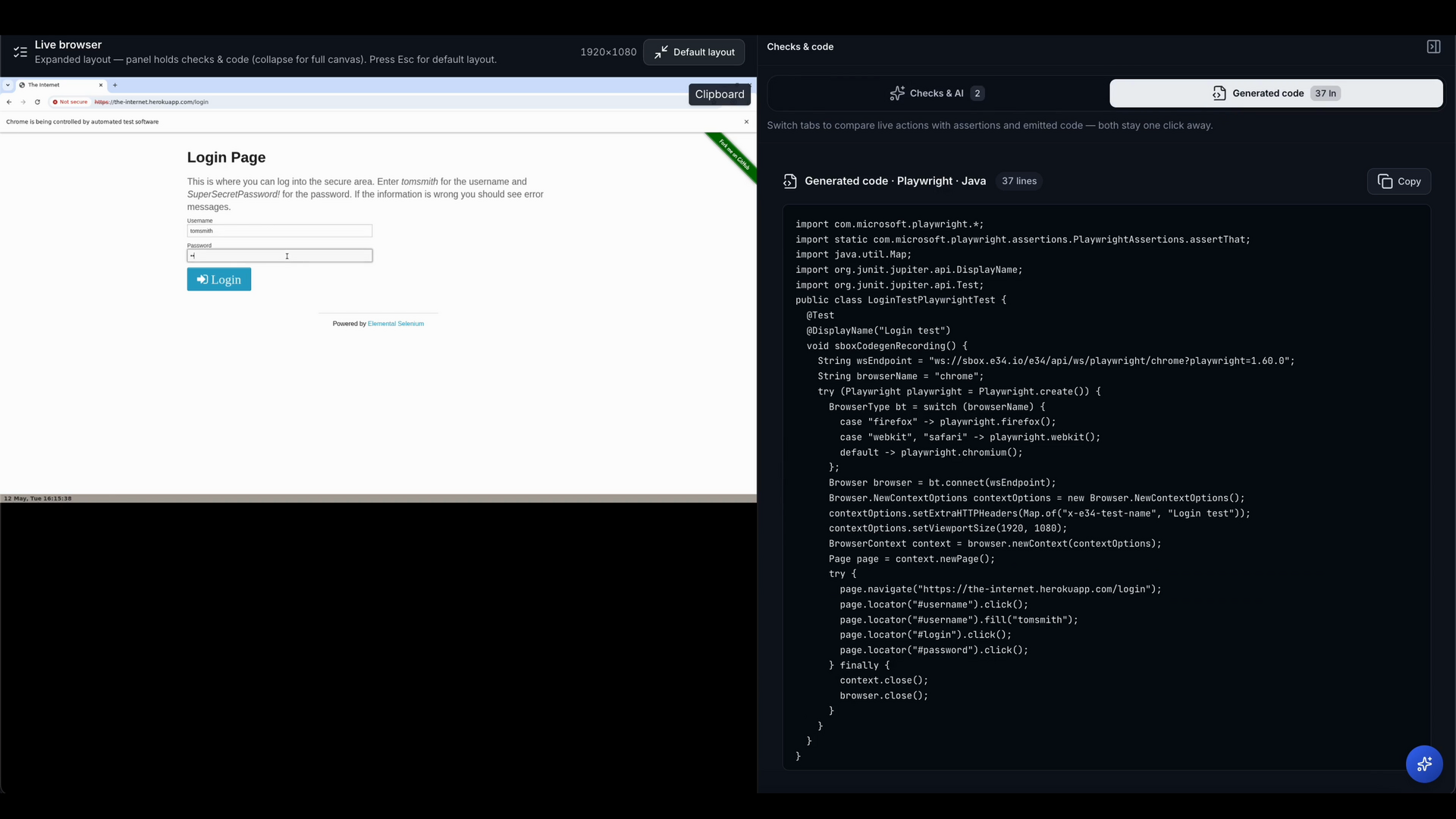
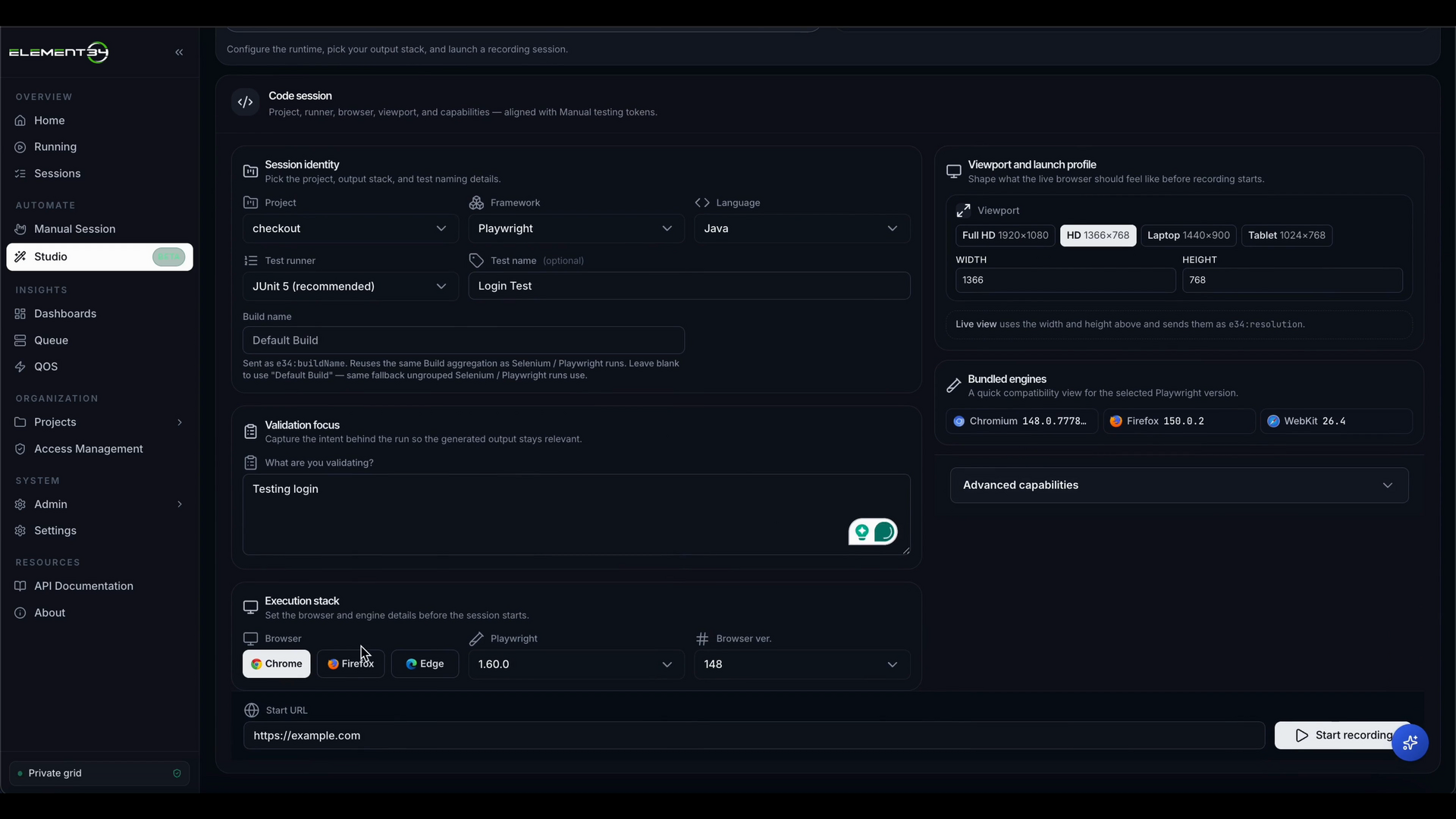
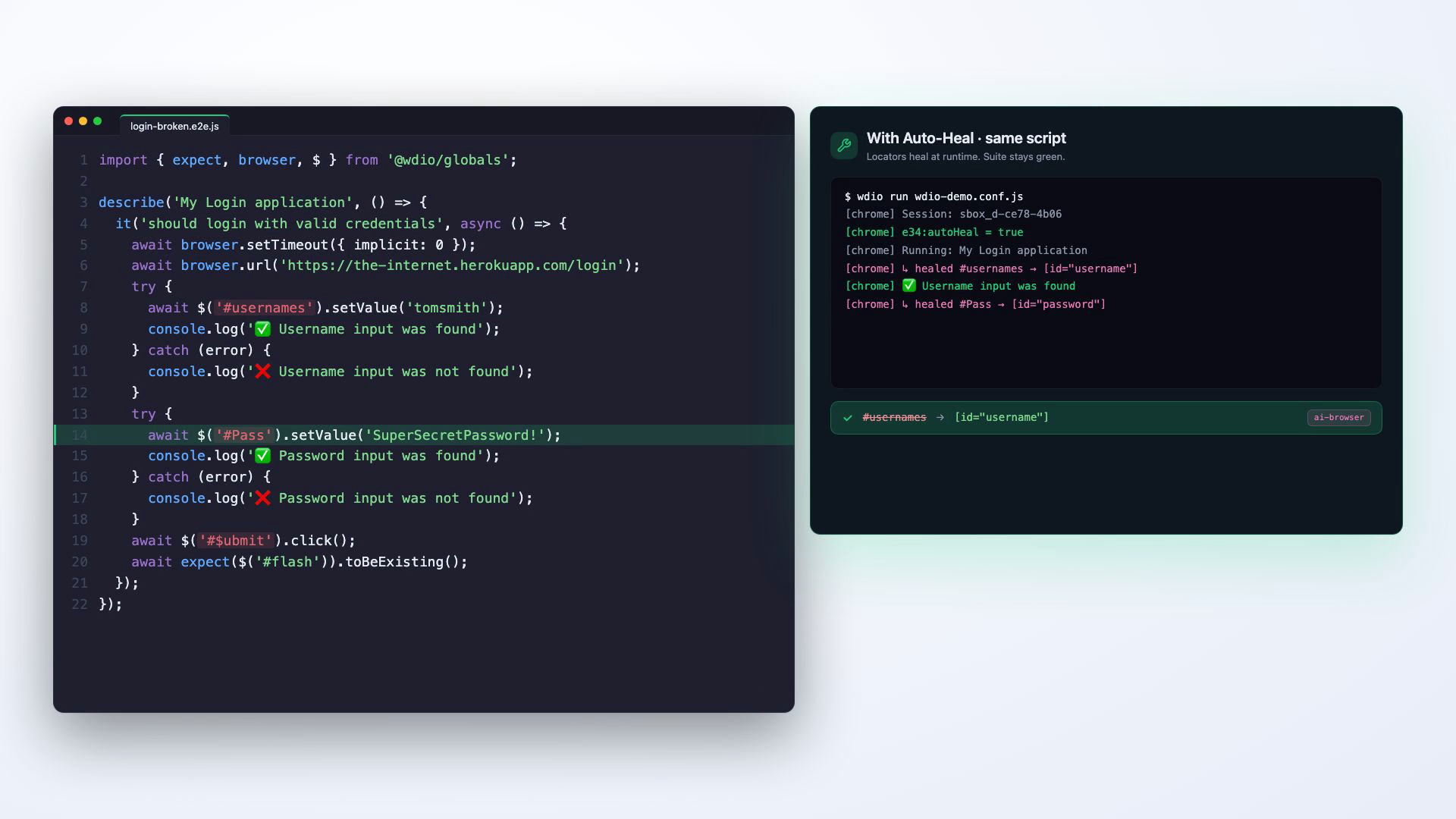
    Screenshot of Live Browser-to-Code: capture a live browser session as runnable test stepsScreenshot of SBOX Studio: authoring and running tests inside a private, in-network code sessionScreenshot of Auto Heal detecting and repairing drifted locators at runtimeScreenshot of Test run stability with Auto Heal enabled