Food Label Maker vs. OpenBOM

Overview
ProductRatingMost Used ByProduct SummaryStarting Price
Food Label Maker
Score 0.0 out of 10
N/A
Food Label Maker is a nutrition and supplement labeling software designed to streamline and secure the product lifecycle from concept development to store shelf. The platform simplifies recipe management, nutrition analysis, and the creation of regulatory market compliant nutrition labels for food businesses of any size. Key Features and Benefits Expert-Led Compliance & Expertise: The system is built upon the principle of…N/A
OpenBOM
Score 8.9 out of 10
N/A
OpenBOM is a digital network-based platform that manages Product data and connects manufacturers and their supply networks from the company of the same name in Boston. OpenBOM enables users to share and collaborate data using online Bill of Materials from initial design through all stages of engineering, manufacturing, and supply chain.
$25
per month
Pricing
Food Label MakerOpenBOM
Editions & Modules
No answers on this topic
Professional User
$25.00
per month
Professional Team
$175.00
per month
Company
$375.00
per month
Enterprise
Contact Sales
Offerings
Pricing Offerings
Food Label MakerOpenBOM
Free Trial
NoNo
Free/Freemium Version
NoYes
Premium Consulting/Integration Services
NoNo
Entry-level Setup FeeNo setup feeNo setup fee
Additional Details
More Pricing Information
Community Pulse
Food Label MakerOpenBOM
Best Alternatives
Food Label MakerOpenBOM
Small Businesses
monday dev
monday dev
Score 8.5 out of 10
monday dev
monday dev
Score 8.5 out of 10
Medium-sized Companies
Arena PLM and QMS
Arena PLM and QMS
Score 8.5 out of 10
Arena PLM and QMS
Arena PLM and QMS
Score 8.5 out of 10
Enterprises
Roadmunk
Roadmunk
Score 6.1 out of 10
Roadmunk
Roadmunk
Score 6.1 out of 10
All AlternativesView all alternativesView all alternatives
User Ratings
Food Label MakerOpenBOM
Likelihood to Recommend
-
(0 ratings)
7.6
(3 ratings)
User Testimonials
Food Label MakerOpenBOM
Likelihood to Recommend
Food Label Maker
No answers on this topic
OpenBOM
OpenBOM is well suited for users who require the ability to have a "structured sandbox" when it comes to part, BOM, and vendor management. By having this structure, it allows for consistent capturing of key information, in a structured way, while also being dynamic where approved users can modify the information without too much overhead. We're using it for a medical device.
Read full review
Pros
Food Label Maker
No answers on this topic
OpenBOM
  • E-BOM management with an intuitive interface.
  • Import/export from/to popular systems.
Read full review
Cons
Food Label Maker
No answers on this topic
OpenBOM
  • Consistent log-off/ log-ins required (despite saying stay logged in)
  • Default "custom use" of fields (vs. requiring the user to check this each time a new parameter is selected).
Read full review
Alternatives Considered
Food Label Maker
No answers on this topic
OpenBOM
-We selected for ease of use and ease of implementation -We wanted to keep our overhead low -We wanted to track some inventory and this was helpful for that in a lightweight manner
Read full review
Return on Investment
Food Label Maker
No answers on this topic
OpenBOM
  • We are yet to establish the ROI at a given subscription tier and compare it to other similar-priced solutions.
Read full review
ScreenShots

Food Label Maker Screenshots

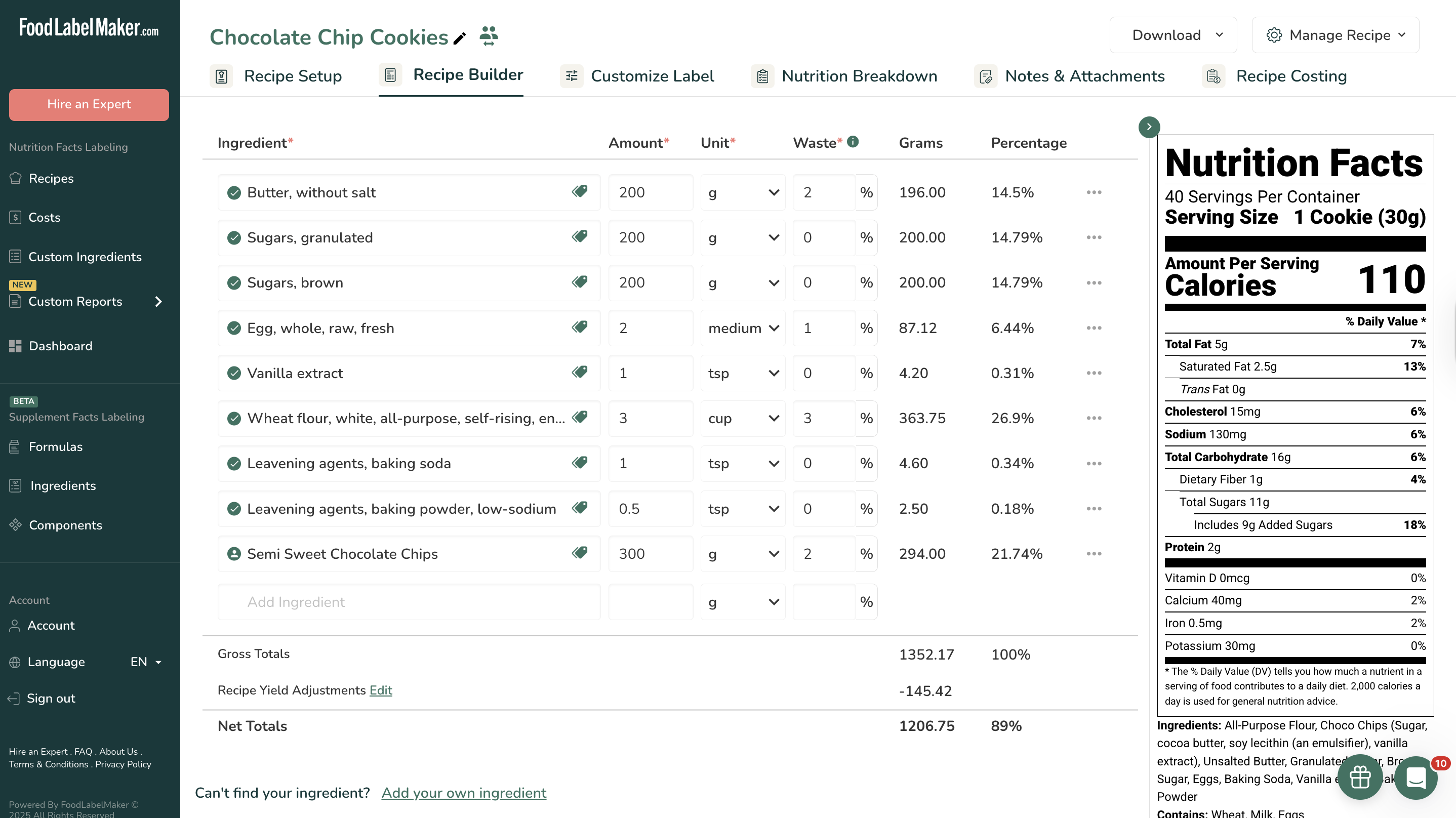
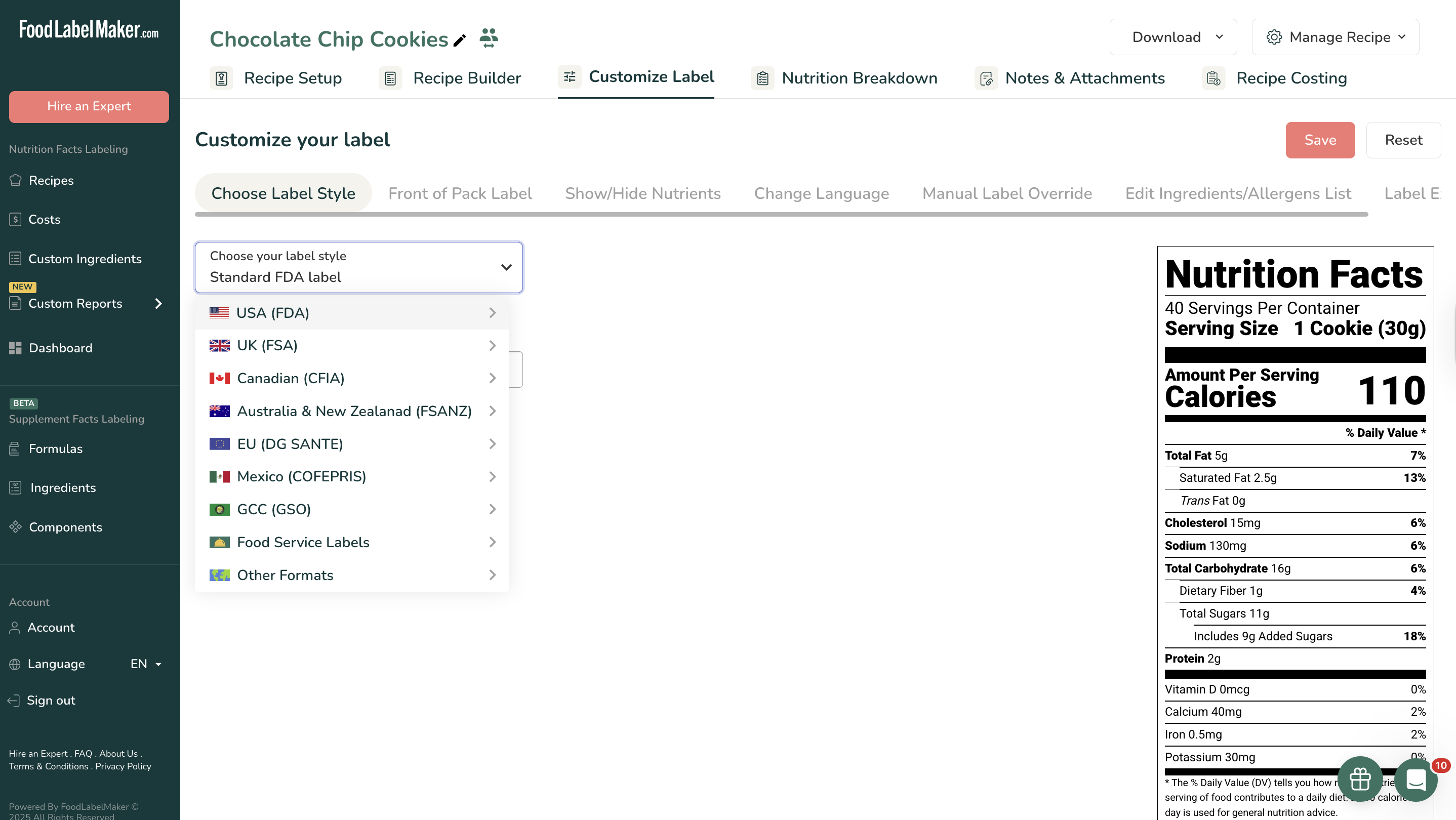
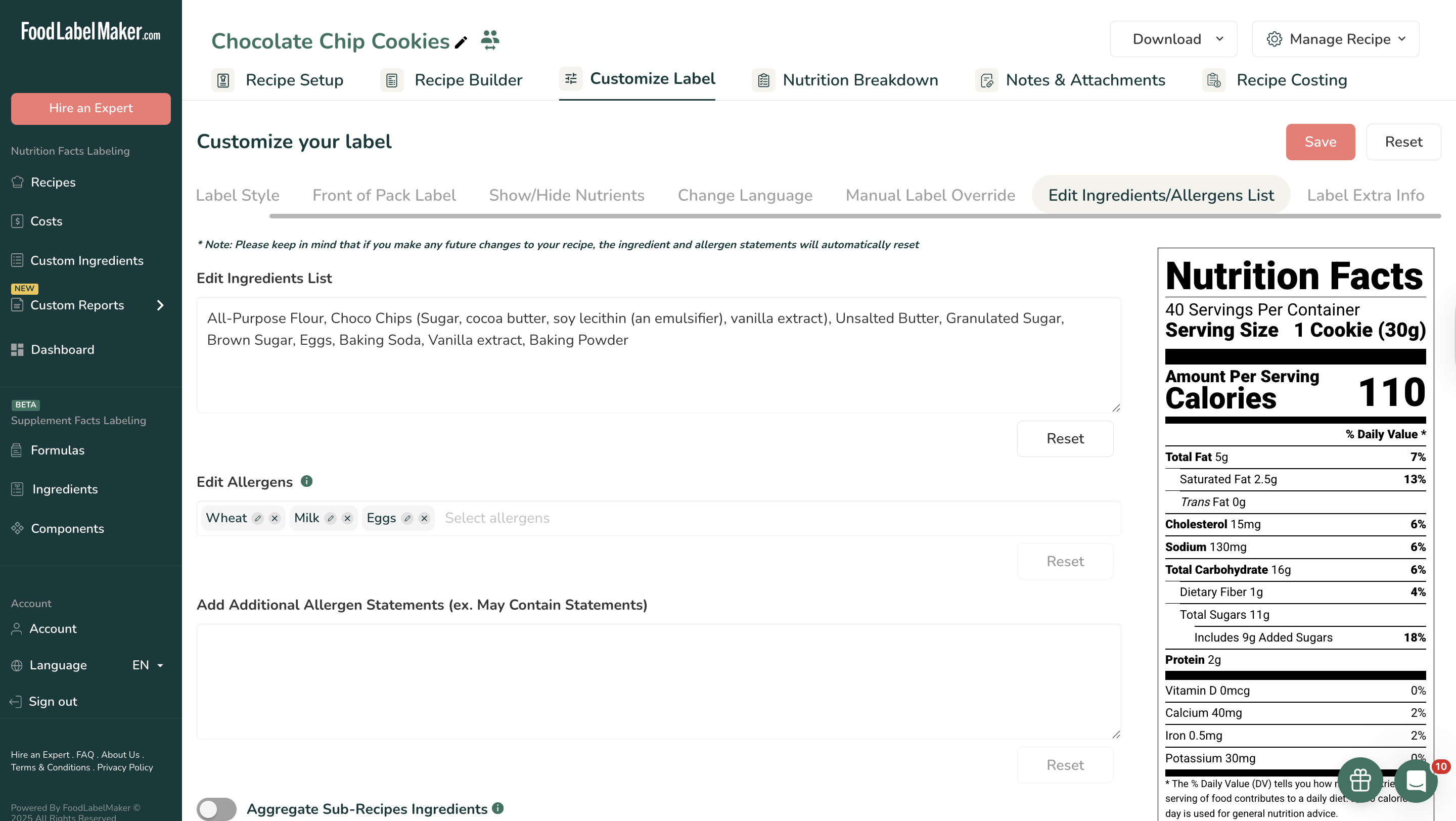
Screenshot of The Recipe Builder, which is the central hub for formula management. Users input precise ingredient amounts, units, and waste percentages to establish an accurate foundation for nutrition analysis. The system automatically calculates Gross and Net Totals, applies Recipe Yield Adjustments, and provides the percentage breakdown of all ingredients.Screenshot of where users select their required regulatory format from a list that includes the USA (FDA), Canada (CFIA), UK (FSA), EU (DG SANTE), Mexico (COFEPRIS), Australia & New Zealand (FSANZ), and the GCC (GSO). This ensures the resulting label design meets specific international requirements.Screenshot of the Edit Ingredients/Allergens List feature that allows for manual review and adjustment of the automatically generated ingredient statement. The system displays automatically identified allergens (e.g., Wheat, Milk, Eggs), and users can manually select or add essential "May Contain Statements" to ensure complete consumer safety information.Screenshot of the Nutrition Breakdown tab provides deep data analysis of the recipe. It offers a high-level view of key metrics like Total Calories, Carbs, Fat, and Protein per serving or per 100g. Visual aids, including pie charts and bar graphs, show the ingredient contribution to total recipe weight and calories, assisting in product formulation adjustments.