
FortiManager vs. ManageEngine NetFlow Analyzer
| Product | Rating | Most Used By | Product Summary | Starting Price |
|---|---|---|---|---|
 FortiManager | Score9.3 out of 10 | N/A | FortiManager delivers unified management for consistent security across complex hybrid environments, providing protection against security threats. Key benefits include accelerated zero-touch provisioning with best-practice templates for deployment at scale of SD-WAN and streamlined workflows between the Fortinet Security Fabric and integrations with 500+ ecosystem partners. | N/A |
 ManageEngine NetFlow Analyzer | Score9.8 out of 10 | N/A | NetFlow Analyzer is a complete bandwidth monitoring tool that utilizes flow technology to monitor and analyze network bandwidth usage. It helps users identify and avoid bandwidth delays and bottlenecks with customized reports, and set threshold-based email and SMS alerts to help understand the severity of an issue. This analytics tool detects, diagnoses, and troubleshoots network anomalies and zero-day intrusions, and plans future bandwidth needs based on application growth to… | N/A |
| FortiManager | ManageEngine NetFlow Analyzer | |||||||||||||||
|---|---|---|---|---|---|---|---|---|---|---|---|---|---|---|---|---|
| Editions & Modules | No answers on this topic | No answers on this topic | ||||||||||||||
| Offerings |
| |||||||||||||||
| Entry-level Setup Fee | No setup fee | $595 per installation | ||||||||||||||
| Additional Details | — | — | ||||||||||||||
| More Pricing Information | ||||||||||||||||
| FortiManager | ManageEngine NetFlow Analyzer | |
|---|---|---|
| Considered Both Products | No answer on this topic | No answer on this topic |
| Key User Insights | ||
| Would buy again | ||
No answers on this topic | 100% Would buy again 5 Answers | |
| Delivers good value for the price | ||
No answers on this topic | 100% Delivers good value for the price 5 Answers | |
| Happy with the feature set | ||
No answers on this topic | 100% Happy with the feature set 5 Answers | |
| Lived up to sales and marketing promises | ||
No answers on this topic | 100% Lived up to sales and marketing promises 5 Answers | |
| Implementation went as expected | ||
No answers on this topic | 100% Implementation went as expected 5 Answers | |
| FortiManager | ManageEngine NetFlow Analyzer | |||||||||||||||||||
|---|---|---|---|---|---|---|---|---|---|---|---|---|---|---|---|---|---|---|---|---|
| Firewall Security Management |
| |||||||||||||||||||
| FortiManager | ManageEngine NetFlow Analyzer | |
|---|---|---|
| Small Businesses | No answers on this topic | No answers on this topic |
| Medium-sized Companies |  Palo Alto Panorama Score8.7 out of 10 |  SolarWinds NetFlow Traffic Analyzer (NTA) Score8.5 out of 10 |
| Enterprises | Palo Alto Panorama Score8.7 out of 10 | SolarWinds NetFlow Traffic Analyzer (NTA) Score8.5 out of 10 |
| All Alternatives | View all alternatives | View all alternatives |
| FortiManager | ManageEngine NetFlow Analyzer | |
|---|---|---|
| Likelihood to Recommend | 8.0 | 9.9 |
| Usability | - | 9.8 |
| Support Rating | - | 10.0 |
| FortiManager | ManageEngine NetFlow Analyzer | |
|---|---|---|
| Likelihood to Recommend |
|
|
| Pros |
|
|
| Cons |
|
|
| Usability | No answers on this topic |
|
| Support Rating | No answers on this topic |
|
| Alternatives Considered |
|
|
| Return on Investment |
|
|
| ScreenShots | ManageEngine NetFlow Analyzer Screenshots  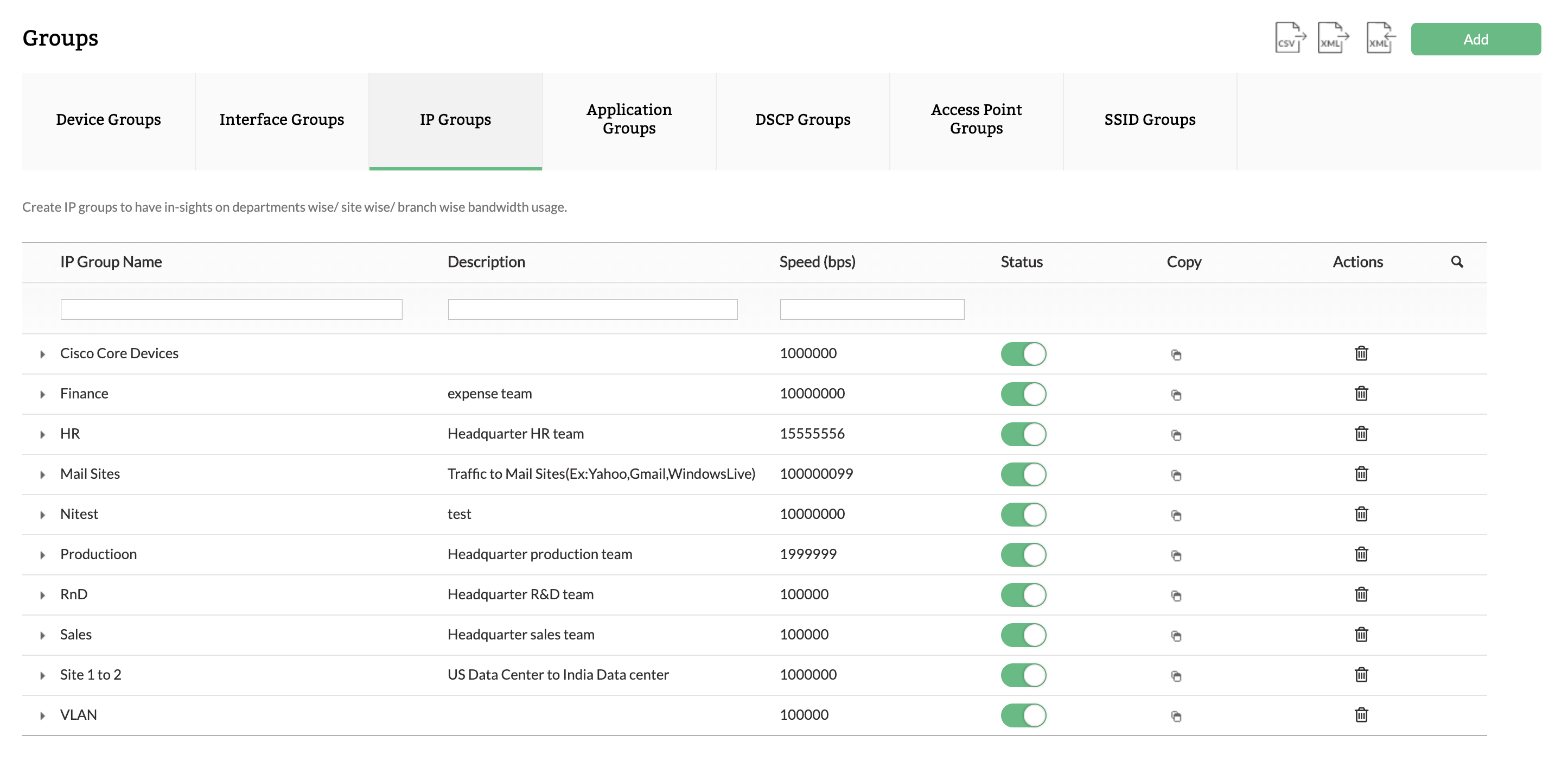  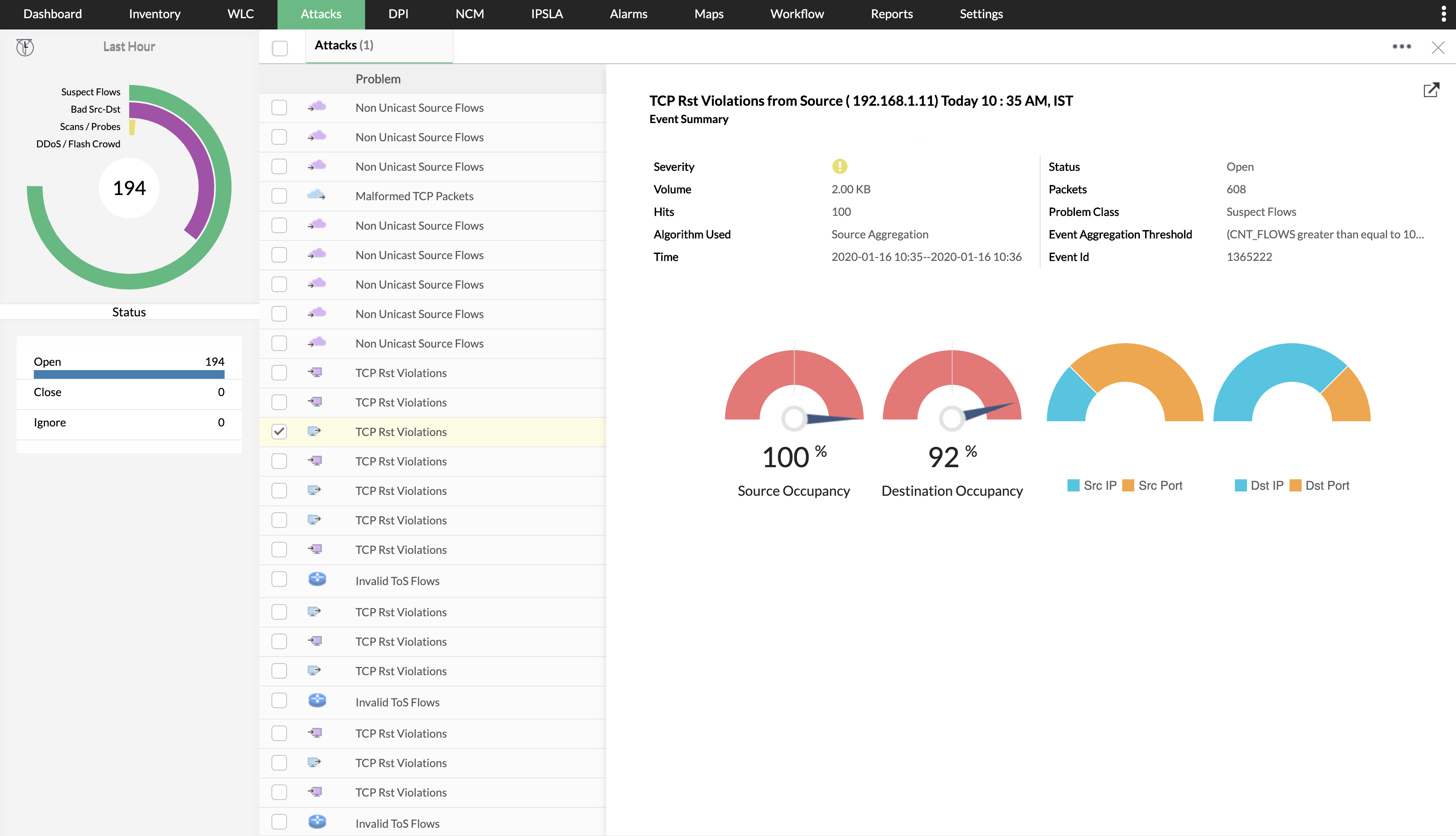  |

