TrustRadius: an HG Insights company

Fortra’s Automate vs. OpenText Operations Orchestration

Save this comparison

Save this comparison

Add Product

Recommended Comparisons

    Overview
    ProductRatingMost Used ByProduct SummaryStarting Price

    Fortra’s Automate

    Score8 out of 10
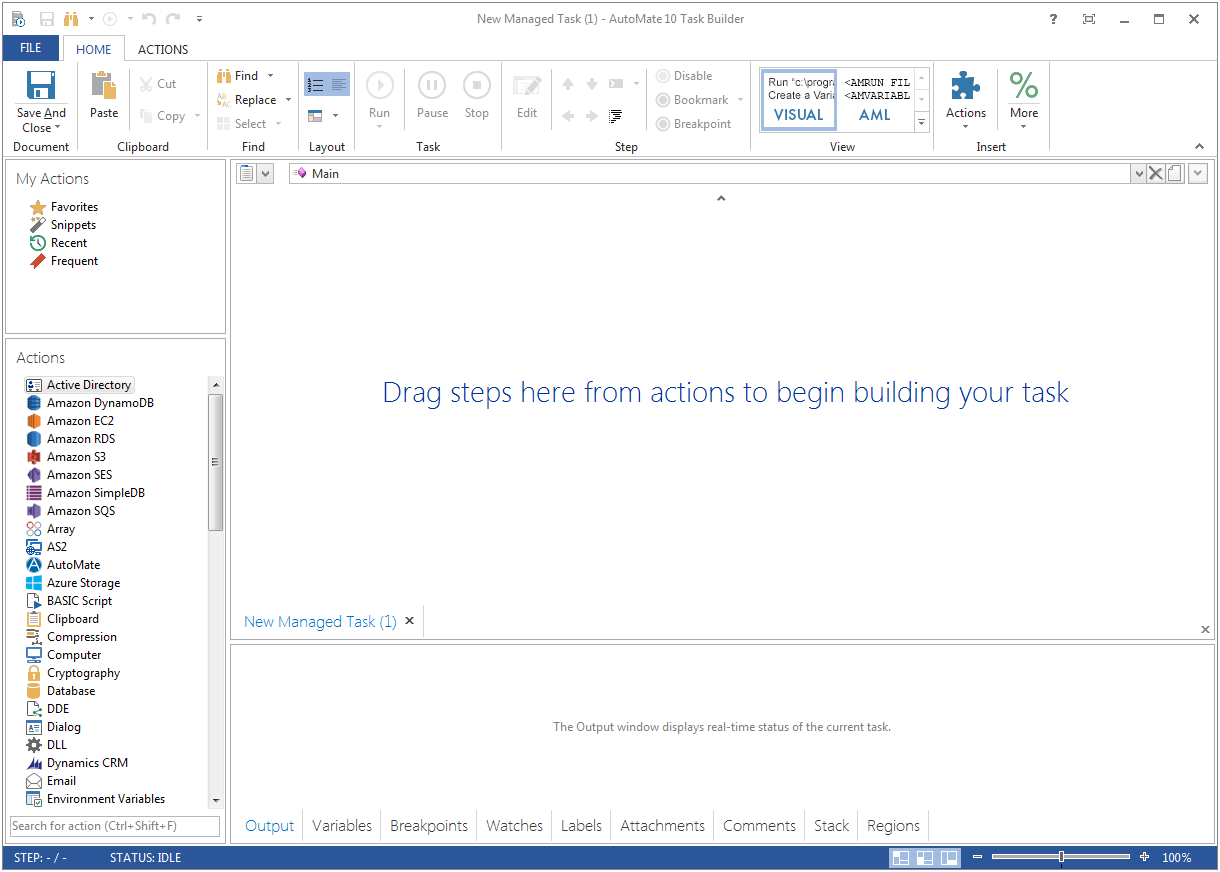
    N/AFortra's Automate (formerly HelpSystems Automate) is a robotic process automation platform for desktop applications. According to the vendor, it offers the ability to automate almost any business process, and no technical expertise is required—IT and business users alike can understand the drag-and-drop interface.N/A

    OpenText Operations Orchestration

    Score10 out of 10
    N/AOpenText™ Operations Orchestration automates, integrates, and orchestrates any IT process, on cloud or off. Automations use low-code/no-code workflow authoring options. Integrations are done with an API-rich, extensible platform. Centrally orchestrates workflows.N/A
    Pricing
    Fortra’s AutomateOpenText Operations Orchestration
    Editions & Modules
    No answers on this topic
    No answers on this topic
    Offerings
    Pricing Offerings
    Fortra’s AutomateOpenText Operations Orchestration
    Free Trial
    YesNo
    Free/Freemium Version
    NoNo
    Premium Consulting/Integration Services
    YesNo
    Entry-level Setup FeeOptionalNo setup fee
    Additional Details——
    More Pricing Information
    Features
    Fortra’s AutomateOpenText Operations Orchestration
    Workload Automation
    Comparison of Workload Automation features of Fortra’s Automate and OpenText Operations Orchestration
    Feature
    Fortra’s Automate
    -
    Ratings
    OpenText Operations Orchestration
    9.5
    2 Ratings
    14% above category average
    Multi-platform scheduling00 Ratings10.01 Ratings
    Central monitoring00 Ratings10.02 Ratings
    Logging00 Ratings8.01 Ratings
    Alerts and notifications00 Ratings9.02 Ratings
    Analysis and visualization00 Ratings10.02 Ratings
    Application integration00 Ratings10.02 Ratings
    Best Alternatives
    Fortra’s AutomateOpenText Operations Orchestration
    Small Businesses
    No answers on this topic
    No answers on this topic
    Medium-sized Companies
    IBM Robotic Process Automation
    Score8.4 out of 10
    Apache Airflow
    Score8.7 out of 10
    Enterprises
    UiPath Automation Platform
    Score8.5 out of 10
    Redwood RunMyJobs
    Score9.7 out of 10
    All AlternativesView all alternativesView all alternatives
    User Ratings
    Fortra’s AutomateOpenText Operations Orchestration
    Likelihood to Recommend
    10.0
    (4 ratings)
    10.0
    (2 ratings)
    Usability
    10.0
    (1 ratings)
    -
    (0 ratings)
    Support Rating
    10.0
    (1 ratings)
    -
    (0 ratings)
    User Testimonials
    Fortra’s AutomateOpenText Operations Orchestration
    Likelihood to Recommend
    Fortra
    It's great for repetitive or regularly scheduled activities like reports or file transfers. However, it's not so good for on-demand activities. It doesn't support task shortcuts to run specific tasks. If it did it would be perfect.
    Incentivized
    Read full review
    OpenText
    The products are being paired by the company with different software to specifically fit multiple scenarios. As a standalone platform, it can answer any task with its build-in content or the ability to create your own content and solution.
    Read full review
    Pros
    Fortra
    • Very detailed task builder. Easy to read step by step a task's operation even if you don't have much programming knowledge.
    • Scheduling for automation jobs is very flexible. Allows us to create all kinds of job schedules as needed.
    • Organization of jobs, tasks, conditions is done well. Allows us to easily manage our items.
    Incentivized
    Read full review
    OpenText
    • Allows for the quick disconnection of accounts that break our terms of service
    • Seamless integration with our billing system
    • Has the ability to house all member/client account information in one single location
    Incentivized
    Read full review
    Cons
    Fortra
    • A reporting capability on tasks: enabled, disabled, by folder, by trigger, etc. Currently there is none.
    • An "OR" in their conditional statements - currently there is only "AND".
    • Some kind of temporary backup when changing a task - separate from the current back up/restore functionality (which works well).
    Incentivized
    Read full review
    OpenText
    • The product build in portal need to be more flexible
    Read full review
    Usability
    Fortra
    It's just very easy to use, extremely versatile, and very reliable. It's hard to find use cases where it won't work.
    Incentivized
    Read full review
    OpenText
    No answers on this topic
    Support Rating
    Fortra
    Support is very helpful and responsive, although using the tool is very user-friendly, so I hardly use the service.
    Incentivized
    Read full review
    OpenText
    No answers on this topic
    Alternatives Considered
    Fortra
    Incentivized
    Read full review
    OpenText
    Most product works well enough, but none of them combine the non-agent/client approach to automation with an easy to develop mechanism (the drag&drop development approach) This alone put this solution on top of our preferred implantation product list
    Read full review
    Return on Investment
    Fortra
    • It's been a net positive as AutoMate requires less eyes on specific tasks so that people can focus attention elsewhere and do more analysis.
    • Less manual work also decreases the chances of mistakes and/or missed jobs. Since Automate can schedule everything, send email notifications, etc., there is less time wasted.
    Incentivized
    Read full review
    OpenText
    • If time is money, the time saved by using this all-in-one product has certainly saved time AND money.
    Incentivized
    Read full review
    ScreenShots

    Fortra’s Automate Screenshots

    Product screenshotProduct screenshot