Genially vs. Procreate

Overview
ProductRatingMost Used ByProduct SummaryStarting Price
Genially
Score 7.6 out of 10
N/A
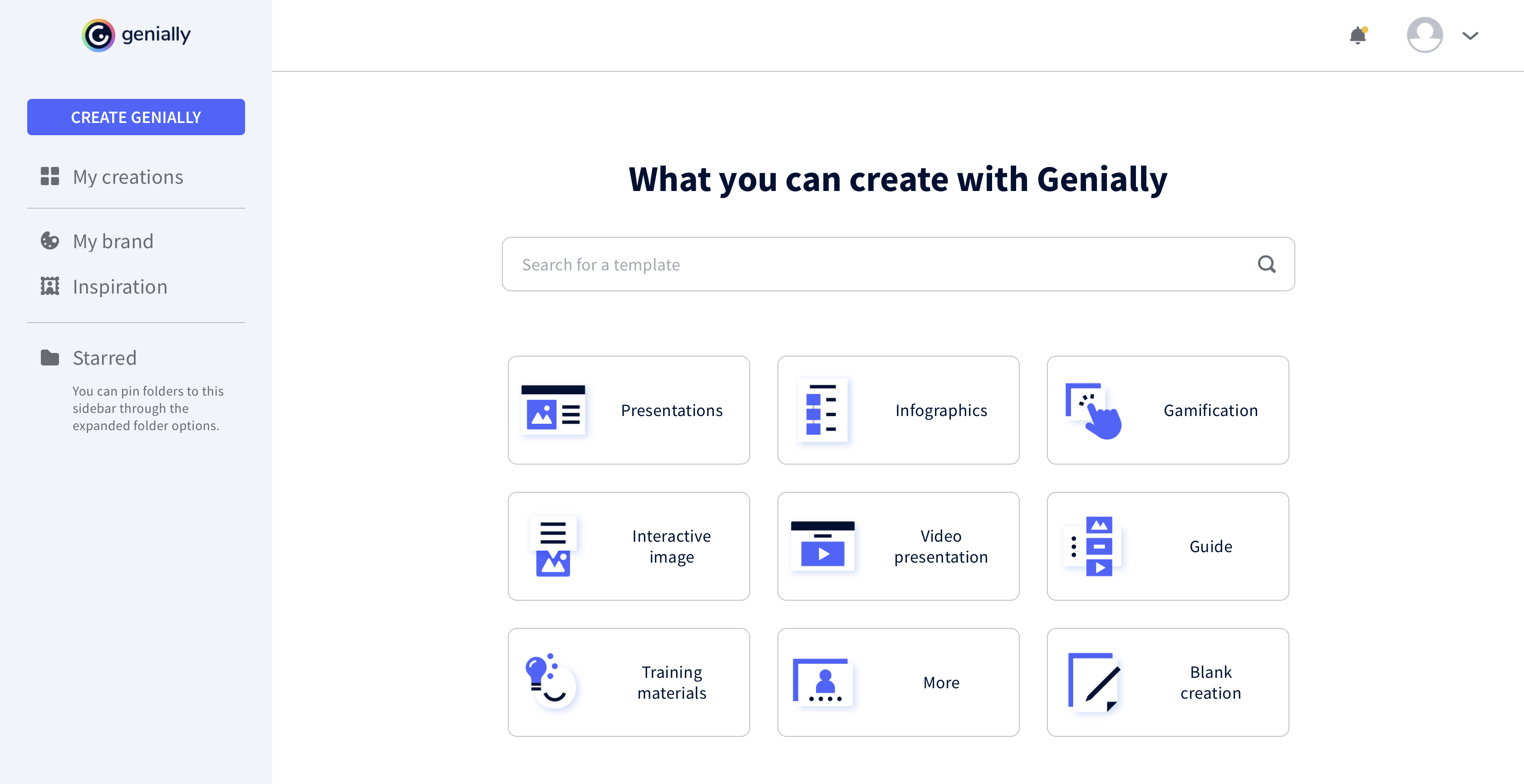
Genially is a provider of interactive visual communication and an online tool to create presentations, interactive images, infographics, dossiers, quizzes, resumes, etc. and enrich them with interactivity and animation effects. Without needing a team of designers and programmers, Genially is designed to allow enterprises to make an impact with striking, visual communication in a flash. It includes interactive and animated effects to distribute…
$7.49
per month (billed annually)
Procreate
Score 8.9 out of 10
N/A
Savage, headquartered in North Hobart, Tasmania, is dedicated to making exceptional creative tools. They are the creators of Procreate, a digital art and illustration app for iPad. Offering 100s of handmade brushes, a suite of artistic tools, advanced layer system, and its Valkyrie graphics engine — Procreate is designed to enable the creation of expressive sketches, rich paintings, gorgeous illustrations and beautiful animations.N/A
Pricing
GeniallyProcreate
Editions & Modules
Pro
$7.49
per month (billed annually)
Master
$20.82
per month (billed annually) 5 members
Team
$70.79
per month (billed annually)
No answers on this topic
Offerings
Pricing Offerings
GeniallyProcreate
Free Trial
NoNo
Free/Freemium Version
YesNo
Premium Consulting/Integration Services
NoNo
Entry-level Setup FeeNo setup feeNo setup fee
Additional Details
More Pricing Information
Community Pulse
GeniallyProcreate
Considered Both Products
Genially
Chose Genially
The price is the number one difference. Genially is not expensive and the licence has no limitations regarding the number of learners.
The ease of use: the interface of Genially is intuitive and does not require a tedious learning.
The integration of multiple media is smooth, …
Chose Genially
When I began this job, we already had Genially, and we have not evaluated any competitors.
Chose Genially
I prefer Genially if I need to make it interactive but use Canva when I'm more in a rush and need a nice design. Also, if I know I need to use different images I usually prefer to use Canva because you can save them there and it has more templates for me to choose from. Having …
Chose Genially
This web tool is designed to be broad and wide-reaching because it can be used in several ways such as attracting customers, circulating news, and teaching skills. You don't have to be a programmer to create stunning digital projects that are both unique and stunning.
Procreate
Chose Procreate
We broadly use the Adobe suite for other applications, so as Adobe tools have advanced, it is difficult to have an outlier in the toolkit, but Procreate still offers a lot of ease of use and competes with more formal Illustrator tools. We use Illustrator a lot for general …
Chose Procreate
Procreate is great for more free-form, digital art. Miro is more constrained, but better for collaborative brainstorms and hosting different media. Illustrated is more technical, but better for more structured visual designs.
Chose Procreate
Procreate is the easiest to understand out of all this software. I use it on my iPad, and I find that drawing with the Apple Pencil straight on Procreate is intuitive and simple, unlike using the complicated pen tool on Adobe Illustrator. As I've mentioned earlier, Procreate is …
Best Alternatives
GeniallyProcreate
Small Businesses
CorelDRAW Graphics Suite
Score 7.5 out of 10
CorelDRAW Graphics Suite
Score 7.5 out of 10
Medium-sized Companies
GIMP
GIMP
Score 7.9 out of 10
GIMP
GIMP
Score 7.9 out of 10
Enterprises
CorelDRAW Graphics Suite
Score 7.5 out of 10
CorelDRAW Graphics Suite
Score 7.5 out of 10
All AlternativesView all alternativesView all alternatives
User Ratings
GeniallyProcreate
Likelihood to Recommend
7.3
(0 ratings)
7.1
(0 ratings)
Usability
8.3
(0 ratings)
7.7
(0 ratings)
User Testimonials
GeniallyProcreate
Likelihood to Recommend
I think it's very well suited for creating collateral for internal team enablement, as well as conceptual external customer education. I also often turn to Genially (rather than Canva) to create quick graphics on the fly. This is not a stand-in for more complex e-learning needs that would require a tool like Articulate.
Read full review
Procreate is well-suited for any illustrator, whether they're a beginner or an expert. It offers a vast range of features that will allow anyone with an artistic inclination to start creating right away. It's also appropriate for budding designers, artists, and animators. While the animation options offered aren't super premium, it is a good place to start learning about animating in layers, e.g., in Photoshop. Procreate isn't suitable for people who want to illustrate vector-based images. The app currently only supports raster images that can't be scaled up.
Read full review
Pros
  • Use of animations and visual effects to bring presentations to life.
  • Enables adding multiple layers of information to a slide for extra interactivity.
  • Lets us measure the impact we have made on our audiences.
Read full review
  • Great brush library and third party brush market
  • Great for hand lettering
Read full review
Cons
  • Branching capabilities.
  • Accessibility compliance.
  • Light video editing for media embeds (like changing the thumbnail).
Read full review
  • Masking and more complex applications and alterations.
  • Vector creation.
  • File management.
Read full review
Usability
It took a minute for me to understand how to use the product. Normally, I can just click around and figure things out. I had more questions on if the interactive element was accessible or not.
Read full review
Lots of features - largely intuitive, but can take some practice and getting used to.
Read full review
Alternatives Considered
The price is the number one difference. Genially is not expensive and the licence has no limitations regarding the number of learners. The ease of use: the interface of Genially is intuitive and does not require a tedious learning. The integration of multiple media is smooth, except for PDFs. The compatibility with various LMS.
Read full review
We broadly use the Adobe suite for other applications, so as Adobe tools have advanced, it is difficult to have an outlier in the toolkit, but Procreate still offers a lot of ease of use and competes with more formal Illustrator tools. We use Illustrator a lot for general design work once they pass initial concepting.
Read full review
Return on Investment
  • Different members of our team use Genially and some find it difficult to use.
  • Genially allowed us to create interactive flyer that are great for our audience.
  • We have created very nice presentations on Genially that we can later share with the audience.
Read full review
  • No hard numbers, but the visuals have made a huge impact on how people experience our products and workshops. People have commented on how immersive and impactful they are.
Read full review
ScreenShots

Genially Screenshots

Screenshot of Screenshot of Screenshot of Screenshot of