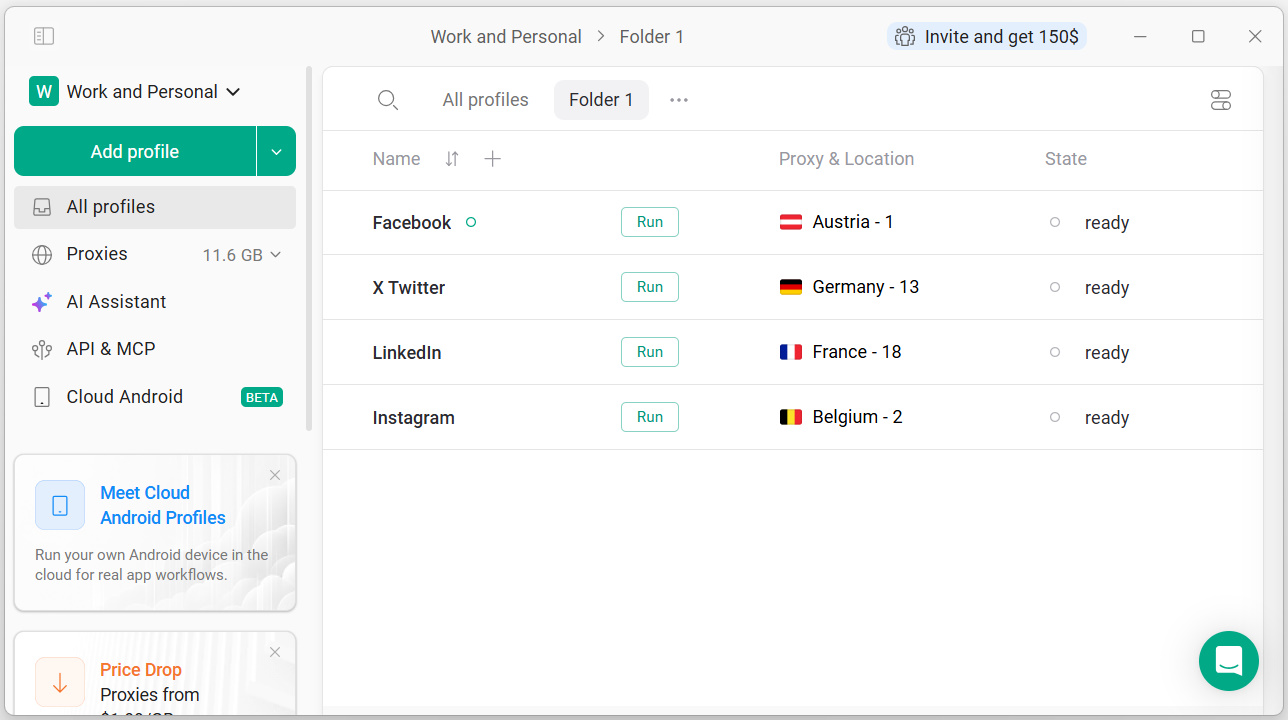
Gologin is a Browser platform for creating and managing isolated browser profiles. Each profile can use a separate browser fingerprint—the collection of browser and device attributes websites use to identify a session—so teams can separate authorized account-management, testing, and research workflows. Key Capabilities Isolated browser profiles with configurable fingerprint settings Cloud Browser access for launching and managing…
$0
Microsoft Edge
Score8 out of 10
N/A
Microsoft's web browser, available for Windows, Mac, Linux and mobile.
GoLogin has been very helpful in providing a clear understanding of what I need to do to use their platform to its fullest capabilities. If you're looking for a way to manage multiple accounts, save cookie and browser data, all without triggering logouts or red flags on sites that discourage using multiple profiles, GoLogin is an excellent choice. The interface is straightforward, and the support team responds quickly to any questions. I’ve been able to streamline my workflow and keep my accounts safe and organized
I have found Microsoft Edge to be well suited for most work-related scenarios that occur during a typical workday. I am able to access benefit vendor websites and HCM resources. Shared files in Office 365 are accessible through Microsoft Edge. I view webinars in Microsoft Edge because it is relatively easy to group webinar handouts into tab groups.
A de minimis incentive was given to thank the reviewer for their time. The incentive was not used to bias or drive a particular response, nor was the incentive contingent on a positive endorsement. More Info
the user interface is very easy to use and navigate. Haven’t had any issues with bugs or anything like that which is a major plus.
Proxy servers import very well haven’t had one fail. Each profile has a unique fingerprint so it’s the perfect central hub for working with multiple different profiles
A de minimis incentive was given to thank the reviewer for their time. The incentive was not used to bias or drive a particular response, nor was the incentive contingent on a positive endorsement. More Info
A de minimis incentive was given to thank the reviewer for their time. The incentive was not used to bias or drive a particular response, nor was the incentive contingent on a positive endorsement. More Info
A de minimis incentive was given to thank the reviewer for their time. The incentive was not used to bias or drive a particular response, nor was the incentive contingent on a positive endorsement. More Info
A de minimis incentive was given to thank the reviewer for their time. The incentive was not used to bias or drive a particular response, nor was the incentive contingent on a positive endorsement. More Info
I use Edge daily - all day. I typically have 2 Edges open on two different screens as well. While Edge and Chrome are both built on the Chromium platform, Edge completely beas out Chrome regarding security, usability, and functionality.
A de minimis incentive was given to thank the reviewer for their time. The incentive was not used to bias or drive a particular response, nor was the incentive contingent on a positive endorsement. More Info
I’d say it’s stacks pretty good honestly way better there’s a lot of bugs when I was using that platform and it wasn’t really the best for my used case but not everything is a one-size-fits-all. I think GoLogin is definitely way better than what I was using prior to this
Microsoft Edge is bundled with both of my laptops, but I have no reason to get rid of either. Opera, when I used it, was a bit clunky, and frankly a little bare-bones for my liking. Firefox is an equal for Microsoft Edge, but has an issue with stability on my personal laptop. After working around those issues for a couple of years, I wound up moving to Microsoft Edge, and have had no performance or connection issues since.
A de minimis incentive was given to thank the reviewer for their time. The incentive was not used to bias or drive a particular response, nor was the incentive contingent on a positive endorsement. More Info
A de minimis incentive was given to thank the reviewer for their time. The incentive was not used to bias or drive a particular response, nor was the incentive contingent on a positive endorsement. More Info