Hygraph (previously GraphCMS) is a native GraphQL Headless Content Management System (CMS) and now evolved as a Federated Content Platform, enabling teams across the world to unify, structure, enrich and distribute content from anywhere to anywhere.
$299
per month
MadCap Xyleme
Score 6.0 out of 10
N/A
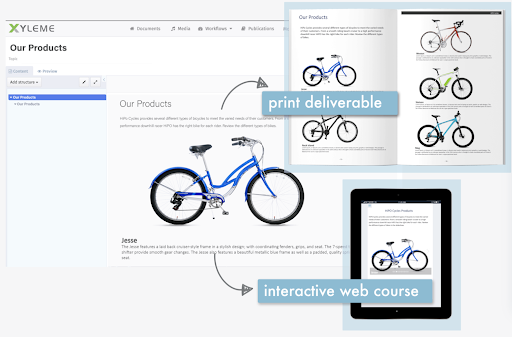
Xyleme is a robust Component and Learning Content Management Solution dedicated to providing users with an easy and safe way to create and disseminate learning materials and other business-related content. It comes equipped with several features that focus on creating a central, single source of truth for an organization’s content.
N/A
Pricing
Hygraph
MadCap Xyleme
Editions & Modules
Professional
$299
per month per project
Scale
$899
per month per project
Enterprise
Custom
No answers on this topic
Offerings
Pricing Offerings
Hygraph
MadCap Xyleme
Free Trial
No
No
Free/Freemium Version
No
No
Premium Consulting/Integration Services
No
No
Entry-level Setup Fee
No setup fee
No setup fee
Additional Details
35% discount for annual pricing.
—
More Pricing Information
Community Pulse
Hygraph
MadCap Xyleme
Features
Hygraph
MadCap Xyleme
Hybrid CMS
Comparison of Hybrid CMS features of Product A and Product B
I would recommend GraphCMS to anyone who is also using Gatsby to build their website. If not, I would recommend them to consider GraphCMS but also consider other options. GraphCMS is a tool in which you are responsible to make the most out of it, but sometimes this requires more time and knowledge than a normal engineer may be able to handle. But with more time and attention, the reward of off-lifting content creation from the developers is a huge time saver in the long run.
Building and keeping up to date modular content (blocks).
Maintaining and updating large content library where meaning team members might be working on the same content but using the content in different context (e.g. learning and internal comms).
Creating learning content by new/recently onboarded team members.
Create simple learning courses with some level of interactively, medium interactivity (tabs, image maps, slider reveal images), create different types of knowledge checks/assessments from multiple choice to drag and drop activities); embed videos and other HTML elements .
Integrate with LMS, apply SCORM rules etc
Better to use in combination with other media creation tools like Vyond, Storyline. Some things can get tricky (compatibility).
Less appropriate: 1. If you need to build highly interactive learning experience 2. When you don't have a team member you can dedicate specifically to customize templates in Xyleme for your organizational needs (looks, functionality etc.) or and to train team members on this software. You'd need someone on your team to collaborate with Xyleme closely to customize functions for your organization's needs. 3. When #2 and you want a modern/in trend looking output and not willing to compromise on what it looks and feels.
GraphCMS is very expensive at the enterprise level.
GraphCMS requires deep knowledge of the system and requires lots of time to be efficient with it (especially around creating specific data patterns/relationships).
Multiple times a day, the system will give us errors when attempting to save something but the errors are unclear as to what went wrong (can be irritating).
several features advertised as device agnostic or mobile friendly do not work properly on mobile
finicky in many ways, sometimes you need to tinker with details for to long to make things work properly
many UI solutions/elements that are not intuitive at all (even using the tool almost every day you need to make effort to remember how things are done)
We picked GraphCMS since it used Graph API and easily integrated it into our Gatsby website. It was also cheap (free) and easy to test out the product, making it easier to prove to our company we should pay for the product in the long run. Lastly, it seems to have a bunch of support from other developers which makes us confident will be around for a while (and we won't need to replace it anytime soon). Note: I also looked at Directus and DatoCMS but these were not options within TrustRadius