
iBackup Extractor vs. Systools Recovery Tools
| Product | Rating | Most Used By | Product Summary | Starting Price |
|---|---|---|---|---|
 iBackup Extractor | N/A | N/A | iBackup Extractor — iPhone Backup Explorer and Data Recovery Tool for Windows & Mac Overview iBackup Extractor is a desktop application that helps users access and recover data stored in iPhone, iPad, and iPod touch backups created by iTunes, Apple Devices app, or Finder (macOS Catalina and later). Because iOS backups are not designed to be human-readable, iBackup Extractor provides a structured way to preview backup contents and… | $30 one-time fee |
 Systools Recovery Tools | Score8.4 out of 10 | N/A | Systools Recovery Tools product line includes Outlook Mac Recovery allows conversion and recovery of multiple OLM file emails in EML file format. It generates .eml file for each mail in Outlook for Mac mailbox. Any number of OLM emails can be converted to EML. There is no size or quantity limitation. Outlook Mac Repair maintains folder hierarchy during OLM to EML file conversion. In order to save emails, it provides two options - Save as Subject and Save as Guide. | N/A |
| iBackup Extractor | Systools Recovery Tools | |||||||||||||||
|---|---|---|---|---|---|---|---|---|---|---|---|---|---|---|---|---|
| Editions & Modules | No answers on this topic | No answers on this topic | ||||||||||||||
| Offerings |
| |||||||||||||||
| Entry-level Setup Fee | No setup fee | $149 | ||||||||||||||
| Additional Details | — | — | ||||||||||||||
| More Pricing Information | ||||||||||||||||
| iBackup Extractor | Systools Recovery Tools | |
|---|---|---|
| Likelihood to Recommend | - | 9.0 |
| iBackup Extractor | Systools Recovery Tools | |
|---|---|---|
| Likelihood to Recommend | No answers on this topic |
|
| Pros | No answers on this topic |
|
| Cons | No answers on this topic |
|
| Alternatives Considered | No answers on this topic |
|
| Return on Investment | No answers on this topic |
|
| ScreenShots | iBackup Extractor Screenshots 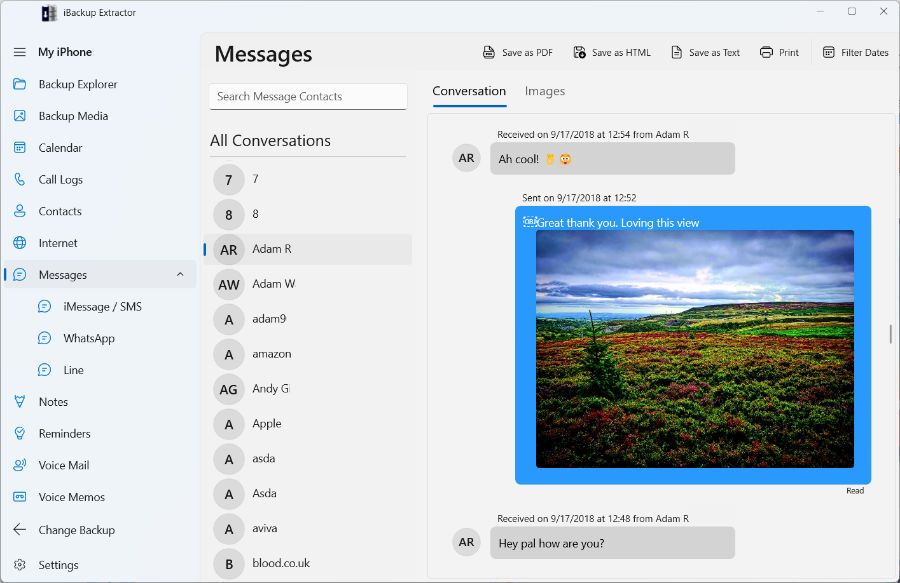 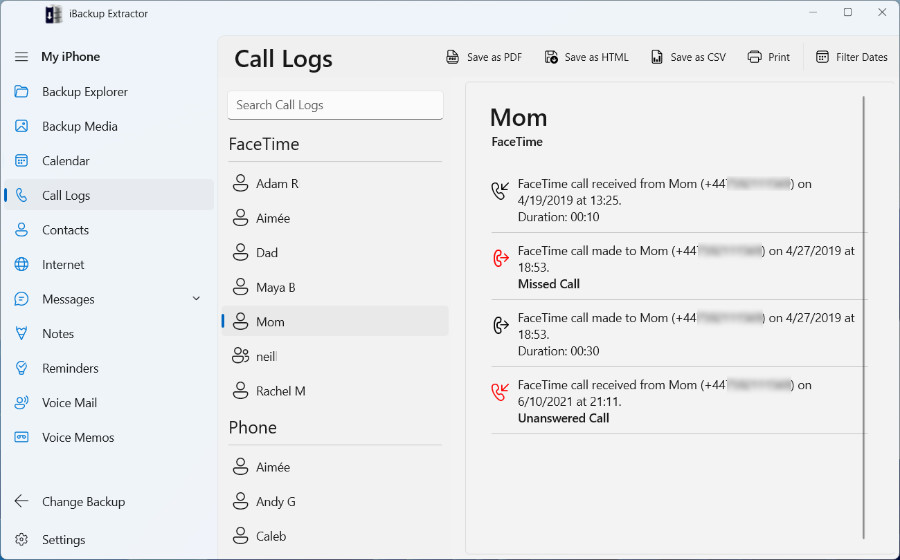 | Systools Recovery Tools Screenshots |