TrustRadius: an HG Insights company

Save this comparison

Save this comparison

Add Product

Recommended Comparisons

    Overview
    ProductRatingMost Used ByProduct SummaryStarting Price

    IBM Netezza Performance Server

    Score8.9 out of 10
    N/ANetezza Performance Server (NPS) is an add-on data warehouse solution available on Cloud Pak for Data System platform, built over open source and optimized for High Performance Analytics with built-in hardware acceleration. Netezza Performance Server was previously named IBM Performance Server for PostgreSQL (IPS).N/A

    Spoom

    Score8 out of 10
    Mid-Size Companies (51-1,000 employees)
    Spoom (formerly Analyza) is a business intelligence solution that is provided by Spoom Software (formerly PIT Business). The vendor provides support services in Luxembourg, Belgium, France, and other parts of Europe. Spoom allows users to: Build several indicators and dashboards Build ad-hoc analysis without IT knowledge Navigate through data via drill-down and filtering Schedule reports and send results by mail or to external…N/A
    Pricing
    IBM Netezza Performance ServerSpoom
    Editions & Modules
    No answers on this topic
    Grow
    Contact Sales
    per installation (including licences and maintenance for 3 years)
    Premium
    Contact Sales
    per installation (including licences and maintenance for 3 years)
    Offerings
    Pricing Offerings
    IBM Netezza Performance ServerSpoom
    Free Trial
    NoYes
    Free/Freemium Version
    NoNo
    Premium Consulting/Integration Services
    NoYes
    Entry-level Setup FeeNo setup fee$15,000 per installation (including licences and maintenance for 3 years)
    Additional Details—The On-Premise or SaaS solutions are the same price; we provide a dedicated machine or virtual machine for both. For 10 users, the budget is from $15,000 to $90,000 for a full Business Intelligence solution (including licenses and maintenance for 3 years). The installation and configuration cost depends on customer's data architecture, volume and number of sources. It also depends on customizations required (i.e.: exporting pixel to pixel PDF files to a SharePoint platform).
    More Pricing Information
    Features
    IBM Netezza Performance ServerSpoom
    BI Standard Reporting
    Comparison of BI Standard Reporting features of IBM Netezza Performance Server and Spoom
    Feature
    IBM Netezza Performance Server
    -
    Ratings
    Spoom
    7.6
    1 Ratings
    1% above category average
    Pixel Perfect reports00 Ratings7.31 Ratings
    Customizable dashboards00 Ratings8.21 Ratings
    Report Formatting Templates00 Ratings7.31 Ratings
    Ad-hoc Reporting
    Comparison of Ad-hoc Reporting features of IBM Netezza Performance Server and Spoom
    Feature
    IBM Netezza Performance Server
    -
    Ratings
    Spoom
    8.4
    1 Ratings
    8% above category average
    Drill-down analysis00 Ratings9.11 Ratings
    Formatting capabilities00 Ratings8.21 Ratings
    Integration with R or other statistical packages00 Ratings8.21 Ratings
    Report sharing and collaboration00 Ratings8.21 Ratings
    Report Output and Scheduling
    Comparison of Report Output and Scheduling features of IBM Netezza Performance Server and Spoom
    Feature
    IBM Netezza Performance Server
    -
    Ratings
    Spoom
    8.9
    1 Ratings
    12% above category average
    Publish to Web00 Ratings8.21 Ratings
    Publish to PDF00 Ratings9.11 Ratings
    Report Versioning00 Ratings9.11 Ratings
    Report Delivery Scheduling00 Ratings9.11 Ratings
    Data Discovery and Visualization
    Comparison of Data Discovery and Visualization features of IBM Netezza Performance Server and Spoom
    Feature
    IBM Netezza Performance Server
    -
    Ratings
    Spoom
    7.3
    1 Ratings
    1% below category average
    Pre-built visualization formats (heatmaps, scatter plots etc.)00 Ratings7.31 Ratings
    Predictive Analytics00 Ratings7.31 Ratings
    Access Control and Security
    Comparison of Access Control and Security features of IBM Netezza Performance Server and Spoom
    Feature
    IBM Netezza Performance Server
    -
    Ratings
    Spoom
    7.7
    1 Ratings
    9% below category average
    Multi-User Support (named login)00 Ratings7.31 Ratings
    Multiple Access Permission Levels (Create, Read, Delete)00 Ratings8.21 Ratings
    Mobile Capabilities
    Comparison of Mobile Capabilities features of IBM Netezza Performance Server and Spoom
    Feature
    IBM Netezza Performance Server
    -
    Ratings
    Spoom
    8.2
    1 Ratings
    11% above category average
    Responsive Design for Web Access00 Ratings9.11 Ratings
    Dashboard / Report / Visualization Interactivity on Mobile00 Ratings7.31 Ratings
    Best Alternatives
    IBM Netezza Performance ServerSpoom
    Small Businesses
    No answers on this topic
    No answers on this topic
    Medium-sized Companies
    Cloudera Enterprise Data Hub
    Score9 out of 10
    IBM Planning Analytics
    Score8.5 out of 10
    Enterprises
    Oracle Exadata
    Score9.8 out of 10
    Oracle Fusion Cloud Enterprise Performance Management
    Score7.2 out of 10
    All AlternativesView all alternativesView all alternatives
    User Ratings
    IBM Netezza Performance ServerSpoom
    Likelihood to Recommend
    9.3
    (6 ratings)
    8.2
    (1 ratings)
    Data Sharing and Collaboration
    -
    (0 ratings)
    8.2
    (1 ratings)
    Data Sources
    -
    (0 ratings)
    9.1
    (1 ratings)
    User Testimonials
    IBM Netezza Performance ServerSpoom
    Likelihood to Recommend
    IBM
    We can query the data source and treat multiple databases
    as one with IBM Netezza Performance Server.


    While delivering fast and reliable analytical performance, the IBM Netezza Performance Server requires minimal configuration and ongoing
    management.


    To drive organizational performance, Netezza Performance
    Server automatically simplifies data and AI to centralize all analytics
    activities on the device, exactly where the data resides.


    For data processing and application dashboards, IBM Netezza
    Performance Server is quite beneficial.


    IBM Netezza Performance Server simplifies event setup
    by notifying you when a hardware component fails, allowing you to quickly
    replace it.
    Incentivized
    Read full review
    Spoom Software
    It is well suited when you have several sources of data.
    Read full review
    Pros
    IBM
    • IBM Netezza Performance Server enables capabilities to integrate with leading ETL solutions.
    • Data can be exported from the IBM Netezza Performance Server to a variety of formats, including Excel.
    • We can prioritize specific users and queries using IBM Netezza Performance Server.
    Incentivized
    Read full review
    Spoom Software
    • Easy to use
    • Focus on analyzing and not on finding and loading data
    • "One version of the truth"
    Read full review
    Cons
    IBM
    • More tech support may make it easier as it is only limited to be done via company representatives
    • Overhead cost for replacements and services looks like it is high compared to others
    • Integration with other cloud based application will be great
    Incentivized
    Read full review
    Spoom Software
    • I would like to have more modules. Eg. : supply chain tool.
    Read full review
    Alternatives Considered
    IBM
    Netezza is sufficient against similar products. It comes down to personal preference, I'd love to have the data objects popping up as I type but some people may not like it.
    Incentivized
    Read full review
    Spoom Software
    Cognos is very expensive and needs heavy IT-team to implement it.
    Read full review
    Return on Investment
    IBM
    • The appliance is all in one so we have all licenses and support contracts under one roof.
    • The cost is expensive so ROI may take time to be realized.
    • If done correctly, then Netezza provides the opportunity for huge ROI.
    Incentivized
    Read full review
    Spoom Software
    No answers on this topic
    ScreenShots

    Spoom Screenshots

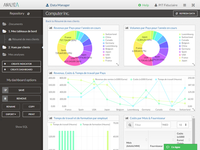
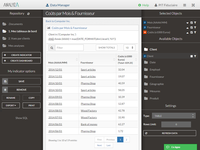
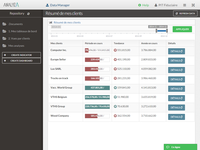
    Screenshot of Dashboard in AnalyzaScreenshot of Table in AnalyzaScreenshot of Vertical chart in AnalyzaScreenshot of Customized table in AnalyzaScreenshot of Data raw export in AnalyzaScreenshot of Authentification in Analyza