Microsoft IIS vs. Scheer Process Automation Suite (PAS)

Overview
ProductRatingMost Used ByProduct SummaryStarting Price
Microsoft IIS
Score 7.4 out of 10
N/A
Microsoft IIS is an application server and infrastructure.N/A
Scheer PAS
Score 0.0 out of 10
N/A
The Scheer Process Automation Suite (PAS) is a platform that provides ready-made business functions and pre-build business capabilities for various business needs (such as low-code application development, integration & API management, as well as process automation) so that companies can design processes flexibly, future-proof and resiliently, in order to become a Composable Enterprise.N/A
Pricing
Microsoft IISScheer Process Automation Suite (PAS)
Editions & Modules
No answers on this topic
Offerings
Pricing Offerings
Microsoft IISScheer PAS
Free Trial
NoYes
Free/Freemium Version
NoNo
Premium Consulting/Integration Services
NoYes
Entry-level Setup FeeNo setup feeNo setup fee
Additional Details
More Pricing Information
Community Pulse
Microsoft IISScheer Process Automation Suite (PAS)
Features
Microsoft IISScheer Process Automation Suite (PAS)
Application Servers
Comparison of Application Servers features of Product A and Product B
Microsoft IIS
8.2
29 Ratings
3% above category average
Scheer Process Automation Suite (PAS)
-
Ratings
IDE support8.020 Ratings00 Ratings
Security management8.029 Ratings00 Ratings
Administration and management7.029 Ratings00 Ratings
Application server performance9.029 Ratings00 Ratings
Installation10.029 Ratings00 Ratings
Open-source standards compliance7.018 Ratings00 Ratings
Best Alternatives
Microsoft IISScheer Process Automation Suite (PAS)
Small Businesses
NGINX
NGINX
Score 9.1 out of 10
Kintone
Kintone
Score 9.7 out of 10
Medium-sized Companies
NGINX
NGINX
Score 9.1 out of 10
Kintone
Kintone
Score 9.7 out of 10
Enterprises
NGINX
NGINX
Score 9.1 out of 10
Creatio
Creatio
Score 9.3 out of 10
All AlternativesView all alternativesView all alternatives
User Ratings
Microsoft IISScheer Process Automation Suite (PAS)
Likelihood to Recommend
6.0
(29 ratings)
-
(0 ratings)
Likelihood to Renew
10.0
(1 ratings)
-
(0 ratings)
Usability
6.0
(10 ratings)
-
(0 ratings)
Availability
8.0
(1 ratings)
-
(0 ratings)
Performance
7.8
(2 ratings)
-
(0 ratings)
Support Rating
9.4
(6 ratings)
-
(0 ratings)
Ease of integration
8.2
(2 ratings)
-
(0 ratings)
Product Scalability
8.0
(1 ratings)
-
(0 ratings)
User Testimonials
Microsoft IISScheer Process Automation Suite (PAS)
Likelihood to Recommend
Microsoft
Publishing applications or websites is easy with Microsoft IIS. You don't need external software or complicated tutorials involving command lines and editing configuration files. On other hand, sometimes the troubleshooter needs a high knowledge of Windows Server, Registry, and tools to debug the application. If you need to host non-Microsoft technology as PHP pages or have a low budget, I recommend IIS equivalent software as Apache.
Read full review
Scheer
No answers on this topic
Pros
Microsoft
  • A big advantage that we use all the time is reviewing the logs that automatically get generated in IIS. It has helped us troubleshoot various problems in our applications over the years.
  • IIS integrates really well with Visual Studio and TFS. We are able to quickly deploy new applications and changes to applications when requested by the business.
  • IIS has proven that it is easy to configure and maintain with minimal effort.
Read full review
Scheer
No answers on this topic
Cons
Microsoft
  • Angular/node apps don't run on IIS, or at least we never figured out how. Rather we ended up using nginx.
  • There are still occasional memory leaks - check your recycle settings!
  • If you have very heavy usage for web APIs, IIS requires regular restarts for reasons unknown.
Read full review
Scheer
No answers on this topic
Likelihood to Renew
Microsoft
We have no intention to replace all applications running on top of the IIS platform. Not all applications support other platforms and not all support staff are skilled in Linux/Apache platform support. Whereas IIS may not be the best performing or most secure web platform available, for the aforementioned reasons, it is impossible not to continue use of this product.
Read full review
Scheer
No answers on this topic
Usability
Microsoft
As I've mentioned earlier, Microsoft IIS is very simple and easy to use. The user interface is a little bit overloaded with a huge number of different options, but once you have a little clue of what you are doing and what you need - no issues at all.
Read full review
Scheer
No answers on this topic
Reliability and Availability
Microsoft
ARR (application request routing) in Microsoft IIS Server enables the web-admins to increase the web app reliability and availability through the rule based routing and load balancing of HTTP requests which in turn provides highly available server. IIS 7.0 Manager also provides kernel as well as user mode caching for faster performance and in case if the server fails, the IIS server has good amount of details logged in its log files which help understand and debug the cause quickly. Load balancing facilitates IIS server to fight against availability issues.
Read full review
Scheer
No answers on this topic
Performance
Microsoft
In my experience, I have never had significant issues with IIS performance. Sometimes I've experienced issues with loading time, but it is mostly related to the web site code. However Amazon, Microsoft and Google providing free cloud services with very limited resources, and in that scenario, "heavy" websites on IIS could be the issue. In other situations - performance is good.
Read full review
Scheer
No answers on this topic
Support Rating
Microsoft
As mentioned earlier there is so much documentation or guides or stack overflow questions out there that someone will have faced the same or very similar scenario to what you are going through that you will almost certainly find a solution to what you are after.
Read full review
Scheer
No answers on this topic
Alternatives Considered
Microsoft
Apache is java. Java is unnecessary complex. No developer wants to invest in learning all the hundreds of text based configuration files to get something done. Also, apache gives you the most evil and un-usable user interface possible. [Microsoft] IIS makes [life] after development easy, which is already complex enough to be bothered by something as mundane as exposing your work over the internet.
Read full review
Scheer
No answers on this topic
Scalability
Microsoft
Microsoft IIS Server is scalable if the underlying server configuration is done correctly. Use x64 edition v/s 32bit and using 32bit mode application pools are some of the tweaks to be done to make the IIS server scalable. There are too many small configurations need to be carried out in order to make a highly scalable IIS server hence not giving full score in this area.
Read full review
Scheer
No answers on this topic
Return on Investment
Microsoft
  • Allowing us to internally host our monitoring websites allows quick access to data that can be quite hidden, saving developer time.
  • It was inexpensive compared to more bulky solutions saving upfront cost.
  • It’s easy to install and enable allowing more developer savings.
Read full review
Scheer
No answers on this topic
ScreenShots

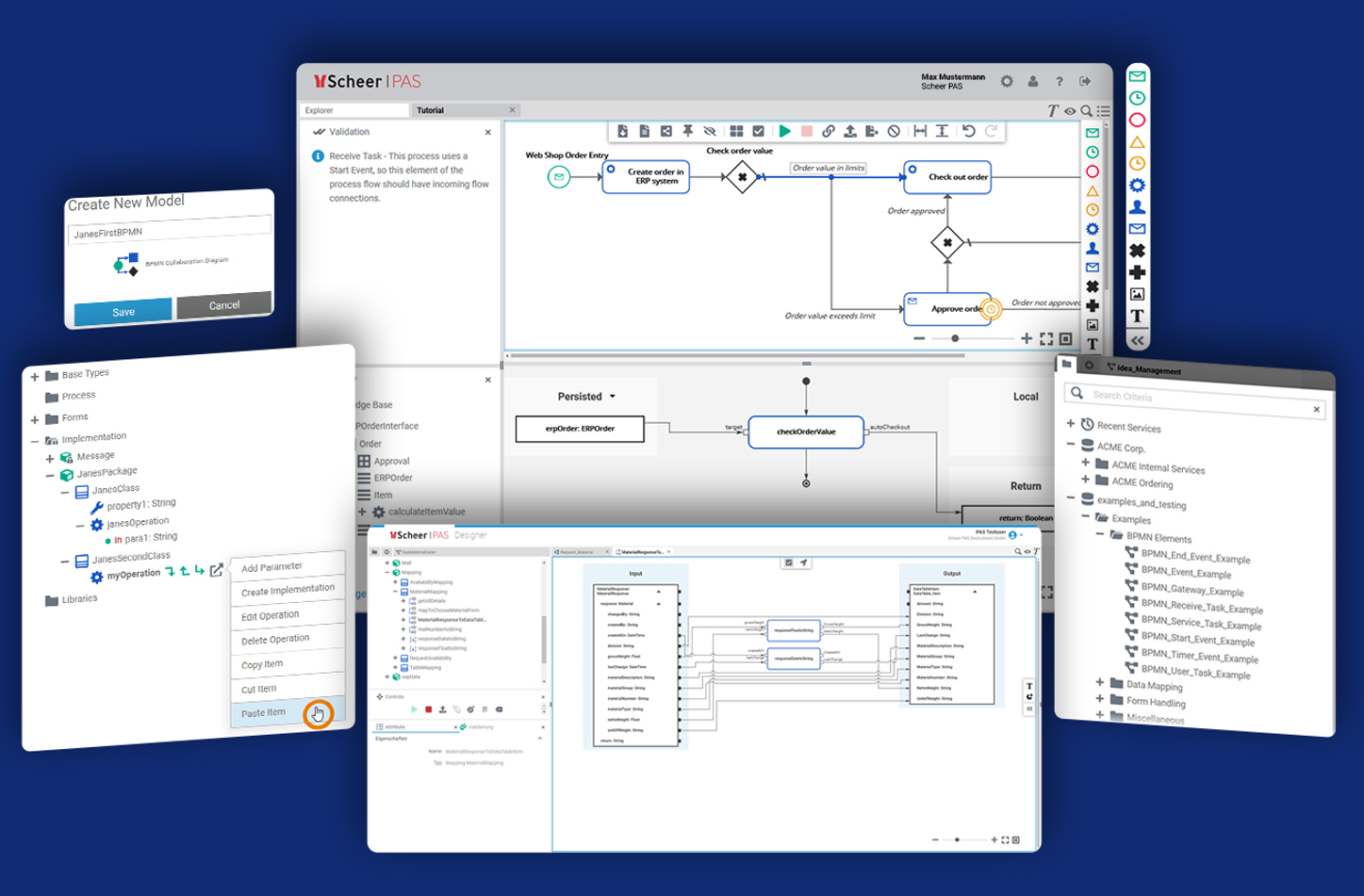
Scheer PAS Screenshots

Screenshot of Scheer PAS supports individual processes with digitization and automation, independent of the number of people, systems or companies, which must be connected.Screenshot of Scheer PAS Designer is a modeling tool for digitization. This model-based tool allows users to create processes in BPMN 2.0 format via a graphical user interface.