TrustRadius: an HG Insights company

Save this comparison

Save this comparison

Add Product

Recommended Comparisons

    Overview
    ProductRatingMost Used ByProduct SummaryStarting Price

    Slingshot

    Score9.1 out of 10
    N/ASlingshot, from Infragistics, helps users manage work from a single app. The solution brings all the apps that a team already uses into the Slingshot workflow.

    $12

    per year per user

    TaskQue

    Score9 out of 10
    N/ATaskQue is a productivity management tool. It offers auto task assignment features, different workflow templates for various industries and functional departments, and a list of collaboration tools designed to facilitate remote workers.

    $0

    up to 10 users

    Pricing
    SlingshotTaskQue
    Editions & Modules
    Slingshot
    $12
    per year per user
    Slingshot Enterprise
    $20
    per year per user
    Basic
    $0.00
    up to 10 users
    Business
    $5.00
    per user
    Offerings
    Pricing Offerings
    SlingshotTaskQue
    Free Trial
    YesYes
    Free/Freemium Version
    YesYes
    Premium Consulting/Integration Services
    NoYes
    Entry-level Setup FeeOptional$5 per user
    Additional Details—For 10 users, its free. After that, we charge $5.00 per user.
    More Pricing Information
    Features
    SlingshotTaskQue
    BI Standard Reporting
    Comparison of BI Standard Reporting features of Slingshot and TaskQue
    Feature
    Slingshot
    9.1
    2 Ratings
    11% above category average
    TaskQue
    -
    Ratings
    Customizable dashboards9.12 Ratings00 Ratings
    Report Formatting Templates9.12 Ratings00 Ratings
    Ad-hoc Reporting
    Comparison of Ad-hoc Reporting features of Slingshot and TaskQue
    Feature
    Slingshot
    9.1
    2 Ratings
    13% above category average
    TaskQue
    -
    Ratings
    Formatting capabilities9.12 Ratings00 Ratings
    Report sharing and collaboration9.12 Ratings00 Ratings
    Report Output and Scheduling
    Comparison of Report Output and Scheduling features of Slingshot and TaskQue
    Feature
    Slingshot
    9.1
    1 Ratings
    10% above category average
    TaskQue
    -
    Ratings
    Publish to PDF9.11 Ratings00 Ratings
    Data Discovery and Visualization
    Comparison of Data Discovery and Visualization features of Slingshot and TaskQue
    Feature
    Slingshot
    9.1
    2 Ratings
    13% above category average
    TaskQue
    -
    Ratings
    Pre-built visualization formats (heatmaps, scatter plots etc.)9.12 Ratings00 Ratings
    Location Analytics / Geographic Visualization9.11 Ratings00 Ratings
    Predictive Analytics9.11 Ratings00 Ratings
    Access Control and Security
    Comparison of Access Control and Security features of Slingshot and TaskQue
    Feature
    Slingshot
    9.1
    2 Ratings
    7% above category average
    TaskQue
    -
    Ratings
    Multi-User Support (named login)9.12 Ratings00 Ratings
    Role-Based Security Model9.11 Ratings00 Ratings
    Multiple Access Permission Levels (Create, Read, Delete)9.11 Ratings00 Ratings
    Single Sign-On (SSO)9.11 Ratings00 Ratings
    Mobile Capabilities
    Comparison of Mobile Capabilities features of Slingshot and TaskQue
    Feature
    Slingshot
    9.1
    2 Ratings
    16% above category average
    TaskQue
    -
    Ratings
    Responsive Design for Web Access9.12 Ratings00 Ratings
    Mobile Application9.12 Ratings00 Ratings
    Dashboard / Report / Visualization Interactivity on Mobile9.12 Ratings00 Ratings
    Project Management
    Comparison of Project Management features of Slingshot and TaskQue
    Feature
    Slingshot
    -
    Ratings
    TaskQue
    7.8
    1 Ratings
    2% above category average
    Task Management00 Ratings10.01 Ratings
    Resource Management00 Ratings9.01 Ratings
    Scheduling00 Ratings9.01 Ratings
    Workflow Automation00 Ratings7.01 Ratings
    Team Collaboration00 Ratings7.01 Ratings
    Support for Agile Methodology00 Ratings7.01 Ratings
    Support for Waterfall Methodology00 Ratings7.01 Ratings
    Document Management00 Ratings8.01 Ratings
    Mobile Access00 Ratings9.01 Ratings
    Timesheet Tracking00 Ratings7.01 Ratings
    Change request and Case Management00 Ratings6.01 Ratings
    Professional Services Automation
    Comparison of Professional Services Automation features of Slingshot and TaskQue
    Feature
    Slingshot
    -
    Ratings
    TaskQue
    7.5
    1 Ratings
    2% below category average
    Quotes/estimates00 Ratings7.01 Ratings
    Project & financial reporting00 Ratings8.01 Ratings
    Best Alternatives
    SlingshotTaskQue
    Small Businesses
    Cyfe
    Score4 out of 10
    Any.do
    Score8 out of 10
    Medium-sized Companies
    Qlik Cloud Analytics (Qlik Sense)
    Score8.1 out of 10
    KanbanFlow
    Score7.3 out of 10
    Enterprises
    Jaspersoft Community Edition
    Score7 out of 10
    Microsoft To Do
    Score7.9 out of 10
    All AlternativesView all alternativesView all alternatives
    User Ratings
    SlingshotTaskQue
    Likelihood to Recommend
    9.1
    (2 ratings)
    9.0
    (1 ratings)
    Support Rating
    -
    (0 ratings)
    9.0
    (1 ratings)
    User Testimonials
    SlingshotTaskQue
    Likelihood to Recommend
    Infragistics
    Slingshot has improved communication, streamlined task, and project management, and provided data-driven insights, resulting in increased productivity, efficiency, and the ability to get the work done on time.
    Incentivized
    Read full review
    TaskQue
    Companies that face issues due to chaos in terms of document management can really take advantage by organizing all their documents at a single place. TaskQue is inappropriate for project costing requirements in big projects.
    Read full review
    Pros
    Infragistics
    • Slingshot has a very friendly and easy-to-use interface while at the same time being packed with useful features. I am able to collaborate fast and in context of projects and tasks, as well as find any file easily. Files and documents are pinned directly in the collaboration app, no matter the size, so everyone involved has visibility and the most recent update. The Inbox feature keeps me in the loop with everything I am involved in – my mentions, my messages, my organization updates.
    Incentivized
    Read full review
    TaskQue
    • Workload management.
    • Auto task management.
    Read full review
    Cons
    Infragistics
    • Slingshot could add more options for task views and a calendar where all tasks and projects are in one place.
    Incentivized
    Read full review
    TaskQue
    • I think Gantt charts should be here to be used as a project management tool. Moreover, affiliation with productivity tools such as time-tracking tools can make it much better.
    Read full review
    Support Rating
    Infragistics
    No answers on this topic
    TaskQue
    We inquired using the
    TaskQue community forum and got a timely response regarding my queries. We really
    appreciate it.
    Read full review
    Alternatives Considered
    Infragistics
    Far superior in its ease of use.
    Incentivized
    Read full review
    TaskQue
    TaskQue’s most unique
    feature is the queue feature which enables you to assign tasks automatically.
    We were seriously fed up with the manual assignment of tasks.
    Read full review
    Return on Investment
    Infragistics
    • Slingshot has been a game-changer for task management, resulting in improved productivity.
    Incentivized
    Read full review
    TaskQue
    • High customer retention.
    • Optimized project and task deliveries.
    Read full review
    ScreenShots

    Slingshot Screenshots

    Screenshot of a team’s work broken down into tasks with due dates, dependencies and blockers, to make work understandable.Screenshot of the consolidated workspace where users can manage, share and access files and documents in the same place collaboration happens.Screenshot of Slingshot’s dashboard templates that have the essential KPIs for each use case, Interactives and features such as drill-down, and exporting to Excel or PowerPoint built right in.Screenshot of where chats and discussions from tasks, dashboards, and pinned content can be created. This allows team to move straight into collaborating with one click and stay informed.Screenshot of Slingshot's range of workspace and project templates, designed for simplicity, that enable users to handle, distribute, and retrieve files and documents while collaborating with a team.

    TaskQue Screenshots

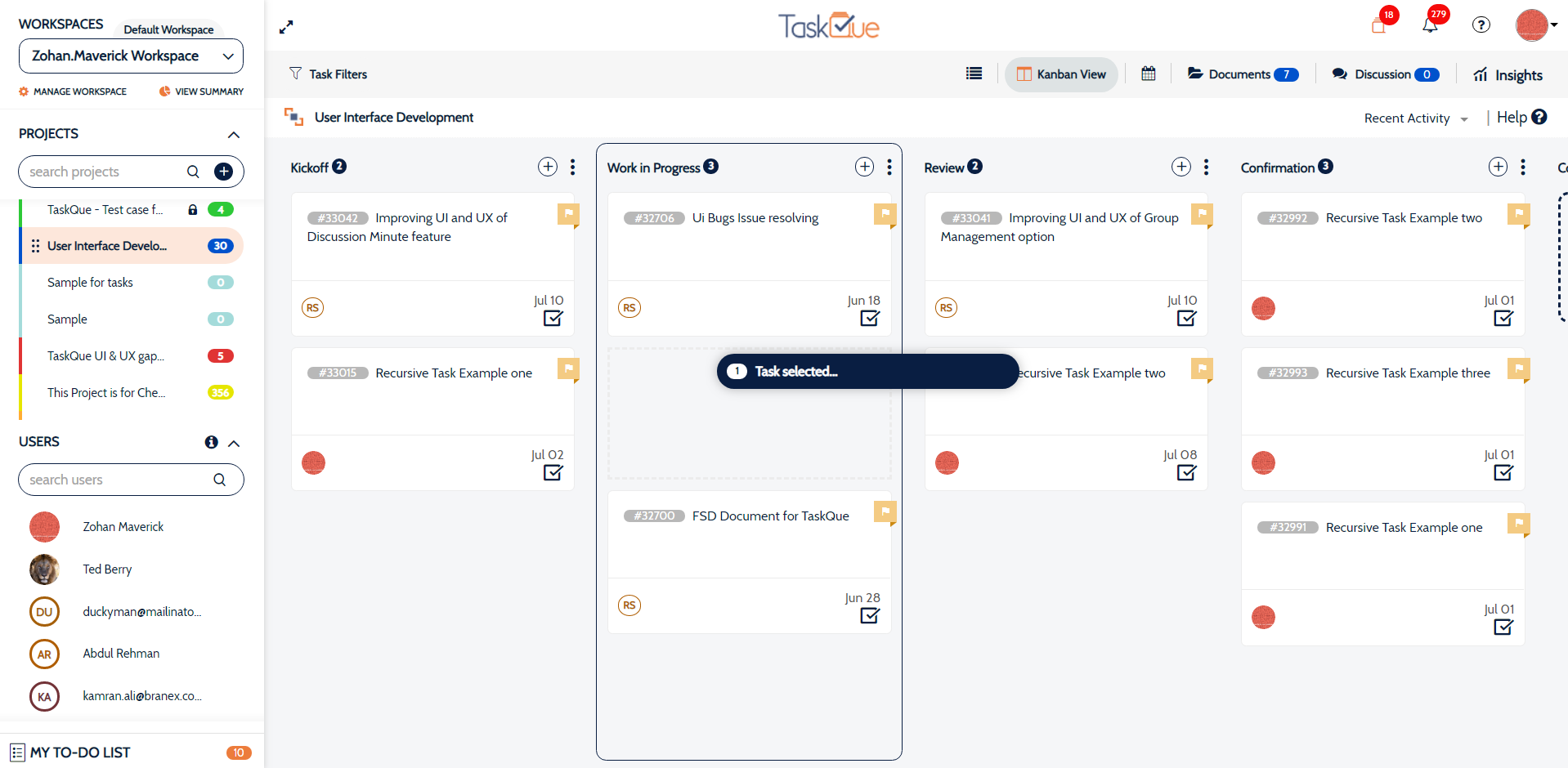
    Product screenshotProduct screenshotProduct screenshotProduct screenshot