
Jatel Desai
Programmer Analyst
Chose Invicti

| Product | Rating | Most Used By | Product Summary | Starting Price |
|---|---|---|---|---|
 Invicti | N/A | Invicti enables organizations in every industry to continuously scan and secure all of their web applications and APIs. Invicti provides a comprehensive view of an organization’s entire web application portfolio, and automation and integrations enable customers to achieve broad coverage of thousands of applications. Invicti is headquartered in Austin, Texas, and serves more than 3,500 organizations of all sizes all over the world. | N/A | |
 SonarQube | N/A | SonarQube is an automated code review solution, serving as the verification layer for code quality and SDLC security. SonarQube is used to ensure that code is secure, reliable, and maintainable. It is available through SaaS or self-managed deployment. | $0 | |
 Veracode | Mid-Size Companies (51-1,000 employees) | Veracode provides advanced application security solutions, trusted by enterprises to develop and maintain secure software. Its platform identifies exploitable risks, speeds up vulnerability remediation, and reduces security debt at scale using a proprietary AI-assisted remediation engine. | N/A |
| Invicti | SonarQube | Veracode | ||||||||||||||||||||||
|---|---|---|---|---|---|---|---|---|---|---|---|---|---|---|---|---|---|---|---|---|---|---|---|---|
| Editions & Modules | No answers on this topic |
| No answers on this topic | |||||||||||||||||||||
| Offerings |
| |||||||||||||||||||||||
| Entry-level Setup Fee | No setup fee | No setup fee | No setup fee | |||||||||||||||||||||
| Additional Details | — | — | Developer pricing options available | |||||||||||||||||||||
| More Pricing Information | ||||||||||||||||||||||||
| Invicti | SonarQube | Veracode | |
|---|---|---|---|
| Considered Multiple Products |  Invicti Jatel Desai Programmer Analyst Chose Invicti  Glenn Jones Sr. Systems and Security Architect Chose Invicti I currently use OWASP ZAP, Burp Suite Professional and Veracode Dynamic Scan. ZAP is very easy to use and the web developers use it regularly. Burp Suite is very customizable as is Netsparker but usually take much less time to scan a website. Both of these tools are … |  SonarQube  Ariel Cabeza Tech Lead Chose SonarQube SonarQube is more focused on code quality, whereas Veracode does a better job of finding security vulnerabilities. We lean towards SonarQube because we are looking for quality. |  Veracode  Śrinivāsa Rao Kuruba Manager, Information Technology Chose Veracode Earlier in our organisation, Fortify was used (formerly from HP but now owned by Micro Focus). The general consensus was that there was too much noise (false positives), taking a lot of time to find and then fix the real issues. SonarQube is also used in our organisation but not …  Edwin Delph Software Architect Chose Veracode SonarQube is better at identifying code smells (code quality) but Veracode is better at identifying vulnerabilities when it comes to csharp.  Mike Clarkson Senior Software Engineer Chose Veracode Sonar cube was quicker, but not as thorough. Both integrated into our CI/CD pipeline, however the integration for Veracode is more straight forward.  Nicolas Garcin R&D manager Chose Veracode Mainly for reporting: Veracode reports are really comprehensive  Abhineet Sagar DevSecOps Engineer II Chose Veracode Veracode takes compiled code, so integration, regression based test cases can be evaluated well. Now, it has lot of features ranging from API sec to DAST, so have a code which is well working in live env is very essential to setup and hence giving us an edge over other tools. …  Oscar Narváez Del Rio Tools and Analytic Monitoring Leader Chose Veracode Veracode stands out for trusted community results, vendor relationship, and partner channels to support and provide a close relationship. Integration capacity is a good point when deciding to integrate with DevOps framework.  John Morales Director - DevOps Engineering Chose Veracode Veracode has a better security analysis and detection. |
| Invicti | SonarQube | Veracode | |
|---|---|---|---|
| Small Businesses |  GitLab Score 8.7 out of 10 | GitLab Score 8.7 out of 10 | GitLab Score 8.7 out of 10 |
| Medium-sized Companies | Veracode Score 8.8 out of 10 | Veracode Score 8.8 out of 10 | GitLab Score 8.7 out of 10 |
| Enterprises | Veracode Score 8.8 out of 10 | Veracode Score 8.8 out of 10 | GitLab Score 8.7 out of 10 |
| All Alternatives | View all alternatives | View all alternatives | View all alternatives |
| Invicti | SonarQube | Veracode | |
|---|---|---|---|
| Likelihood to Recommend | 8.0 (2 ratings) | 8.8 (35 ratings) | 9.0 (136 ratings) |
| Likelihood to Renew | - (0 ratings) | - (0 ratings) | 8.9 (8 ratings) |
| Usability | - (0 ratings) | 9.1 (2 ratings) | 7.3 (27 ratings) |
| Availability | - (0 ratings) | - (0 ratings) | 9.1 (1 ratings) |
| Performance | - (0 ratings) | - (0 ratings) | 6.4 (1 ratings) |
| Support Rating | 10.0 (1 ratings) | 9.0 (1 ratings) | 9.0 (66 ratings) |
| Implementation Rating | - (0 ratings) | - (0 ratings) | 9.1 (3 ratings) |
| Configurability | - (0 ratings) | - (0 ratings) | 6.4 (1 ratings) |
| Ease of integration | - (0 ratings) | - (0 ratings) | 5.5 (1 ratings) |
| Product Scalability | - (0 ratings) | - (0 ratings) | 7.3 (1 ratings) |
| Vendor post-sale | - (0 ratings) | - (0 ratings) | 8.9 (2 ratings) |
| Vendor pre-sale | - (0 ratings) | - (0 ratings) | 8.2 (1 ratings) |
| Invicti | SonarQube | Veracode | |
|---|---|---|---|
| Likelihood to Recommend | Invicti Security
Glenn Jones Sr. Systems and Security Architect | SonarSource Sarl
| Veracode
|
| Pros | Invicti Security
Jatel Desai Programmer Analyst | SonarSource Sarl
| Veracode
|
| Cons | Invicti Security
Glenn Jones Sr. Systems and Security Architect | SonarSource Sarl
| Veracode
Nicolas Garcin R&D manager |
| Likelihood to Renew | Invicti Security No answers on this topic | SonarSource Sarl No answers on this topic | Veracode
|
| Usability | Invicti Security No answers on this topic | SonarSource Sarl
 Sérgio Cagica Software Engineer | Veracode
Śrinivāsa Rao Kuruba Manager, Information Technology |
| Reliability and Availability | Invicti Security No answers on this topic | SonarSource Sarl No answers on this topic | Veracode
|
| Performance | Invicti Security No answers on this topic | SonarSource Sarl No answers on this topic | Veracode
|
| Support Rating | Invicti Security
Jatel Desai Programmer Analyst | SonarSource Sarl
| Veracode
|
| Implementation Rating | Invicti Security No answers on this topic | SonarSource Sarl No answers on this topic | Veracode
|
| Alternatives Considered | Invicti Security
Glenn Jones Sr. Systems and Security Architect | SonarSource Sarl
 Debobrata Bose Solution Architect | Veracode
|
| Contract Terms and Pricing Model | Invicti Security No answers on this topic | SonarSource Sarl No answers on this topic | Veracode
Nicolas Garcin R&D manager |
| Scalability | Invicti Security No answers on this topic | SonarSource Sarl No answers on this topic | Veracode
|
| Return on Investment | Invicti Security
Jatel Desai Programmer Analyst | SonarSource Sarl
| Veracode
|
| ScreenShots | Invicti Screenshots    | SonarQube Screenshots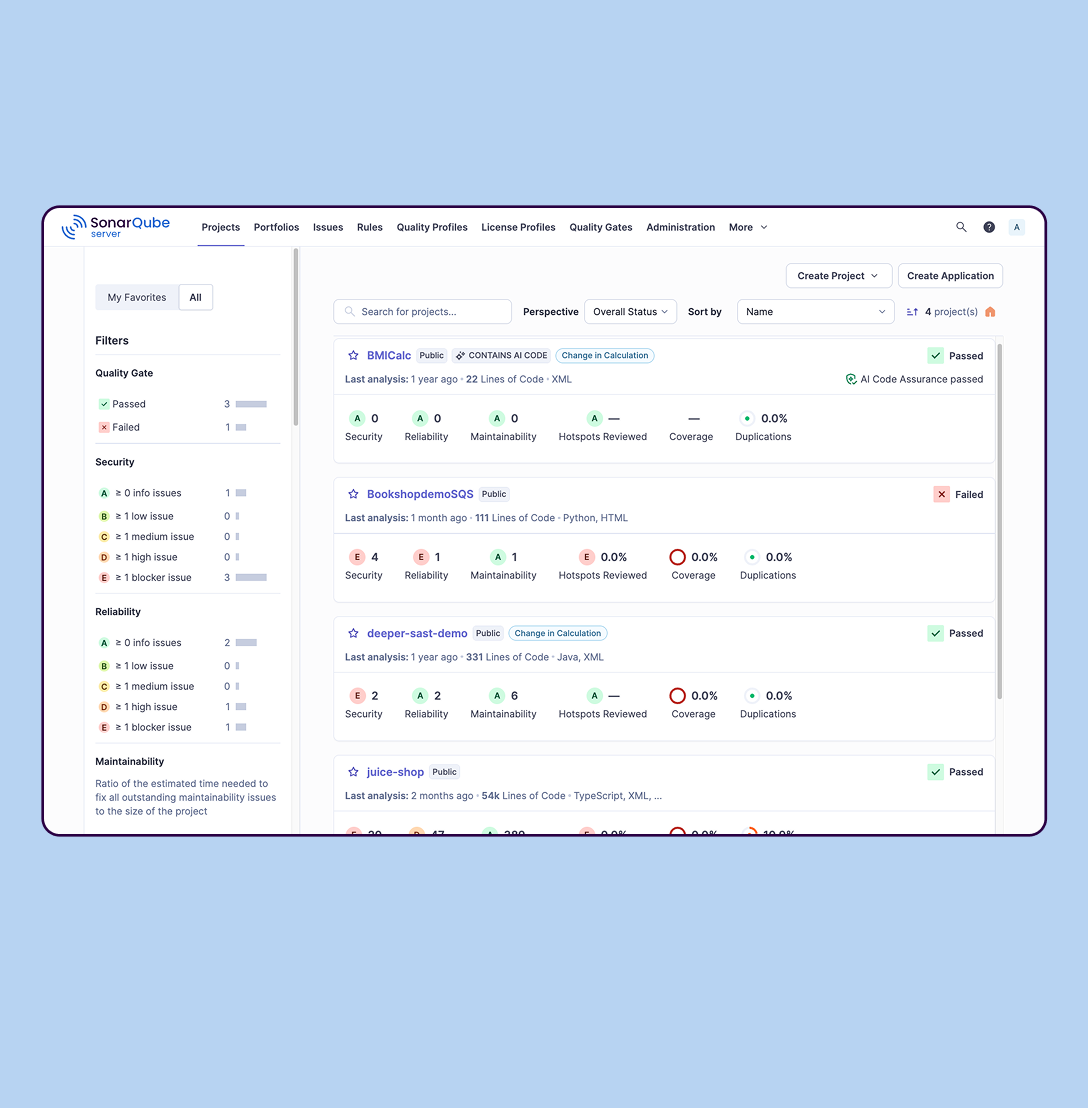 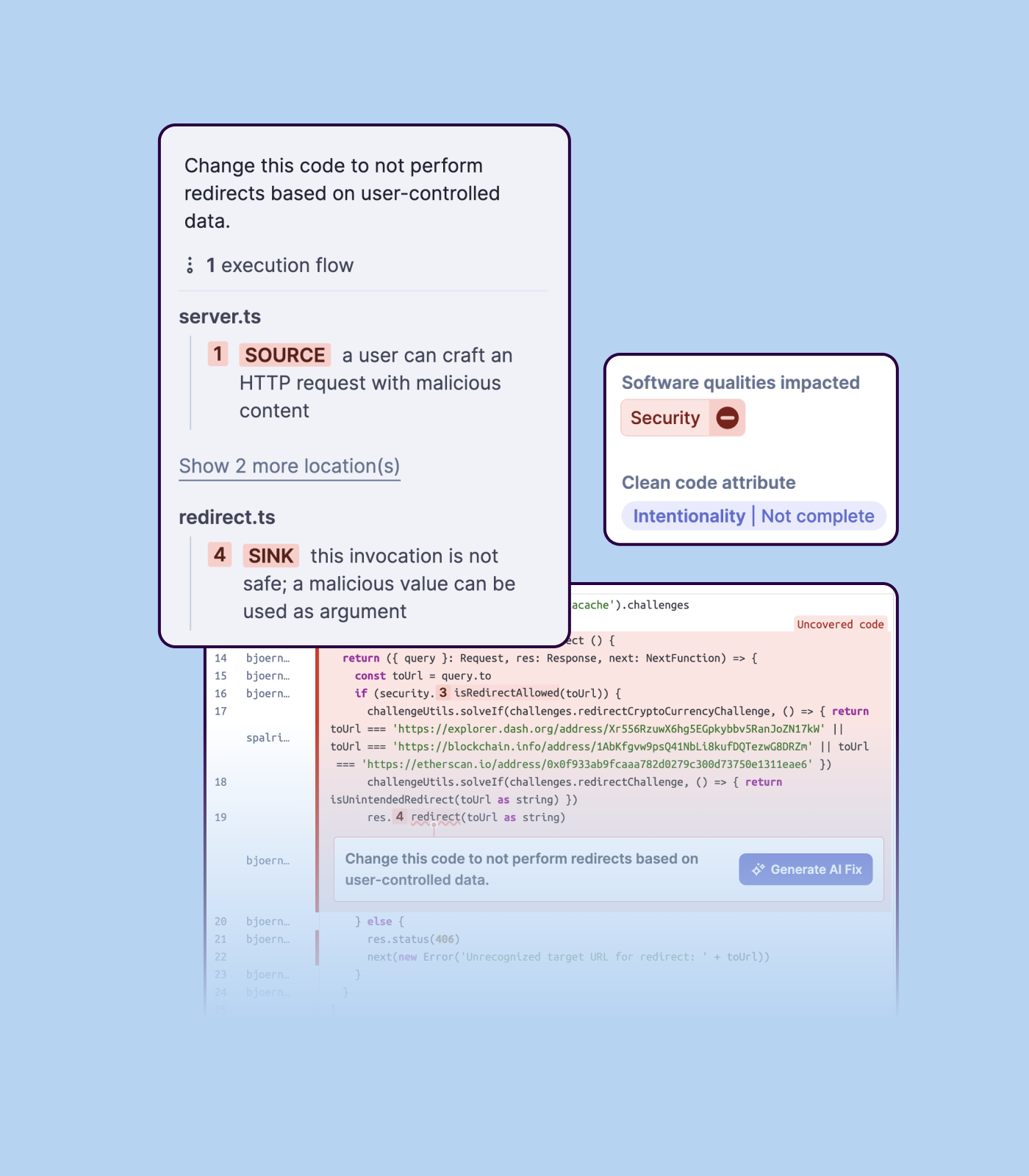 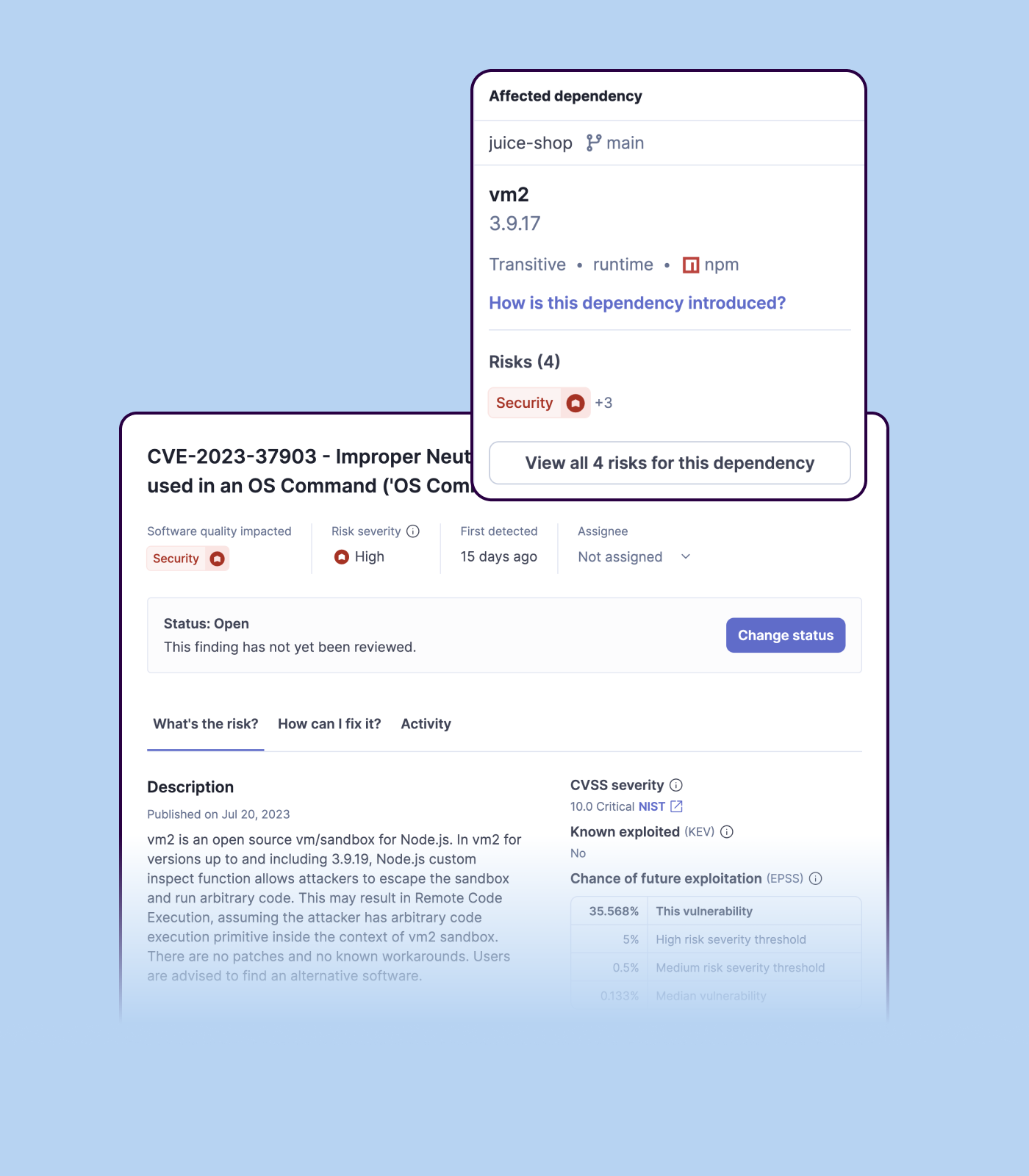 | Veracode Screenshots    |