
Jotform PDF Editor vs. Wide Angle PDF Converter
| Product | Rating | Most Used By | Product Summary | Starting Price |
|---|---|---|---|---|
 Jotform PDF Editor | Score9.4 out of 10 | N/A | Aside from its flagship survey building product, JotForm also offers the free, online JotForm PDF Editor, which they state is designed to help users produce professional looking forms with ready-made templates, drag and drop form builders, and the ability to integrate data into new .pdf files. | N/A |
 Wide Angle PDF Converter | N/A | N/A | Wide Angle PDF Converter is a solution for businesses and individuals alike that streamlines workflow by providing PDF management features. The app is a one-time purchase with no subscription fees. The value proposition for Wide Angle PDF Converter: Ease of Use and Accessibility: Navigable for individuals with varying levels of technical expertise. Its interface places all features accessibly and labelled. PDF Conversion: Converts PDF documents to Word,… | $28 |
| Jotform PDF Editor | Wide Angle PDF Converter | |||||||||||||||
|---|---|---|---|---|---|---|---|---|---|---|---|---|---|---|---|---|
| Editions & Modules | No answers on this topic | No answers on this topic | ||||||||||||||
| Offerings |
| |||||||||||||||
| Entry-level Setup Fee | No setup fee | No setup fee | ||||||||||||||
| Additional Details | — | — | ||||||||||||||
| More Pricing Information | ||||||||||||||||
| Jotform PDF Editor | Wide Angle PDF Converter | |
|---|---|---|
| Small Businesses |  Tungsten Power PDF Score9.8 out of 10 | Tungsten Power PDF Score9.8 out of 10 |
| Medium-sized Companies |  PDF Xchange Viewer and Editor Score9.3 out of 10 | PDF Xchange Viewer and Editor Score9.3 out of 10 |
| Enterprises |  Adobe Acrobat Reader Score8.6 out of 10 | Adobe Acrobat Reader Score8.6 out of 10 |
| All Alternatives | View all alternatives | View all alternatives |
| Jotform PDF Editor | Wide Angle PDF Converter | |
|---|---|---|
| Likelihood to Recommend | 9.4 | - |
| Jotform PDF Editor | Wide Angle PDF Converter | |
|---|---|---|
| Likelihood to Recommend |
| No answers on this topic |
| Pros |
| No answers on this topic |
| Cons |
| No answers on this topic |
| Alternatives Considered |
| No answers on this topic |
| Return on Investment |
| No answers on this topic |
| ScreenShots | Jotform PDF Editor Screenshots   | Wide Angle PDF Converter Screenshots 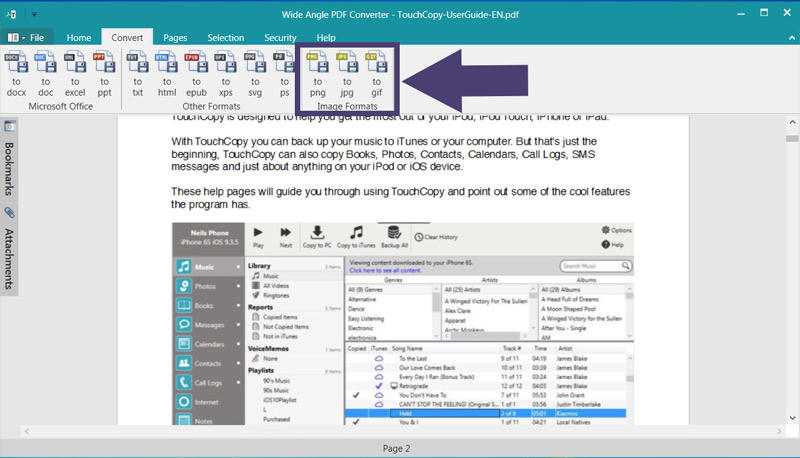 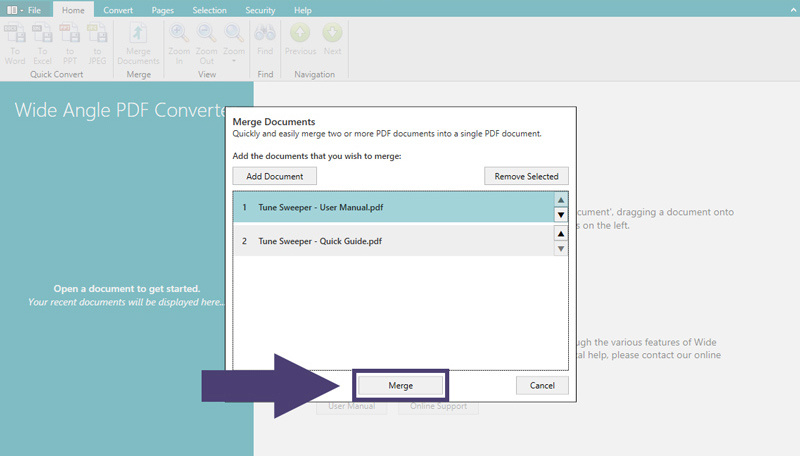 |

