LoadNinja vs. Selenium

Overview
ProductRatingMost Used ByProduct SummaryStarting Price
LoadNinja
Score 4.0 out of 10
N/A
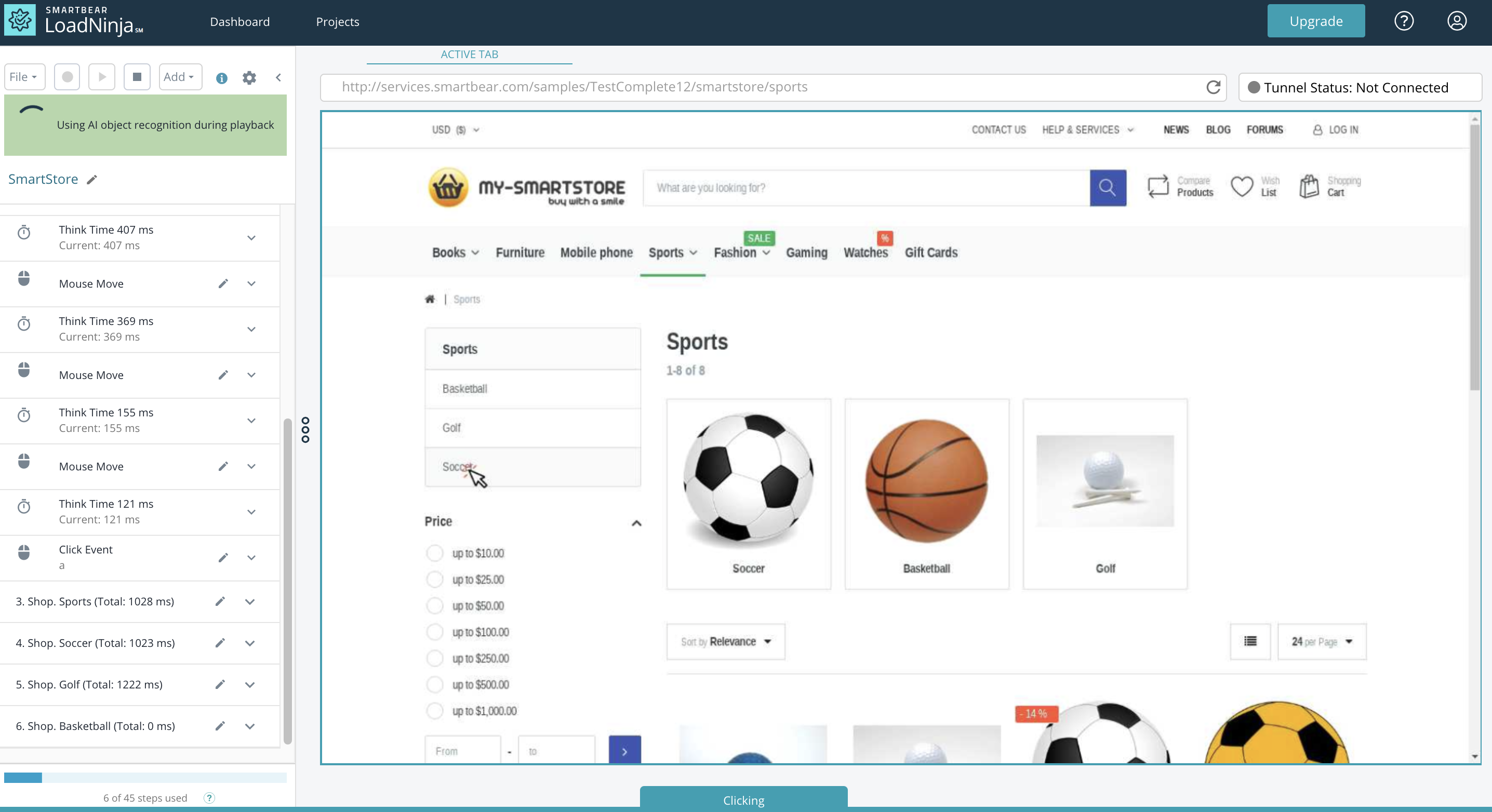
LoadNinja is a cloud-based performance testing platform for engineers and performance professionals to load test web application with real browsers at scale using test scripts that can be replayed immediately after recording. LoadNinja is designed to produce actionable browser based performance data to isolate issues and debug errors in real time.
$105
per month billed annually
Selenium
Score 8.4 out of 10
N/A
Selenium is open source software for browser automation, primarily used for functional, load, or performance testing of applications.N/A
Pricing
LoadNinjaSelenium
Editions & Modules
Subscription
$105
per month billed annually
On-Demand
$301
per month
Enterprise
Contact
No answers on this topic
Offerings
Pricing Offerings
LoadNinjaSelenium
Free Trial
NoNo
Free/Freemium Version
NoNo
Premium Consulting/Integration Services
NoNo
Entry-level Setup FeeNo setup feeNo setup fee
Additional Details
More Pricing Information
Community Pulse
LoadNinjaSelenium
Features
LoadNinjaSelenium
Automation Testing
Comparison of Automation Testing features of Product A and Product B
LoadNinja
-
Ratings
Selenium
10.0
1 Ratings
18% above category average
Record and Automate00 Ratings10.01 Ratings
Multi-Browser Testing00 Ratings10.01 Ratings
Test Management00 Ratings10.01 Ratings
Integrated Version Control00 Ratings10.01 Ratings
Object Recognition00 Ratings10.01 Ratings
Data-Driven Testing00 Ratings10.01 Ratings
Testing Reports & Analytics00 Ratings10.01 Ratings
Best Alternatives
LoadNinjaSelenium
Small Businesses
GitLab
GitLab
Score 8.8 out of 10
BrowserStack
BrowserStack
Score 8.4 out of 10
Medium-sized Companies
GitLab
GitLab
Score 8.8 out of 10
ReadyAPI
ReadyAPI
Score 6.2 out of 10
Enterprises
GitLab
GitLab
Score 8.8 out of 10
ignio AIOps
ignio AIOps
Score 8.1 out of 10
All AlternativesView all alternativesView all alternatives
User Ratings
LoadNinjaSelenium
Likelihood to Recommend
-
(0 ratings)
9.2
(55 ratings)
Likelihood to Renew
-
(0 ratings)
9.2
(6 ratings)
Usability
-
(0 ratings)
8.8
(6 ratings)
Support Rating
-
(0 ratings)
8.3
(11 ratings)
Implementation Rating
-
(0 ratings)
9.0
(3 ratings)
User Testimonials
LoadNinjaSelenium
Likelihood to Recommend
SmartBear
No answers on this topic
Open Source
When you have to test the UI and how it behaves when certain actions are performed, you need something that can automate the browsers. This is where Selenium comes to the rescue. If you have to test APIs and not the frontend (UI), I would recommend going with other libraries that support HTTP Requests. Selenium is good only when you have no choice but to run the steps on a browser.
Read full review
Pros
SmartBear
No answers on this topic
Open Source
  • For any web based UI automation, Selenium is the best tool out there to automate your tests.
  • It supports multiple coding languages like Java, Python, Ruby, C# etc.. to choose from.
  • There is a huge community of users and can get many answers on StackOverFlow.
  • It has lot of other plugins to make your tests even more efficient.
Read full review
Cons
SmartBear
No answers on this topic
Open Source
  • Selenium is pretty user-friendly but sometimes tests tend to flake out. I'd say roughly one out of twenty tests yields a false positive.
  • Selenium software cannot read images. This is a minor negative because a free plug-in is available from alternate sources.
  • Slowness may be a minor factor with Selenium, though this is an issue with basically any testing software since waiting on a site to execute JavaScript requires the browser to wait for a particular action.
Read full review
Likelihood to Renew
SmartBear
No answers on this topic
Open Source
We love this product mainly because of its high customization abilities and the ease of use. Moreover, its free and can be learned easily through online communities and videos. The tests are more consistent and reliable as compared to Manual tests. It has enabled us to test a large number of features all in one go, which would have impossible through manual tests. The reports generated at the end of the tests are really helpful for the QA and the development teams to get a fair view of the application.
Read full review
Usability
SmartBear
No answers on this topic
Open Source
For those who are unfamiliar with coding, there is a bit of a learning curve. There is plenty of helpful documentation and resources but it can take a little time to get the software up and running. Once you get the hang of how Selenium works, and what it can do, you realize how many things you can use it for, and how many processes you can automate.
Read full review
Support Rating
SmartBear
No answers on this topic
Open Source
The Selenium app has a pretty fat community of users. For the problems we are experiencing, we are primarily receiving support from these communities. In addition, there is widespread service support. Instant support is given to the problems we experience when we need Online support. We and our team are happy to provide this support, especially before important deployment processes
Read full review
Implementation Rating
SmartBear
No answers on this topic
Open Source
We did everything we needed to use it. Now we can execute our tests on different operational systems and browsers running few tests simultaneously. We also implemented Appium framework to execute our tests on mobile devices, such as iPhones, iPads, Android phones and tablets. We use SauceLabs for our test execution and Jenkins for continuous integration.
Read full review
Alternatives Considered
SmartBear
No answers on this topic
Open Source
At the time of adoption, there were not many other alternatives that were even close to being competitive when it comes to browser testing. As far as I know now to this day, there is still little competition to Selenium for what it does. Any other browser-based testing still utilises Selenium to interact with the browser.
Read full review
Return on Investment
SmartBear
No answers on this topic
Open Source
  • There hasn’t been a downside to using it yet other than we’ve got to update the programs we create for each change.
  • This has saved us hundreds of hours of manpower by allowing our automation engineer to rapid fire tests.
  • We are able to screenshot and save entire sites before and after launch with a program the automation engineer created
  • We can compare large volumes of data against data in excel docs with a program created using Selenium
Read full review
ScreenShots

LoadNinja Screenshots

Screenshot of Analyze and Diagnose Performance Issues in Real-TimeScreenshot of Reduces Test Script Creation Time