The LogRhythm NextGen SIEM Platform, from LogRhythm in Boulder, Colorado, is security information and event management (SIEM) software which includes SOAR functionality via SmartResponse Automation Plugins (a RespondX feature), the DetectX security analytics module, and AnalytiX as a log management solution that centralizes log data, enriches it with contextual details and applies a consistent schema across all data types.
N/A
Microsoft Defender for Cloud
Score8.7 out of 10
N/A
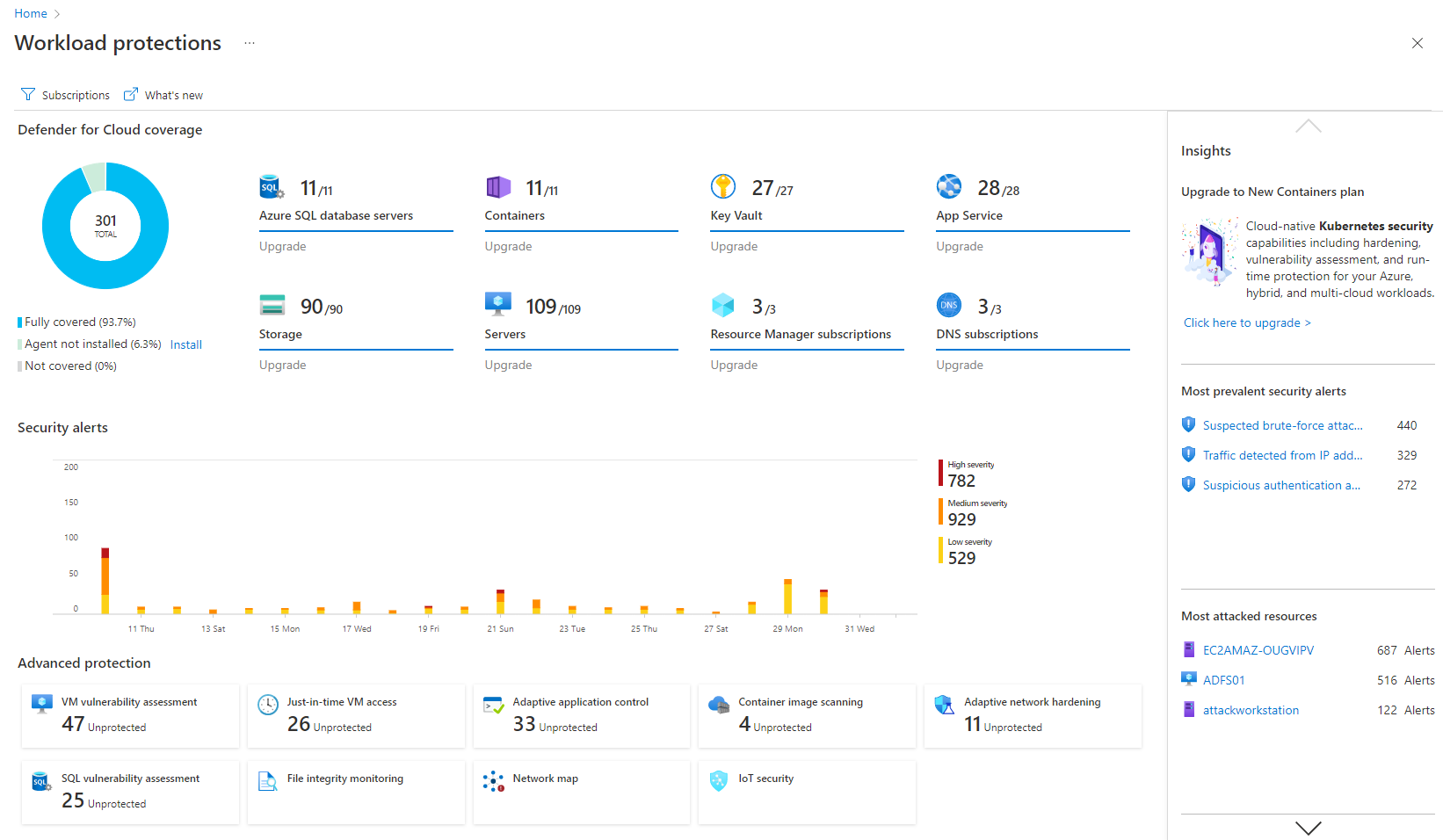
Microsoft Defender for Cloud is a Cloud Security Posture Management (CSPM) and Cloud Workload Protection Platform (CWPP) for Azure, on-premises, and multicloud (Amazon AWS and Google GCP) resources.
Having mostly worked with their on-premises solution, I think it's well-suited for small , medium, and even big organisations. I feel it might be less suited if the customer wants a SIEM with 100% uptime, as it goes down a lot. Or if they want to depend on customer support. I suggest that if you want to go with LR, you have to have your own experienced engineers to work on.
A de minimis incentive was given to thank the reviewer for their time. The incentive was not used to bias or drive a particular response, nor was the incentive contingent on a positive endorsement. More Info
I think it's good for cloud-native companies. A company that, from day zero, they're like, "We're going cloud, and this is how we're going to do it." They get it. It works well for them. Smaller organizations that are under X amount of resources- I don't know what that X might mean- but I feel like it plays well in smaller, more nimble organizations. If you're an older organization or if you're extremely large, it starts becoming a little difficult to manage at scale. And you have to sometimes throw bodies at the problem. Maybe not the most eloquent way of saying it, but that's what it feels like.
A de minimis incentive was given to thank the reviewer for their time. The incentive was not used to bias or drive a particular response, nor was the incentive contingent on a positive endorsement. More Info
LogRhythm NextGen SIEM Platform has an alarm system that generates tickets based on the event and the way it has been configured in the LogRhythm console. Let's say we have a ticket for a malicious email attachment. The ticket will some information like the source of the log, the source IP, destination IP etc. It can be drilled down to obtain specific information like the recipient, source location, file attachment name, SHA hash of the file, source and destination port, time, mac address of the machine that downloaded it etc. This helps the analysts to go to the root of the cause and take actions easily without manually parsing them.
The second good thing about the LogRhythm NextGen SIEM Platform is that it is very easy to use with its well-structured interface. To use LogRhythm, an user barely require any technical skills. A little overview of IP, CIDR, hash, etc. is enough to get your hands on it. It requires no programming or coding skills, as everything is GUI based. It also provides a beautiful visualization dashboard. There is another beautiful feature that it provides for the classification of events, known as cases. Multiple users working on the same platform can create cases and add events to it. They also help to maintain future reference.
The third good feature is the search tool which is very powerful. For example, sometimes it is hard to find the users who downloaded a malware from the guest wireless of the institution and not the private network. The search tool helps us in searching the user by automatically correlating the MAC address from the current network logs and the previous logs as the MAC address is the same. It is highly scalable for parsing a large number of logs from various sources.
I particularly think this is one of the best software available for log parsing in an organization where non-technical users are working on incident response. This tool has a good amount of flexibility. However, it can only be configured with the LogRhythm NextGen SIEM Platform Console.
In terms of usability, as already mentioned, it is a very easy tool to use, with a GUI based interface.
A de minimis incentive was given to thank the reviewer for their time. The incentive was not used to bias or drive a particular response, nor was the incentive contingent on a positive endorsement. More Info
It's really well laid out, with an easy-to-use, accessible UI.
With Microsoft Defender for Cloud, it has everything you need with the Safelink attachment, the Safelink emails for URL, the way it scans those URLs and attachments within the product, and you're seeing the results. And that adds an extra layer of security for the user, so you feel comfortable knowing the product monitors those. That's something I really like about that product.
A de minimis incentive was given to thank the reviewer for their time. The incentive was not used to bias or drive a particular response, nor was the incentive contingent on a positive endorsement. More Info
LogRhythm absolutely needs to provide back end support for threat intelligence lists. Performing a linear search on massive lists of IPs on incoming web traffic can bring the SIEM to its knees.
LogRhythm should drop its entire code base for implementing lists and simply turn them into hash tables to avoid the excessive cost associated with referencing lists in rules. I haven't seen the code, but the performance suggests O(n).
The reporting feature is the worst of all SIEMs, luckily reports are not my primary service offering. LogRhythm should definitely revamp its reporting to be more intuitive.
A de minimis incentive was given to thank the reviewer for their time. The incentive was not used to bias or drive a particular response, nor was the incentive contingent on a positive endorsement. More Info
Integrations with on-premise workloads can sometimes be challenging. Needs improvement and well standardised integration points
Vulnerability categories can be difficult to understand. It should allow teams to focus on critical findings and help them keep aside low-severity or suppressed vulnerabilities
Pricing can be improved as it can be over-priced for smaller businesses and would potentially affect their ROI due to the small scale
A de minimis incentive was given to thank the reviewer for their time. The incentive was not used to bias or drive a particular response, nor was the incentive contingent on a positive endorsement. More Info
LogRhythm is focused on SIEM. That is their core business. Cost of operations, feature set and ease of use. The Log Rhythm support team is outstanding. Overall reliability is good. Reporting module needs some improvement and LR is promising that there will be significant improvements in future releases.
A de minimis incentive was given to thank the reviewer for their time. The incentive was not used to bias or drive a particular response, nor was the incentive contingent on a positive endorsement. More Info
It is a great product that integrates nicely when running an Azure platform and even multi-cloud environment. Not looking for point-solutions but a suite that answers most requirements. It is very comfortable being able to use KQL, workbooks and automation that is native to the azure platform
LogRhythm does a rather decent job of making the functionality advanced (allowing for advanced keyword & field searching, use of "AND" as well as "OR" statements in the search bar) while keeping it accessible (by not requiring a specific syntax to do quick searches). This combined with a user interface that has headings and labels that are intuitive is very helpful.
A de minimis incentive was given to thank the reviewer for their time. The incentive was not used to bias or drive a particular response, nor was the incentive contingent on a positive endorsement. More Info
My visibility is limited because I'm only doing very small pieces of what the overall org does. And also, we have limitations on what we're allowed to use. It's not like we get a new product as users or leadership level users, and everything is on, and we can just do whatever we want. We're very restricted in what we can use any tooling within the org because of the different levels of regulatory constraints we have, because of just the nature of who we are inherently. So that's why. I don't think it's necessarily the product. I think it's more or less of what we're able to do with the product.
A de minimis incentive was given to thank the reviewer for their time. The incentive was not used to bias or drive a particular response, nor was the incentive contingent on a positive endorsement. More Info
While LogRhythm support is generally quick to respond, the initial response is usually from a first line support engineer with general knowledge of the product. Any advanced or complex issues have always required the assistance of a higher tier of support, directly or indirectly. For a few occasions we actually used our PS hours to work on the issue.
A de minimis incentive was given to thank the reviewer for their time. The incentive was not used to bias or drive a particular response, nor was the incentive contingent on a positive endorsement. More Info
A de minimis incentive was given to thank the reviewer for their time. The incentive was not used to bias or drive a particular response, nor was the incentive contingent on a positive endorsement. More Info
LogRhythm was simpler to set up and configure as well as extract information from. It also was less intrusive in terms of how many appliances were needed to implement. We were up and running within 5 hours to start accepting log sources. We selected LogRhythm as well since support is based in the USA in Colorado.
A de minimis incentive was given to thank the reviewer for their time. The incentive was not used to bias or drive a particular response, nor was the incentive contingent on a positive endorsement. More Info
I believe Microsoft Defender for Cloud stacks up well against the other tools we looked at. It is native to the Azure platform and provides the same insights as the other tools. We selected Microsoft Defender for Cloud because it integrates well with the Azure resources and gives the needed insight, security alerts and recommendations.
A de minimis incentive was given to thank the reviewer for their time. The incentive was not used to bias or drive a particular response, nor was the incentive contingent on a positive endorsement. TR verified that a representative sample of customers was invited. More Info
A de minimis incentive was given to thank the reviewer for their time. The incentive was not used to bias or drive a particular response, nor was the incentive contingent on a positive endorsement. More Info
A de minimis incentive was given to thank the reviewer for their time. The incentive was not used to bias or drive a particular response, nor was the incentive contingent on a positive endorsement. More Info