Mailcheck.co is a tool for the validation of email lists, designed to increase conversion in email mailing and to decrease the percentage of bounce rate. The vendor states that their goal is to turn cold mail to hot leads.
N/A
MailUp
Score10 out of 10
N/A
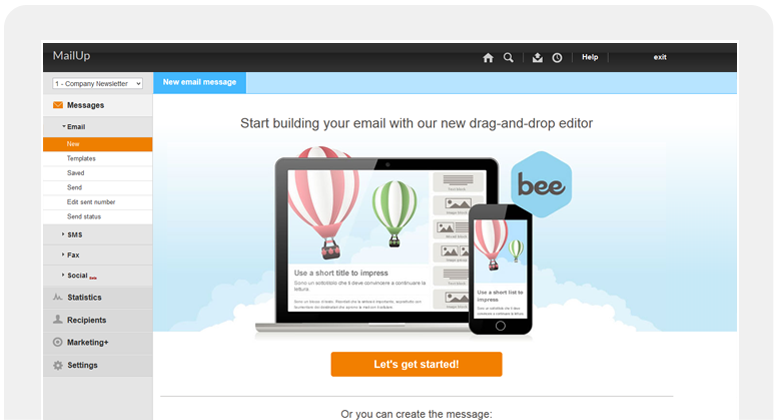
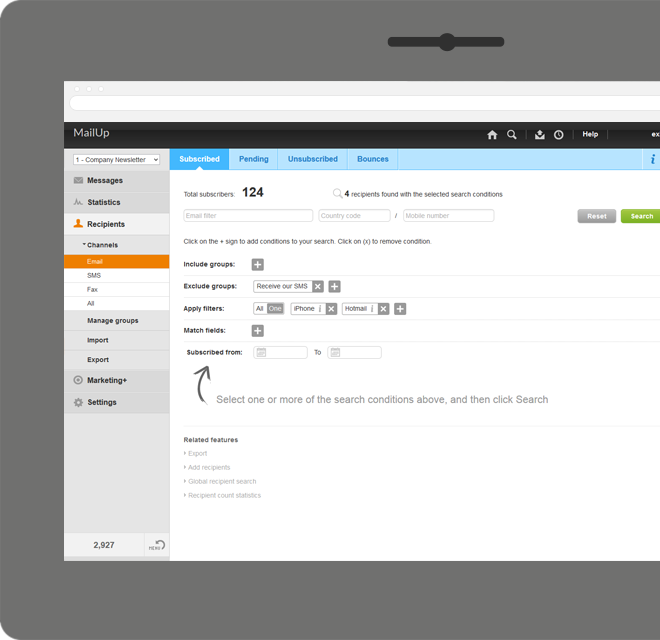
MailUp is the eponymous email & SMS platform from the Italian company that was founded in 2002 that now has a modest but respectable presence across the western world with a diverse customer base (Yamaha, Amnesty International, Korean Air, etc.). Mailup's platform combines email marketing, with transactional email and SMS features, and offers SMTP relay and plugins for ecommerce, CRM and CMS systems.
Their unusual pricing scheme is tiered just on subscribers but on volume of sends and that…
N/A
Pricing
Mailcheck.co
MailUp
Editions & Modules
No answers on this topic
No answers on this topic
Offerings
Pricing Offerings
Mailcheck.co
MailUp
Free Trial
No
Yes
Free/Freemium Version
No
No
Premium Consulting/Integration Services
No
Yes
Entry-level Setup Fee
No setup fee
Optional
Additional Details
—
—
More Pricing Information
Features
Mailcheck.co
MailUp
Email & Online Marketing
Comparison of Email & Online Marketing features of Mailcheck.co and MailUp
Here are some specific scenarios where Mailcheck.co is particularly well-suited:E-commerce Registration Forms:For online retailers, ensuring that customers enter valid email addresses during the registration process is crucial for order confirmations, shipping updates, and promotional communications. Mailcheck.co can be integrated into registration forms to validate emails in real-time, reducing the chances of users entering incorrect or fake email addresses, which could lead to lost sales or communication failures.Email Marketing Campaigns:Businesses that rely heavily on email marketing can use Mailcheck.co to clean and validate their email lists before launching campaigns. This ensures that emails are sent only to valid addresses, improving deliverability rates and reducing bounce rates, which in turn helps maintain a good sender reputation and improves the chances of successful email delivery.User Sign-up Processes for SaaS Platforms:SaaS companies often depend on accurate email addresses for user onboarding, password resets, and ongoing communication. Mailcheck.co can help these companies validate emails at the point of sign-up, ensuring that all users are reachable and reducing the risk of fraudulent or non-functional accounts.Lead Generation and CRM Data Management
A de minimis incentive was given to thank the reviewer for their time. The incentive was not used to bias or drive a particular response, nor was the incentive contingent on a positive endorsement. More Info
A de minimis incentive was given to thank the reviewer for their time. The incentive was not used to bias or drive a particular response, nor was the incentive contingent on a positive endorsement. More Info
A de minimis incentive was given to thank the reviewer for their time. The incentive was not used to bias or drive a particular response, nor was the incentive contingent on a positive endorsement. More Info
Mailcheck.co is a tool for verifying the accuracy of email addresses, which helps reduce the number of input errors. Overall, its usability can be rated as high because:Intuitive Interface: It usually has a simple and understandable interface, making it easy to use even for those without technical experience.Automatic Checks: The tool automatically checks the entered addresses for errors, which can save a significant amount of time.Wide Functionality: It can integrate with various systems and applications, adding convenience in its use.Technical Support: The availability of support in English helps users who do not speak other languages.
Why Select Mailcheck.co?Choosing Mailcheck.co might be based on the following reasons:Simplicity and Ease of Use: If you prefer a straightforward, user-friendly tool without an overwhelming array of features, Mailcheck.co can be a great choice.Cost-Effectiveness: If it offers competitive pricing relative to your needs, especially for smaller volumes of email verification.Integration Needs: If it integrates well with the systems you use and meets your essential requirements without the complexity of some other options.Ultimately, the choice depends on your specific needs, including budget, feature requirements, and integration preferences. If simplicity and ease of use are top priorities, Mailcheck.co could be a strong candidate. If you need more advanced features and detailed reporting, Bounceless or NeverBounce might be better suited.
Mailup has hands down the best editor for creating responsive emails, I've tried almost everything out there and this is the best, I recommend this to colleagues all the time!
A de minimis incentive was given to thank the reviewer for their time. The incentive was not used to bias or drive a particular response, nor was the incentive contingent on a positive endorsement. More Info
A de minimis incentive was given to thank the reviewer for their time. The incentive was not used to bias or drive a particular response, nor was the incentive contingent on a positive endorsement. More Info