TrustRadius: an HG Insights company

Save this comparison

Save this comparison

Add Product

Recommended Comparisons

    Overview
    ProductRatingMost Used ByProduct SummaryStarting Price

    MineTwin

    Score10 out of 10
    Enterprise companies (1,001+ employees)
    MineTwin is simulation, planning and decision-support software developed for open-pit and underground mining operations. It creates detailed digital representations of mines so that operational plans, fleet configurations, infrastructure investments and new technologies can be tested before resources are committed in the real operation. CORE CAPABILITIES Discrete-event simulation of mining activities, equipment movement,…N/A

    Siemens Simcenter

    Score9.3 out of 10
    N/ASiemens Simcenter is a suite of computer-aided engineering (CAE) simulation, testing, and multidisciplinary optimization software developed by Siemens Digital Industries Software. Operating as the simulation and testing domain within the Siemens Xcelerator platform, Simcenter connects 3D computer-aided design (CAD), simulation modeling, and product lifecycle management (PLM) data into a continuous digital engineering thread.N/A
    Pricing
    MineTwinSiemens Simcenter
    Editions & Modules
    No answers on this topic
    No answers on this topic
    Offerings
    Pricing Offerings
    MineTwinSiemens Simcenter
    Free Trial
    YesYes
    Free/Freemium Version
    NoNo
    Premium Consulting/Integration Services
    NoYes
    Entry-level Setup FeeNo setup feeNo setup fee
    Additional Details——
    More Pricing Information
    Community Pulse
    MineTwinSiemens Simcenter
    Considered Both Products
    Amalgama Software Design
    No answer on this topic
    Siemens AG
    No answer on this topic
    Key User Insights
    Would buy again
    No answers on this topic
    100%
    Would buy again
    17 Answers
    Delivers good value for the price
    No answers on this topic
    100%
    Delivers good value for the price
    12 Answers
    Happy with the feature set
    No answers on this topic
    94%
    Happy with the feature set
    16 Answers
    Lived up to sales and marketing promises
    No answers on this topic
    100%
    Lived up to sales and marketing promises
    12 Answers
    Implementation went as expected
    No answers on this topic
    92%
    Implementation went as expected
    12 Answers
    User Ratings
    MineTwinSiemens Simcenter
    Likelihood to Recommend
    10.0
    (1 ratings)
    9.6
    (17 ratings)
    Likelihood to Renew
    -
    (0 ratings)
    7.3
    (1 ratings)
    Usability
    10.0
    (1 ratings)
    7.3
    (1 ratings)
    Support Rating
    -
    (0 ratings)
    9.5
    (8 ratings)
    Implementation Rating
    -
    (0 ratings)
    7.3
    (1 ratings)
    User Testimonials
    MineTwinSiemens Simcenter
    Likelihood to Recommend
    Amalgama Software Design
    No answers on this topic
    Siemens AG
    A case where you are interested in modeling various physics such as
    Aerodynamics,
    Hydrodynamics, Heat Transfer & Thermal Management, Multiphase Flow, Fluid-Structure
    Interaction (FSI), Combustion & Reacting Flows, Aeroacoustics, Electrochemistry, and Electromagnetics. STARCCM+ is recommended. But if your interest is complex Structural dynamics, durability, or Motion analysis, etc. better to go with other tools.
    Incentivized
    Read full review
    Pros
    Amalgama Software Design
    No answers on this topic
    Siemens AG
    • Meshing is very easy to do in STAR CCM+
    • Post-processing results is also very intuitive, making extracting results very enjoyable and easy to use.
    • The Advanced rendering options that are available in STAR CCM+ can really help make very well-generated videos that can make the simulation easy to visualize, share with non-technical engineers, and showcase the study done.
    Incentivized
    Read full review
    Cons
    Amalgama Software Design
    No answers on this topic
    Siemens AG
    • Maybe a little bit on the automation side and if you want to script something, if you want to automate procedures, that happens through every simulation round that you have. That part could be a little bit cumbersome right now, depending on the operating system that you use.
    • Introducing the software on other platforms like Mac OSS.
    Incentivized
    Read full review
    Usability
    Amalgama Software Design
    No answers on this topic
    Siemens AG
    Great single window GUI
    Incentivized
    Read full review
    Support Rating
    Amalgama Software Design
    No answers on this topic
    Siemens AG
    STAR CCM+ technical support was very quick to respond when a ticket was raised for issues. For support in setting up a test case for the Lagrangian particle tracking technique, a support assist agent was assigned immediately, and after having a detailed discussion, my problem was understood by them, and a suitable test case was shared, which I was able to understand and use to build my case.
    Incentivized
    Read full review
    Implementation Rating
    Amalgama Software Design
    No answers on this topic
    Siemens AG
    It is super easy when it comes to implementing it.
    Incentivized
    Read full review
    Alternatives Considered
    Amalgama Software Design
    No answers on this topic
    Siemens AG
    Competitive tools, both Fluent and STARCCM+, but the user interface and ease of learning, along with everything in a single interface, and a wide variety of proven physics capabilities, along with good scalability and automation, made the choice easy for me. Also, the user guide and tutorials available to explore various kinds of Physics capability, and A single license for access to all physics, also made it easy.
    Incentivized
    Read full review
    Return on Investment
    Amalgama Software Design
    No answers on this topic
    Siemens AG
    • Time saved in creating a inhouse code, tens and tens of hours.
    • Time saved in experimental setup, tens of hours.
    • Does add some time in testing to confirm star is doing what you think it's doing, but an overall net gain in productivity.
    Read full review
    ScreenShots

    MineTwin Screenshots

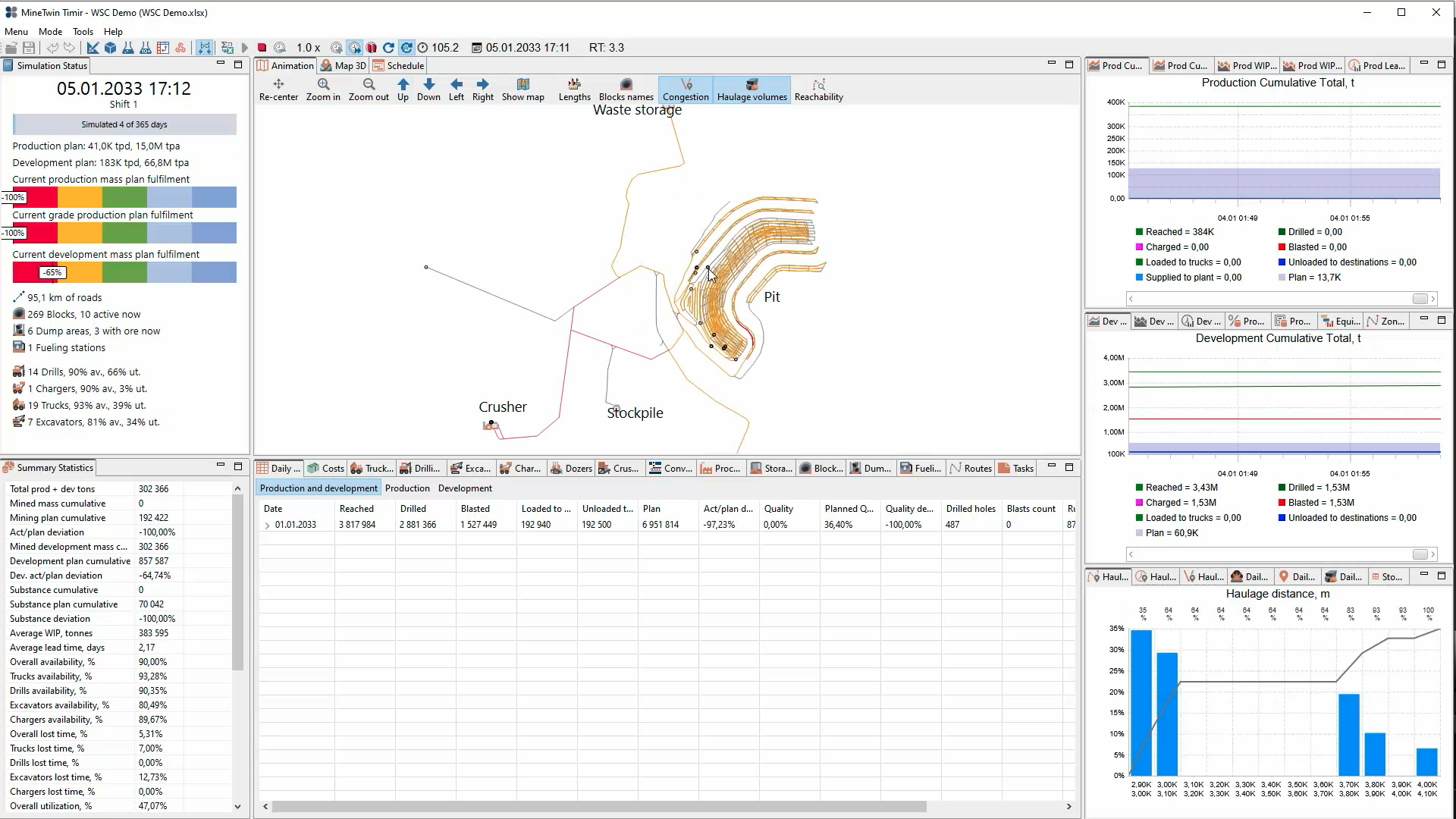
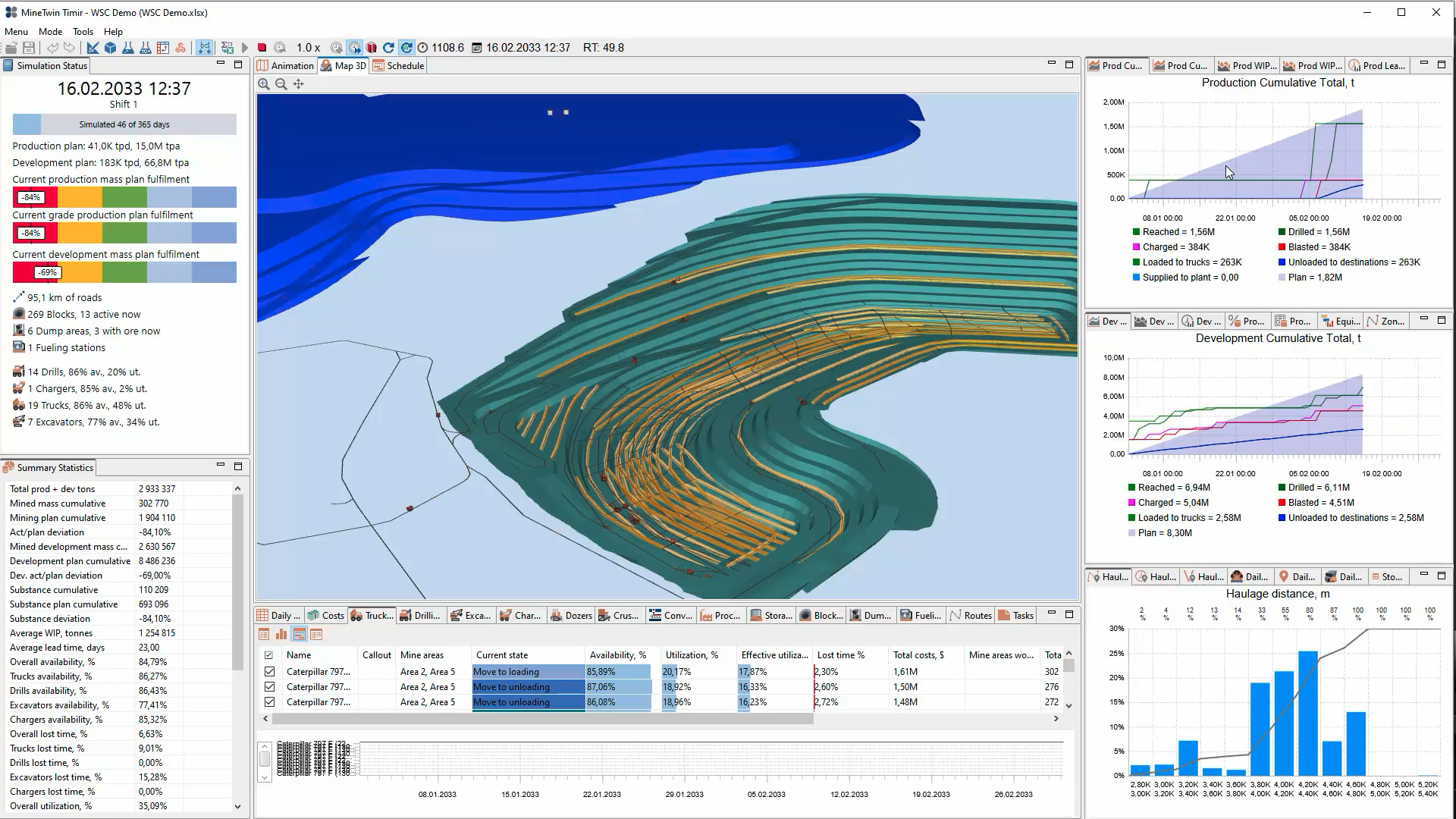
    Screenshot of MineTwin’s 2D open-pit simulation view maps the mine, roads, crusher, stockpile and waste storage while displaying plan fulfilment, equipment availability, production and development results, haulage-distance distributions, and daily operating statistics.Screenshot of MineTwin’s 3D open-pit simulation view combines an animated mine model with plan-fulfilment indicators, equipment availability and utilization, cumulative production and development charts, haulage analysis, costs, and detailed summary statistics at once.Screenshot of MineTwin’s schedule-execution Gantt chart shows loader and truck activities over time, including travel, loading, unloading, waiting, haulage and downtime. Colour-coded states make delays, interactions, utilization and schedule feasibility easy to assess.Screenshot of MineTwin’s 3D scenario editor visualizes a complex underground mine network while organizing stopes, ore passes, crushers, conveyors, equipment, schedules, tasks and plans in a structured tree. Detailed property panels support precise model configuration.

    Siemens Simcenter Screenshots

    Screenshot of Multiphysics Computational Fluid Dynamics (CFD) simulationScreenshot of Car aerodynamics CFD simulationScreenshot of Integrated Design Exploration and OptimizationScreenshot of Fully integrated CFD based topology optimizationScreenshot of Multiphysics CFD - Electric Motor CoolingScreenshot of Multiphase Flows