TrustRadius: an HG Insights company

MSP360 Backup for M365/Google vs. OpenText Core Cloud-to-Cloud Backup

Save this comparison

Save this comparison

Add Product

Recommended Comparisons

    Overview
    ProductRatingMost Used ByProduct SummaryStarting Price

    MSP360 Backup for M365/Google

    N/A
    Mid-Size Companies (51-1,000 employees)
    MSP360 Backup for Microsoft 365 and Google Workspace offers cloud-to-cloud data protection and recovery. The solution boasts a simple setup and maintenance that supports all core M365/GW components.

    $24

    per year

    OpenText Core Cloud-to-Cloud Backup

    Score8 out of 10
    N/AOpenText Core Cloud-to-Cloud Backup, formerly from Carbonite, includes comprehensive, automatic backup and recovery for Microsoft 365, SharePoint, Google Workspace, Salesforce, Box and Dropbox.N/A
    Pricing
    MSP360 Backup for M365/GoogleOpenText Core Cloud-to-Cloud Backup
    Editions & Modules
    MSP360 Managed Backup for Microsoft 365 and Google Workspace
    $1.10
    per month per user
    MSP360 Backup for Microsoft 365 and Google Workspace
    $3
    per month per user
    MSP360 Backup for Microsoft 365 and Google Workspace
    $24
    per year per user
    No answers on this topic
    Offerings
    Pricing Offerings
    MSP360 Backup for M365/GoogleOpenText Core Cloud-to-Cloud Backup
    Free Trial
    YesNo
    Free/Freemium Version
    NoNo
    Premium Consulting/Integration Services
    YesNo
    Entry-level Setup FeeNo setup feeNo setup fee
    Additional DetailsThere is "Cyber Starter Pack Offer" for new customers.
    More Pricing Information
    Best Alternatives
    MSP360 Backup for M365/GoogleOpenText Core Cloud-to-Cloud Backup
    Small Businesses
    Backupify
    Score5.6 out of 10
    Backupify
    Score5.6 out of 10
    Medium-sized Companies
    Spanning Backup
    Score7.4 out of 10
    Spanning Backup
    Score7.4 out of 10
    Enterprises
    Veeam Data Cloud for Azure
    Score7.9 out of 10
    Veeam Data Cloud for Azure
    Score7.9 out of 10
    All AlternativesView all alternativesView all alternatives
    User Ratings
    MSP360 Backup for M365/GoogleOpenText Core Cloud-to-Cloud Backup
    Likelihood to Recommend
    -
    (0 ratings)
    9.9
    (2 ratings)
    User Testimonials
    MSP360 Backup for M365/GoogleOpenText Core Cloud-to-Cloud Backup
    Likelihood to Recommend
    MSP360
    No answers on this topic
    OpenText
    If you need to send information to someone and you don't want others to see in case the wrong person gets it, that you can encrypt it and just make sure the person has the password to open it. This program makes it very easy to send emails to others and inform people when you are away and when you will be available upon return.
    Incentivized
    Read full review
    Pros
    MSP360
    No answers on this topic
    OpenText
    • User profile data
    • Real time backup of all things
    • Nano speed recovery
    Incentivized
    Read full review
    Cons
    MSP360
    No answers on this topic
    OpenText
    • More vocabulary to choose from when needing a different word to complete a sentence.
    • For example, when you point the arrow over Review that a list will appear for what is listed under that section as oppose to having to click on it.
    • Have a button that you can click on to demonstration how to use something for example graphs.
    Incentivized
    Read full review
    Alternatives Considered
    MSP360
    No answers on this topic
    OpenText
    Super slow, often corrupted data, Carbonite is such a better engine and architecture.
    Incentivized
    Read full review
    Return on Investment
    MSP360
    No answers on this topic
    OpenText
    • Helping busy staff members keep up with dates .
    • The reminders are perfect so you will not miss out on a meeting.
    • Being able to put the Team meeting on the calendar and all the person has to due to click the link to join the meeting. Fantastic!
    Incentivized
    Read full review
    ScreenShots

    MSP360 Backup for M365/Google Screenshots
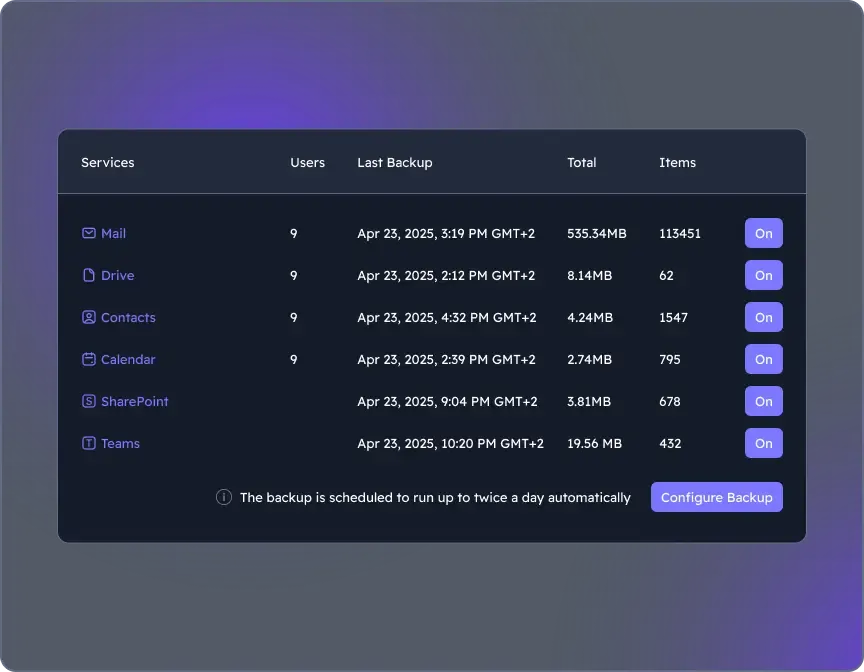
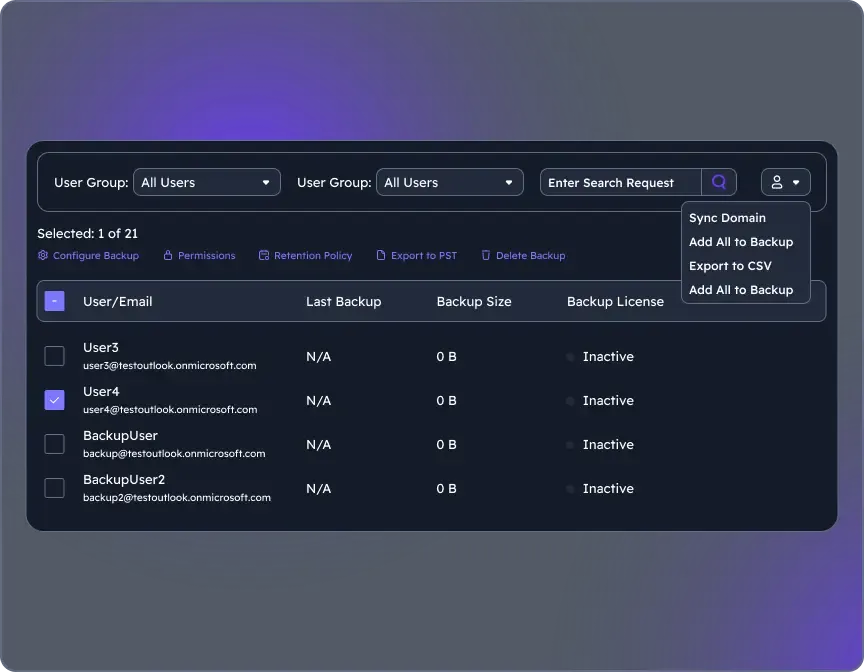
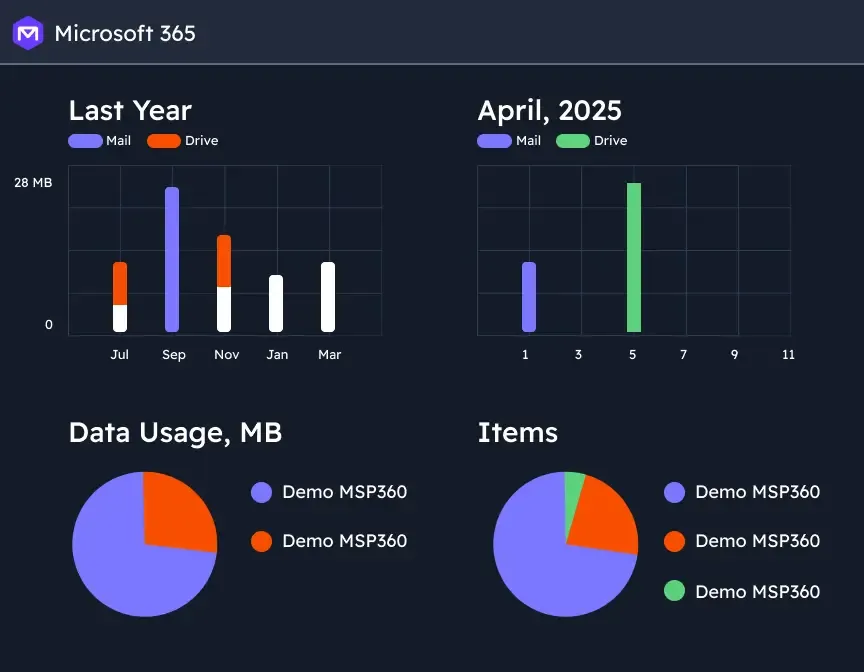
    Screenshot of where to choose M365 components to back up through the Microsoft 365 Backup dashboard.Screenshot of the user management interface. To add new users/groups (Office 365 groups) to users' grid and synchronize changes for existing users, on Users click the action menu, then select Sync Domain. Users will be added to the grid automatically.Screenshot of backup reports, with insights. Backup statistics provide visibility into usage, success rates, and storage trends, supporting audit-readiness, retention optimization, and planning.