MySQL Workbench vs. Redgate Monitor

Overview
ProductRatingMost Used ByProduct SummaryStarting Price
MySQL Workbench
Score 6.9 out of 10
N/A
MySQL Workbench is a unified visual tool for database architects, developers, and DBAs. MySQL Workbench provides data modeling, SQL development, and comprehensive administration tools for server configuration, user administration, and backup. MySQL Workbench is available on Windows, Linux and Mac OS X. It is available free through its Community edition, and an Enterprise edition is available for a commercial license as well, supported by Oracle.
$0
Redgate Monitor
Score 8.0 out of 10
N/A
Redgate’s SQL Monitor helps teams looking after SQL servers be more proactive. SQL Monitor enables monitoring environments custom to the user’s SQL server to recognize issues before they impact users. It supports monitoring on-premises and cloud-based servers from a single interface.
$1,164
per year per server
Pricing
MySQL WorkbenchRedgate Monitor
Editions & Modules
Community Edition
$0
Enterprise Edition
licensed through Oracle
No answers on this topic
Offerings
Pricing Offerings
MySQL WorkbenchRedgate Monitor
Free Trial
YesYes
Free/Freemium Version
YesNo
Premium Consulting/Integration Services
NoYes
Entry-level Setup FeeNo setup feeOptional
Additional DetailsAll prices are per server and include one year’s support and upgrades.
More Pricing Information
Community Pulse
MySQL WorkbenchRedgate Monitor
Features
MySQL WorkbenchRedgate Monitor
Database Development
Comparison of Database Development features of Product A and Product B
MySQL Workbench
9.3
2 Ratings
10% above category average
Redgate Monitor
-
Ratings
Schema maintenance8.52 Ratings00 Ratings
Database change management10.01 Ratings00 Ratings
Database Administration
Comparison of Database Administration features of Product A and Product B
MySQL Workbench
8.2
2 Ratings
2% above category average
Redgate Monitor
-
Ratings
User management9.02 Ratings00 Ratings
Database security8.52 Ratings00 Ratings
Database status reporting7.52 Ratings00 Ratings
Change management8.01 Ratings00 Ratings
Best Alternatives
MySQL WorkbenchRedgate Monitor
Small Businesses
DBeaver
DBeaver
Score 8.5 out of 10

No answers on this topic

Medium-sized Companies
DBeaver
DBeaver
Score 8.5 out of 10
LogicMonitor
LogicMonitor
Score 9.0 out of 10
Enterprises
DBeaver
DBeaver
Score 8.5 out of 10
LogicMonitor
LogicMonitor
Score 9.0 out of 10
All AlternativesView all alternativesView all alternatives
User Ratings
MySQL WorkbenchRedgate Monitor
Likelihood to Recommend
7.4
(3 ratings)
8.0
(6 ratings)
Usability
8.2
(3 ratings)
10.0
(2 ratings)
Support Rating
-
(0 ratings)
10.0
(1 ratings)
User Testimonials
MySQL WorkbenchRedgate Monitor
Likelihood to Recommend
Oracle
It is good software when we have to connect the database of the remote server but it is not as good as phpMyAdmin. When local server is concerned, phpMyAdmin is way better because it has more cleaner UI than Workbench. Workbench is preferred only because phpMyAdmin does not support the connection of remote servers.
Read full review
Redgate
With mission-critical SQL Server instances at multiple physical locations and in the cloud, it's critical for us to know immediately when there are performance issues or outages. The Redgate SQL Monitor provides an intuitive dashboard that allows for detailed resource monitoring. Perhaps not as useful in a 100% managed SQL environment.
Read full review
Pros
Oracle
  • Readily available too for quick and easy SQL queries
  • Maintains upgrades
  • Works across multiple OS platforms
Read full review
Redgate
  • It is easy to use and provides very good reporting on the SQL servers being monitored. These reports are used in our monthly customer reports.
  • Redgate does a very good job at improving the product, fixing bugs and adding new features compared to other products I have researched.
  • The insights provided makes it an ideal tool for database administrators and software developers.
Read full review
Cons
Oracle
  • There are a lot of menus, some of them aren't needed or users who only need to send queries. I had to watch a videos on youtube to learn how to use workbench. It would be great to have some videos inside software (or links to videos on youtube)
Read full review
Redgate
  • Openness - They are too attached to their Intellectual Property to the detriment of usability, stability and reliability. So once its is installed and working leave it alone. Best run it on a VM as that can be restored quickly for when it breaks.
  • If they exposed an API/SDK that allowed you to leaver their products life would be far sweeter, it would feel less of a battle.
  • Add WebHooks to SQL Monitor to enhance integration to other subsystems.
  • Make it easy to install in default mode. So you are not forced to use TomCat Use as ASP.Core Selfl Hosting options.
Read full review
Usability
Oracle
MySQL Workbench is useful for specifically remote databases. Remote databases generally does not have any UI and we have to connect the server via SSH and on CLI, we write the queries and it shows the data, which is quite tiering and more prone to make mistakes whereas MySQL Workbench provides cleaner way to connect and provides lot of tools, so that we do not have to write queries all the time.
Read full review
Redgate
In general, the Redgate dashboard is one of the most thorough yet intuitive products I've had the pleasure of using. Compared to other vendors in different verticals, the Redgate dashboard's deployment, configuration, monitoring, and reporting is second to none
Read full review
Support Rating
Oracle
No answers on this topic
Redgate
Fast support responses from Redgate
Read full review
Alternatives Considered
Oracle
It's like comparing a VW to an performance car like a Ferrari. If you need the performance, bells and whistles you'll want PhpStorm. If you just need to get from one place to another, MySQL Workbench will do just fine.
Read full review
Redgate
I personally prefer SQL Sentry due to the flexibility in the custom metrics/monitoring but this is still a great product!!
Read full review
Return on Investment
Oracle
  • It provides good features and saves the time.
  • When we use remote server, we can connect without using ssh etc. so saves the time and easy to understand.
  • Do not have to write the queries to check the schema, so saves the time.
Read full review
Redgate
  • Allows us to proactively fix issues before they happen
  • Allows us to quickly react to issues without having to wait for someone else to notice
  • Cuts down on the amount of time spent doing daily checks
Read full review
ScreenShots

Redgate Monitor Screenshots

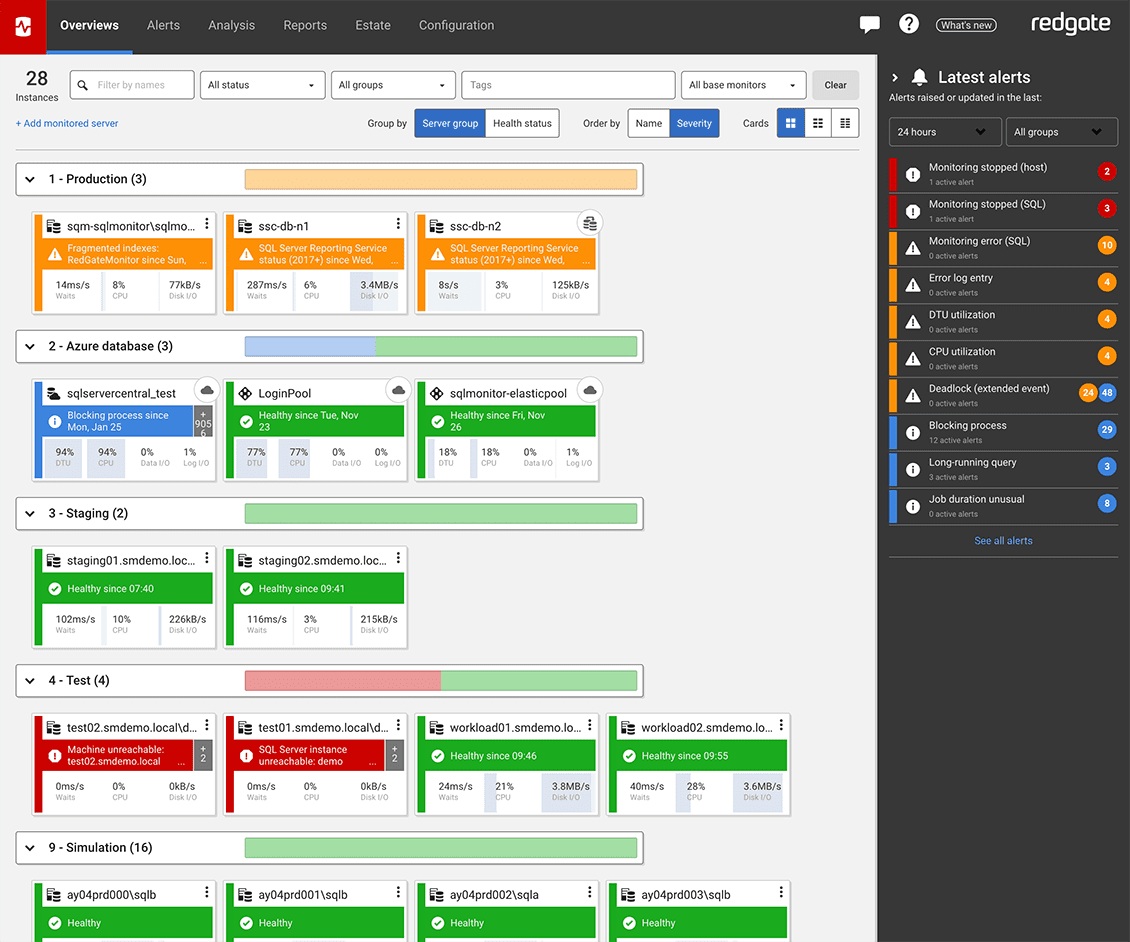
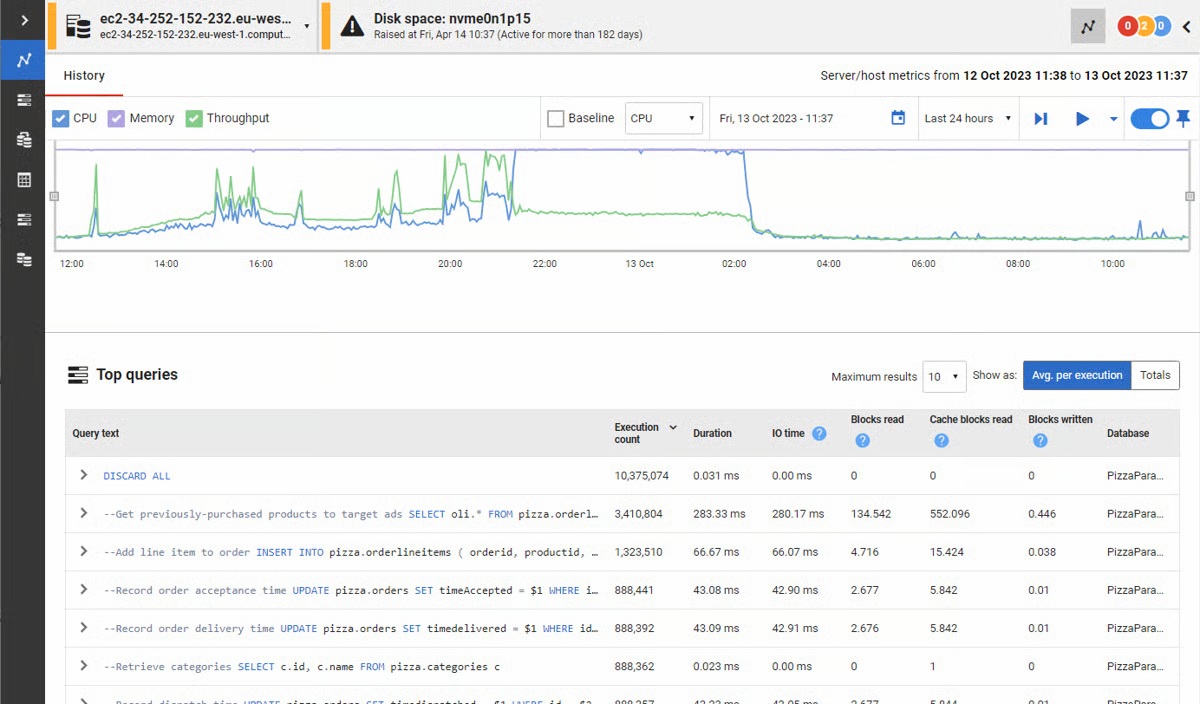
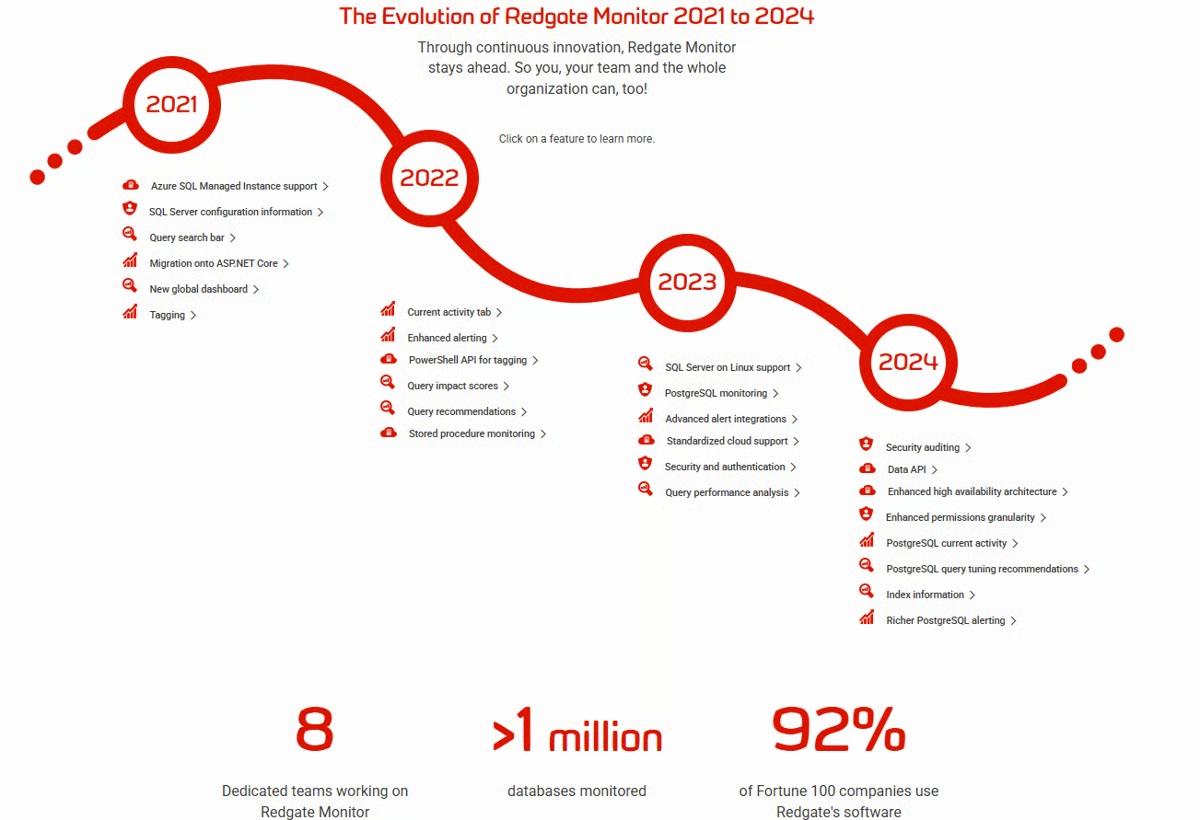
Screenshot of the Redgate Monitor dashboard, monitoring an entire database estate from a single pane of glass.Screenshot of where Redgate Monitor automates time-consuming manual tasks, such as identifying long-running queries or tracking blocked processes. Built-in tips and guidance ensure users get the most out of the information provided.Screenshot of where users can manage an entire environment from a single pane of glass.Screenshot of the dashboard where instant problem diagnosis and customizable alerts appear.Screenshot of the evolution of Redgate Monitor.