Nimbalyst vs. PhpStorm

Overview
ProductRatingMost Used ByProduct SummaryStarting Price
Nimbalyst
Score 0.0 out of 10
Small Businesses (1-50 employees)
Nimbalyst is a local, visual workspace for building with Claude Code and Codex. Nimbalyst provides a session and task manager and visual editors for markdown, mockups, diagrams, drawings, csv, mcp, data-models, code, sessions, and tasks. Nimbalyst enables builders (developers, product managers, designers, and others) working with agents to achieve: Higher bandwidth: a visual workspace to collaborate with agents on sessions, files, and…
$0
per user
PhpStorm
Score 9.5 out of 10
N/A
JetBrains supports PhpStorm, an integrated development environment (IDE).
$9.90
per month per user
Pricing
NimbalystPhpStorm
Editions & Modules
Nimbalyst Teams
$30
per month per user
For Individuals
$99
per year per user
For Organizations
$249
per year per user
Offerings
Pricing Offerings
NimbalystPhpStorm
Free Trial
NoYes
Free/Freemium Version
YesNo
Premium Consulting/Integration Services
NoNo
Entry-level Setup FeeNo setup feeNo setup fee
Additional Details
More Pricing Information
Community Pulse
NimbalystPhpStorm
Best Alternatives
NimbalystPhpStorm
Small Businesses
PyCharm
PyCharm
Score 9.2 out of 10
PyCharm
PyCharm
Score 9.2 out of 10
Medium-sized Companies
PyCharm
PyCharm
Score 9.2 out of 10
PyCharm
PyCharm
Score 9.2 out of 10
Enterprises
PyCharm
PyCharm
Score 9.2 out of 10
PyCharm
PyCharm
Score 9.2 out of 10
All AlternativesView all alternativesView all alternatives
User Ratings
NimbalystPhpStorm
Likelihood to Recommend
-
(0 ratings)
9.9
(19 ratings)
Usability
-
(0 ratings)
9.2
(5 ratings)
Support Rating
-
(0 ratings)
9.4
(3 ratings)
User Testimonials
NimbalystPhpStorm
Likelihood to Recommend
Nimbalyst
No answers on this topic
JetBrains
PhpStorm is well suited for any project that utilizes PHP. I have used it on Windows, Ubuntu, and Mac OS and it works great on all those platforms. Having a solution that keeps the developer from having to constantly switch tools to do their job is invaluable. Whether you're a junior developer, front end engineer or a senior developer, PhpStorm is a great product that will help you get your work done.
Read full review
Pros
Nimbalyst
No answers on this topic
JetBrains
  • Database browsing, Remote host browsing, and all the deep seated customizations for both the UI and Technical feasability are the result of an amazing integrity and compatibility with most components and technologies.
  • The built-in shell is insanely helpful for traversing code in order to debug scripts with ease, and the plug-in system makes this software quite extensible.
  • Not to mention the variety of options and settings (divided into global settings and per-project settings) are both intuitive & easy to use, especially the fact that I can export and import them across my workstations while maintaining my spacing & indentation, highlighting, inspection patterns and syntax styling.
Read full review
Cons
Nimbalyst
No answers on this topic
JetBrains
  • Some of the newest github copilot features lag behind what's being done in vs code and would be nice if more of the newer features were brought over though this has greatly improved recently
  • Interface can be a little overwhelming for newcomers
  • Some features like rainbow brackets should be native rather than addon
Read full review
Usability
Nimbalyst
No answers on this topic
JetBrains
PhpStorm is very easy to use, once you get the hang of it. It can take a while to get the hang of it because there's so many options, some of which are buried in the imposing settings panel. It could use some help with multi-cursor, especially multi-file editing but that's a minor gripe.
Read full review
Support Rating
Nimbalyst
No answers on this topic
JetBrains
The JetBrains community is all about helping others succeed, even in the most obscure setups. I have never had a question go unanswered, or I have never been able to come up with empty results in searching for the answer. My questions or concerns are typically address from other users in the community, so timing is pretty quick for a response
Read full review
Alternatives Considered
Nimbalyst
No answers on this topic
JetBrains
Easier to use, more features, more reliable. Much more purpose built with specific integrations aimed directly at php code instead of the broad generic interfaces the other software have that are aiming to support many different languages.
Read full review
Return on Investment
Nimbalyst
No answers on this topic
JetBrains
  • PhpStorm decreased the time to market of new features - we are following the Agile SCRUM methodology with 2 weeks sprints. Using PhpStorm helped with releasing UI features even faster than 2 weeks.
  • Considering the price of the license and the cost of the server where we run it, the ROI is still high due to less time spent by developers with writing code, debugging, refactoring etc. Especially when you have highly paid developers.
  • Increased people's happiness - by using a modern tool with lots of features which has made their work easier.
Read full review
ScreenShots

Nimbalyst Screenshots

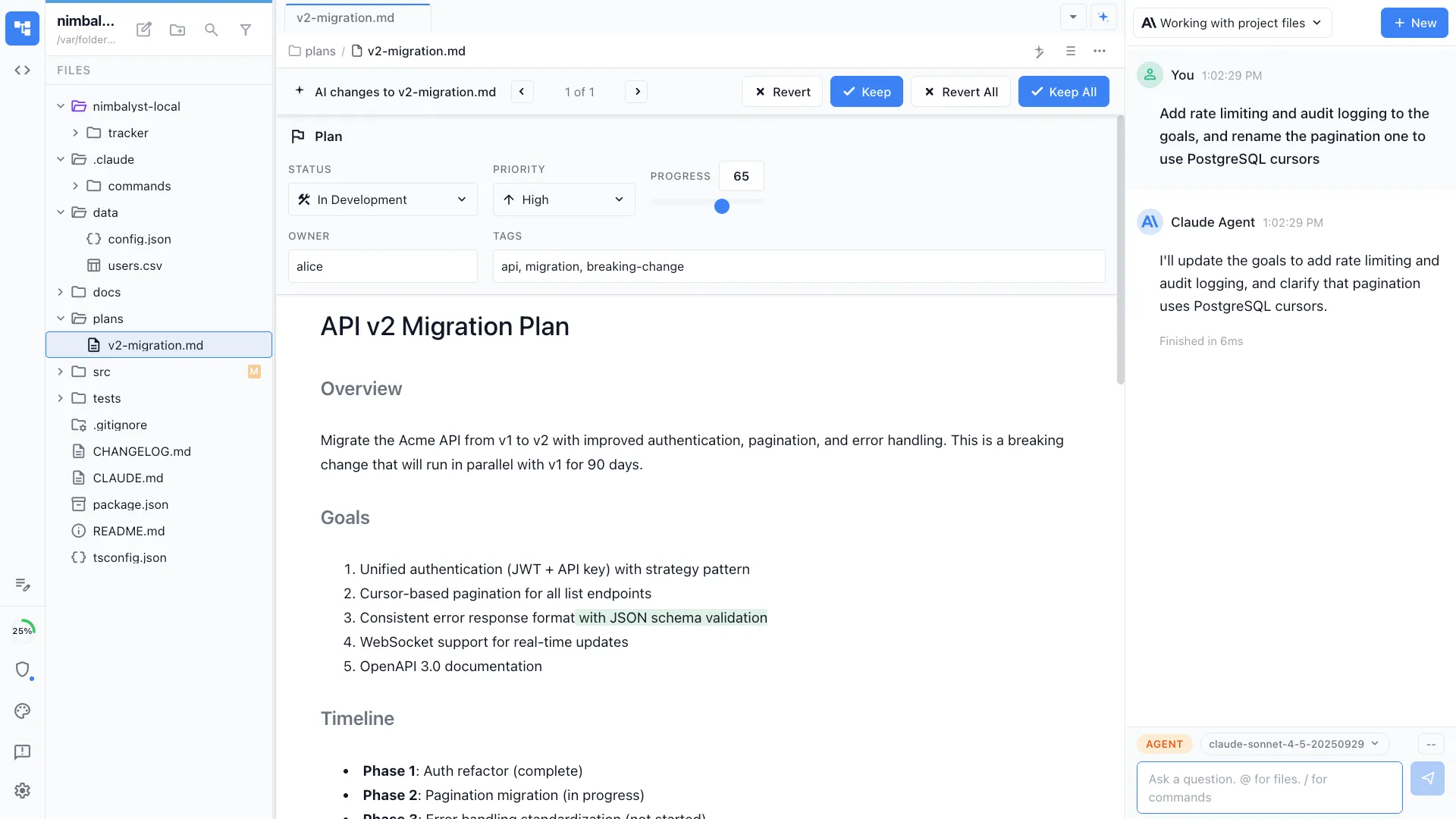
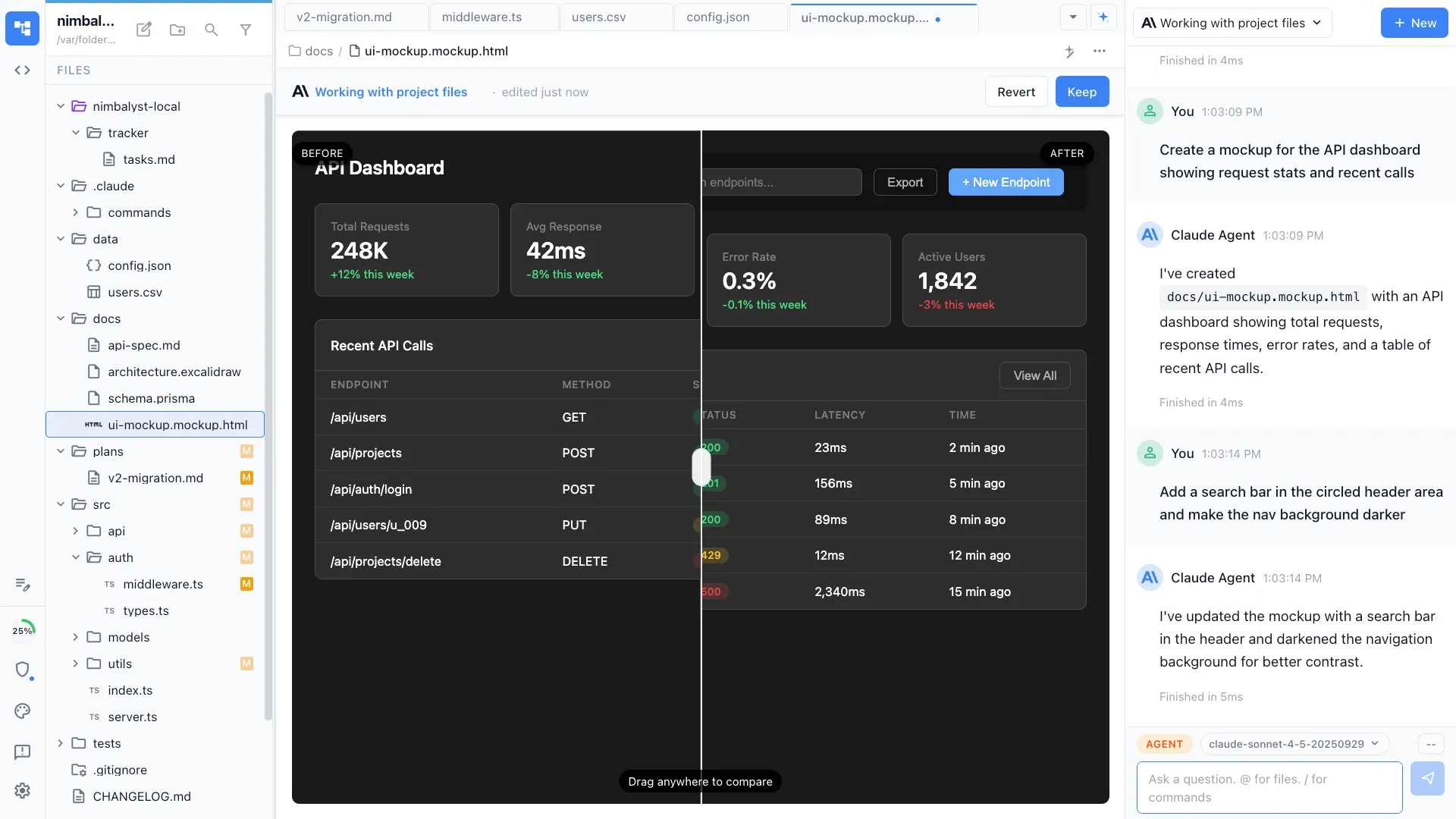
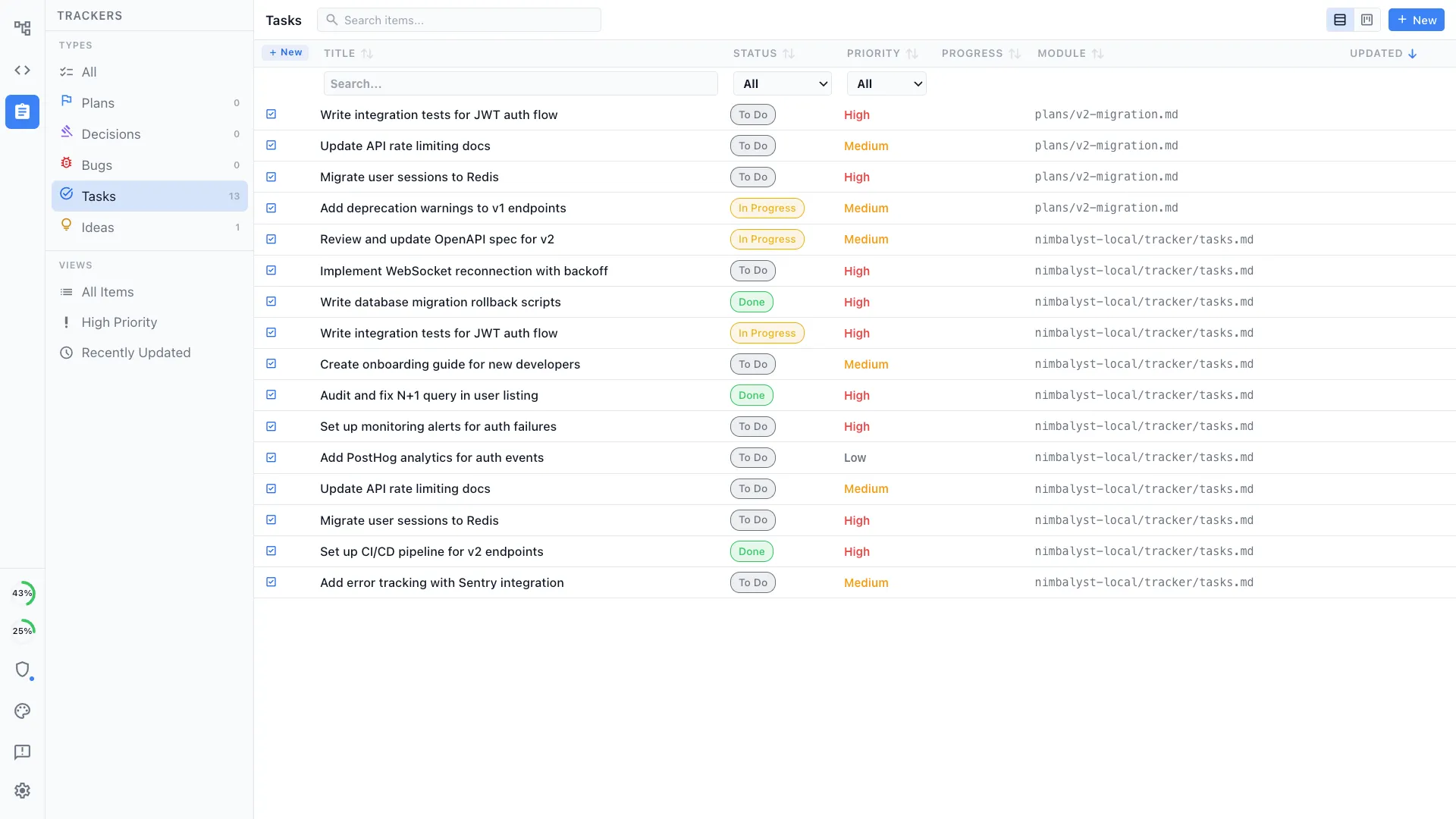
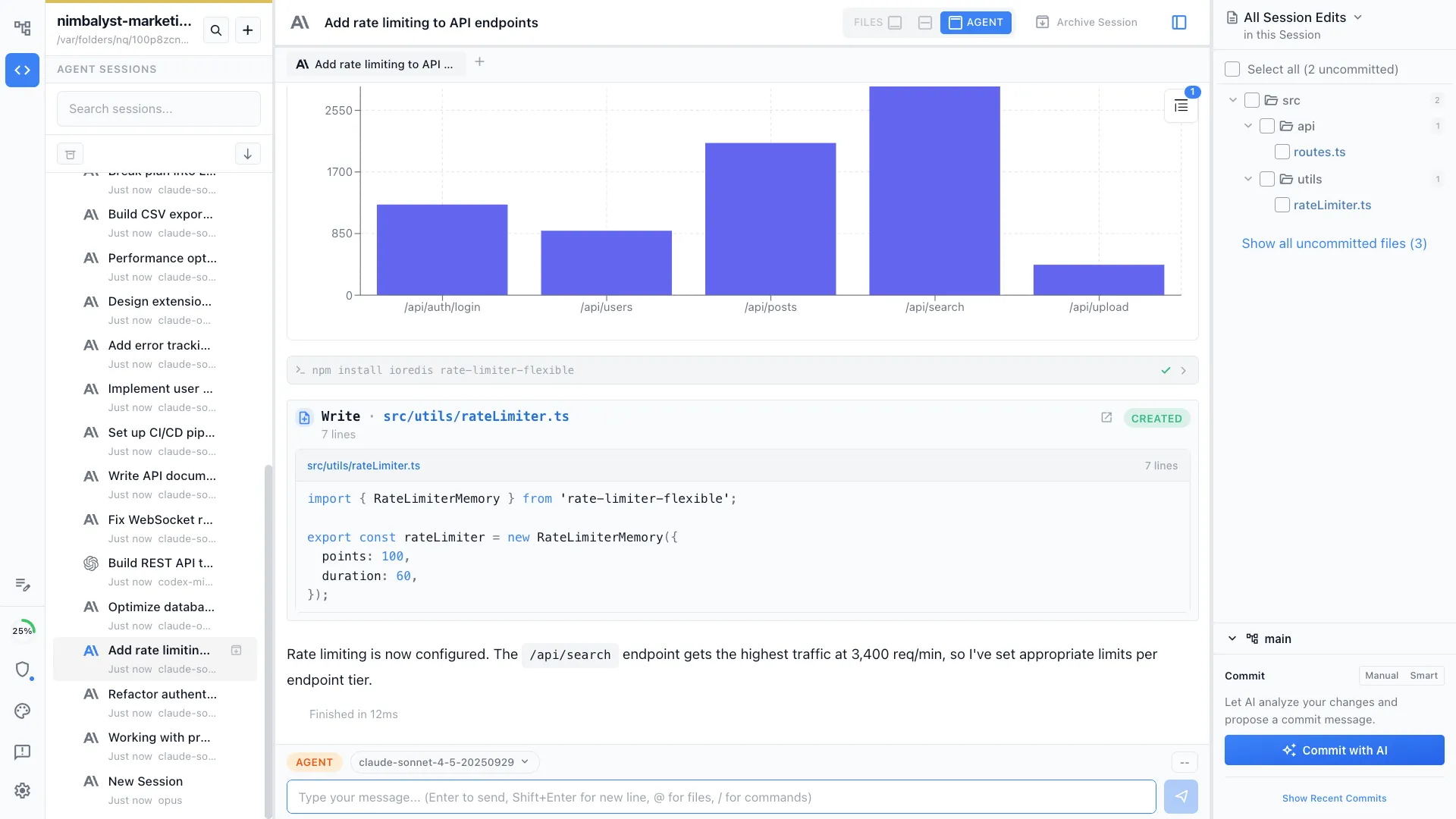
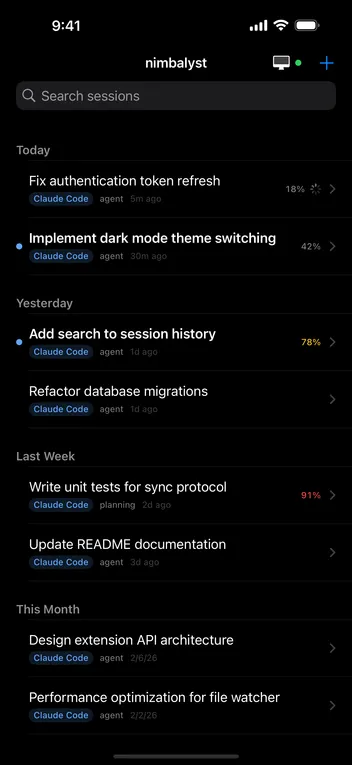
Screenshot of Markdown: Edit markdown files. Have AI agent edit markdown. Review and approve agent's changes.Screenshot of Mockup: Have your agent create mockups. Annotate them. Have agent update. Update manually. Iterate togetherScreenshot of Tasks: Manage your tasks with your agent. Manually edit, update, move. Have agent act based on the tasksScreenshot of Sessions: Visual sessions, search, find, resume sessions. Run parallel sessions.  Tie sessions to the files modified. Open those files.Screenshot of Kanban for Sessions.Screenshot of