OFFLIGHT vs. Things

Overview
ProductRatingMost Used ByProduct SummaryStarting Price
OFFLIGHT
Score 0.0 out of 10
N/A
OFFLIGHT is a productivity software designed to centralize task management, facilitate goal setting and tracking, assist in daily planning, and enhance focus during work sessions. Key Features: Unified Task Management: Consolidates tasks from various tools and platforms into one centralized location. Goal Setting and Tracking: Allows users to set, manage, and track their goals. Daily Planning: Provides a time-blocking…
$6.99
per month per user
Things
Score 8.1 out of 10
N/A
N/A
$9.99
one-time fee
Pricing
OFFLIGHTThings
Editions & Modules
No answers on this topic
For iPhone & Watch
$9.99
one-time fee
For iPad
$19.99
one-time fee
For Mac
$49.99
one-time fee
Offerings
Pricing Offerings
OFFLIGHTThings
Free Trial
YesYes
Free/Freemium Version
YesNo
Premium Consulting/Integration Services
NoNo
Entry-level Setup FeeNo setup feeNo setup fee
Additional DetailsOFFLIGHT are currently in open beta testing. OFFLIGHT offer only the Believer Plan for pricing, but the service can be used for free without any plan purchase. However, those who purchase the Believer Plan can maintain the price for a lifetime.
More Pricing Information
Best Alternatives
OFFLIGHTThings
Small Businesses
7shifts
7shifts
Score 9.8 out of 10
7shifts
7shifts
Score 9.8 out of 10
Medium-sized Companies
Todoist
Todoist
Score 9.1 out of 10
Todoist
Todoist
Score 9.1 out of 10
Enterprises
Whimsical
Whimsical
Score 9.2 out of 10
Whimsical
Whimsical
Score 9.2 out of 10
All AlternativesView all alternativesView all alternatives
User Ratings
OFFLIGHTThings
Likelihood to Recommend
-
(0 ratings)
9.0
(1 ratings)
Usability
-
(0 ratings)
10.0
(1 ratings)
User Testimonials
OFFLIGHTThings
Likelihood to Recommend
OFFLIGHT Inc.
No answers on this topic
Cultured Code
It's great for everyday use, whether you adhere to the GTD regimen fully or just need a way to quickly capture and sort your tasks. However, it may be less suited if you're looking for a task manager that lets you collaborate with others or if you want to visualize your tasks in other ways, like a Gantt chart.
Read full review
Pros
OFFLIGHT Inc.
No answers on this topic
Cultured Code
  • Keeps track of my daily priorities.
  • Collects my work tasks.
  • Let's me sort and prioritize tasks.
  • Organize my tasks.
Read full review
Cons
OFFLIGHT Inc.
No answers on this topic
Cultured Code
  • Shortcut for moving tasks to areas.
Read full review
Usability
OFFLIGHT Inc.
No answers on this topic
Cultured Code
The interface of Things was good 10 years ago, and has been refined ever since. It's lightweight, while still being readable and showing just the information you need to see. Also, something I haven't seen in any other (of my) app(s) is the keyboard shortcut/launcher, where you start typing a letter, and a dropdown menu lets you quickly jump to a view.
Read full review
Alternatives Considered
OFFLIGHT Inc.
No answers on this topic
Cultured Code
I've tried numerous to-do apps, some that never even go out of beta. But I kept returning to Things, mostly for the user experience. It's unobtrusive and fast to use, and it looks fantastic, which is more important than I first realized. To become more organized, my app of choice needs to look organized. Also, many competing solutions are trying to force you into one way of using their app, while Things feels more open to letting you define your way of working with task management.
Read full review
Return on Investment
OFFLIGHT Inc.
No answers on this topic
Cultured Code
  • Working fewer nights, because I'm more organized.
  • Getting that admin done, that you'd rather avoid if possible.
  • Getting back to people in time more generally.
Read full review
ScreenShots

OFFLIGHT Screenshots

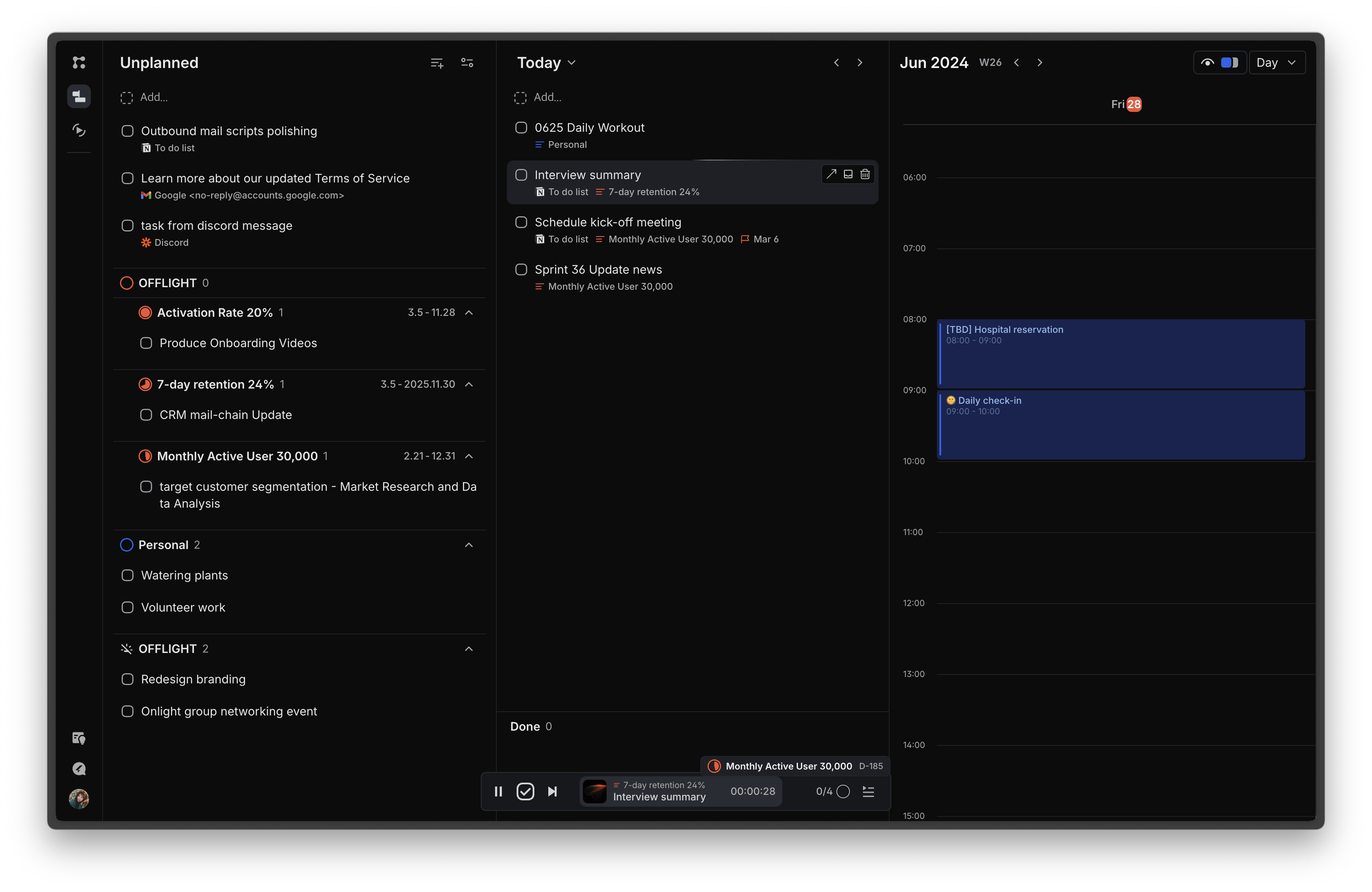
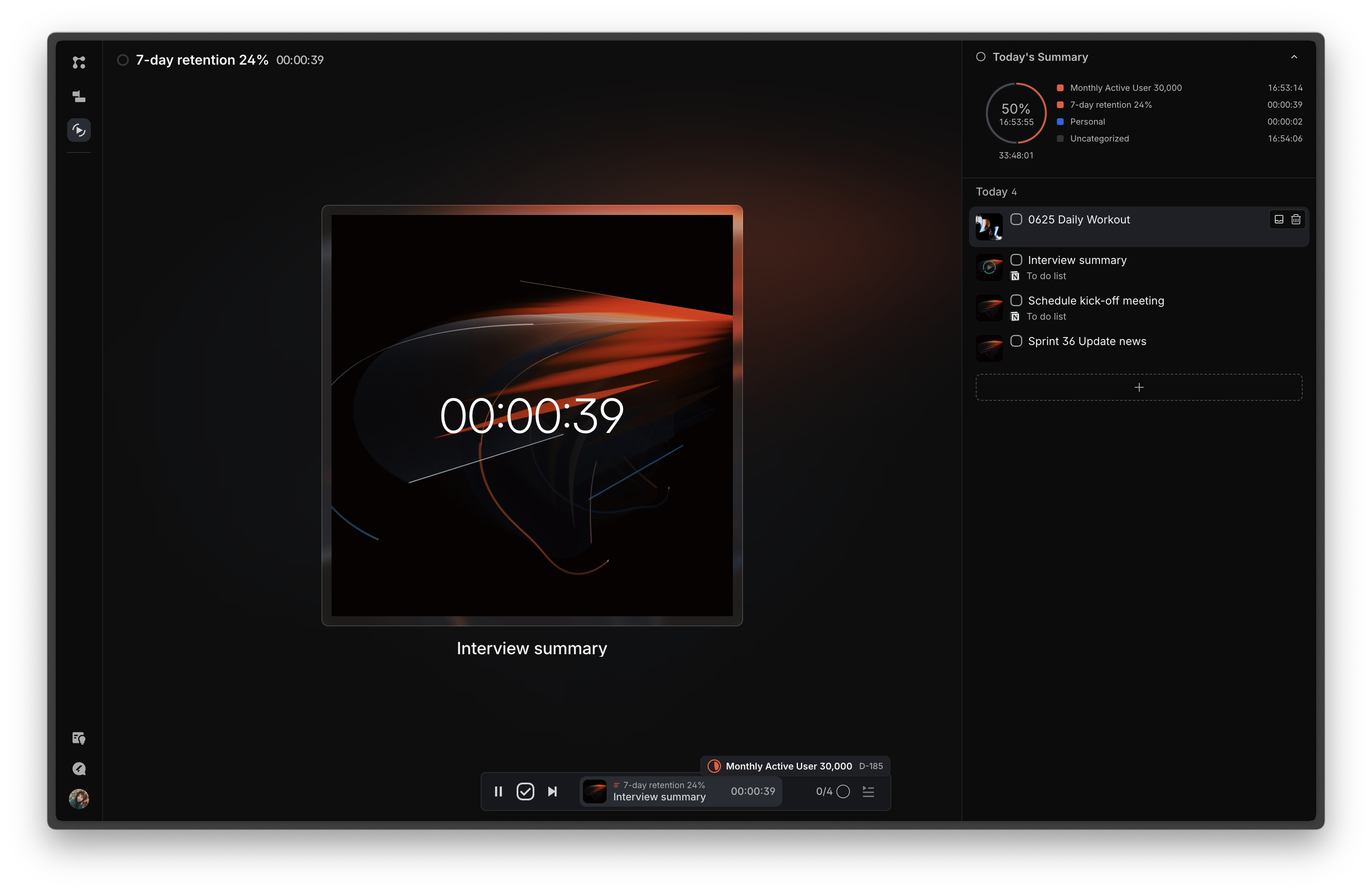
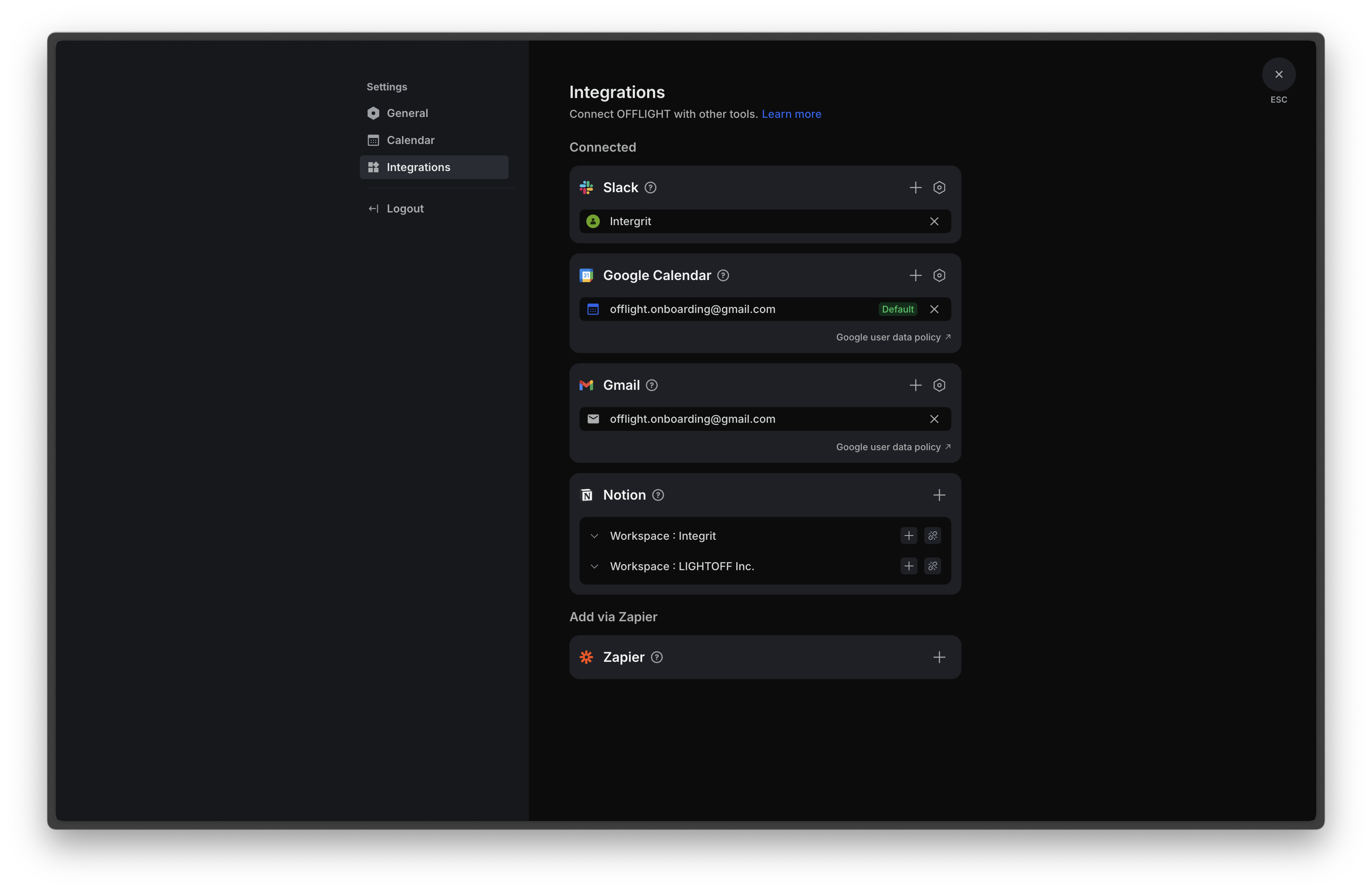
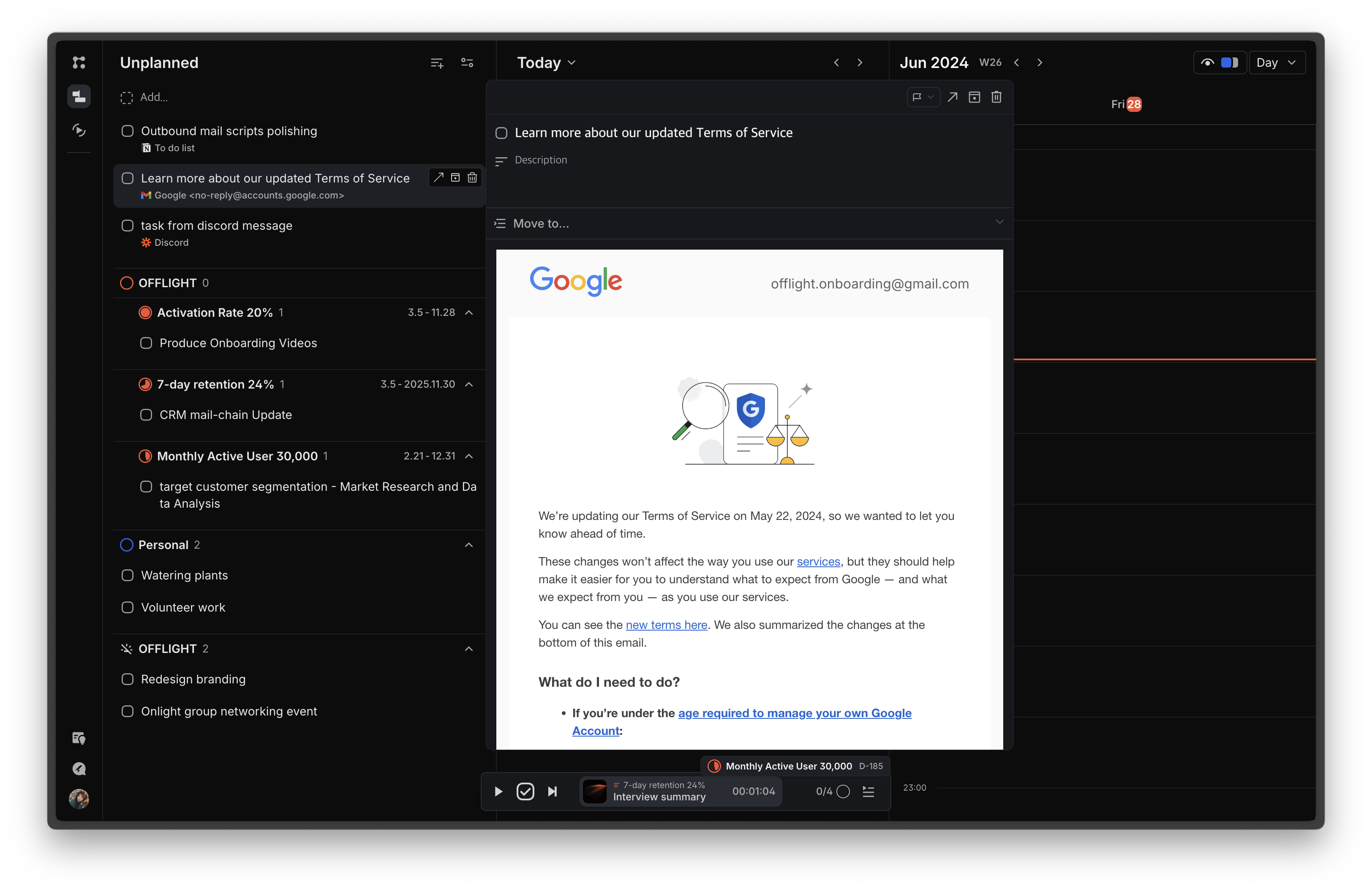
Screenshot of the page that features an inbox for incoming tasks and a planning board for task scheduling. The schedule can be viewed through the integrated Google Calendar and register events on the calendar using time blocks.Screenshot of the Focus page, where today's tasks are displayed to minimize information exposure and increase immersion. Time can be tracked for each task, with statistics on how time today was spent on different goals or lists based on the time tracking information.Screenshot of Screenshot of the Gmail integration that allows users to import emails based on their preferences: all emails, emails with specific labels, or starred emails. Additionally, if a previously imported email receives a reply, a task is automatically created. Users can view email content within the service, and completing tasks in OFFLIGHT will archive the corresponding emails in Gmail, supporting two-way synchronization.