Onapsis, headquartered in Boston, offers application security software to enterprises in the form of the Onapsis Security Platform for SAP and the Onapsis Security Platform for Oracle E-Business Suite.
N/A
Rencore Code (SPCAF)
Score8.8 out of 10
Enterprise companies (1,001+ employees)
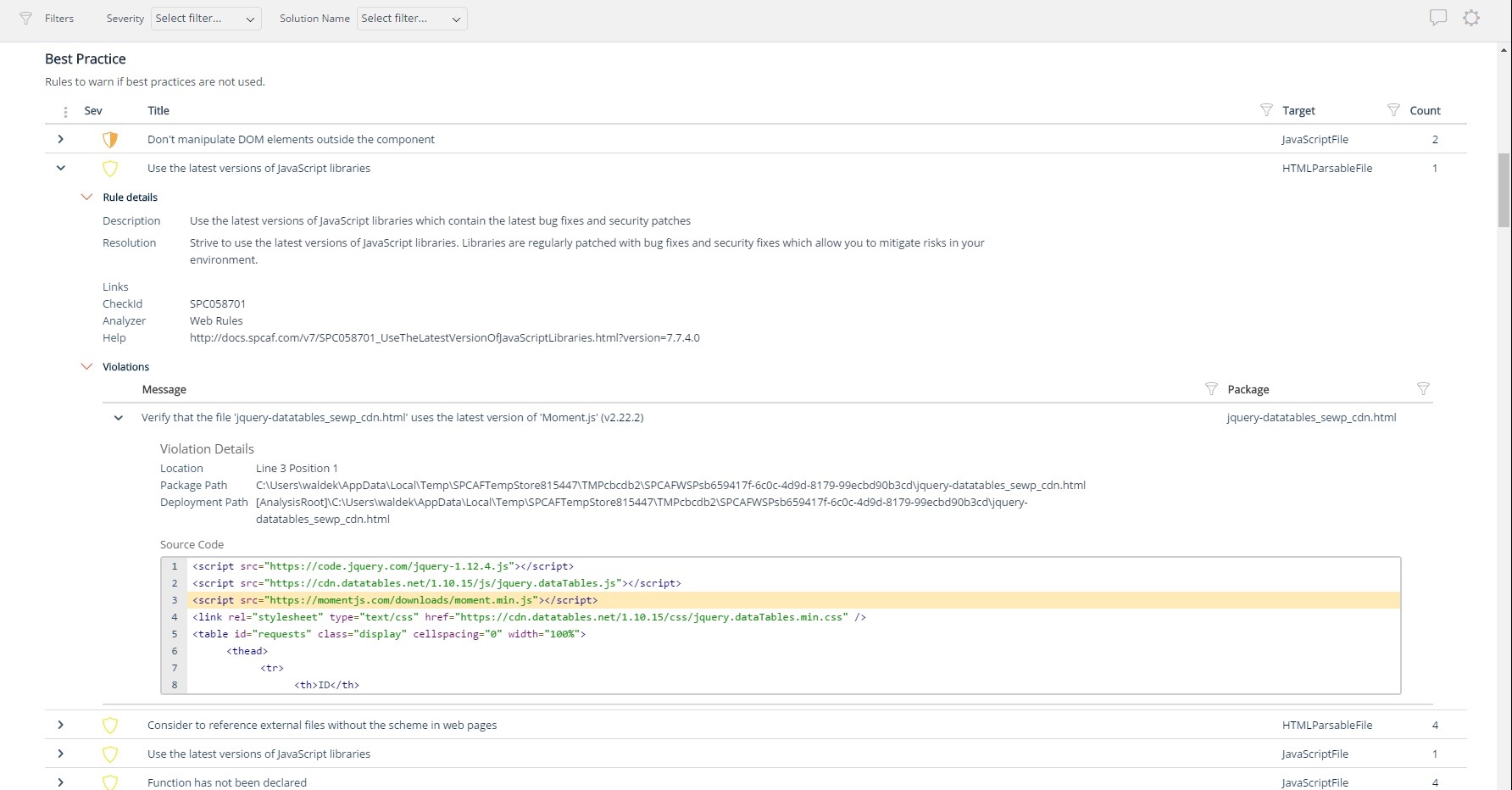
Many organizations that use Office 365 are exposed to security risks that they are unaware of. As they extend SharePoint to meet their business needs, they build applications using technologies that range from end-user Microsoft Flow to developer-focused SharePoint Framework. Unfortunately, all of these custom applications are capable of circumventing the security measures organizations have in place exposing the organization and its data to security…
In assess, it does a whitebox and blackbox testing of the ERP systems that have been added to the Onapsis console. It highlights relevant application issues and automates the process, also provides the solutions to implement the fix. In comply, it provides a governance on the various regulatory compliances which the firm has to follow, as well as provides a firm grip to the audit and ERP admin team. In control, it enables a workflow of 15 pre-defined parameter values within the SAP system and helps monitor, and track the changes made to those parameters. The capabilities are to either block, or request for an approval for changes made to those parameters in addition to just monitoring them. In defend, it goes through the SAP logs; and compares it with a pre-defined ruleset to alert the end-users via email or SIEM tool or both.
A de minimis incentive was given to thank the reviewer for their time. The incentive was not used to bias or drive a particular response, nor was the incentive contingent on a positive endorsement. More Info
For Microsoft shops that are doing custom development on the Microsoft cloud platform in Office 365 and Azure, the Rencore toolset is an absolute must, especially if you are involved in converting farm solutions to cloud, or just moving into cloud development for the first time.
Eliminating the manual process improves the overall accuracy of results and also frees up valuable resources to focus on other different projects.
Onapsis provides great leverage to our technical teams in order to review in a standardized way of the landscape.
Onapsis always matches vulnerabilities with useful context and finds possible solutions.
Onapsis is usually implemented to continuously monitor, and alert us on any issues on the SAP systems. Not only this but implementing Onapsis also eliminates the network on the year-end and month-end audits and helps in making the overall process faster, smooth, efficient as well as accurate.
A de minimis incentive was given to thank the reviewer for their time. The incentive was not used to bias or drive a particular response, nor was the incentive contingent on a positive endorsement. More Info
Unique expert knowledge of their target platforms. Not many companies have such a unique position in their target market. Their employees have a deep understanding of SharePoint, Office 365 and Azure and also regularly advise Microsoft on these matters.
Community involvement and contribution to open source projects. Key employees at Rencore are considered thought leaders in their area of expertise and contribute to high profile Microsoft open source initiatives.
Rencore's unique position when it comes to code quality analysis in the SharePoint space sets it apart. There's really no alternative.
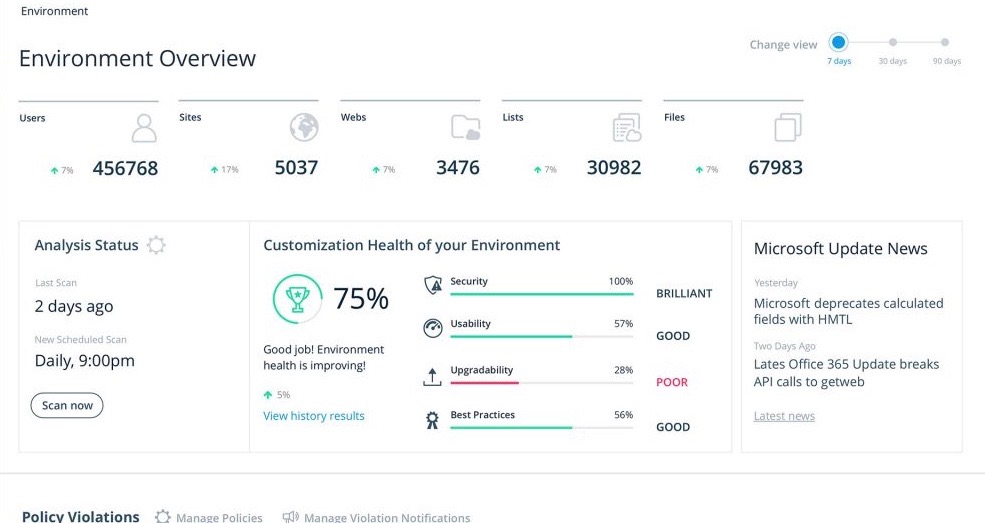
Platform governance is another Rencore strength. No other product provides the insights into your SharePoint Online environment with full auditing of not only configuration changes but also who changed which code where and when. Again no alternatives exist.
A de minimis incentive was given to thank the reviewer for their time. The incentive was not used to bias or drive a particular response, nor was the incentive contingent on a positive endorsement. More Info
Rencore's product line is of course still a bit of a niche: SharePoint code quality is not something every organization on the planet is concerned with - although Rencore does much more than that.
We feel Rencore's marketing efforts are mainly targeted at technologists. There's a lot of other potential, especially for their platform governance product.
Honestly, I havent use something like Onapsis before and currently I am not aware if there is something similiar out there. They are one of a kind and is a complete suit, so is unlikelly that someone from outside will appear with a better solution.
A de minimis incentive was given to thank the reviewer for their time. The incentive was not used to bias or drive a particular response, nor was the incentive contingent on a positive endorsement. More Info
I don't know of any products that compete in the space and if there were any, they would not stand a chance against Rencore. Behind any good product is a team of highly skilled individuals, who all have the same goal, who are passionate what they do and lastly, are in it for the betterment of where they started; As Developers themselves. You can't buy that
A de minimis incentive was given to thank the reviewer for their time. The incentive was not used to bias or drive a particular response, nor was the incentive contingent on a positive endorsement. More Info
The clear impact was the amount of time saved code reviewing or going through lines of code marked off by other tools that are not relevant. We cannot put a number on it since the project started off with the tool in place but based on the rules applied it could be as high as 20% of the project time.