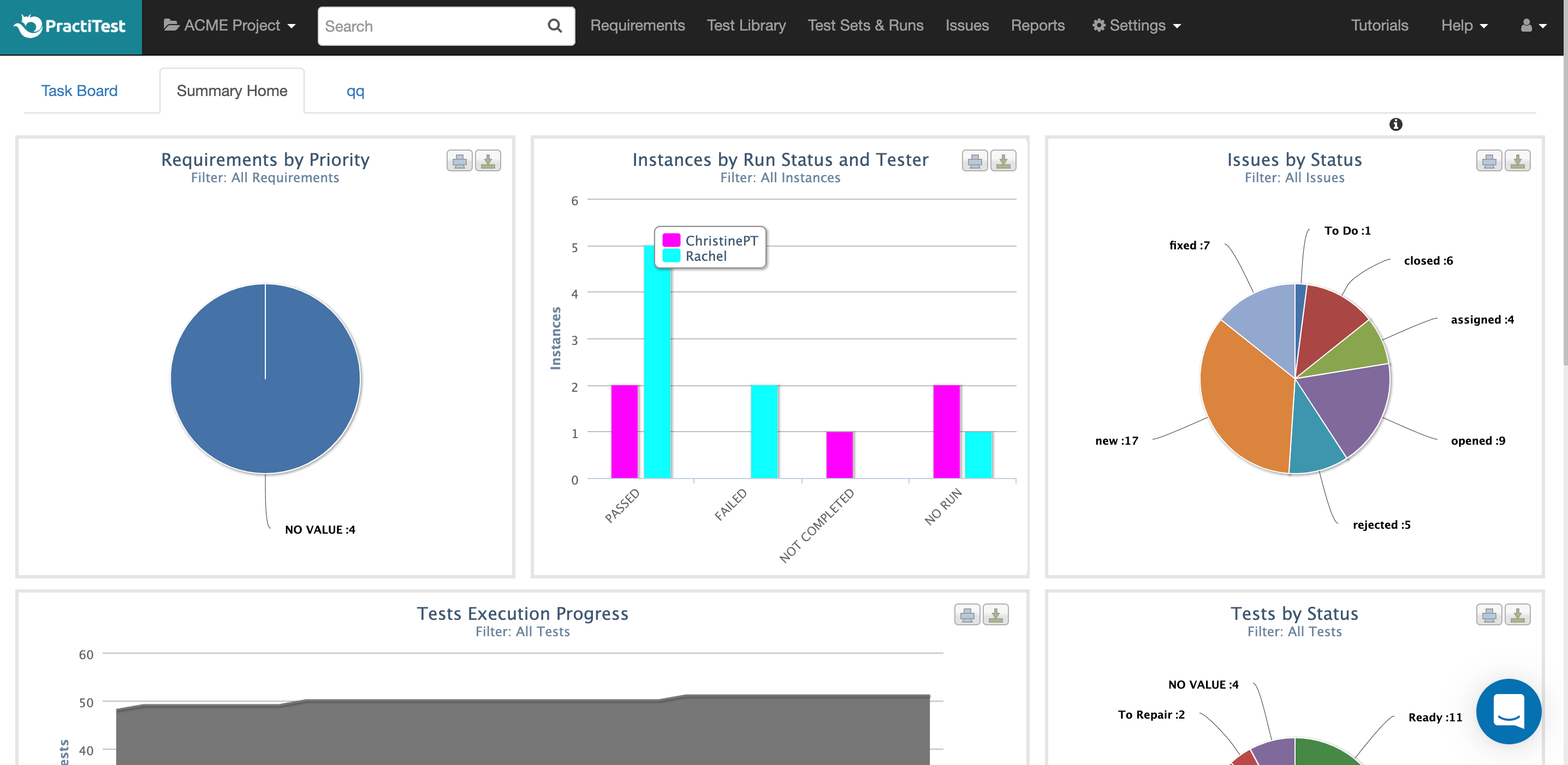
PractiTest is presented as a cloud-based test management tool that provides its customers with an end-to-end system to meet testing and QA needs. It is described by the vendor as flexible but methodological, enabling organizations to ensure visibility and communication at all levels. The solution aims to help users and project development teams streamline and manage their testing processes, while providing management with a clear and simple view of their project status at all times.
$39
user
SiteVision
Score9 out of 10
N/A
SiteVision is a web application development and hosting platform with specific integrations like geographic information systems (GIS) and emergency management.
N/A
Pricing
PractiTest
SiteVision
Editions & Modules
Professional
$39.00
user
Enterprise
$49.00
user
No answers on this topic
Offerings
Pricing Offerings
PractiTest
SiteVision
Free Trial
Yes
No
Free/Freemium Version
No
No
Premium Consulting/Integration Services
No
No
Entry-level Setup Fee
Optional
No setup fee
Additional Details
—
—
More Pricing Information
Features
PractiTest
SiteVision
Test Management
Comparison of Test Management features of PractiTest and SiteVision
PractiTest works GREAT as a test case repository. It is very easy to gather metrics, filter, and sort based on custom fields. We were able to work with the API to pull our automation results in as well. The support team is always very quick with their responses and monitors the "in-app chat." They are very open to answering questions, providing best practice materials, and looking for additional feedback. If you already have a central location for all of your test cases and testing needs, then I guess you probably wouldn't need to add another. However, PractiTest has high capability and potential, so if it's set up properly you can easily save time managing your tests.
A de minimis incentive was given to thank the reviewer for their time. The incentive was not used to bias or drive a particular response, nor was the incentive contingent on a positive endorsement. More Info
well suited scenarios are : 1. In terms of architectural context its well suited to know the exact location by 3D Model approach. 2. Its excellent to use in civil construction firms to get the exact distance management approach and to get the best design approach. Less appropriate: 1. For those projects which are not outside or in outdoors its less suited to use there. 2. AR technology +3D tech could be seen in the areas having great land coverage
A de minimis incentive was given to thank the reviewer for their time. The incentive was not used to bias or drive a particular response, nor was the incentive contingent on a positive endorsement. More Info
A de minimis incentive was given to thank the reviewer for their time. The incentive was not used to bias or drive a particular response, nor was the incentive contingent on a positive endorsement. More Info
A de minimis incentive was given to thank the reviewer for their time. The incentive was not used to bias or drive a particular response, nor was the incentive contingent on a positive endorsement. More Info
A de minimis incentive was given to thank the reviewer for their time. The incentive was not used to bias or drive a particular response, nor was the incentive contingent on a positive endorsement. More Info
A de minimis incentive was given to thank the reviewer for their time. The incentive was not used to bias or drive a particular response, nor was the incentive contingent on a positive endorsement. More Info
The chat button is available to anyone who logs into PractiTest. In my experience, the support has always been very quick, very friendly, and very thorough. They make sure that your question is answered in a way that you understand it. They also provide documentation of best practices so you are never left hanging on what to do next.
A de minimis incentive was given to thank the reviewer for their time. The incentive was not used to bias or drive a particular response, nor was the incentive contingent on a positive endorsement. More Info
I've used many different Test Case Repository tools, and while each of them has its perks, I like the capabilities of PractiTest best. When creating a test in qTest for example, you can only input information into the fields provided, and you have everything set up in a folder tree structure. With PractiTest, we are able to create custom fields and filter our tests based on those fields to provide more accurate information in a readily available format while quickly searching for the filter instead of through a folder tree. TestRail did not appear to meet our needs as a company. It just didn't have the potential that we found with PractiTest. Zephyr for example worked seamlessly with Jira, which is really nice since that is what we use for the most part. However since we cater to many different clients, we needed an external Test Case repository so we could use something that wasn't tied to 1 Jira instance.
A de minimis incentive was given to thank the reviewer for their time. The incentive was not used to bias or drive a particular response, nor was the incentive contingent on a positive endorsement. More Info
1. Easy to use 2. Easy to accessible from play store 3. Clarity of the apps shown in the screen. 4. Help center is very helpful. 5. Accuracy is very good as compare to other apps. 6. Distance management and AR tech mix up is really appreciable. 7. Power management is nice add on feature
A de minimis incentive was given to thank the reviewer for their time. The incentive was not used to bias or drive a particular response, nor was the incentive contingent on a positive endorsement. More Info
A de minimis incentive was given to thank the reviewer for their time. The incentive was not used to bias or drive a particular response, nor was the incentive contingent on a positive endorsement. More Info
A de minimis incentive was given to thank the reviewer for their time. The incentive was not used to bias or drive a particular response, nor was the incentive contingent on a positive endorsement. More Info