TrustRadius: an HG Insights company

Premier Construction Software vs. ProjectManager

Save this comparison

Save this comparison

Add Product

Recommended Comparisons

    Overview
    ProductRatingMost Used ByProduct SummaryStarting Price

    Premier Construction Software

    Score8.9 out of 10
    Enterprise companies (1,001+ employees)
    Premier is a financial and project management construction software for General Contractors, Developers, Homebuilders, and Specialty Contractors, providing the integration of accounting and project management in real-time. Tailored to the construction industry, the cloud ERP construction management platform helps to ensure financial control, operational excellence and collaboration connecting every process and stakeholder. Premier supports efficiency by streamlining the…

    $15,000

    (minimum implementation)

    ProjectManager

    Score9 out of 10
    N/AProjectManager is a cloud-based project management software. Features include file storage, client logins, unlimited projects and integration with Google Apps, Microsoft Word, Excel and Project.

    $18

    per month per user

    Pricing
    Premier Construction SoftwareProjectManager
    Editions & Modules
    Enterprise
    $249
    per month (billed annually) per user (starting at $50,000 implementation fee)
    Premium
    $299
    per month (billed annually) per user (starting at $25,000 implementation fee)
    Starter
    $349
    per month (billed annually) per user (starting at $15,000 implementation fee)
    Team
    $18
    per month per user
    Business
    $32
    per month per user
    Enterprise
    Custom
    Offerings
    Pricing Offerings
    Premier Construction SoftwareProjectManager
    Free Trial
    NoYes
    Free/Freemium Version
    NoNo
    Premium Consulting/Integration Services
    YesYes
    Entry-level Setup Fee$15,000 one-time feeOptional
    Additional DetailsMobile App: $50 /user/monthDiscount available for annual billing.
    More Pricing Information
    Features
    Premier Construction SoftwareProjectManager
    Project Management
    Comparison of Project Management features of Premier Construction Software and ProjectManager
    Feature
    Premier Construction Software
    -
    Ratings
    ProjectManager
    10.0
    2 Ratings
    26% above category average
    Task Management00 Ratings10.02 Ratings
    Resource Management00 Ratings10.02 Ratings
    Gantt Charts00 Ratings10.02 Ratings
    Scheduling00 Ratings10.02 Ratings
    Workflow Automation00 Ratings10.02 Ratings
    Team Collaboration00 Ratings10.02 Ratings
    Support for Agile Methodology00 Ratings10.02 Ratings
    Support for Waterfall Methodology00 Ratings10.02 Ratings
    Document Management00 Ratings10.02 Ratings
    Email integration00 Ratings10.02 Ratings
    Mobile Access00 Ratings10.02 Ratings
    Change request and Case Management00 Ratings10.02 Ratings
    Budget and Expense Management00 Ratings10.02 Ratings
    Best Alternatives
    Premier Construction SoftwareProjectManager
    Small Businesses
    No answers on this topic
    Any.do
    Score8 out of 10
    Medium-sized Companies
    No answers on this topic
    KanbanFlow
    Score7.3 out of 10
    Enterprises
    No answers on this topic
    Microsoft To Do
    Score7.9 out of 10
    All AlternativesView all alternativesView all alternatives
    User Ratings
    Premier Construction SoftwareProjectManager
    Likelihood to Recommend
    10.0
    (3 ratings)
    10.0
    (2 ratings)
    Usability
    9.0
    (1 ratings)
    -
    (0 ratings)
    Support Rating
    10.0
    (2 ratings)
    -
    (0 ratings)
    User Testimonials
    Premier Construction SoftwareProjectManager
    Likelihood to Recommend
    Premier Construction Software
    Jonas is well suited for the construction industry and for trades that work in construction. The functionality and features are set up to streamline the processes that take place daily, weekly, and monthly. You are also able to manage the big picture and track your company's information for multiple years, making it a scalable software. Our administration and project managers can streamline work from the field to the office through Jonas and we feel that is one of the biggest benefits to Jonas
    Incentivized
    Read full review
    ProjectManager.com
    Because I work with many people for whom Project Management is new, I wanted to use software that was user-friendly, fairly intuitive, and not filled with jargon. I like the fact I can use existing templates that (mostly) work for our needs, and I look forward to more things being added. They say support is 72 hours, but I’ve never waited for more than a few.
    Incentivized
    Read full review
    Pros
    Premier Construction Software
    • Job Dashboard gives you a great summary of that job at a glance. I can even pull direct reports based on the fact that there are drill-downs.
    • I can go right to the receipt with the GL report drill-down capabilities.
    • Workflows make the product accessible from anywhere for approval when I have people on the road.
    • Dragging and dropping reports to in AP will then go to documents under the job it is attached to.
    Incentivized
    Read full review
    ProjectManager.com
    • Creating job schedules and milestones, which we provide to our clients as well as our vendors.
    • A one stop shop for downloading/uploading any job/site specific documents (issues, daily reports, photos, signoffs, etc.).
    • Real time communication with your clients. As soon as an issue has been raised within ProjectManager.com, everyone attached to that job with get an email notification of what has been communicated or what document has been uploaded.
    Incentivized
    Read full review
    Cons
    Premier Construction Software
    • Workflows could be more customized
    • Invoice and Subcontractor portals could be easier to use
    • Blanket changes across jobs when a policy/template is changed
    Incentivized
    Read full review
    ProjectManager.com
    • hope for expanded offerings. They seem to be in the works.
    Incentivized
    Read full review
    Usability
    Premier Construction Software
    Using Premier Construction Software is intuitive. Most of the modules work the same way, so once you learn to use one, the others come easily.
    Incentivized
    Read full review
    ProjectManager.com
    No answers on this topic
    Support Rating
    Premier Construction Software
    Jonas Premier has some of the best support we've received in this business. Whenever there is an issue or question, we receive a response in a timely manner and get follow up as well. We have never had an issue getting something resolved and our feedback is always taken into account
    Incentivized
    Read full review
    ProjectManager.com
    No answers on this topic
    Alternatives Considered
    Premier Construction Software
    We came away from Sage 100. We looked at Computerease and Foundation among a few others. These two were looked at most seriously.
    Incentivized
    Read full review
    ProjectManager.com
    We have not used any other project management software since using ProjectManager.com.
    Incentivized
    Read full review
    Return on Investment
    Premier Construction Software
    • Jonas has positively impacted our Accounts Payable and Receivable department by making tracking and processing organized and streamlined. Previously we were having to track invoices and payments through emails and various formats. We are now able to connect each AP or AR invoice to the job and subcontractor, keep track of the billing due dates, and have all the paperwork generated from Jonas.
    Incentivized
    Read full review
    ProjectManager.com
    • less time spent “looking for things” it’s all there.
    • Having all the deliverables and timelines together has been great.
    • I don’t have the version with employee time tracking, but we are considering the upgrade.
    Incentivized
    Read full review
    ScreenShots

    Premier Construction Software Screenshots

    Product screenshotProduct screenshotProduct screenshotProduct screenshotProduct screenshotProduct screenshot

    ProjectManager Screenshots

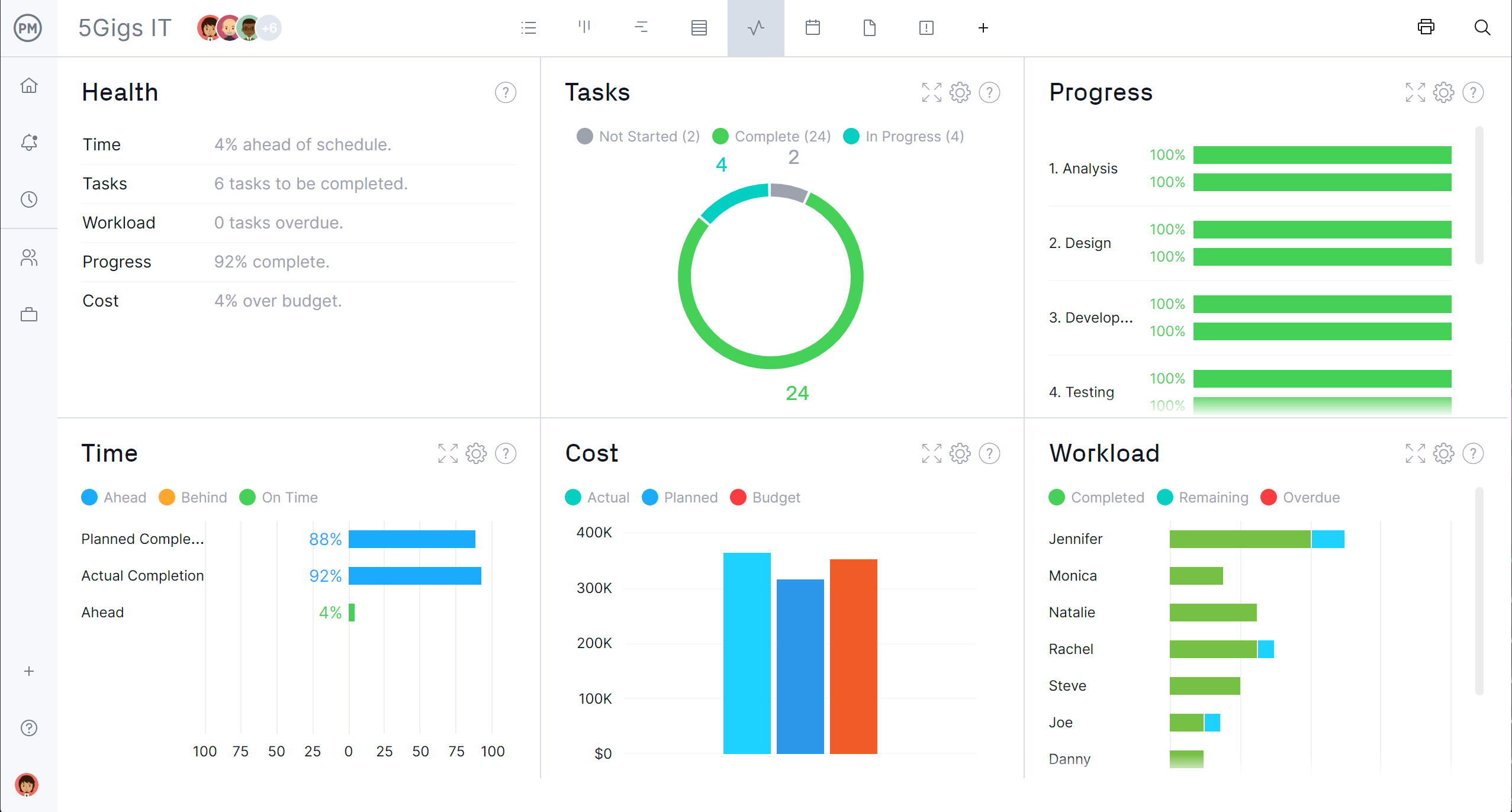
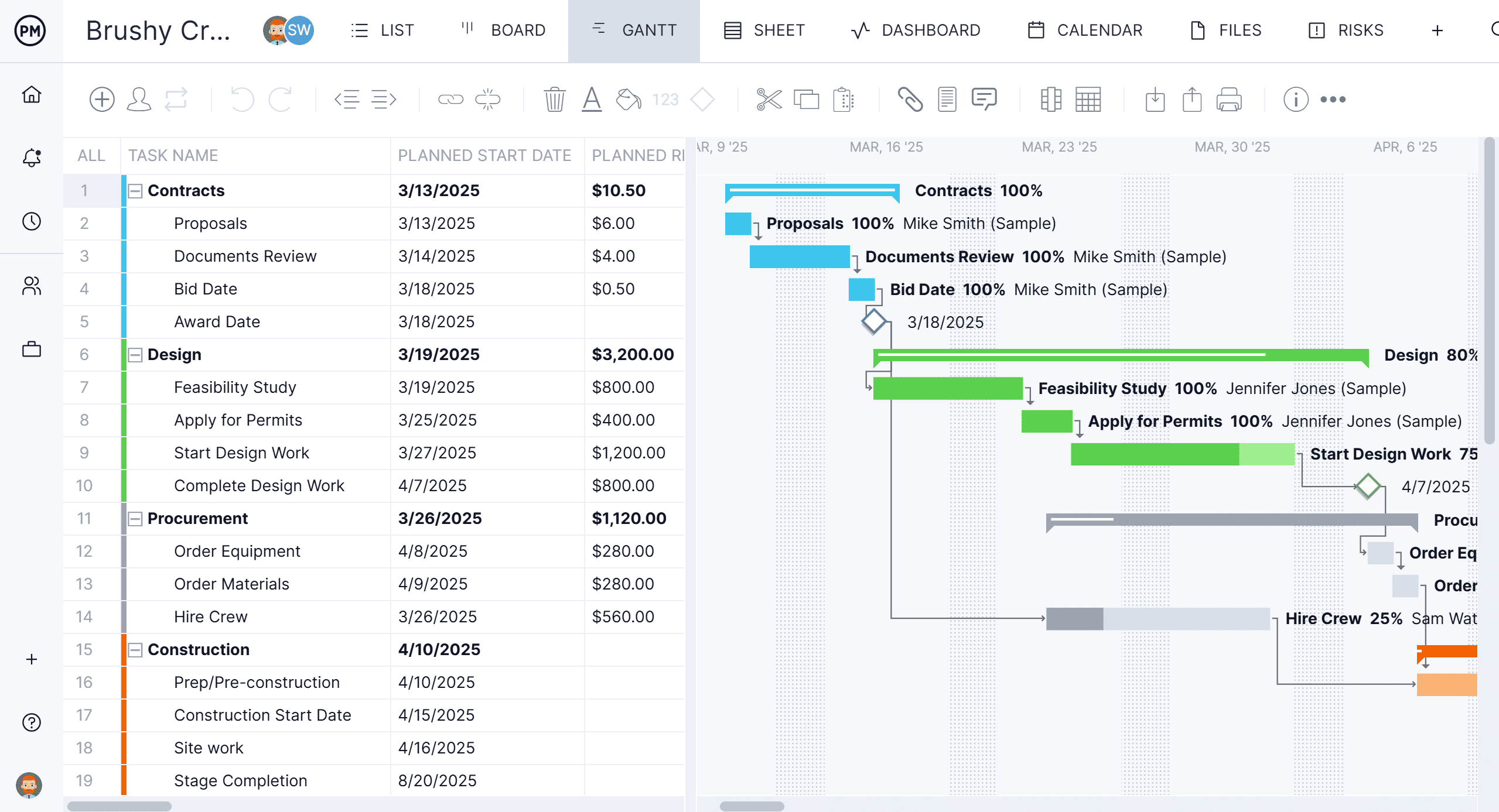
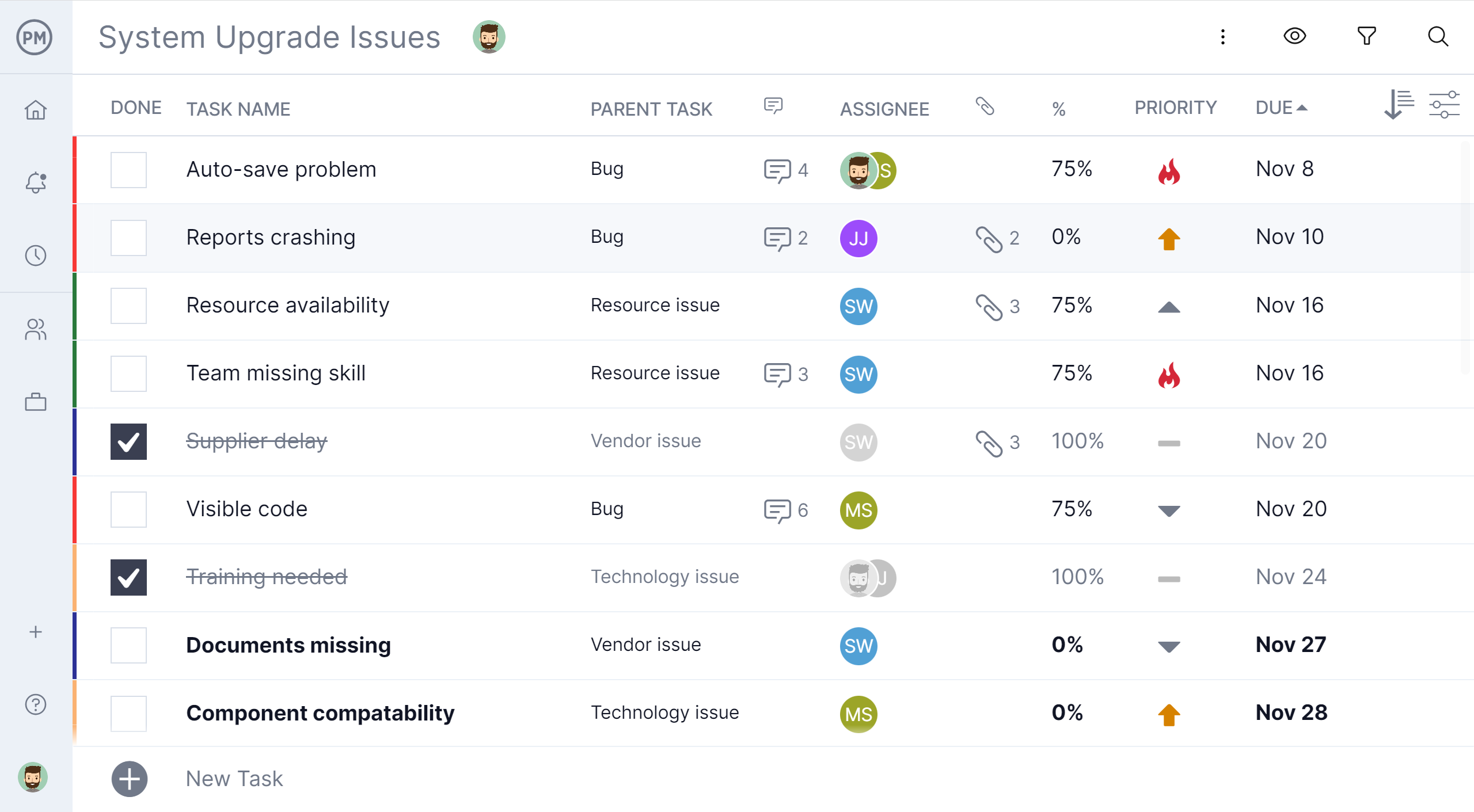
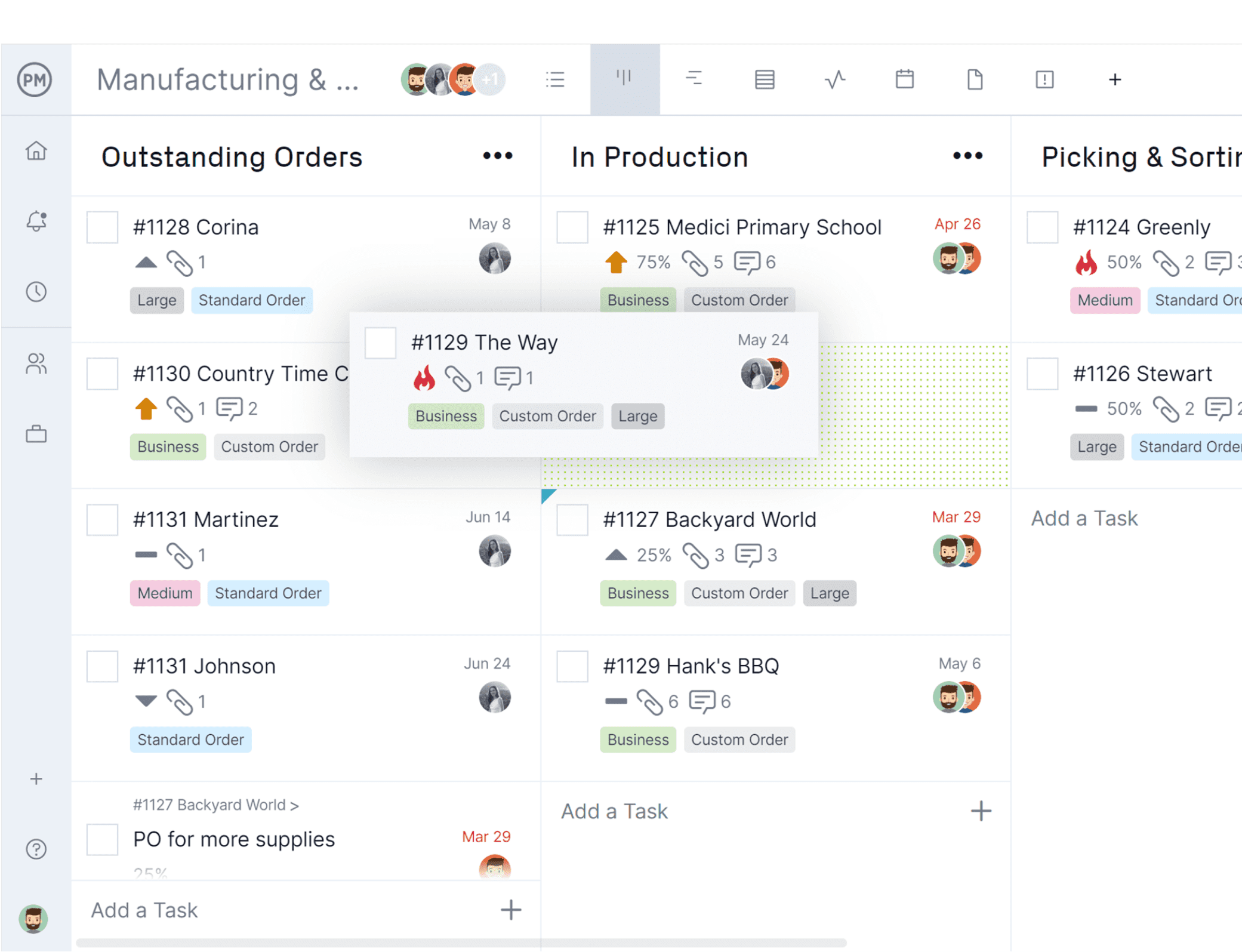
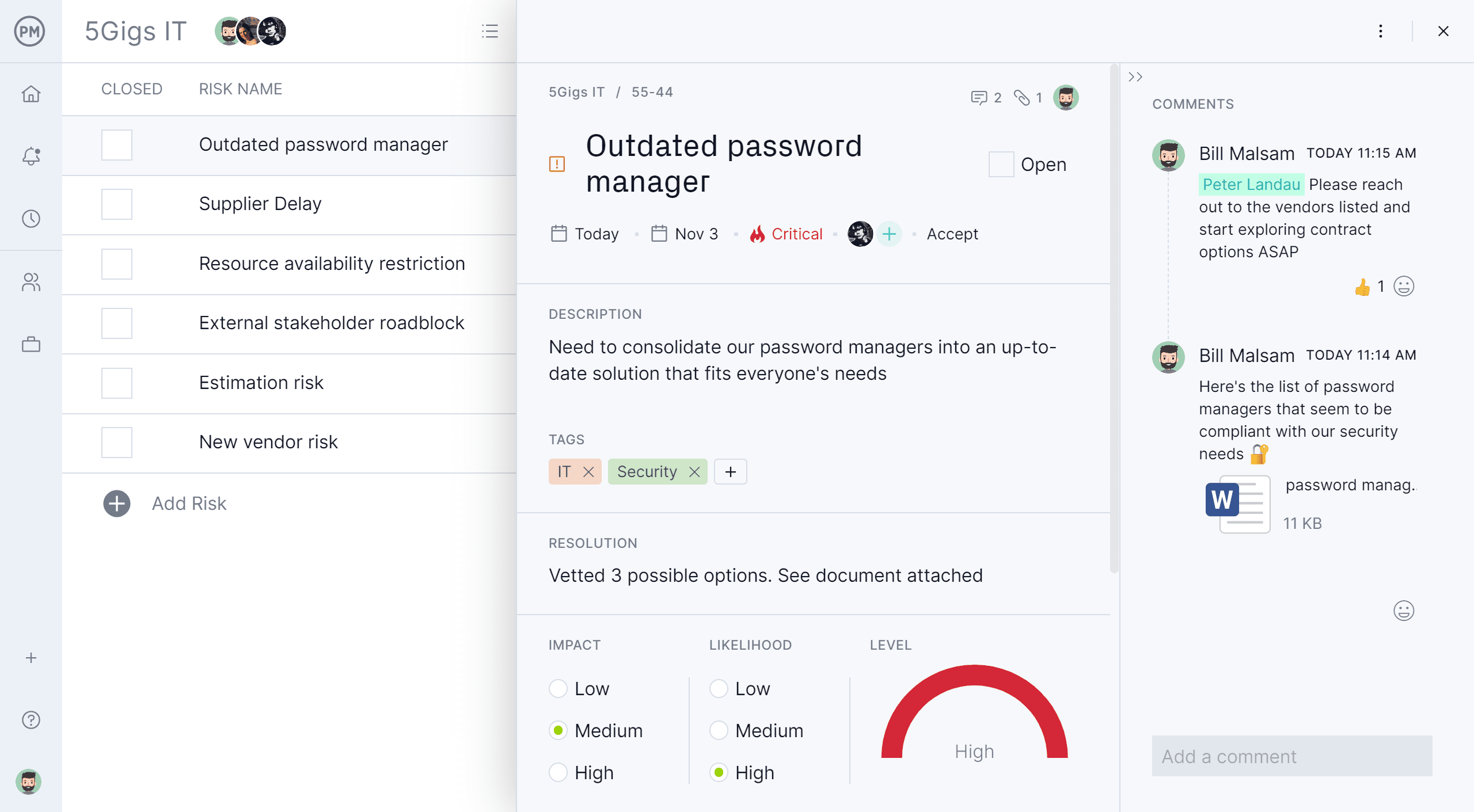
    Screenshot of the project dashboardScreenshot of project reportingScreenshot of a Gantt chartScreenshot of a task list viewScreenshot of a Kanban board with a task card moving between columnsScreenshot of the risk management interface, with built-in RAID log