ProjectManager vs. WebWork Time Tracker

Overview
ProductRatingMost Used ByProduct SummaryStarting Price
ProjectManager
Score 9.0 out of 10
N/A
ProjectManager is a cloud-based project management software. Features include file storage, client logins, unlimited projects and integration with Google Apps, Microsoft Word, Excel and Project.
$18
per month per user
WebWork Time Tracker
Score 9.6 out of 10
Small Businesses (1-50 employees)
WebWork Time Tracker is a time tracking and workforce management platform designed for growing teams. It combines automatic time tracking, task management, attendance and leave management, optional screenshots, and AI-driven productivity insights. WebWork integrates natively with Slack, Notion, and Asana, plus provides access to 8,000+ additional tools through Zapier and Make. WebWork is available across desktop (Windows, macOS, Linux), web, and mobile. Key Solutions…
$4.99
per month per user
Pricing
ProjectManagerWebWork Time Tracker
Editions & Modules
Team
$18
per month per user
Business
$32
per month per user
Enterprise
Custom
Pro
$4.99
per month per user
Plus
$7.99
per month per user
Premium
$8.99
per month per user
Offerings
Pricing Offerings
ProjectManagerWebWork Time Tracker
Free Trial
YesYes
Free/Freemium Version
NoNo
Premium Consulting/Integration Services
YesNo
Entry-level Setup FeeOptionalNo setup fee
Additional DetailsDiscount available for annual billing.14-day free trial for all pricing plans. No credit card is required. Discount available for annual pricing.
More Pricing Information
Community Pulse
ProjectManagerWebWork Time Tracker
Features
ProjectManagerWebWork Time Tracker
Project Management
Comparison of Project Management features of Product A and Product B
ProjectManager
10.0
2 Ratings
25% above category average
WebWork Time Tracker
-
Ratings
Task Management10.02 Ratings00 Ratings
Resource Management10.02 Ratings00 Ratings
Gantt Charts10.02 Ratings00 Ratings
Scheduling10.02 Ratings00 Ratings
Workflow Automation10.02 Ratings00 Ratings
Team Collaboration10.02 Ratings00 Ratings
Support for Agile Methodology10.02 Ratings00 Ratings
Support for Waterfall Methodology10.02 Ratings00 Ratings
Document Management10.02 Ratings00 Ratings
Email integration10.02 Ratings00 Ratings
Mobile Access10.02 Ratings00 Ratings
Change request and Case Management10.02 Ratings00 Ratings
Budget and Expense Management10.02 Ratings00 Ratings
Best Alternatives
ProjectManagerWebWork Time Tracker
Small Businesses
Stackby
Stackby
Score 8.9 out of 10
Traqq
Traqq
Score 9.1 out of 10
Medium-sized Companies
InEight
InEight
Score 8.4 out of 10
TimeClock Plus
TimeClock Plus
Score 9.5 out of 10
Enterprises
InEight
InEight
Score 8.4 out of 10
Zoho People
Zoho People
Score 8.9 out of 10
All AlternativesView all alternativesView all alternatives
User Ratings
ProjectManagerWebWork Time Tracker
Likelihood to Recommend
10.0
(2 ratings)
10.0
(1 ratings)
User Testimonials
ProjectManagerWebWork Time Tracker
Likelihood to Recommend
ProjectManager.com
Because I work with many people for whom Project Management is new, I wanted to use software that was user-friendly, fairly intuitive, and not filled with jargon. I like the fact I can use existing templates that (mostly) work for our needs, and I look forward to more things being added. They say support is 72 hours, but I’ve never waited for more than a few.
Read full review
WebWork Time Tracker
WebWork is well suited for all organizations where they need to maintain a tracker for the employee to detect productivity and maintain attendance by calculating time. We can easily manage projects with WebWork and also easy for the team to work on.
Read full review
Pros
ProjectManager.com
  • Creating job schedules and milestones, which we provide to our clients as well as our vendors.
  • A one stop shop for downloading/uploading any job/site specific documents (issues, daily reports, photos, signoffs, etc.).
  • Real time communication with your clients. As soon as an issue has been raised within ProjectManager.com, everyone attached to that job with get an email notification of what has been communicated or what document has been uploaded.
Read full review
WebWork Time Tracker
  • It super cool features to detect user's productivity
  • We can work on team easily through WebWork on perticular project.
  • Accurate time showing.
  • Catch snapshot of user's screen on daily basis.
Read full review
Cons
ProjectManager.com
  • hope for expanded offerings. They seem to be in the works.
Read full review
WebWork Time Tracker
  • Some times snapshot of user's screen is going black.
Read full review
Alternatives Considered
ProjectManager.com
We have not used any other project management software since using ProjectManager.com.
Read full review
WebWork Time Tracker
No answers on this topic
Return on Investment
ProjectManager.com
  • less time spent “looking for things” it’s all there.
  • Having all the deliverables and timelines together has been great.
  • I don’t have the version with employee time tracking, but we are considering the upgrade.
Read full review
WebWork Time Tracker
  • It impact almost positively in our organization like we can maintain attendance and check time spent.
  • Easily maintain task on different project.
Read full review
ScreenShots

ProjectManager Screenshots

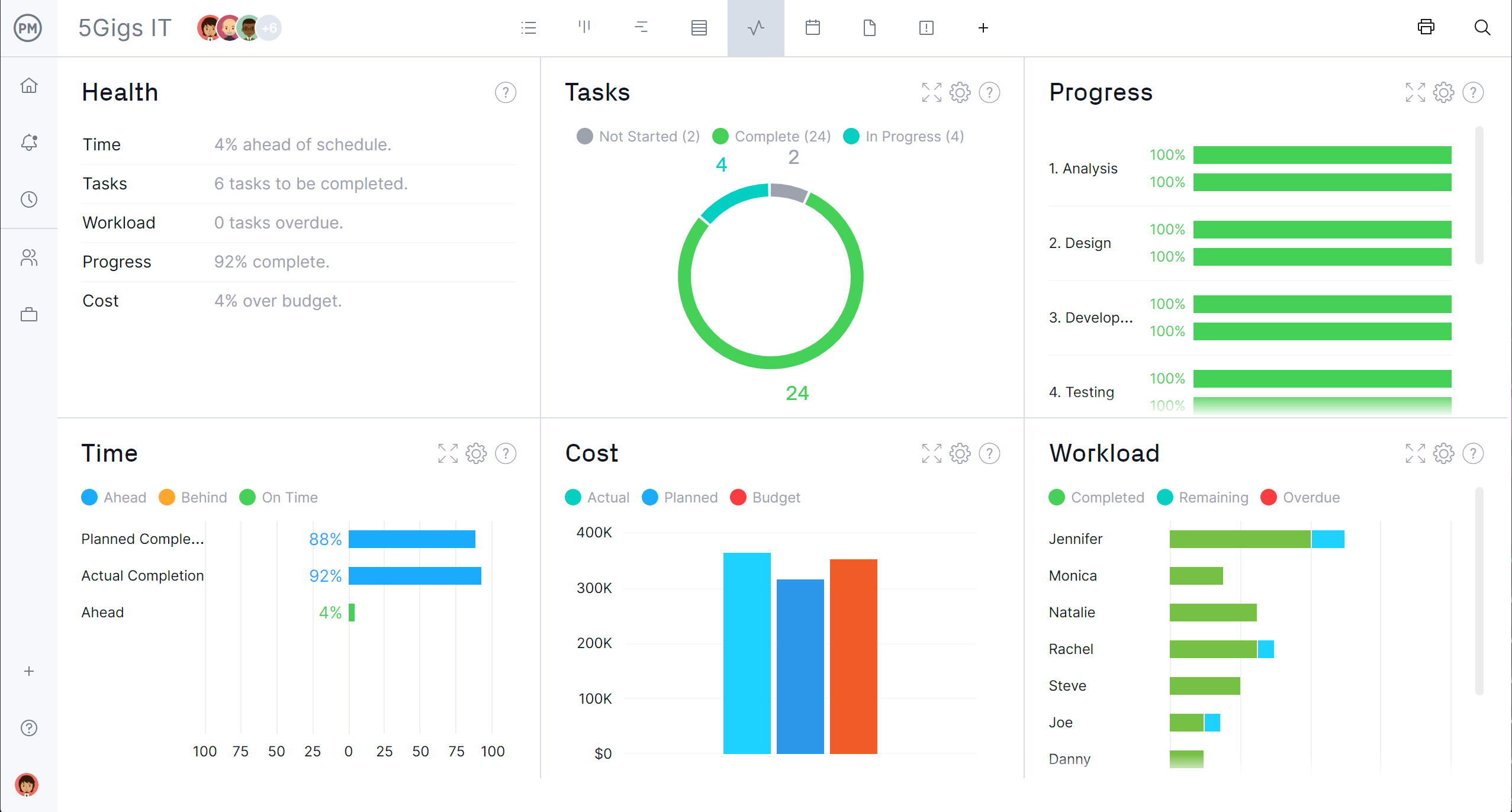
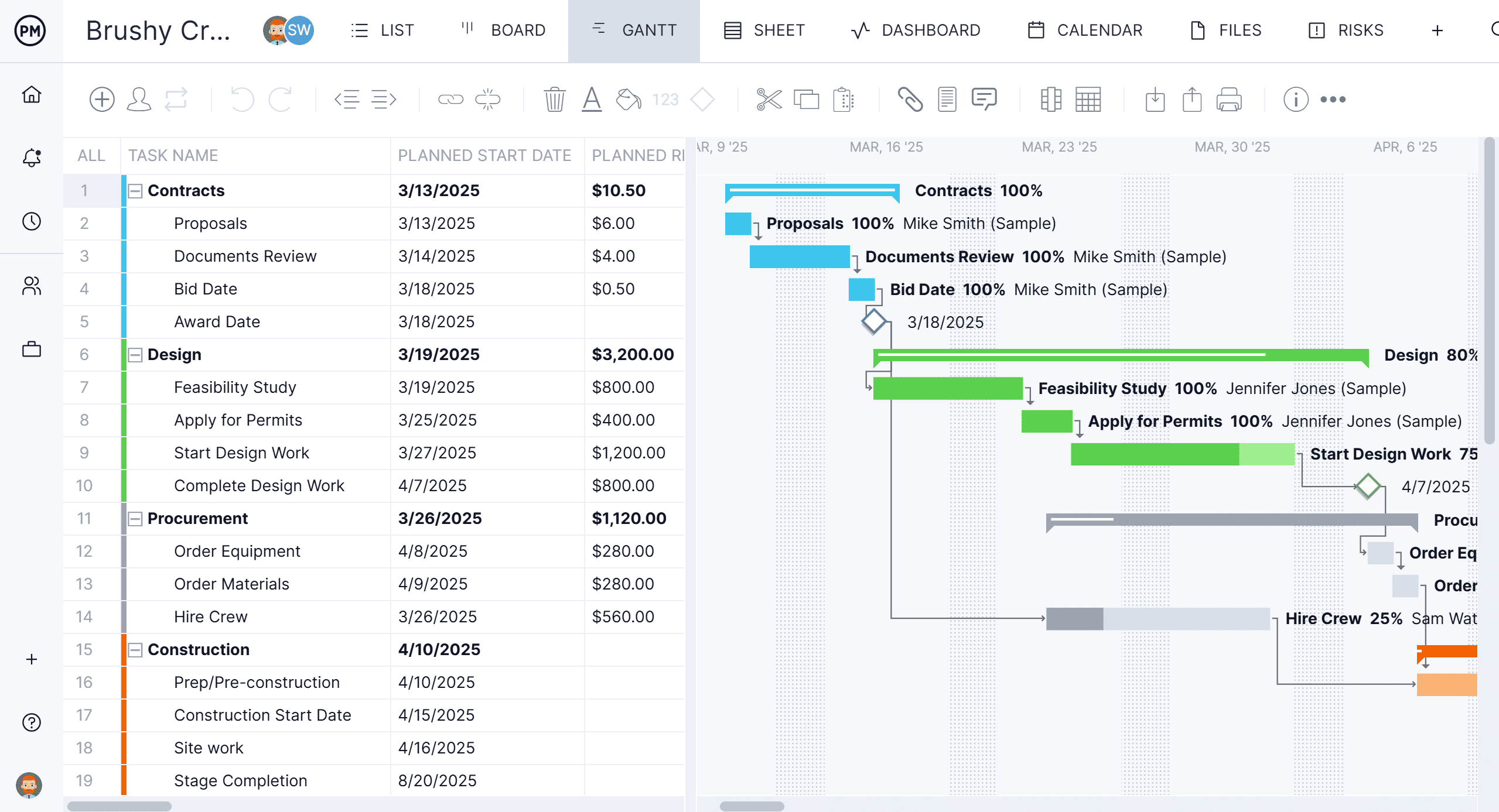
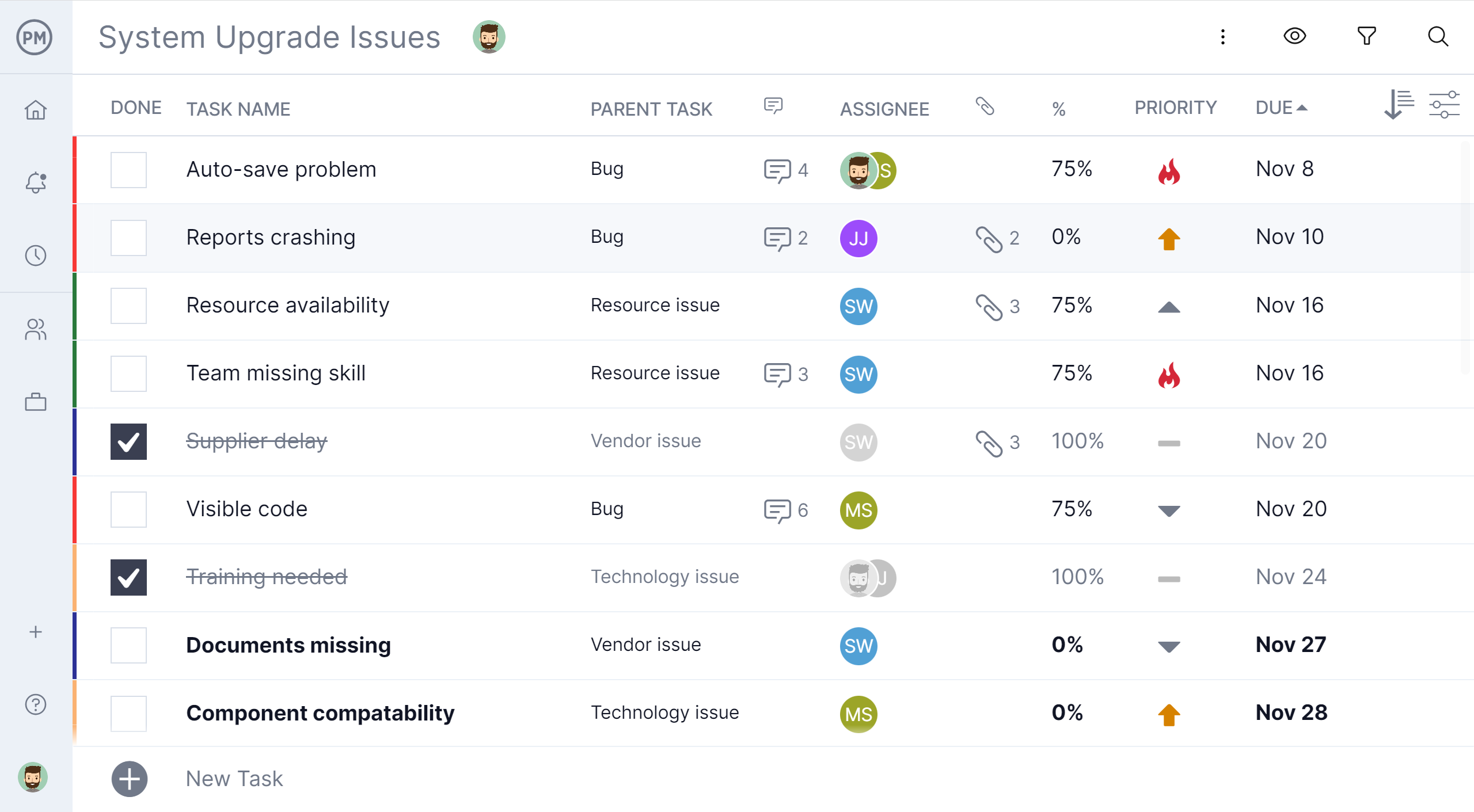
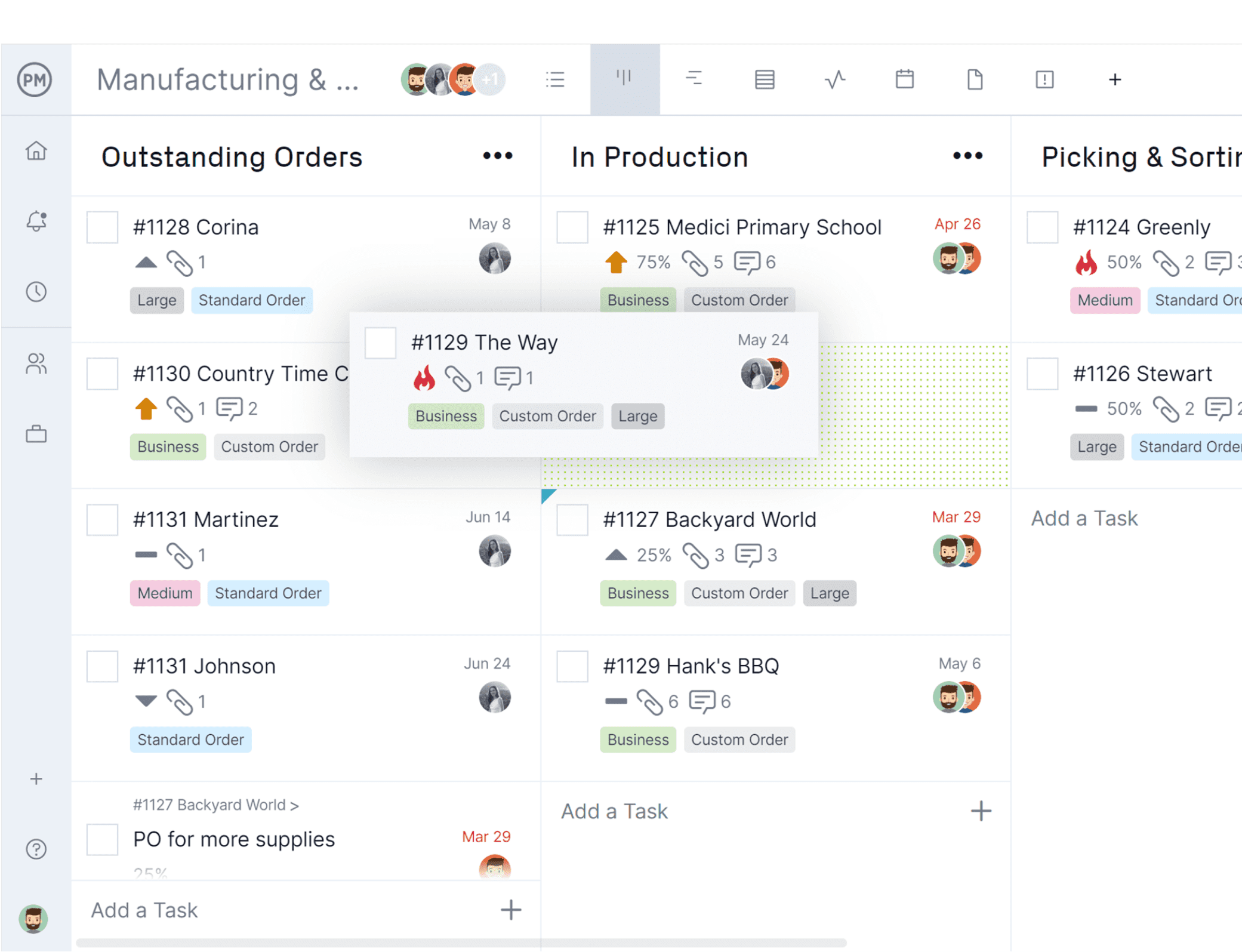
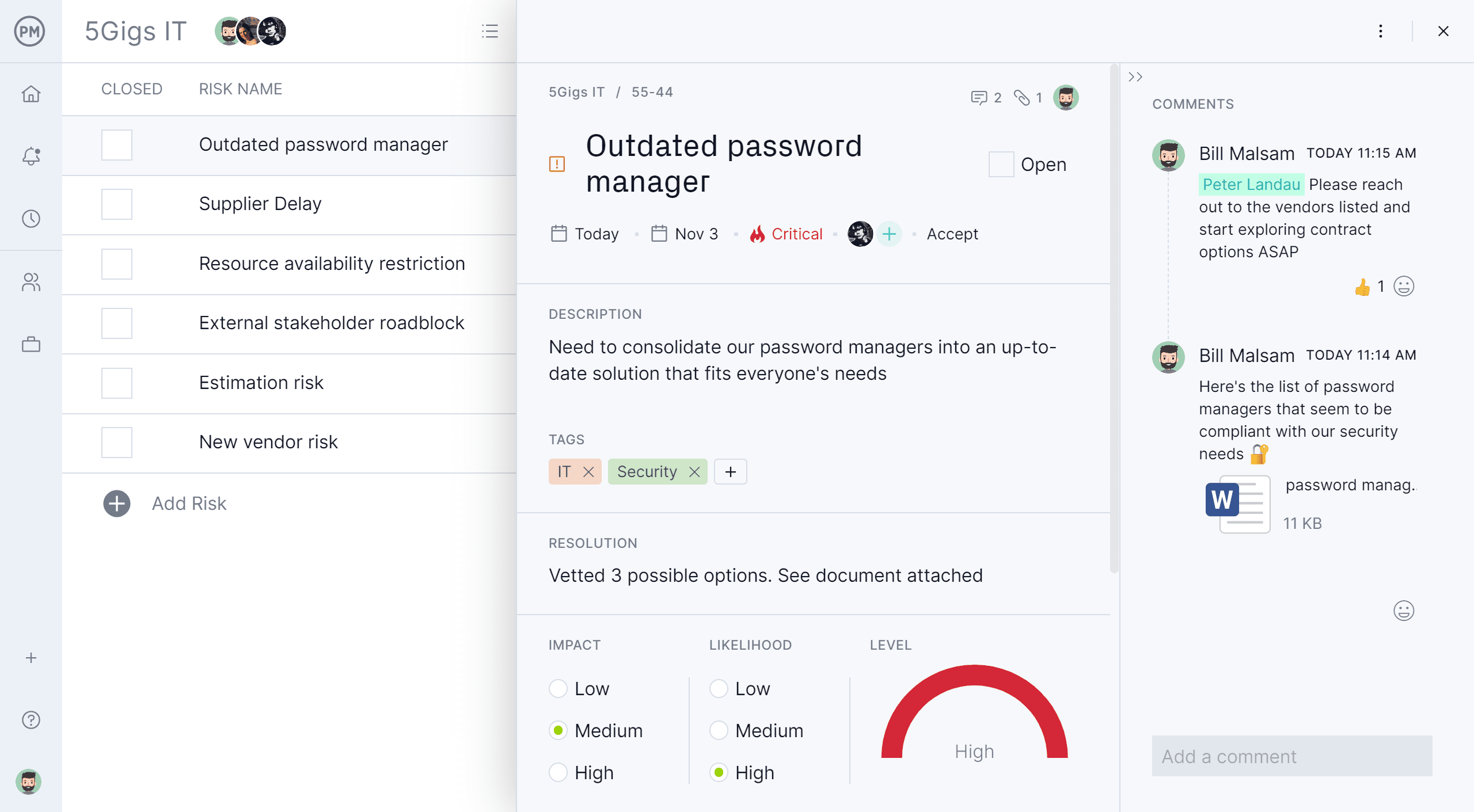
Screenshot of the project dashboardScreenshot of project reportingScreenshot of a Gantt chartScreenshot of a task list viewScreenshot of a Kanban board with a task card moving between columnsScreenshot of the risk management interface, with built-in RAID log

WebWork Time Tracker Screenshots

Screenshot of the payment processScreenshot of the time tracker, with screenshots with 4 modes for increased transparencyScreenshot of productivity monitoring and activity level reportsScreenshot of the team productivity monitoring interfaceScreenshot of timesheet approvals for streamlined processesScreenshot of