ReadCube Papers vs. Zenreader

Overview
ProductRatingMost Used ByProduct SummaryStarting Price
ReadCube Papers
Score 9.0 out of 10
N/A
Digital Science company ReadCube now offers Papers, a reference management application.
$36
per user
Zenreader
Score 0.0 out of 10
N/A
Zenreader is a desktop software used by students, researchers and professionals to collect, organise and combine knowledge to produce great work in less time. Zenreader is used to rapidly build a body of knowledge and evidence from PDF documents and webpages. With Zenreader users read documents, highlight text and images, capture thoughts and draft evidence-based notes. With one click users then export all of your work to your favourite writing software. Zenreader is designed with…N/A
Pricing
ReadCube PapersZenreader
Editions & Modules
Student
$36.00
per user
Academic (Indivdual)
$60.00
per user
Corporate
$120.00
per user
No answers on this topic
Offerings
Pricing Offerings
ReadCube PapersZenreader
Free Trial
YesYes
Free/Freemium Version
NoYes
Premium Consulting/Integration Services
NoYes
Entry-level Setup FeeNo setup feeNo setup fee
Additional Details
More Pricing Information
Community Pulse
ReadCube PapersZenreader
User Ratings
ReadCube PapersZenreader
Likelihood to Recommend
9.0
(2 ratings)
-
(0 ratings)
User Testimonials
ReadCube PapersZenreader
Likelihood to Recommend
Digital Science
ReadCube Papers has become an indispensable tool for my research. It offers a solution that keeps my library of research articles organized, and has improved the numbers of papers I am reading and annotating. The user-friendly interface simplifies the process of categorizing papers, highlighting essential text, and adding personal notes directly to the documents. The library is available online and through their own in-house application, which has worked perfectly (and much better than other solutions I have tried to use previously). In short, ReadCube Papers has truly improved the way I manage my research materials, making my academic life much more efficient and enjoyable.
Read full review
Leapian
No answers on this topic
Pros
Digital Science
  • Easy including references to projects
  • Easily share literature with clients and teammates
  • Cross-reference on Microsoft Word
Read full review
Leapian
No answers on this topic
Cons
Digital Science
  • Extract content of single document as annotations for project
  • See documents as a part of a project, not just a list of names
Read full review
Leapian
No answers on this topic
Alternatives Considered
Digital Science
The graphic user interface is beautiful; adding literature to a project is a seamless process, annotations while collaborating are intuitive and sometimes even fun. Competitors might be cheaper but do not consolidate all the tools that ReadCube has been able to achieve.
Read full review
Leapian
No answers on this topic
Return on Investment
Digital Science
  • It has saved us while sharing documents with colleagues and clients.
  • It helped us improve our writing process metrics, time and outcome.
Read full review
Leapian
No answers on this topic
ScreenShots

ReadCube Papers Screenshots

Screenshot of Automatic meta-data matching, organizational collections, personal and shared spaces, and article previewsScreenshot of Automatic matching of available supplements when you import the main paper into PapersScreenshot of Share your collections with your collaboratorsScreenshot of Left panel within the reader offers a breadth of information including figure browsers, reference list, notes panel, supplements, metrics, citation export and related articlesScreenshot of Our enhanced reader comes with hyperlinked inline references and an array of annotation tools including inline notes, post-its, highlighting and draw featuresScreenshot of Left panel within the reader offers a breadth of information including figure browsers, reference list, notes panel, supplements, metrics, citation export and related articles

Zenreader Screenshots

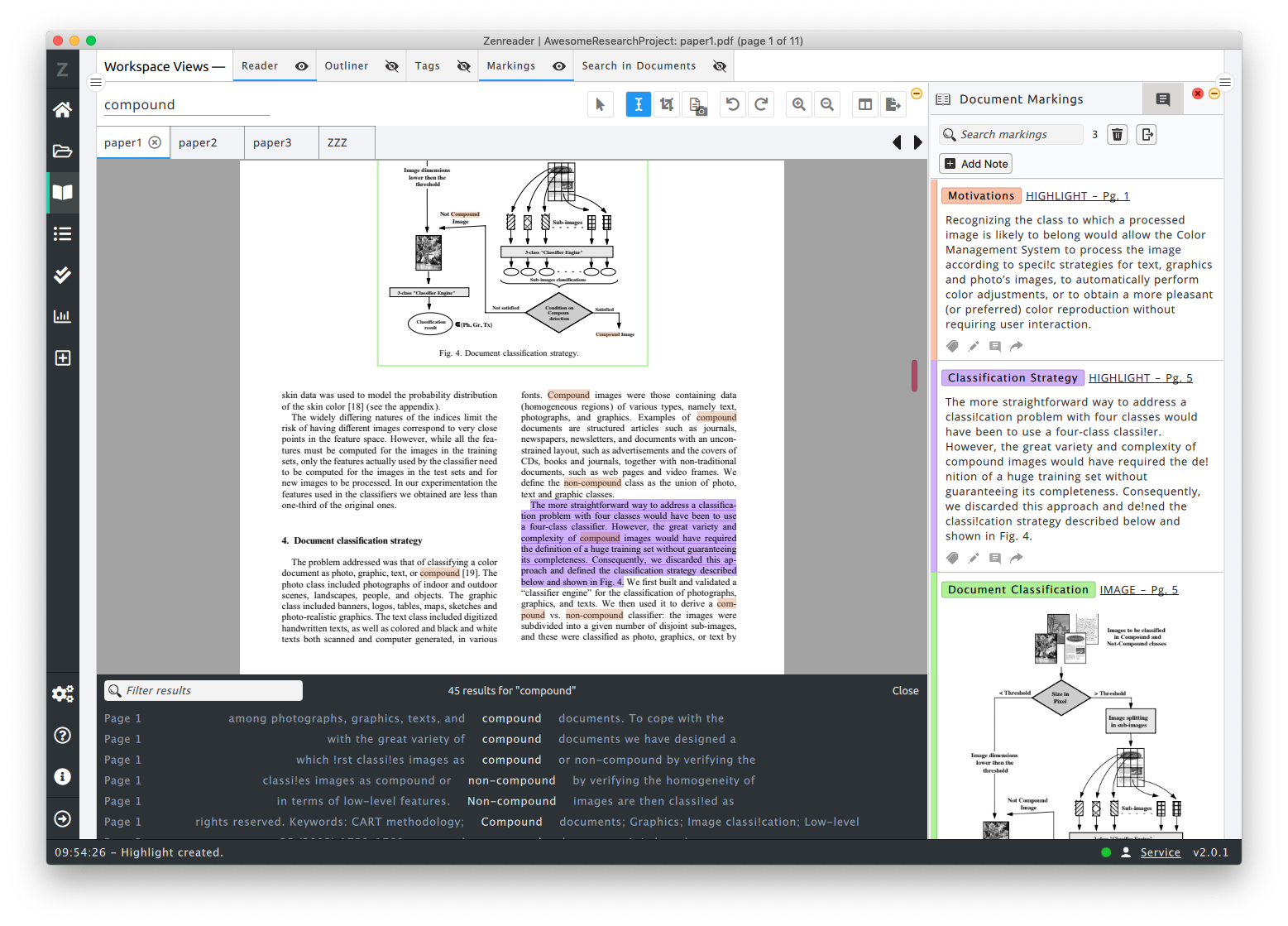
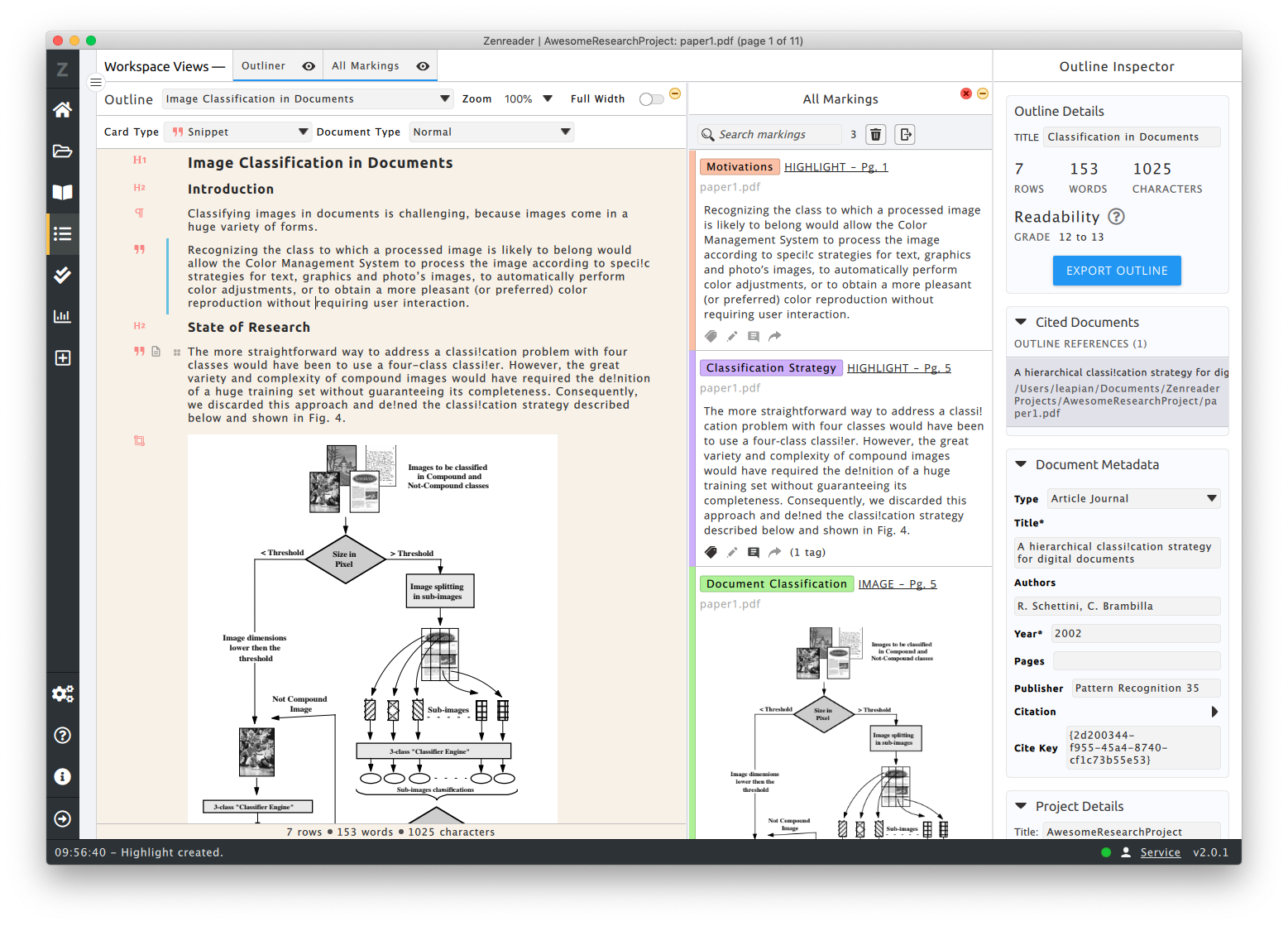
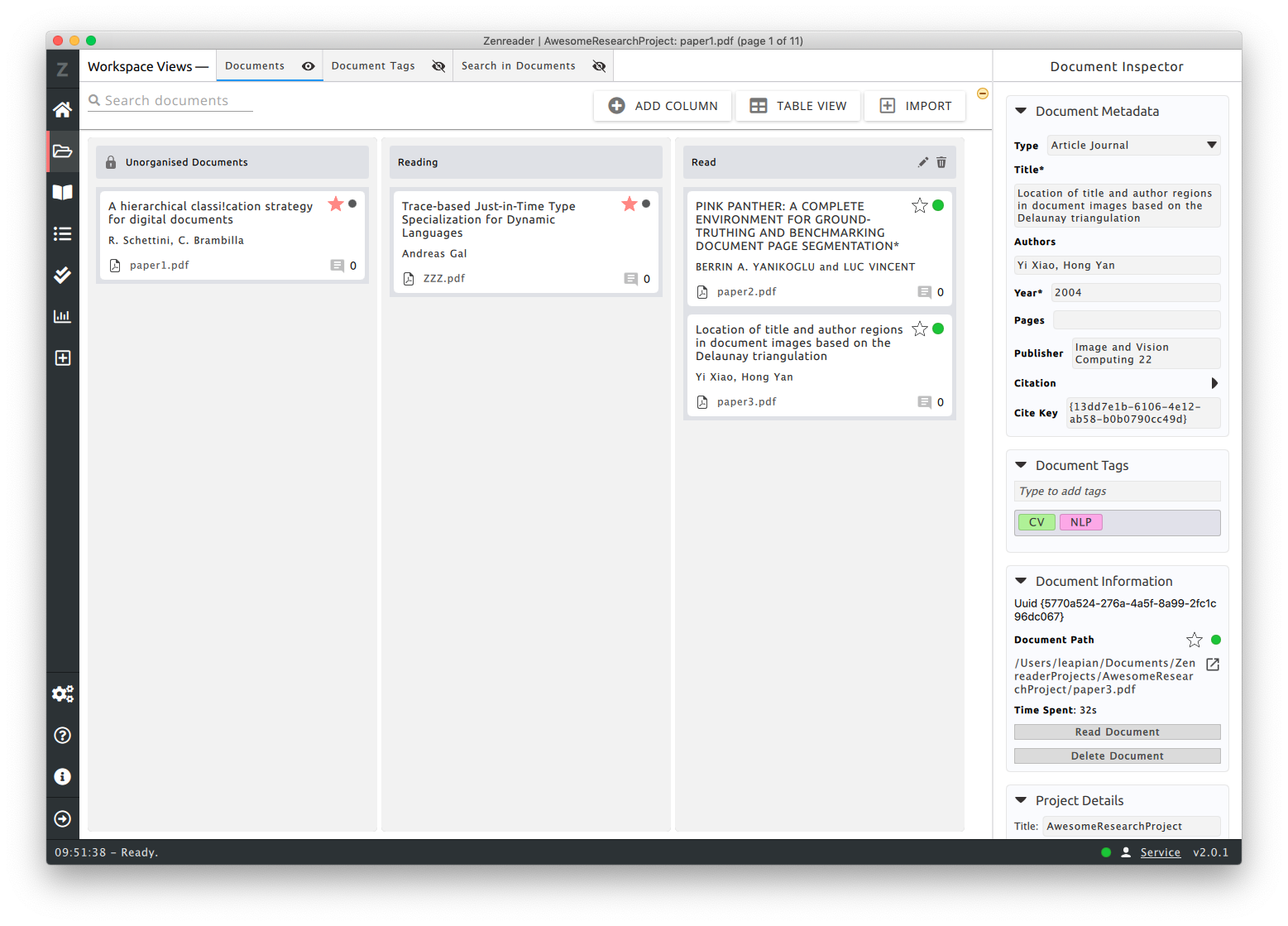
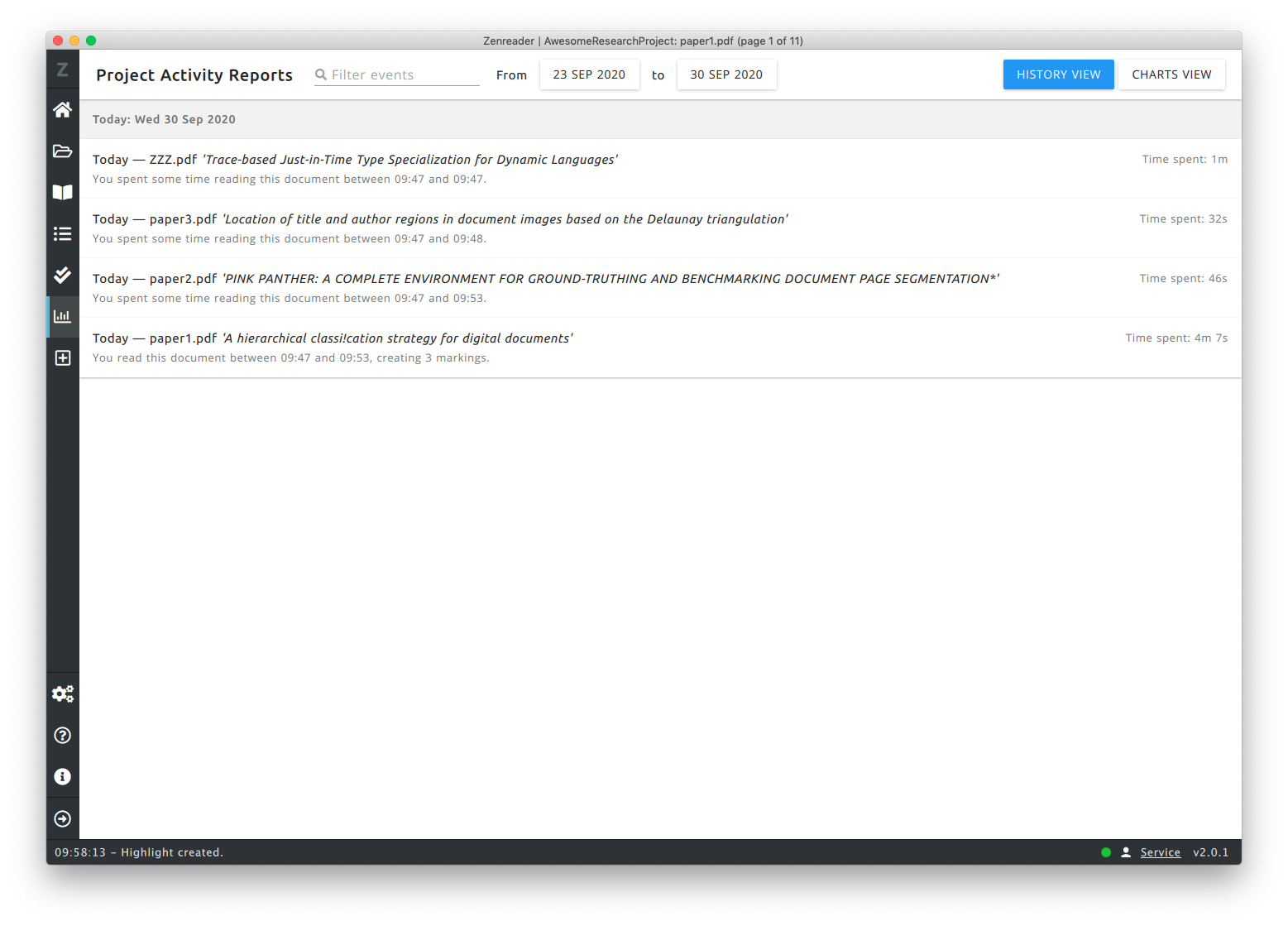
Screenshot of PDF Reader with Tagged image and text highlights. The text search panel is open, showing matched words with their surrounding context.Screenshot of Zenreader's Outliner used for creating drafts. Drag and drop highlights directly into the outlines and then export everything. The references engine takes care of the citations and bibliography.Screenshot of Document Kanban Boards: manage your project's work by organising the documents by tags or by moving them to the relevant kanban columns.Screenshot of Zenreader comes with a project history: showing you what you worked on and when. This is great to be able to trace back how much time you have spent and when you reviewed a particular document.