Resmo vs. Trend Micro Deep Security

Overview
ProductRatingMost Used ByProduct SummaryStarting Price
Resmo
Score 0.0 out of 10
Mid-Size Companies (51-1,000 employees)
Resmo offers cloud-native teams a solution for continuous cyber asset visibility and security. By enabling SQL-based data queries across a range of Cloud and SaaS providers, including AWS, GCP, Atlassian Stack, Okta, Google Workspace, and more, Resmo helps organizations to stay on top of changes. Through consolidation of users, vulnerabilities, repositories, and other key constructs, Resmo provides insights through dashboards and automates compliance checks for common frameworks like CIS…
$899
per month
Trend Micro Deep Security
Score 8.5 out of 10
N/A
Trend Micro™ Deep Security™ software provides comprehensive security for virtual, cloud, and container environments. Deep Security allows for consistent security regardless of the workload. It also provides a rich set of application programming interfaces (APIs) so security can be automated.N/A
Pricing
ResmoTrend Micro Deep Security
Editions & Modules
Free
$0
Professional
$899
per month
Enterprise
Get a Quote
No answers on this topic
Offerings
Pricing Offerings
ResmoTrend Micro Deep Security
Free Trial
YesNo
Free/Freemium Version
YesNo
Premium Consulting/Integration Services
NoNo
Entry-level Setup FeeNo setup feeNo setup fee
Additional Details
More Pricing Information
Community Pulse
ResmoTrend Micro Deep Security
Best Alternatives
ResmoTrend Micro Deep Security
Small Businesses
Armor
Armor
Score 6.0 out of 10
Armor
Armor
Score 6.0 out of 10
Medium-sized Companies
Druva Security Cloud
Score 9.6 out of 10
Druva Security Cloud
Score 9.6 out of 10
Enterprises
Druva Security Cloud
Score 9.6 out of 10
Druva Security Cloud
Score 9.6 out of 10
All AlternativesView all alternativesView all alternatives
User Ratings
ResmoTrend Micro Deep Security
Likelihood to Recommend
-
(0 ratings)
9.0
(4 ratings)
Likelihood to Renew
-
(0 ratings)
10.0
(1 ratings)
Usability
-
(0 ratings)
8.0
(1 ratings)
Support Rating
-
(0 ratings)
10.0
(2 ratings)
Implementation Rating
-
(0 ratings)
10.0
(1 ratings)
User Testimonials
ResmoTrend Micro Deep Security
Likelihood to Recommend
Resmo
No answers on this topic
Trend Micro
Hypervisor based agentless security this product excels at. It provides thorough protection for your VM's. The web filtering product that comes with it also does a great job filtering out malicious websites from being accessed by users with a very user friendly prompt that they are going to a website which has been found to be malicious. This is particularly useful when it comes to VDI.
Read full review
Pros
Resmo
No answers on this topic
Trend Micro
  • It's easy to use the console.
  • It has a very similar look and feels to Deep Security Console.
  • It plugs into the Apex Central for easy management.
Read full review
Cons
Resmo
No answers on this topic
Trend Micro
  • Trend Micro has very little room for improvement. I am using version 9.6 at this time and it is extremely reliable. Some of the upgrades were not completely intuitive, but in those cases Deep Security support came through with documentation that covered all the bases.
Read full review
Likelihood to Renew
Resmo
No answers on this topic
Trend Micro
It's the best one compared to other security applications
Read full review
Usability
Resmo
No answers on this topic
Trend Micro
It is the best application I've used. Its features are effective.
Read full review
Support Rating
Resmo
No answers on this topic
Trend Micro
Trend Micro's support is pretty decent, we have had issues in the past and they have been fairly responsive to us and our complaints. Depending on how severe the issue was. Any ticket that had a high priority was handled very shortly especially when we contacted our account rep even if it was after hours, we were still able to get support within a short time period.
Read full review
Implementation Rating
Resmo
No answers on this topic
Trend Micro
Everything is good
Read full review
Alternatives Considered
Resmo
No answers on this topic
Trend Micro
We selected trend micro to take the AV scans and filtering out of the hands of the Windows and Linux vm's we have deployed and move it to the hypervisor level. This has led us to be able to deploy only a single DSVA per host and can protect all VM"s that are on that hosts. This has allowed for more time being spent on other priority security tasks.
Read full review
Return on Investment
Resmo
No answers on this topic
Trend Micro
  • 100% positive ROI. Without Deep Security we would have to leverage and endpoint protection management solution like Sophos or SEPM (Symantec). Although both are good products, from a cost perspective it would have hit us much harder. Trend Micro Deep Security scales very nicely.
  • Since Deep Security actually has zero (or at least unnoticeable) resource footprint on monitored VMs, it is a huge cost benefit for us. As previously mentioned, actual antivirus clients installed on each virtual machine (VM) would have significantly affected performance. This would have cost us much more additionally in paying for additional resources to allocate over VMs in the VMware environment. Deep Security is almost completely unintrusive from a resource perspective.
  • Also, from a layered security perspective, it helps us meet our goals; and since the price of Trend Micro Deep Security quite reasonable, it is that much easier to get approval for this specific internal layer of security.
Read full review
ScreenShots

Resmo Screenshots

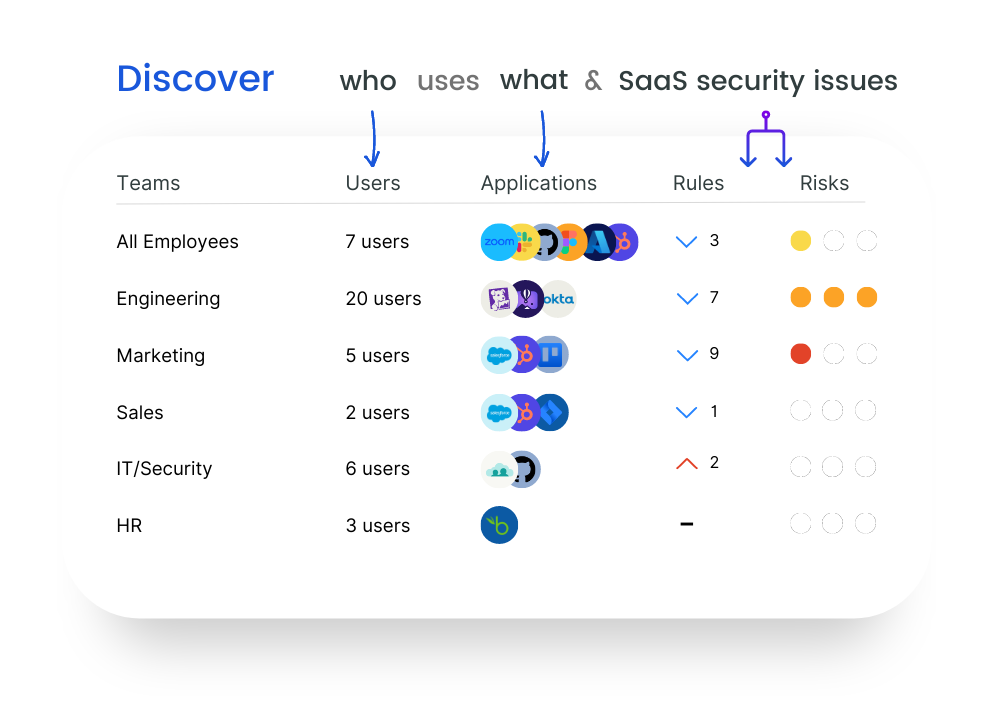
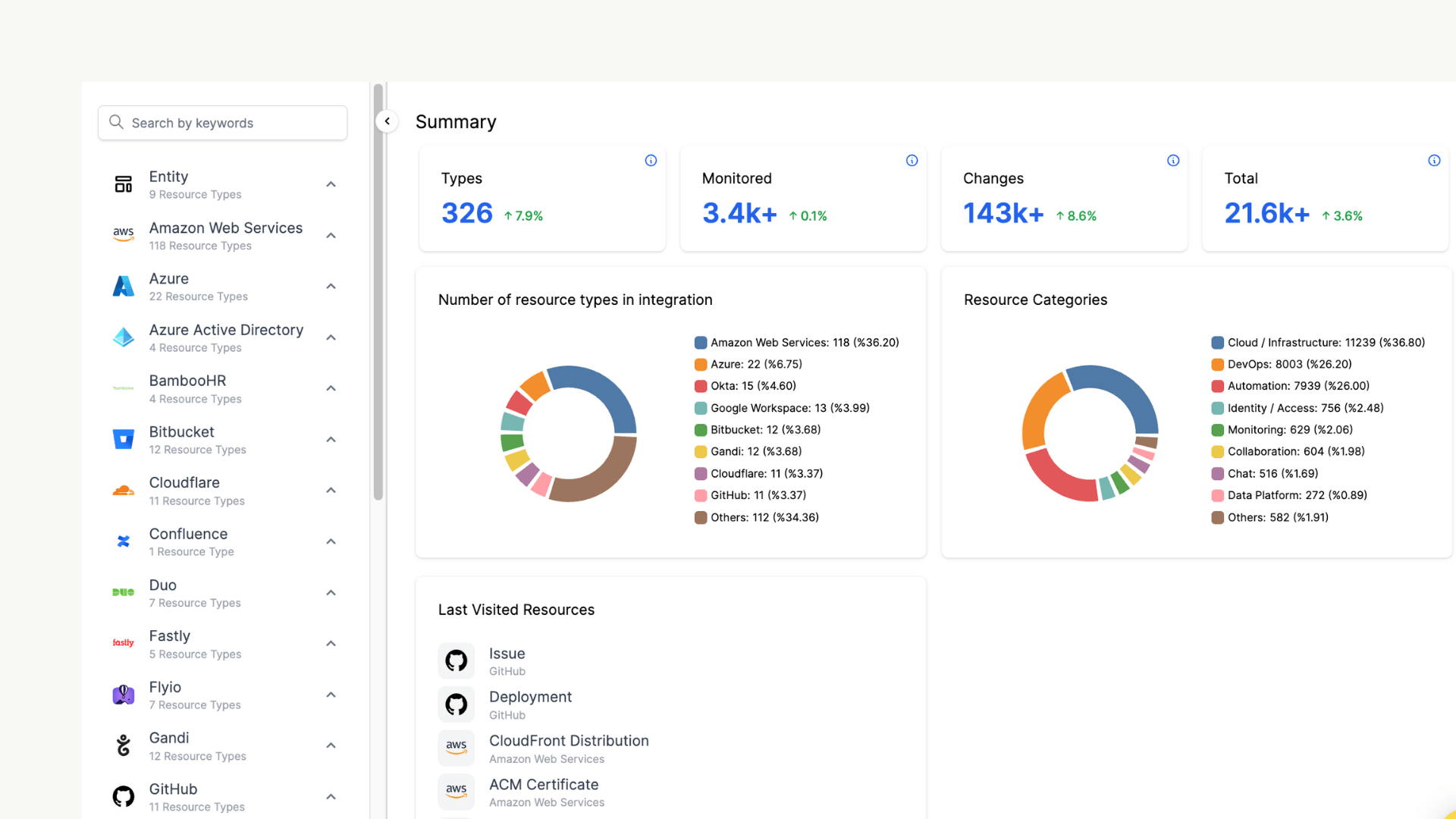
Screenshot of SaaS Discovery enables organizations to monitor which tools(known/unknown) are being used by employees and detect automatically if there are any security and compliance issues such as weak passwords, overly permissive rights, and more in the organization's tech stack.Screenshot of all cloud and SaaS assets in one place: monitor all entities collected from all integrations under categories like databases, users, and repositories.Screenshot of displays the risk score of each resource: to investigate resource changes and the actor behind to remediate vulnerabilities and see if resources comply with related compliance rules.Screenshot of sending alerts in near real-time and notifying users through email, webhook, Slack, PagerDuty and Opsgenie.Screenshot of mapping and monitoring each resource's relations with other assetsScreenshot of dashboards for visibility such as AWS Security Insights and AWS IAM Access Overview dashboards.