Streamlabs vs. Vmaker

Overview
ProductRatingMost Used ByProduct SummaryStarting Price
Streamlabs
Score 8.8 out of 10
N/A
Streamlabs, made by Logitech International, is a free live streaming software. With it's multi-streaming capabilities, Streamlabs can stream to YouTube, Twitch, Facebook, and more live at the same time.N/A
Vmaker
Score 8.3 out of 10
N/A
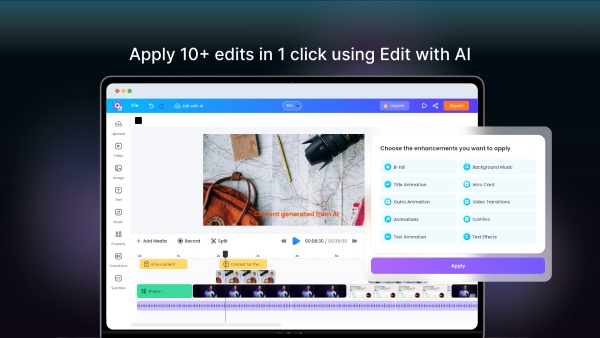
Vmaker is a video-making tool that can record the user's screen, webcam, voice and internal audio. It can be used to make explainer videos, product demos, B-roll footage & how-to videos without having to spend a lot of time or money on production. It’s also a tool for marketers, L&D professionals and content creators. As videos become a more essential part of daily communication, and a source for connecting with an audience, Vmaker aims to make recording, editing & sharing video content…
$7
per month
Pricing
StreamlabsVmaker
Editions & Modules
No answers on this topic
Offerings
Pricing Offerings
StreamlabsVmaker
Free Trial
NoNo
Free/Freemium Version
NoYes
Premium Consulting/Integration Services
NoNo
Entry-level Setup FeeNo setup feeNo setup fee
Additional Details
More Pricing Information
Community Pulse
StreamlabsVmaker
Best Alternatives
StreamlabsVmaker
Small Businesses
IBM Video Streaming
IBM Video Streaming
Score 8.7 out of 10
Sendspark
Sendspark
Score 10.0 out of 10
Medium-sized Companies
IBM Video Streaming
IBM Video Streaming
Score 8.7 out of 10
Snagit
Snagit
Score 9.5 out of 10
Enterprises
IBM Video Streaming
IBM Video Streaming
Score 8.7 out of 10
Snagit
Snagit
Score 9.5 out of 10
All AlternativesView all alternativesView all alternatives
User Ratings
StreamlabsVmaker
Likelihood to Recommend
9.0
(1 ratings)
8.3
(3 ratings)
User Testimonials
StreamlabsVmaker
Likelihood to Recommend
Logitech
Streamlabs is perfect for generating multimedia content with common elements such as cell phones, web cameras, PC screens, etc. By allowing video from multiple sources to be shown at the same time, it is perfect for example for technical product demonstrations. In the scenario described, parcticity is prioritized. However, if the proposed scenario is to generate high-quality multimedia content, you should use professional equipment for video, sound and editing.
Read full review
Vmaker
It's perfect for Vloggers, website reviews, short videos and screen captures of other recording platforms.
Read full review
Pros
Logitech
  • Simultaneously accept various video sources such as cell phones, WEB cameras, etc.
  • Accept multiple audio sources simultaneously, including PC audio.
Read full review
Vmaker
  • Easy to highlight and annotate parts of my screen while recording
  • Records meetings including computer audio and mic simultaneously
  • easy to use video editor that allows you to edit videos to just include the necessary information
Read full review
Cons
Logitech
  • Sometimes CPU resource consumption is a bit high.
  • Although it is understandable some functions are restricted to the PREMIUM version.
Read full review
Vmaker
  • Wish they allowed virtual webcam backgrounds or blurred background on the Free plan.
  • Some of the messaging on the site is a bit inconsistent re pricing of the plans (some refer to annual pricing paid monthly vs monthly pricing)
Read full review
Alternatives Considered
Logitech
Although Adobe Premier Pro is a product for video professionals, it did not present the possibility of performing LIVE as Streamlabs, in addition to the fact that Adobe is a paid version exclusively. Streamlabs was more in line with our objectives as it is a tool aimed at the common user and not just professionals.
Read full review
Vmaker
More features, better ui/ux
Read full review
Return on Investment
Logitech
  • Even though it is a free Open Source software, the features have been excellent.
Read full review
Vmaker
  • Makes recording video intros for my Podcast super easy
  • I can record from anywhere (eg my AirBnB while traveling and still look professional
  • Totally affordable for my relatively small business
Read full review
ScreenShots