SyncFirst Standard vs. Zendesk Explore

Overview
ProductRatingMost Used ByProduct SummaryStarting Price
SyncFirst Standard
Score 0.0 out of 10
N/A
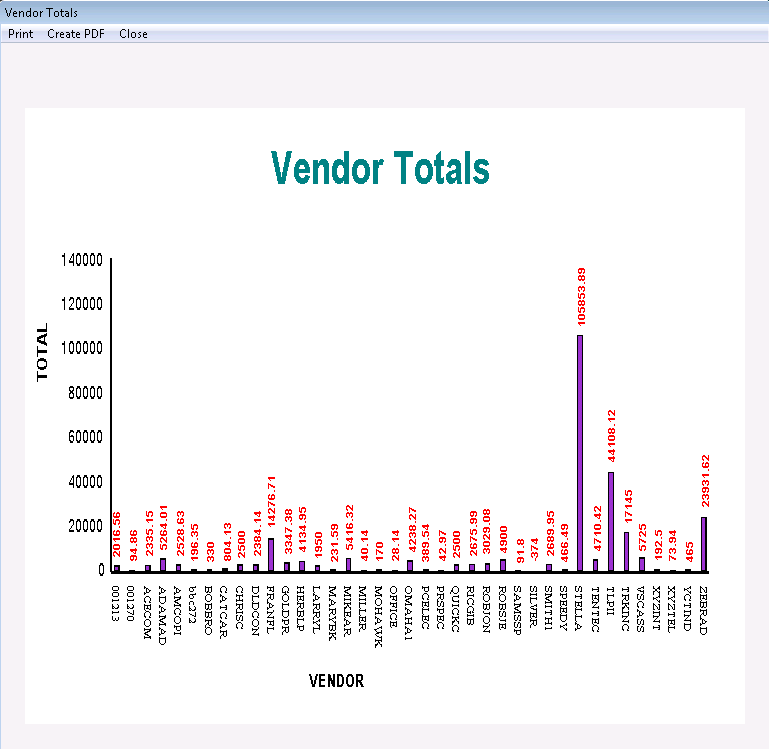
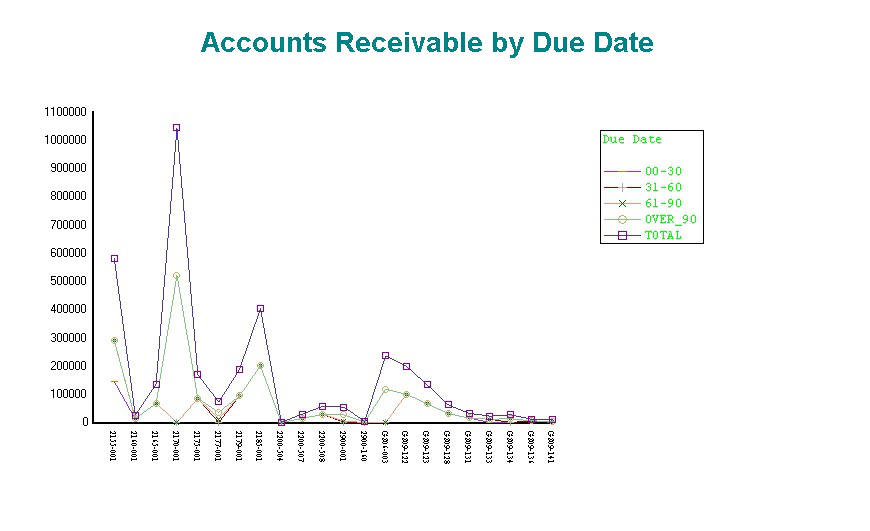
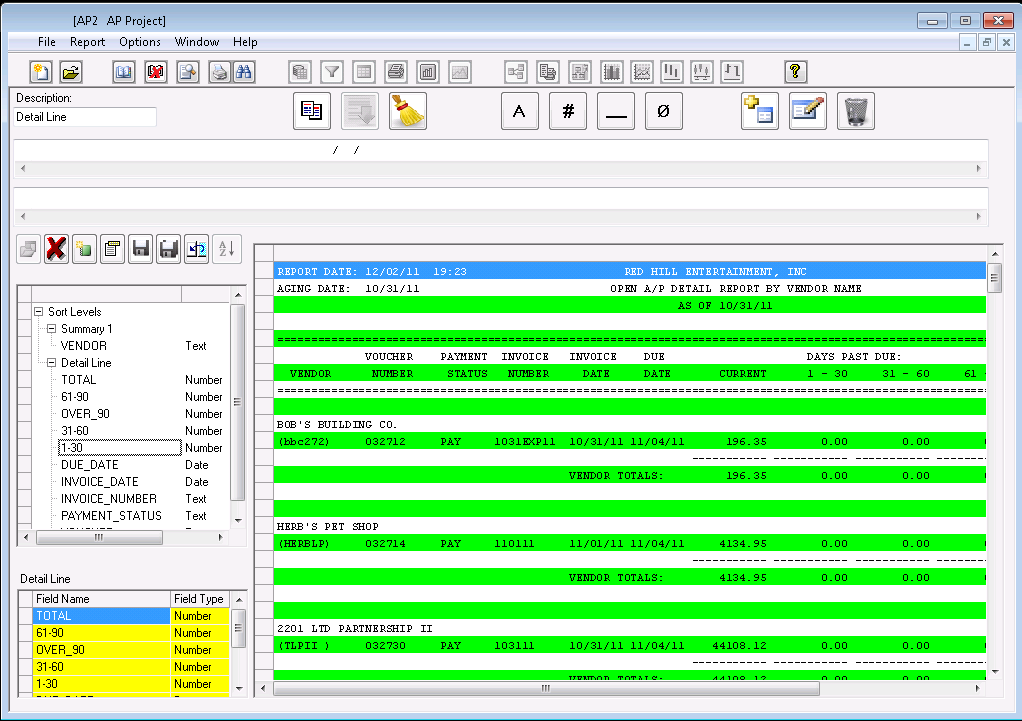
SyncFirst turns text documents, PDFs, formatted ASCII files and electronic reports into usable data tables. Once the information is captured in a table, users can create filters to view subsets of the data, sort the table on any combination of fields, create summaries that show totals for numeric fields, or simply export data for use in databases, spreadsheets, or other applications. SyncFirst includes full support for several standard chart types. All charts are automatically copied to the…
$549
Zendesk Explore
Score 8.8 out of 10
N/A
Zendesk offers Explore, a business intelligence and customer analytics tool which integrates with the Zendesk suite featuring ticket analytics, custom fields, dashboards, and other features. Zendesk is migrating customers of the BIME analytics product, which is approaching end of support, to Zendesk Explore in 2019.N/A
Pricing
SyncFirst StandardZendesk Explore
Editions & Modules
SyncFirst Standard
$549
SyncFirst Financial
$649
SyncFirst IQ 5-User
$2,599
SyncFirst IQ 10-User
$4,749
No answers on this topic
Offerings
Pricing Offerings
SyncFirst StandardZendesk Explore
Free Trial
YesNo
Free/Freemium Version
NoNo
Premium Consulting/Integration Services
YesNo
Entry-level Setup FeeNo setup feeNo setup fee
Additional DetailsVolume licensing is available. Contact us for details.
More Pricing Information
Community Pulse
SyncFirst StandardZendesk Explore
Features
SyncFirst StandardZendesk Explore
BI Standard Reporting
Comparison of BI Standard Reporting features of Product A and Product B
SyncFirst Standard
-
Ratings
Zendesk Explore
9.0
10 Ratings
10% above category average
Pixel Perfect reports00 Ratings7.76 Ratings
Customizable dashboards00 Ratings9.210 Ratings
Report Formatting Templates00 Ratings10.07 Ratings
Ad-hoc Reporting
Comparison of Ad-hoc Reporting features of Product A and Product B
SyncFirst Standard
-
Ratings
Zendesk Explore
7.1
10 Ratings
12% below category average
Drill-down analysis00 Ratings9.910 Ratings
Formatting capabilities00 Ratings6.010 Ratings
Integration with R or other statistical packages00 Ratings5.05 Ratings
Report sharing and collaboration00 Ratings7.710 Ratings
Report Output and Scheduling
Comparison of Report Output and Scheduling features of Product A and Product B
SyncFirst Standard
-
Ratings
Zendesk Explore
7.9
10 Ratings
4% below category average
Publish to Web00 Ratings7.16 Ratings
Publish to PDF00 Ratings6.48 Ratings
Report Versioning00 Ratings9.03 Ratings
Report Delivery Scheduling00 Ratings8.97 Ratings
Delivery to Remote Servers00 Ratings8.14 Ratings
Data Discovery and Visualization
Comparison of Data Discovery and Visualization features of Product A and Product B
SyncFirst Standard
-
Ratings
Zendesk Explore
7.3
7 Ratings
9% below category average
Pre-built visualization formats (heatmaps, scatter plots etc.)00 Ratings6.86 Ratings
Location Analytics / Geographic Visualization00 Ratings7.26 Ratings
Predictive Analytics00 Ratings5.75 Ratings
Pattern Recognition and Data Mining00 Ratings9.43 Ratings
Access Control and Security
Comparison of Access Control and Security features of Product A and Product B
SyncFirst Standard
-
Ratings
Zendesk Explore
7.6
10 Ratings
11% below category average
Multi-User Support (named login)00 Ratings8.49 Ratings
Role-Based Security Model00 Ratings8.410 Ratings
Multiple Access Permission Levels (Create, Read, Delete)00 Ratings6.38 Ratings
Report-Level Access Control00 Ratings8.74 Ratings
Single Sign-On (SSO)00 Ratings6.68 Ratings
Mobile Capabilities
Comparison of Mobile Capabilities features of Product A and Product B
SyncFirst Standard
-
Ratings
Zendesk Explore
7.9
7 Ratings
2% above category average
Responsive Design for Web Access00 Ratings6.25 Ratings
Mobile Application00 Ratings8.42 Ratings
Dashboard / Report / Visualization Interactivity on Mobile00 Ratings9.06 Ratings
Application Program Interfaces (APIs) / Embedding
Comparison of Application Program Interfaces (APIs) / Embedding features of Product A and Product B
SyncFirst Standard
-
Ratings
Zendesk Explore
5.1
5 Ratings
41% below category average
REST API00 Ratings3.85 Ratings
Javascript API00 Ratings5.34 Ratings
iFrames00 Ratings5.94 Ratings
Java API00 Ratings5.24 Ratings
Themeable User Interface (UI)00 Ratings6.84 Ratings
Customizable Platform (Open Source)00 Ratings3.93 Ratings
Best Alternatives
SyncFirst StandardZendesk Explore
Small Businesses
Yellowfin
Yellowfin
Score 8.8 out of 10
Yellowfin
Yellowfin
Score 8.8 out of 10
Medium-sized Companies
Reveal
Reveal
Score 10.0 out of 10
Reveal
Reveal
Score 10.0 out of 10
Enterprises
Kyvos Semantic Layer
Score 9.5 out of 10
Kyvos Semantic Layer
Score 9.5 out of 10
All AlternativesView all alternativesView all alternatives
User Ratings
SyncFirst StandardZendesk Explore
Likelihood to Recommend
-
(0 ratings)
9.9
(10 ratings)
Usability
-
(0 ratings)
8.0
(3 ratings)
Support Rating
-
(0 ratings)
10.0
(2 ratings)
User Testimonials
SyncFirst StandardZendesk Explore
Likelihood to Recommend
Data Synergy Corporation
No answers on this topic
Zendesk
Zendesk Explore is well suited for tracking ticket flow, agent performance, and customer satisfaction providing valuable insights into response and resolution time, workload and support quality. Particularly useful for monitoring ticket handling for different teams. Helps ensure accountability by tracking how long tickets remain assigned before being reassigned to another group. Drill down capability helps identify support bottlenecks. However, it is less appropriate for real time monitoring as it lacks real time data updates making it unsuitable for instant decision making.
Read full review
Pros
Data Synergy Corporation
No answers on this topic
Zendesk
  • Zendesk Explore is easy to use.
  • Zendesk Explore allows users to create custom metrics.
  • Zendesk Explore allows users to create custom attributes.
  • Zendesk Explore is easy to learn.
  • Compared to other analytics function of other Ticket Management System, Zendesk Explore is probably the best as of now.
Read full review
Cons
Data Synergy Corporation
No answers on this topic
Zendesk
  • Some aspects of Zendesk, in general, are not super intuitive. The same goes for Zendesk Explore. And, while you can google answers and hope you find something helpful, there isn't a great way to learn to get the full potential out of the product unless you want to pay for someone from your team to take a class (which costs several hundred dollars).
  • To piggyback off the last point, if you would prefer to get help from a Zendesk expert, you'll find that there is almost no customer support available to you. For a company that aims to help other companies help their customers, this has always struck me as odd. Again, Google is your friend and beyond that, you're mostly out of luck.
Read full review
Usability
Data Synergy Corporation
No answers on this topic
Zendesk
I rate Zendesk Explore 8 out of 10 for it's overall usability because it offers powerful reporting and analytics with an easy to navigate interface and intuitive dashboards. It helps improve customer satisfaction by providing valuable insights into ticket handling, agent performance and customer satisfaction. Though the complex query builder can be challenging for non technical users.
Read full review
Support Rating
Data Synergy Corporation
No answers on this topic
Zendesk
Support for all of Zendesk has exceeding my expectations. This company will always get a 10 out of 10 in my book. Any question you have they make sure you have the answer plus a step-by-step guide on how to do each step so you are set up for success!
Read full review
Alternatives Considered
Data Synergy Corporation
No answers on this topic
Zendesk
I selected Zendesk Explore only to provide an easy and quick access for my managers and supervisors regading metrics and volume trends. Is not the most flexible nor complete data visualization tool, but works well for day-to-day follow ups. You need to use another tool if you want to see long-term patterns (e.g. month over month volume trends) and you need another platform if you want your interaction metrics to interact with other important factors of the business
Read full review
Return on Investment
Data Synergy Corporation
No answers on this topic
Zendesk
  • Money saved due to proper staffing.
  • Happier Staff- proper staffing ensures no one is overworked.
  • Ability to quickly pinpoint where issues are and why.
Read full review
ScreenShots

SyncFirst Standard Screenshots

Screenshot of SyncFirst allows you to perform drill-down analysisScreenshot of View charts and graphs of report dataScreenshot of Charts can show data for any fieldScreenshot of Choose the fields you want to capture.