TrustRadius: an HG Insights company

Save this comparison

Save this comparison

Add Product

Recommended Comparisons

    Overview
    ProductRatingMost Used ByProduct SummaryStarting Price

    Tools4ever UMRA

    Score9 out of 10
    N/ANew York software company Tools4ever offers a suite of identity management and access (IAM/IdM) tools, for single sign-on (SSO), password management, access control and authorization, and more, with the User Management Resource Administrator, or UMRA.N/A

    Unifyed Student - Verify

    Score10 out of 10
    Enterprise companies (1,001+ employees)
    Unifyed Verify identity management helps institutions provide their students, faculty and staff with secure, single-sign-on to the key applications that they need to learn and work. It also enables the campus community to self-sufficiently reset their passwords. Single Sign-On & Passwordless Unifyed Student - Verify enables students, faculty and staff to single sign-on with one username and password or biometrics to the apps that they need to work and…N/A
    Pricing
    Tools4ever UMRAUnifyed Student - Verify
    Editions & Modules
    No answers on this topic
    No answers on this topic
    Offerings
    Pricing Offerings
    Tools4ever UMRAUnifyed Student - Verify
    Free Trial
    NoYes
    Free/Freemium Version
    NoYes
    Premium Consulting/Integration Services
    NoYes
    Entry-level Setup FeeNo setup feeOptional
    Additional Details—Users - Up to 100 Single Sign-On Unlimited Applications Unlimited ApplicationsUnlimited Applications Federated Authentication (3rd Party IDP) Smart Insights Self-Service Password Reset using Challenge Questions, Email and Google Authenticator Self-Service Password Reset using YubiKey and SMS Self-Service Password Reset using FaceID and TouchID Password Manager Smart Insights Password Expiration Notifications Passwordless Authentication Adaptive Authentication using Challenge Questions, Email and Google Authenticator Adaptive Authentication Smart Insights First Time Users Self Registration/Onboarding First Time Users Welcome Letter using Email and SMS First Time Users Reporting Account Provisioning (Source of Truth to Target Applications) iPaaS Smart Insights Mobile App for Single Sign-On Mobile App for Password Reset using TouchID and FaceID
    More Pricing Information
    Features
    Tools4ever UMRAUnifyed Student - Verify
    Identity Management
    Comparison of Identity Management features of Tools4ever UMRA and Unifyed Student - Verify
    Feature
    Tools4ever UMRA
    8.3
    1 Ratings
    1% above category average
    Unifyed Student - Verify
    -
    Ratings
    ID-Management Access Control9.01 Ratings00 Ratings
    ID Management Single-Sign On (SSO)5.01 Ratings00 Ratings
    Account Provisioning and De-provisioning10.01 Ratings00 Ratings
    ID Management Workflow Automation9.01 Ratings00 Ratings
    Best Alternatives
    Tools4ever UMRAUnifyed Student - Verify
    Small Businesses
    JumpCloud
    Score9.2 out of 10
    No answers on this topic
    Medium-sized Companies
    OneLogin by One Identity
    Score9.4 out of 10
    No answers on this topic
    Enterprises
    RSA Access Manager (Discontinued)
    Score10 out of 10
    No answers on this topic
    All AlternativesView all alternativesView all alternatives
    User Ratings
    Tools4ever UMRAUnifyed Student - Verify
    Likelihood to Recommend
    9.0
    (1 ratings)
    10.0
    (1 ratings)
    User Testimonials
    Tools4ever UMRAUnifyed Student - Verify
    Likelihood to Recommend
    Tools4ever
    It is very well suited for tying multiple systems and services together, allowing for exchanges of information and account management. I'm not sure of instances that it is not well suited since solution was recommended by folks in education. With that being the case it suited our needs quite well.
    Read full review
    Unifyed
    Unifyed Student Verify is easy to use and easy to set up. Licensing is the best because it is done per user and not per device. It integrated well with existing business processes, and customization of plug-ins was done for different applications.
    Read full review
    Pros
    Tools4ever
    • Imports students and staff into our Active Directory and email system.
    • It manages those same accounts, disabling accounts for folks who have left, and creating "Windows" when accounts should be enabled.
    • It interacts with our Microsoft AD and our student management software seamlessly. Once accounts are in our AD environment, our student management and other systems create new email accounts automatically for us.
    Read full review
    Unifyed
    • Single Sign-On & Passwordless
    • Multi-Factor Authentication
    • Password Manager
    • Student Onboarding
    • Automated Provisioning
    • Artificial Intelligence
    Read full review
    Cons
    Tools4ever
    • We have been attempting to get single sign on for students, so they have the ability to change their passwords on their own. The documentation of this process is very dated, and often support isn't even aware that their site issues/ references those older documents.
    • During the initial buildup of our server Tools4ever UMRA support was a bit hit and miss, but I will say our ongoing support has been very good.
    • Some integration tools had to be custom created.
    Read full review
    Unifyed
    • Users often get timeouts
    • Reporting needs some improvements
    Read full review
    Alternatives Considered
    Tools4ever
    No answers on this topic
    Unifyed
    Unifyed Student Verify identity management helps institutions provide their students, faculty and staff with secure, single-sign-on to the key applications that they need to learn and work. It also enables the campus community to self-sufficiently reset their passwords.
    Read full review
    Return on Investment
    Tools4ever
    • We save considerable work hours by a multitude of staff having the system manage and generate accounts for us on a daily basis.
    • We have some peace of mind knowing accounts for staff and students who leave our district can no longer gain access to our systems because it automatically disables those accounts.
    • Because of the way the system interacts with input that is put in, it automatically creates logical positions which dictate different levels, meaning it automatically sets up when staff gain access and lose access depending on the position they are filling.
    Read full review
    Unifyed
    • Time Saving
    • Reduce Cost by 50%
    • Ease of use
    • Managed and customizable Reporting
    Read full review
    ScreenShots

    Unifyed Student - Verify Screenshots
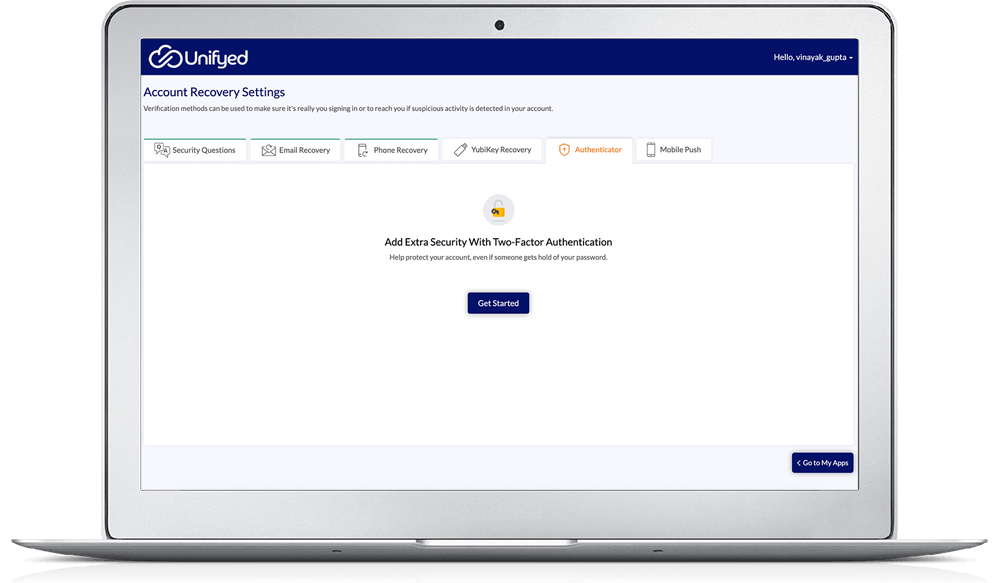
    Product screenshotProduct screenshotProduct screenshotProduct screenshotProduct screenshotProduct screenshot