Tricentis LiveCompare vs. Tricentis qTest

Overview
ProductRatingMost Used ByProduct SummaryStarting Price
Tricentis LiveCompare
Score 8.7 out of 10
Enterprise companies (1,001+ employees)
LiveCompare provides SAP teams with AI-powered analytics and insights to reduce the risk, time, and cost of delivering and supporting changes to SAP systems. LiveCompare continuously monitors SAP delivery pipelines and production systems for issues that put the user's business at risk. LiveCompare then gives developers, testers, release managers, and support teams real-time information with the goal of helping them to eliminate potential and existing defects quickly and efficiently. …N/A
Tricentis qTest
Score 8.6 out of 10
N/A
Tricentis qTest (formerly QASymphony) provides enterprise-level agile testing tools giving businesses visibility and control needed to ensure application quality in fast-paced development environments. Tricentis and QASymphony merged in summer 2018.
$1,200
per year per user
Pricing
Tricentis LiveCompareTricentis qTest
Editions & Modules
No answers on this topic
Offerings
Pricing Offerings
Tricentis LiveCompareTricentis qTest
Free Trial
NoYes
Free/Freemium Version
YesNo
Premium Consulting/Integration Services
YesYes
Entry-level Setup FeeNo setup feeOptional
Additional Details
More Pricing Information
Community Pulse
Tricentis LiveCompareTricentis qTest
Features
Tricentis LiveCompareTricentis qTest
Test Management
Comparison of Test Management features of Product A and Product B
Tricentis LiveCompare
-
Ratings
Tricentis qTest
8.1
37 Ratings
0% above category average
Centralized test management00 Ratings8.036 Ratings
Manage test hosts and schedules00 Ratings8.231 Ratings
Map tests to user stories00 Ratings7.78 Ratings
Test execution reporting00 Ratings8.736 Ratings
Defect management00 Ratings7.831 Ratings
Best Alternatives
Tricentis LiveCompareTricentis qTest
Small Businesses
Polarion ALM
Polarion ALM
Score 9.8 out of 10
BrowserStack
BrowserStack
Score 8.6 out of 10
Medium-sized Companies
Polarion ALM
Polarion ALM
Score 9.8 out of 10
OpenText ALM/Quality Center
Score 8.9 out of 10
Enterprises
Polarion ALM
Polarion ALM
Score 9.8 out of 10
OpenText ALM/Quality Center
Score 8.9 out of 10
All AlternativesView all alternativesView all alternatives
User Ratings
Tricentis LiveCompareTricentis qTest
Likelihood to Recommend
10.0
(1 ratings)
8.6
(39 ratings)
Likelihood to Renew
-
(0 ratings)
6.0
(2 ratings)
Usability
-
(0 ratings)
8.0
(1 ratings)
Support Rating
-
(0 ratings)
1.0
(1 ratings)
Implementation Rating
-
(0 ratings)
5.0
(1 ratings)
User Testimonials
Tricentis LiveCompareTricentis qTest
Likelihood to Recommend
Tricentis
We detect potential areas where changes made may impact the business operations.
Read full review
Tricentis
Tricentis qTest integrates seamlessly with Jira, making it ideal for teams that manage user stories and defects in Jira while keeping test cases and execution in qTest. When paired with automation tools like tosca, Selenium, or WebdriverIO, qTest is excellent for aggregating both manual and automated test results in one place.
Read full review
Pros
Tricentis
No answers on this topic
Tricentis
  • As a fresher, when I started using qTest it was very handy and easy to understand.
  • It helps us trace the test cases that are used to test the quality in a single location
  • The main thing is its integration with JIRA as soon as we create a ticket we would be getting all the requirements in the qTest so it became easy for me
Read full review
Cons
Tricentis
No answers on this topic
Tricentis
  • In requirements , we can't add multiple test cases at once, or search multiple cases at once, need to do one by one. Here actually qtest needs to improve.
  • Linking cloud hosted qtest and on-premise TOSCA is very difficult especially when you are working with client system with security wall. It requires tunnelling software which is not recommended.
Read full review
Likelihood to Renew
Tricentis
No answers on this topic
Tricentis
This has been a core QA management tool for our organization and integrates well with our other SDLC platforms (Azure DevOps/Jira/Katalon).
Read full review
Usability
Tricentis
No answers on this topic
Tricentis
qTest is actually intuitive and user-friendly, despite my other scathing review aspects
Read full review
Support Rating
Tricentis
No answers on this topic
Tricentis
The actual answer is 0. I have never experienced worse support, whether personal or professional
Read full review
Implementation Rating
Tricentis
No answers on this topic
Tricentis
Again, supporting documentation could have been a lot better
Read full review
Alternatives Considered
Tricentis
We're using only LiveCompare and no other Tricentis products at the moment so we can't make a comparison with other products.
Read full review
Tricentis
All of them offer formidable solutions in the test management realm, but each one caters to different niche and need. qTest distinguishes itself with its deep integration capabilities, especially with Agile and DevOps tools, enabling streamlined CI/CD process. Its modern, user-centric interface contrasts with ALM's more dated appearance and complex setup. While TestRail provides a clean user experience and caters to a broad spectrum of business, qTest's scalability, from SMBs to large enterprises, stands out. PractiTest's cloud-based solution is geared towards mid-sized companies, but qTest's flexibility, advanced analytics, and robust reporting grant teams actionable insights. qTest' approach to a more holistic test management closely aligning with modern software development practices
Read full review
Return on Investment
Tricentis
No answers on this topic
Tricentis
  • In comparison to other Testing tools, Tricentis qTest was the most expensive.
  • We were able to quickly bring international users up to speed on how to use the tool.
  • The ability to clone a project rather than create a new one from scratch was a valuable time saver.
Read full review
ScreenShots

Tricentis LiveCompare Screenshots

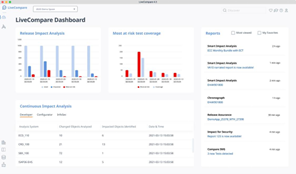
Screenshot of LiveCompare provides SAP teams with AI-powered analytics and insights that significantly reduce the risk, time, and cost of delivering and supporting changes to SAP solutions.Screenshot of Tricentis LiveCompare continuously monitors SAP delivery pipelines and production systems for issues that put the business at risk. Boasting DevOps-friendly capabilities that improve quality and speed throughout the SAP practice, Tricentis LiveCompare enables users to: 

-Fast track releases 
-Optimize operations 
-Deliver transformation with confidenceScreenshot of LiveCompare takes all the guess work out test selection, telling you what needs to be tested before changes are deployed to production.  

-Avoid over-testing, cutting unnecessary time and complexity from SAP testing 
-Prevent under-testing, catching defects before they damage a system and reputation 
-Deliver higher-quality releases with zero defectsScreenshot of This screen shot illustrated the Select Projects feature with Rise with SAP selected. Tricentis helps accelerate Tasks within each Rise with SAP/Active Methodology phase. Each App has persona tags for Developers, Testers, & Operations.

Tricentis qTest Screenshots

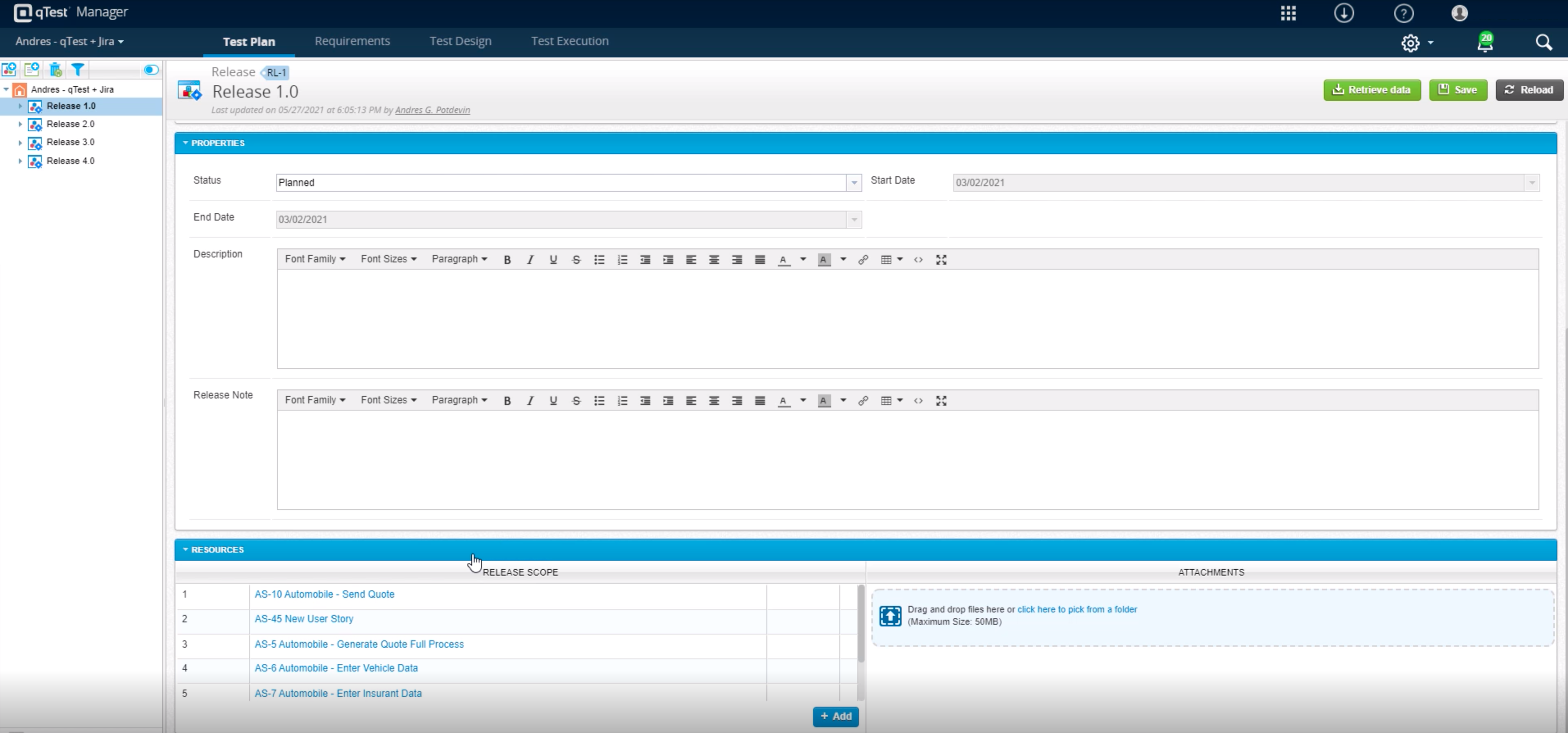
Screenshot of Customizable analytics and reports can be shared across the organization - additional read license requiredScreenshot of Centrally manage automated testing and environments, as well as schedule and or kickoff automated testing with any open source or proprietary toolScreenshot of qTest allows for true test case sharing across teams and projects to help standardize and scale knowledge and best practicesScreenshot of qTest integrates in real-time with Jira for full traceability to requirements during Agile test and developmentScreenshot of Build custom, event-driven workflows with any third-party solution, including ChatOps tools like Slack and Microsoft Teams, to streamline testing and drive collaborationScreenshot of Tricentis qTest comes with over 60 out-of-the-box metrics, with drag-and-drop capabilities to build custom dashboards