
Amberscript vs. txtplay.ai
| Product | Rating | Most Used By | Product Summary | Starting Price |
|---|---|---|---|---|
 Amberscript | Score8 out of 10 | N/A | Amberscript, headquartered in Amsterdam, helps users transform audio and video to text and subtitles through the use of its AI-driven on-demand software service. | $10 Prepaid: 1 hour of audio or video uploaded |
 txtplay.ai | N/A | N/A | Txtplay.ai is a platform for captioning, transcription, and translation designed for broadcasters, streaming platforms, and organizations that require accurate and scalable speech-to-text workflows. It supports real-time and on-demand processing across 55+ transcription languages and over 100 translation outputs, enabling accessibility, multilingual communication, and global content distribution. Key Capabilities Real-Time and On-Demand… | $15 hourly pay as you go |
| Amberscript | txtplay.ai | |||||||||||||||
|---|---|---|---|---|---|---|---|---|---|---|---|---|---|---|---|---|
| Editions & Modules |
|
| ||||||||||||||
| Offerings |
| |||||||||||||||
| Entry-level Setup Fee | No setup fee | Optional | ||||||||||||||
| Additional Details | Discount available for annual subscription. | Pay as you go: €15/hour Business: €50/month (incl. 5 hours) + €10/hour extra Enterprise: Contact sales | ||||||||||||||
| More Pricing Information | ||||||||||||||||
| Amberscript | txtplay.ai | |
|---|---|---|
| Likelihood to Recommend | 7.0 | - |
| Amberscript | txtplay.ai | |
|---|---|---|
| Likelihood to Recommend |
| No answers on this topic |
| Pros |
| No answers on this topic |
| Cons |
| No answers on this topic |
| Alternatives Considered |
| No answers on this topic |
| Return on Investment |
| No answers on this topic |
| ScreenShots | txtplay.ai Screenshots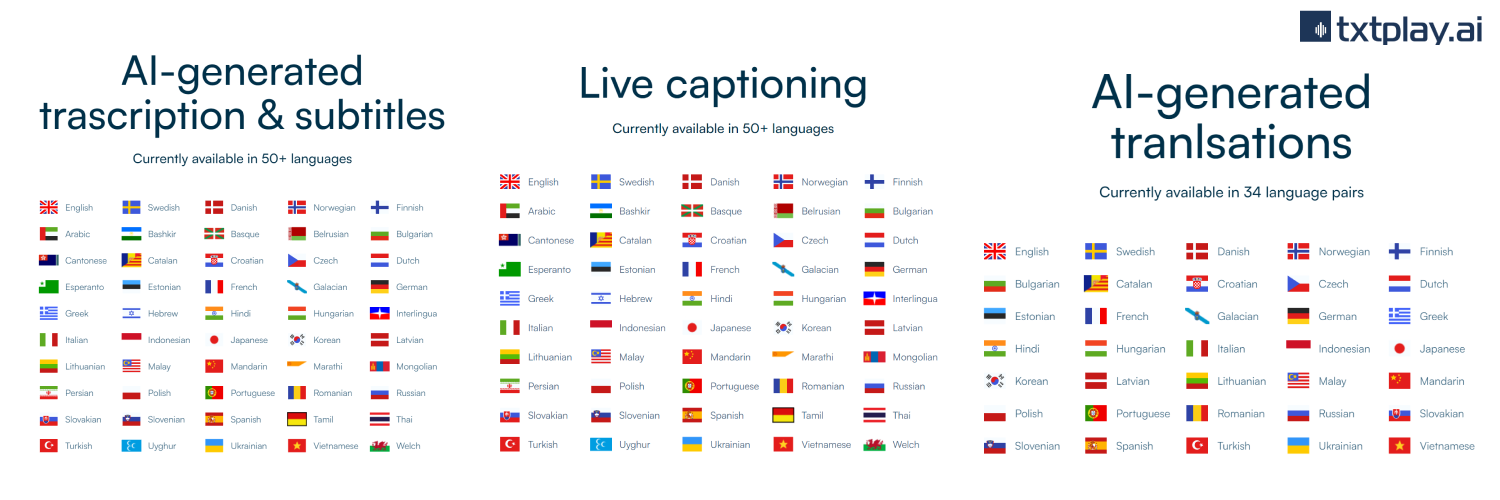 |