

What is Cisdem Data Recovery?
Cisdem Data Recovery for Mac or Windows is a tool designed to recover lost or deleted files quickly and securely. The application supports a range of file types and storage devices—including internal/external drives, USB flash drives, SD cards, and even iCloud backups—Cisdem Data Recovery offers deep scanning to locate missing data. Its interface allows both beginners and advanced users to recover files in just a few clicks. Advanced filters help pinpoint specific files, while a preview feature lets the user verify recoverable data before restoration.
Key Features:
- Wide File Type Support - Recovers 200+ file formats, including photos, videos, documents, emails, archives, bookmarks and more.
- Multiple Data Loss Scenarios Covered - Recovers files lost due to accidental deletion, emptying Trash, disk formatting, system crashes, virus attacks, partition errors, human errors and so on.
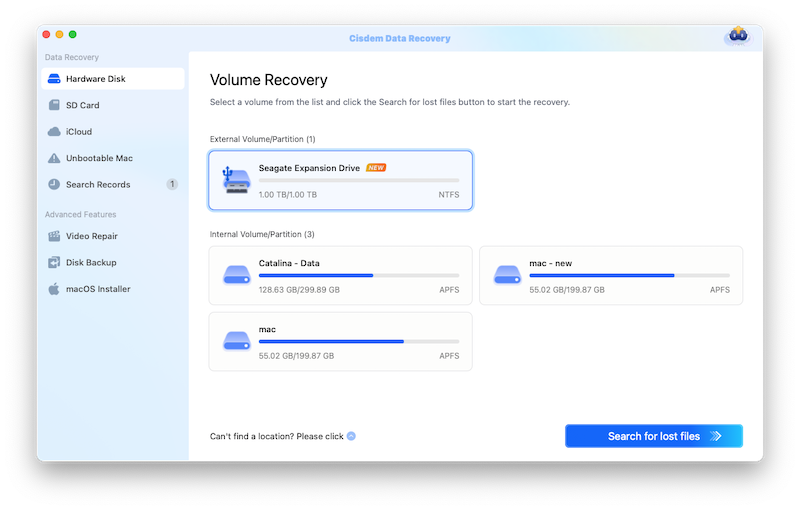
- Supports Various Storage Devices - Different editions work with Mac or Windows internal drives, external HDDs/SSDs, USB flash drives, SD cards, digital cameras, and iCloud / OneDrive.
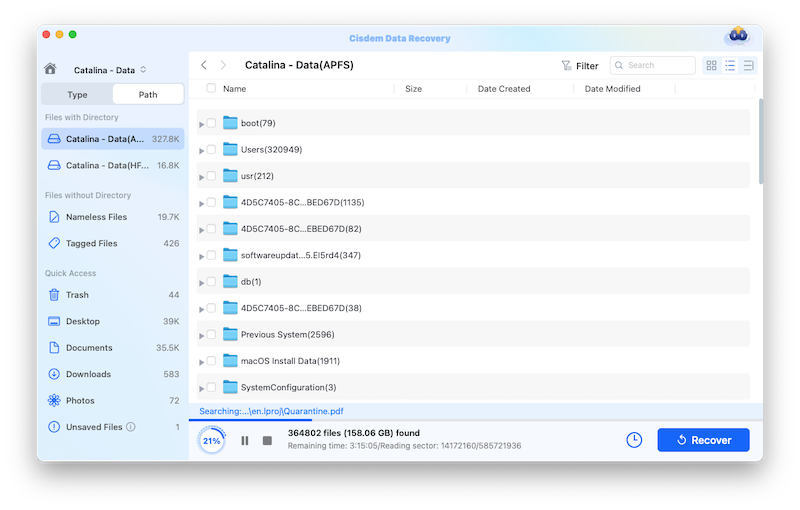
- Advanced Scanning Modes - Deep Scan for thorough recovery from all kinds of storage devices, also save and resume scanning with ease.
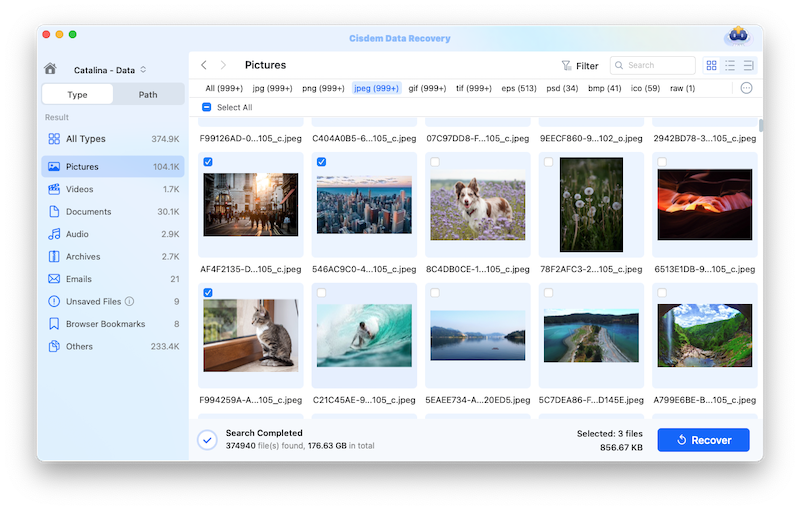
- File Preview Before Recovery - Generates a preview of recoverable files (photos, documents, videos) to ensure accuracy before restoring.
- Filter & Search Functionality - Sorts results by file type, date, or name for faster retrieval.
- APFS & Other File System Support - Compatible with APFS, HFS+, HFS X, FAT16, FAT32, exFAT and NTFS.
- Safe & Read-Only Operation - No overwriting of data—scans without modifying original files.
- User-Friendly Interface - Simple, three-step recovery process (Locate > Scan > Recover).
- High Recovery Success Rate - Uses advanced algorithms to maximize data retrieval.
Different editions are available to support recovery from a Mac or a Windows operating system.
Categories & Use Cases
Media
1 / 3
Screenshot of where to locate a drive

