

Kane CLI By TestMu AI
What is Kane CLI By TestMu AI?
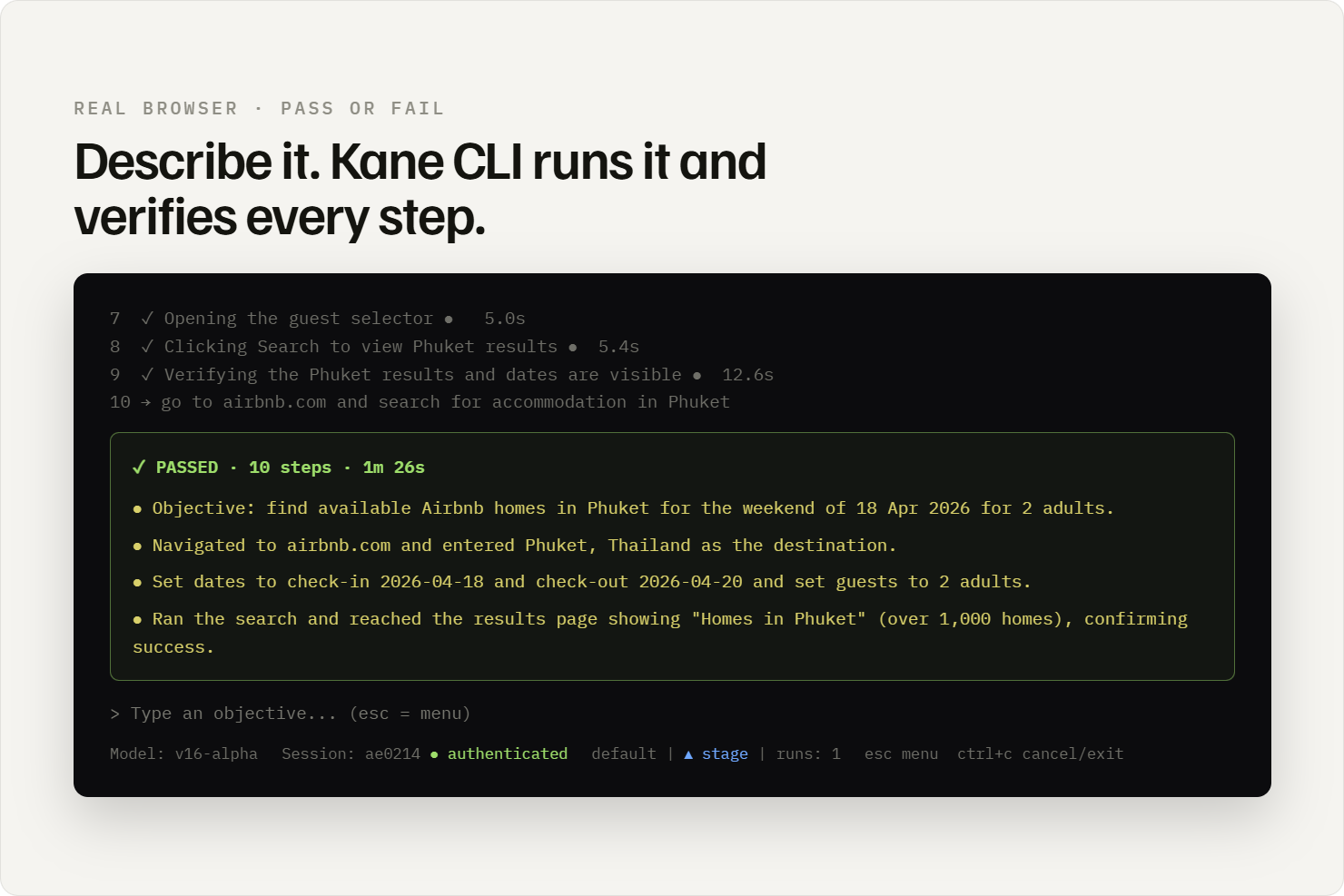
Kane CLI by TestMu AI is a deterministic browser agent that validates rendered UI in a real Chrome browser using natural-language objectives. Built for developers, AI coding agents, and CI/CD pipelines, it lets teams describe a flow in plain English — for example, "log in, add an item to the cart, and verify the order confirmation" — and executes it in a real browser without selectors, XPath, or framework boilerplate. Every pass or fail is anchored to what a user would actually see on screen, not to what the source code declares.
Who it is for One binary and one syntax serve three audiences: developers verifying features before a pull request, AI coding agents (Claude Code, Cursor, Codex CLI, Gemini CLI) that need to confirm generated code works in a real browser, and CI/CD pipelines validating every commit before merge.
Key capabilities
- Three modes from one binary: an interactive TUI for debugging, a headless mode for shell scripts, and an agent mode that emits structured NDJSON for programmatic consumption.
- Autoheal re-resolves target elements when the UI changes, reducing the selector-maintenance cost of traditional frameworks, with confidence-scored matching that surfaces genuinely ambiguous changes instead of passing over them.
- Vision-based dynamic waiting acts when the screen is visually ready, handling canvas, shadow DOM, and lazy-rendered interfaces that DOM- and network-based tools miss.
- Resilient runs push through cookie banners, modals, and redirects, up to 50 steps per flow.
- Two-way migration imports existing Playwright and Selenium scripts and exports any run back to native Playwright code, avoiding lock-in.
- Native CI/CD support with standard POSIX exit codes, plus shareable 7-day evidence links (screenshots and step trace) for pull requests and bug reports.
Differentiators
Kane CLI closes the UI blind spot of AI coding agents, which report on code-level signals but cannot see rendered browser behavior. It installs as a skill into those agents, giving them a real browser to verify their own output, and keeps verification reproducible even when the agent's path varies. Installation is via npm or Homebrew.
Categories & Use Cases

Videos
Screenshots


1 / 3
Screenshot of Kane CLI featured Image
Technical Details
| Deployment Types | On-Premise, SaaS |
|---|---|
| Operating Systems | Windows, Linux, Mac |
| Mobile Application | No |
| Supported Countries | Worldwide |
| Supported Languages | English |