TrustRadius: an HG Insights company

What is Logmanager?

Logmanager is a log management platform enhanced with SIEM capabilities that helps IT professionals to contain cyberthreats, ensure legal compliance, and streamline troubleshooting. By transforming diverse logs, events, metrics, and traces into actionable insights, it helps security and operations teams respond swiftly to any incident.

Read more details.

Media

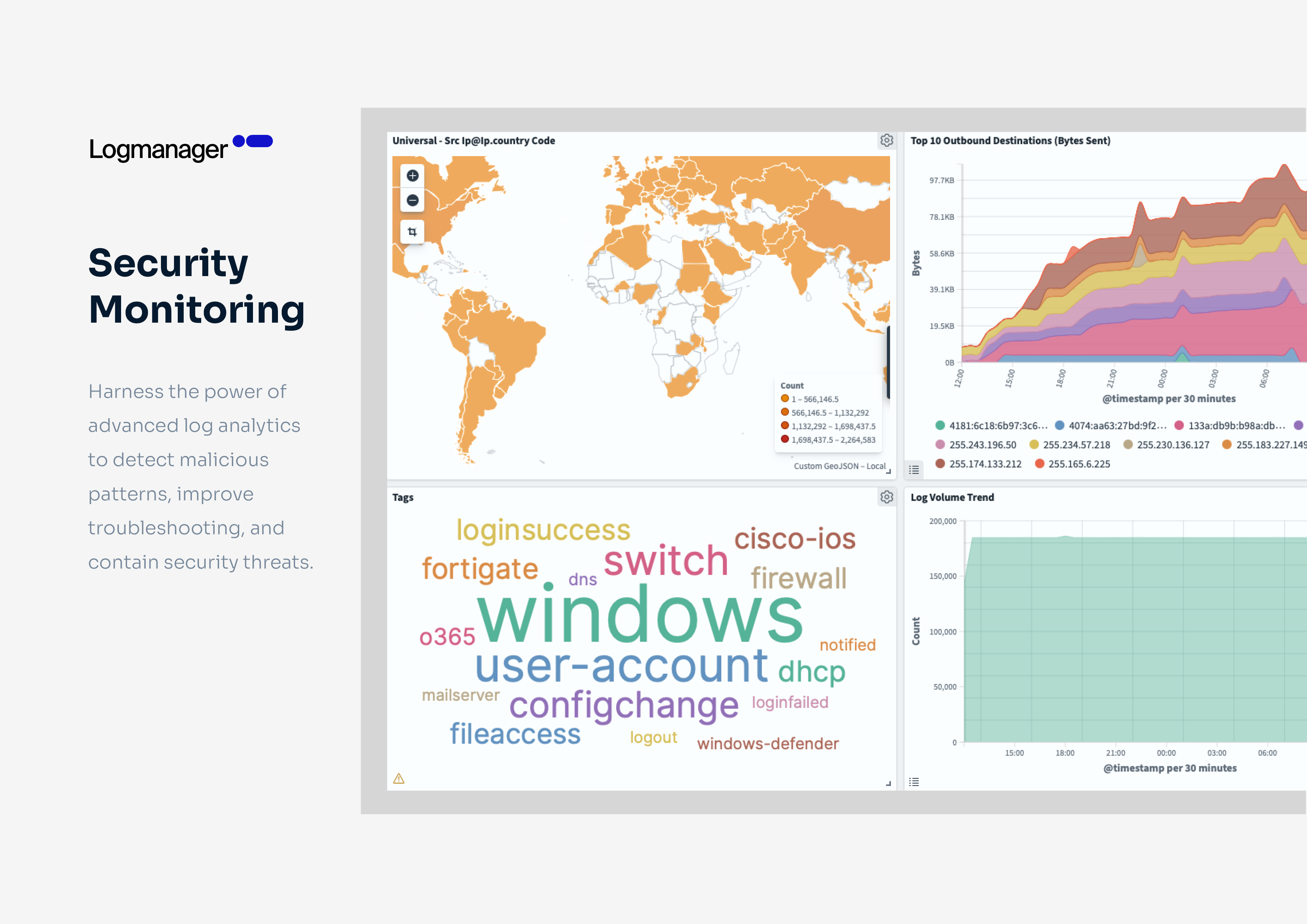
Screenshot of The dashboard. Logmanager features 140+ built-in parsers for technologies like firewalls, networking devices, and EDR. It also features connectors for Windows, SQL, Microsoft 365, and Linux, with support for formats such as CEF, LEEF, and JSON. Through consistent log normalization, all data is presented in a unified visualization pane as shown, to give operators the information they need at a glance.
Screenshot of How Logmanager ensures secure, long-term retention of log data for forensic analysis and compliance. It helps meet cybersecurity regulations like GDPR and NIS2, industry standards such as HIPAA, and frameworks like ISO 27001.
Screenshot of Where to query and filter log files by host, device, or any other tag with natural query language. Specific security events can be analyzed, or patterns in context through log enrichment.
Screenshot of The advanced log analytics that help detect malicious patterns, improve troubleshooting, and contain security threats.
Screenshot of An out-of-the-box reporting template. Reports can be generated based on dashboard templates.
Screenshot of Some of the dozens of predefined dashboards available. These offer insights into log data trends, system performance, security events, and compliance status.

1 / 6

Screenshot of The dashboard. Logmanager features 140+ built-in parsers for technologies like firewalls, networking devices, and EDR. It also features connectors for Windows, SQL, Microsoft 365, and Linux, with support for formats such as CEF, LEEF, and JSON. Through consistent log normalization, all data is presented in a unified visualization pane as shown, to give operators the information they need at a glance.